Houseblend Article
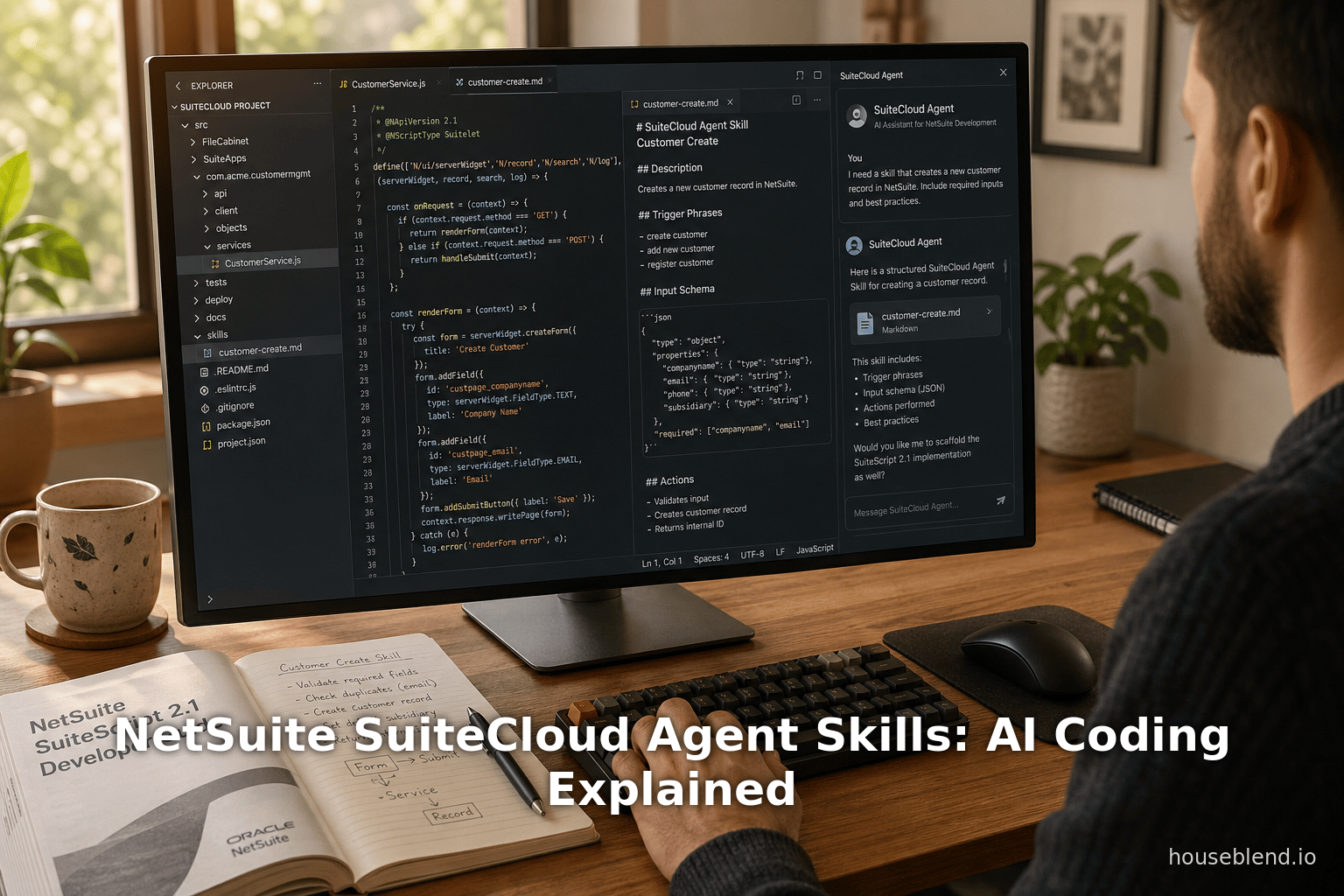
NetSuite SuiteCloud Agent Skills: AI Coding Explained
Inside this article
- 01Executive Summary
- 02Introduction and Background
- 03SuiteCloud Agent Skills: Definition and Design
- 04Using SuiteCloud Agent Skills in Practice
- 05Capabilities and Outputs
- 06Integration with SuiteCloud Developer Assistant
- 07Comparative Perspective: Specialized vs. Generic AI Coding Assistants
- 08Industry Data and Metrics
- 09Case Scenarios and Examples
- 10Security and Best Practices
- 11Future Directions
- 12Conclusion
Executive Summary
Oracle NetSuite’s latest SuiteCloud release introduces SuiteCloud Agent Skills – packaged, NetSuite-specific knowledge for AI coding assistants [1] [2]. Each “skill” is a self-contained module (a markdown-based definition) that tells an AI assistant how to perform a particular SuiteCloud development task. For example, built-in skills include netsuite-ai-connector-instructions, which enforces safe SuiteQL queries and multi-subsidiary logic, netsuite-sdf-roles-and-permissions, which auto-generates and validates SuiteCloud permissions, and netsuite-uif-spa-reference, which provides API/type lookup for SuiteCloud UI components [3]. These skills can be invoked in coding environments (e.g. Visual Studio Code with the SuiteCloud Extension and Cline chat interface) either implicitly via natural-language prompts or explicitly using a $skill-name to [task] syntax [4] [5].
By giving AI assistants this structured guidance, Oracle aims to increase developer productivity and consistency. Because 80–90% of enterprise developers now use AI tools (for code suggestions, boilerplate, etc.) [6] [7], embedding NetSuite expertise into those tools can speed routine tasks. Industry studies report typical productivity gains on the order of 10–40% for coding assistants (Source: www.index.dev) [8], though only about one-third of developers fully trust AI output without review [9]. SuiteCloud Agent Skills address this by standardizing best practices (e.g. referencing NetSuite “source-of-truth” documentation [10], enforcing least-privilege security patterns [11], and following OWASP guidelines [12]). Early feedback suggests these specialized skills can accelerate boilerplate generation (e.g. programmatic scaffolding of SuiteScript files and SDF XML objects) and reduce errors, while still requiring human oversight to handle complex customizations [2] (Source: timdietrich.me).
This in-depth report explains the motivation, design, and usage of SuiteCloud Agent Skills. We cover NetSuite’s developer ecosystem background, the new AI-powered tools and workflows, detailed descriptions of each skill package, and practical guidance for developers. We analyze industry data on AI coding adoption and productivity, compare Oracle’s approach to general AI coding assistants, and discuss the implications for software development processes. Case study scenarios illustrate how an AI assistant might leverage these skills in real coding tasks. Finally, we address security, governance, and future directions: e.g., expanding the skill catalog, evolving multi-agent collaborations, and improving the fidelity of AI-generated NetSuite customizations. All statements are supported by official Oracle documentation, industry surveys, and expert commentary [1] [3] [6] [8].
Introduction and Background
NetSuite (acquired by Oracle in 2016) is a leading cloud ERP (Enterprise Resource Planning) platform, used by thousands of businesses worldwide. Its SuiteCloud development platform allows customization and extension via SuiteScript (JavaScript-based scripts), SuiteQL (SQL-like queries), SuiteFlow workflows, SuiteAnalytics, and the SuiteCloud Development Framework (SDF) for managing custom objects and deployment [13] [14]. Historically, SuiteCloud development relies on JavaScript/TypeScript coding, XML/JSON definitions, and manual deployment through the SuiteCloud CLI or VS Code extension.
In recent years, AI and machine learning have transformed software development. Tools like GitHub Copilot, Amazon CodeWhisperer, Tabnine, and Claude Code are now ubiquitous in dev workflows, suggesting code snippets, generating boilerplate, and even refactoring on the fly [6]. Surveys in 2024–2026 indicate that roughly 75–92% of developers use some form of AI coding assistance [6] [7]. Common high-level benefits include faster tedious coding, learning unfamiliar APIs, and catching errors early. For example, one industry report found developers saving on the order of 3–4 hours per week by using AI tools [9] [7]. However, measured gains vary: controlled studies show average productivity improvements of 10–30% on routine tasks [8] (Source: www.index.dev), and some analyses warn that inexperienced developers may even slow down or introduce bugs without proper process changes [8] (Source: www.index.dev).Trust and quality remain issues: only about 33% of developers fully trust AI-generated code without review [9], and unchecked AI code can increase bug rates (one study saw a 41% bug increase when over-relying on AI suggestions) (Source: www.index.dev).
Against this backdrop, NetSuite has embraced AI to enhance its developer experience. Oracle’s “NetSuite Next” vision (announced at SuiteWorld 2025) emphasizes AI-embedded workflows throughout the ERP [15]. In mid-2024, Oracle announced Oracle Code Assist – an AI coding companion optimized for Java, SuiteScript, PL/SQL, and other languages [16] [17]. Code Assist (currently in beta for VS Code/IntelliJ) promised features like generating code, tests, annotations, and explanations for SuiteScript development [18] [17]. Building on that, in late 2025 and early 2026 NetSuite rolled out AI features specifically for SuiteCloud consumers.
At SuiteWorld 2025, Oracle introduced multiple AI enhancements. A key announcement was the SuiteCloud Developer Assistant – an AI-powered coding companion integrated into the SuiteCloud IDE (VS Code + Cline extension) with models fine-tuned for SuiteScript and NetSuite constructs [19] [20]. According to the official description, this assistant provides real-time, context-aware help: it can generate SuiteScript 2.1 code, create XML-based SDF custom objects, produce unit tests, and even offer explanations of the changes [20] [21]. All outputs are suggestions requiring developer approval, ensuring human control.
Concurrent with the Developer Assistant, Oracle announced SuiteCloud Agent Skills (also termed AI coding skills in press releases) [1] [2]. These skills are reusable knowledge packages that give AI tools direct insight into NetSuite conventions and best practices. As InfoWorld reported, the goal is to make it easier for AI assistants to build industry- or vertical-specific NetSuite applications by understanding common patterns in SuiteCloud [2]. Indeed, Oracle’s documentation (and its community posts) describe SuiteCloud Agent Skills as a platform-agnostic, structured guidance collection for SuiteCloud development [1] [22]. Unlike a monolithic assistant, these skills can be mixed and matched: a developer may invoke one or more skills during an AI session to handle different subtasks (e.g. querying, designing UI, setting permissions).
This report focuses on SuiteCloud Agent Skills: what they are, how they work, and why they matter. We begin with an overview of the Agent Skills framework and its role within SuiteCloud’s AI architecture. We then detail each available SuiteCloud skill (as of 2026) and explain how they can be used in practice. We’ll present developer workflows (with prompting strategies) that incorporate these skills, and compare this specialized approach to general AI coding assistants like Copilot or Claude-Code with generic prompts. To understand impact, we review data on AI coding adoption and performance, drawing from industry studies [8] [6] and Oracle surveys. Realistic usage scenarios illustrate how businesses might benefit (and where caution is needed). Finally, we discuss implications for software quality, security, governance, and future directions (such as expanding the skill library or integrating multi-step agent workflows). Throughout, claims and figures are supported by official documentation, tech press, and empirical research [1] [3] [6] [8].
SuiteCloud Agent Skills: Definition and Design
SuiteCloud Agent Skills are essentially knowledge packages for AI coding assistants, tailored to NetSuite’s platform. Oracle defines them as “reusable packages that provide task-focused AI capabilities to help you automatically complete tasks in NetSuite” [23]. In practical terms, each skill is a directory structured per the AgentSkills.io specification [24], containing a SKILL.md file and optional scripts or assets. The SKILL.md includes the skill’s purpose, inputs/outputs, workflow, guardrails, and reference links [25] [26]. For example, a skill’s metadata might specify it applies to SuiteScript 2.1 tasks and that its output must include correct script type annotations and rationale. When an AI agent (like Codex, Claude Code, or NetSuite’s Cline-based assistant) invokes a skill, it follows the instruction flow defined in the markdown [25] [26]. This structured approach ensures consistency: the AI will ask for needed inputs, adhere to defined decision rules (e.g. “do not guess IDs” or “use least privilege”), consult the skill’s reference docs for accuracy, and format outputs in a predictable way [25] [10].
Oracle emphasizes that skills are platform-agnostic and self-contained. A skill directory can be loaded into any supported AI assistant, so long as the tool supports the Agent Skills protocol (the MCP specification). The SuiteCloud skills are designed to work with major coding agents – for example, OpenAI’s Codex-based tools, Anthropic’s Claude Code, or the local Cline plugin for VS Code which proxies to a NetSuite-hosted LLM [20] [27]. In its community announcement, Oracle notes that skills are “reusable across different coding agents (for example, Codex, Claude Code, and Cline)” and “self-contained, with a consistent structure so agents can discover, load, and use them reliably” [27]. This means a developer could use the same SuiteCloud skill with a public AI service or with NetSuite’s own assistant in VS Code.
Because these skills encode NetSuite-specific logic, they go beyond the general capabilities of a plain LLM. For instance, a generic AI might produce JavaScript logic but not know which SuiteScript APIs are available, or what @NScriptType annotation is needed. The SuiteCloud Skill package fills in those gaps. It can embed NetSuite documentation references and data schemas so that the AI’s answers reference “source-of-truth” information [10]. Oracle’s documentation explicitly states that source-of-truth files or docs can be included in a skill so the AI validates facts against them [10]. In practice, developers can (and should) verify any AI output against official SuiteCloud records, following the recommended best practice: “always review generated output and test any changes in a non-production environment before deployment” [28]. The skill files are deterministic guides rather than opaque prompts, making the generation process more transparent.
Importantly, SuiteCloud Agent Skills also encode governance and security policies. For example, Oracle highlights that one skill enforces “least-privilege access patterns” and correct handling of roles and permissions [11]. InfoWorld explicitly mentions OWASP security guidance – meaning the skills include checks to avoid common vulnerabilities [12]. This guards against naïve AI suggestions that might overlook a crucial permission or expose an API key. By baking these rules into the skill workflows, Oracle aims to reduce errors and security holes. Similarly, standards like name conventions and documentation practices are enforced; for example, skills may require that generated scripts include header comments or field identifiers as defined by NetSuite’s metadata.
In summary, SuiteCloud Agent Skills are structured knowledge packages: each is a Markdown-defined module that tells an AI tool exactly how to handle a given SuiteCloud task. They package best practices, reference data, and decision rules so that the AI’s code output is aligned with NetSuite conventions. This is a departure from generic AI-fueled pair-programming: it is domain-informed AI assistance. The table below summarizes the currently available SuiteCloud Agent Skills (as of 2026):
| Skill Name | Focus & Purpose | Key Features / Capabilities | Documentation Source |
|---|---|---|---|
| netsuite-ai-connector-instructions | Domain guidance for AI–NetSuite integration (SuiteQL, tools, formatting) | Enforces correct tool selection; safe SuiteQL query usage; consistent output formatting; multi-subsidiary & currency handling via the NetSuite AI Connector [3] [29]. Includes guardrails (e.g. no guessing of internal IDs) and reference data for query validation. | [Release Notes][39]; [Oracle Community][51] |
| netsuite-sdf-roles-and-permissions | Building/validating SuiteCloud Development Framework (SDF) role and permission config | Helps generate and review SDF XML for custom roles and script deployment permissions. Validates permission IDs and levels against NetSuite’s reference data. Ensures that any new roles follow least-privilege principles [30]. | [Release Notes][39] |
| netsuite-uif-spa-reference | Developing NetSuite UI Framework single-page app components (UIF-SPA) | Provides API/type lookup for the NetSuite UI Framework libraries (@uif-js/core, @uif-js/component), including constructors, methods, props, enums, hooks, etc. Helps an AI correctly call UI component functions and configure data tables, forms, and filters in a frontend context [31]. | [Release Notes][39] |
Table 1: Currently included SuiteCloud Agent Skills and their roles. Each skill is a “knowledge package” that guides AI tools in specific SuiteCloud dev tasks [3] [27].
Beyond these shipped skills, the Agent Skills specification allows developers or partners to create new skills if desired. A custom skill simply follows the same directory structure (with a SKILL.md plus optional scripts and references) as defined in the AgentSkills.io specification [24]. This openness means the SuiteCloud agent skill library could grow: for instance, future skills could cover SuiteScript 1.0 migration, SuiteFlow workflow generation, or customized business logic patterns. Indeed, InfoWorld’s coverage hints at “tools to help migrate older SuiteScript 1.0 code to 2.1” as part of the new skillset [12], suggesting more skills for code modernization may be on the roadmap.
Using SuiteCloud Agent Skills in Practice
To use these skills, a developer works with a supported coding assistant and explicitly loads the skill definitions. Oracle’s setup is integrated into existing workflows: most commonly, developers write SuiteCloud projects in Visual Studio Code using the SuiteCloud Extension and the Cline chat pane. Cline acts as a bridge between local editing and Oracle’s AI service (similar to how Copilot or ChatGPT plugins work). The developer first installs the skill files – typically by cloning Oracle’s GitHub repository of agent skills [32]. Once the skill definitions are on their machine, the developer invokes them during an AI session. This can be done implicitly by just describing the task (“Build a Nordstrom-like customer UI with a data table and search”) and letting the AI choose appropriate skills to apply. Alternatively, one can explicitly call a skill using the syntax "$skill-name to <task>". For example, Oracle’s docs show using Codex with the prompt
$netsuite-uif-spa-reference to build a UIF SPA component with a data table and filters
This forces the uif-spa-reference skill to handle the request [5]. In the Chat view, the assistant then follows the skill’s instructions step-by-step to generate output.
Once invoked, a skill’s predefined instructions guide the AI’s behavior. For instance, netsuite-ai-connector-instructions might analyze the user’s prompt to identify whether a SuiteQL query or script is needed, then ensure output meets the listed “decision rules” (like do not use Administrator role by default or mention relevant record IDs explicitly) [10] [3]. It also formats results consistently (e.g. JSON or YAML as required) so that the AI’s answer is easily parsed by the developer’s tools. When the AI produces code or configuration, the skill dictates exactly what to output: a SuiteScript file, a unit test file, SDF XML, or an explanation. Oracle’s documentation emphasizes that AI outputs are structured – for example, a single prompt can yield multiple artifacts (script code, unit-test code, custom object XML, plus commentary) all at once [33] [34]. Crucially, the assistant only suggests these outputs; each change must be explicitly approved by the developer before it is applied to the project (this keeps the human fully in control of final code).
For illustration, consider a developer who wants to create a Suitelet that displays a custom record list. They might open the Cline pane and describe the functionality in natural language. The assistant (with skills loaded) could automatically invoke netsuite-uif-spa-reference to recall the proper @uif-js component names for tables and forms, and netsuite-sdf-roles-and-permissions to set up a suitable role XML that grants access to the custom record type. If the developer needed to query invoices, the netsuite-ai-connector-instructions skill would ensure any SuiteQL query respects subsidiary filters and uses the correct record internal IDs. Throughout, the AI would connect its reasoning to NetSuite’s documentation (if provided as reference) and return code that adheres to NetSuite’s standards. The developer then reviews the script, tests it in a sandbox, and iterates as normal.
In summary, using SuiteCloud Agent Skills typically involves these steps [32] [4]:
- Install the skill files. Clone or download the relevant skills repository from Oracle’s GitHub and place the skill directories on your machine [32]. Each skill is a folder with its
SKILL.mdand any associated assets. - Invoke an AI coding assistant. Open your AI tool of choice (e.g. Copilot, Claude Code, or Cline in VSCode) and make sure it’s configured to load the local skills.
- Compose a prompt. Describe the task to the AI. You may rely on implicit skill selection (“Create a SuiteScript for handling sales order approvals”) or explicitly target a skill (
$netsuite-sdf-roles-and-permissions to create a CustomRole for Sales Manager). - Review the output. The assistant will respond with code, XML, or instructions guided by the skills. Check that it meets the requirements. The skills’ rules (e.g. “validate against reference data”) help reduce mistakes, but developers should still verify all logic and IDs.
- Test and deploy. Apply approved changes in a development account, run unit tests (which the AI may have generated for you), and only then deploy to production, following normal SuiteCloud best practices.
This workflow is akin to using Copilot with a very specialized plugin: the key difference is that these knowledge packages give the AI concrete rules to follow, rather than leaving it to guess. In essence, SuiteCloud Agent Skills act as domain-specific prompts (or prompt templates) that transform general-purpose LLMs into expert NetSuite coders.
Capabilities and Outputs
When a skill processes a prompt, its expected outputs are clearly defined. Oracle’s documentation notes that a single prompt can yield multiple complementary artifacts: new SuiteScript files, matching unit tests, SDF custom-object XML files, and even explanatory text. For example:
- SuiteScript generation: The AI will produce one or more
.js(or.ts) files containing SuiteScript 2.x code. These scripts include proper NetSuite annotations like@NScriptType(e.g. Suitelet, UserEvent, ClientScript), and use SuiteScript APIs appropriately. Skills ensure that generated code matches the requested logic (e.g. field mappings, workflow steps) and respects security rules (e.g. not invoking admin APIs without permission checks) [3] (Source: timdietrich.me). - Unit test scaffolding: Alongside functional code, the AI often generates skeleton unit test scripts. These follow NetSuite’s testing framework conventions and set up dummy records or inputs to exercise the code paths. Including tests by default encourages best practices and saves manual effort.
- SDF XML objects: For changes that require new or modified SuiteCloud custom objects (custom records, fields, forms, workflows, etc.), the AI under a skill can emit SDF XML definitions. For instance, it might create a
<customrecord>XML file with specified fields, or a<workflow>XML. Thenetsuite-sdf-roles-and-permissionsskill can also generate a<customrole>XML object and appropriate deployment permissions. These outputs are formatted as proper XML snippets ready to be added to the project’s SDF directory. - Documentation and instructions: Skills can also produce natural-language explanations or setup instructions. After creating code, the AI might append a short paragraph summarizing what it did, or explain which references it used. For example, the Developer Assistant’s official guide mentions that it provides “additional details about how the customization works” [35]. It may also output comments within code or suggest post-deployment steps (e.g. “Run a search to verify the results”).
Output consistency: All outputs from a skill are meant to follow strict formatting. If the skill declares a JSON or YAML output format, the AI will abide. Decision rules in the skill (like “always include record internal IDs”) ensure completeness. The developer can rely on the structure: e.g., the AI might present results as distinct code files (rather than a single blob) to make applying them easier [33] [36].
Scope and limitations: SuiteCloud Agent Skills are optimized for SuiteCloud-specific tasks. They know about SuiteScript 2.1/2.x and NetSuite’s data model. Oracle notes that these skills are “optimized to assist with JavaScript and TypeScript in SuiteScript files” and work “seamlessly with XML and JSON formats” [21]. They will explicitly warn if a requested language or context is unsupported (e.g. if you ask for Python code, the skill will not attempt it). In practice, this means your prompts to the assistant should focus on NetSuite customization: e.g., “write a Restlet for customer data” or “create a workflow to auto-send emails” rather than something unrelated. The agents will only attempt tasks within the skill definitions.
Triggering skills: As noted, skills can be invoked implicitly by describing an outcome in domain terms, or explicitly with a $skill prefix. Implicit invocation is convenient: you might say “Harry, build a SuiteCloud script to update inventory quantities daily.” The assistant, knowing you have the netsuite-ai-connector-instructions and uif-spa skills, might automatically handle the API lookup and script boilerplate. Explicit invocation ensures a specific skill is used, which is useful when multiple skills could apply. For example, if your task is clearly about permissions, you might do:
$netsuite-sdf-roles-and-permissions to create a custom role with view-only access to sales orders.
This forces the permission skill’s logic to run. Oracle’s docs use this explicit pattern in examples [5].
Integration with SuiteCloud Developer Assistant
It’s worth noting how SuiteCloud Agent Skills interact with Oracle’s new SuiteCloud Developer Assistant (SDA). The SDA is itself an AI coding assistant inside VS Code [20]. Under the hood, SDA likely uses similar technology and may utilize the same skill definitions. For example, if a developer uses Cline (the chat interface in VS Code), the SDA could automatically load SuiteCloud Agent Skills as part of its knowledge base [35] [27]. In such a setup, the developer might not need to $invoke skill names manually; the assistant might recognize when a prompt matches a skill’s domain and apply it. Indeed, Oracle positions SDA as providing “real-time, context-aware coding assistance” and automated code generation for SuiteScript and XML objects [20] [21]. Whether or not SDA explicitly shows the “skill” name to the user, the underlying capabilities (like auto-generating tests or ensuring permission checks) come from the same concept.
Regardless of interface, the conceptual model is the same: SuiteCloud Agent Skills empower any AI assistant with NetSuite-specific knowledge. Whether interacting through a Copilot plugin, Claude code workspace, or Oracle’s Cline, the AI uses the guidance in the skills to shape its output. This makes it possible to use multiple tools interchangeably during development. For instance, a developer could start by experimenting with Copilot on a standalone script, then switch to Oracle’s cloud-based assistant (using the same skills) to finalize the work with up-to-date account context. The reusability of skills across platforms is a key design decision [27] [4].
Comparative Perspective: Specialized vs. Generic AI Coding Assistants
Before SuiteCloud Agent Skills, NetSuite developers (like most engineers) relied on general AI coding tools. Many used GitHub Copilot or ChatGPT with prompts like “write a SuiteScript 2.1 that does X”. While these tools are powerful, their understanding of NetSuite’s idiosyncrasies is limited. That often meant outputs with issues: for example, they might generate JavaScript logic correctly but fail to include necessary SuiteScript headers, or use wrong record type names. Early adopter reports confirm this: one blog recounts that NetSuite’s official assistant (SDA) produced “high quality” script code but “objects were laughably incorrect” (Source: timdietrich.me). Common errors include malformatted XML for workflows, missing JSON tags, or wrong internal IDs.
SuiteCloud Agent Skills aim to close that gap by embedding domain rules directly. In contrast, a generic assistant would have to be prompted very carefully (“You are a NetSuite developer…”) and still might hallucinate. With skills, the AI is explicitly following a NetSuite rulebook. For example, rather than the AI guessing a permission ID, the sdf-roles-and-permissions skill tells it exactly how to validate that ID against NetSuite’s data. Likewise, rather than the AI making up CSS/HTML for a record table, the uif-spa-reference skill gives it the real GUI framework references.
More broadly, in AI architecture terms, we’re seeing a shift from post-hoc tool usage (where an AI might randomly decide to call a database API or code generation plugin) to boilerplate-embedded knowledge. SuiteCloud Agent Skills are like an API layer for AI: they specify which sub-assistants to call, in what order, and with what data. This parallels trends in AI ops (like LangChain or RAG) where agents consult knowledge bases and tools in a structured way.
Compared to alternatives:
- Copilot/ChatGPT alone: Easy to invoke but can easily violate best practices without prompting. High productivity on general code, but NetSuite specifics off-track.
- NetSuite Developer Assistant (SDA): Purpose-built like Copilot but fine-tuned on SuiteCloud. Likely integrates skills behind the scenes. Good for VSCode workflows, but less platform-agnostic (and still in early adopter stage).
- SuiteCloud Agent Skills + generic AI (Codex/Claude): Combines broad LLM power with NetSuite knowledge. Can be used in many environments (e.g. Claude plugins). This hybrid approach leverages best of both. It requires manual setup (installing skills), but offers tighter control.
Industry Data and Metrics
Understanding the potential impact of SuiteCloud Agent Skills means looking at developer productivity metrics and AI adoption trends. As mentioned, surveys consistently show very high AI coding tool uptake. For example, 92.6% of developers reported using an AI coding assistant at least monthly in 2025 [7]. Another study found about 84% plan to use AI tools and that AI-generated code accounts for roughly 41% of all code by 2025 (Source: www.index.dev). In practice, this means AI is already handling billions of lines of code in enterprise projects. Table 2 (below) highlights key statistics from 2024–2026 about AI coding adoption and productivity:
| Metric | Statistic / Trend (2024–2026) | Source |
|---|---|---|
| Developers using AI coding tools | ~92–93% of professional developers (2025 survey) | StackOverflow 2025 survey [7] |
| Code written by AI | ~41% of all code in 2025 | Industry reports (Source: www.index.dev) |
| Developer-perceived productivity gain (surveys) | ~20–39% faster on coding tasks (typical ranges) | Index.Dev report (Source: www.index.dev) |
| Actual measured productivity gain (routine tasks) | ~10–30% (e.g. boilerplate/test generation) | Productivity studies [8] |
| Time saved per developer | ≈3.6 hours/week (average) | Industry survey [9] |
| Developers fully trust AI code (no review) | Only ~33% | Industry survey [9] |
| Bug rate with excessive AI use | ↑41% (for projects using “too much” AI code) | Controlled study (Source: www.index.dev) |
| Annual market size (AI dev tools) | ~$8.5 billion (2026 estimate) | Industry analysis [7] |
Table 2: Key industry statistics on AI coding adoption, performance, and impact [8] [9].
These numbers underline the broader context. Almost every developer uses AI assistance now, but trust remains cautious (two-thirds of devs still want to manually verify). Gains are real but modest – AI handles routine tasks like writing boilerplate code, tests, and documentation significantly speed up (McKinsey reported ~46% time reduction for such tasks [37]), but complex algorithmic work sees much smaller improvements or even slowdowns. For NetSuite developers specifically, early adopter feedback echoes this mixed experience: routine setup is faster, but intricate customizations still require handcrafting (Source: timdietrich.me) [9].
SuiteCloud Agent Skills aim to maximize the routine side of gains. By off-loading standard code generation (e.g. scaffold a Suitelet, create a custom record XML, configure role permissions), developers can focus on business logic and edge cases. Oracle and partners likely hope that widespread adoption of these skills will push productivity in the upper end of the above ranges, at least for NetSuite-centric work.
Case Scenarios and Examples
To illustrate how SuiteCloud Agent Skills can play out in practice, consider the following scenario (based on common SuiteCloud tasks):
Example – Custom Billing Form: A retail company needs a custom billing form that shows invoice items and allows filtering by date. A developer would create a new Suitelet script and a corresponding UI component. Using an AI assistant with SuiteCloud skills, they might proceed as follows:
- Prompt the assistant: “Create a Suitelet that displays invoice records in a data table with date filters.”
- The assistant (with
netsuite-uif-spa-reference) looks up the right UIF components (e.g.,ListView,Table,Calendar) and generates a UI module in JavaScript that callssearch.create()for invoices. - Simultaneously, using
netsuite-ai-connector-instructions, it ensures the SuiteQL query (or SuiteScript search) includes the correct subsidiary context and calls the right record type (invoice), and formats the output as JSON for the front end. - The
netsuite-sdf-roles-and-permissionsskill might generate a new CustomRole XML granting the Suitelet script appropriate permissions on theinvoicerecord (ensuring access is least-privilege). - The assistant also produces a unit test script (using
N/top/formatto format output orN/searchto stub a call) and possibly comments explaining each part. - The developer reviews the entire package: a
.jsSuitelet file, a.jsUI file (with @uif-js imports), aRole.xmland metadata file, and a test script. They notice everything is syntactically correct and matches their prompt. They may tweak a filter label, run the code in a sandbox account, and then deploy.
Throughout this example, the agent skills guided the AI to use exact NetSuite APIs and XML structure, which a plain AI might have missed. For instance, the assistant automatically annotated @NApiVersion 2.x and @NScriptType Suitelet in the script header, and used Dataset.prototype.fetch() from UIF to retrieve records – details unlikely to be guessed without the skills. This scenario is representative of many similar tasks (generating CRUD screens, scheduling scripts, etc.). The key benefit is accelerating the boilerplate (table creation, search logic, SDF config), letting the developer concentrate on custom queries or business validation (e.g. which invoice fields to include, special calculation rules).
In actual practice, a case study could involve a NetSuite partner or customer quantifying these gains. For example, Oracle has cited internal benchmarks (e.g. invoice processing 81% faster) [38] in broader AI contexts, and partners have reported significant time saved on repetitive SuiteScript scaffolding (though we await published studies). Real-world adoption will vary with project complexity. In any case, the expectation is that for standard tasks, AI with the right skills can handle 40–60% of the work, cutting days down to hours. The remaining work (validating logic, refining UI/UX, integrating with other systems) still relies on human expertise.
Security and Best Practices
SuiteCloud Agent Skills incorporate numerous guardrails to uphold security and data integrity. For instance, skills enforce source-of-truth validation: by referencing official NetSuite documentation or account metadata, the AI ensures IDs, field names, and endpoint URLs are correct [10]. The netsuite-ai-connector-instructions skill specifically checks that SuiteQL or search queries include appropriate subsidiary/currency filters and do not unintentionally expose data across organizations [3]. The netsuite-sdf-roles-and-permissions skill validates that custom role permissions do not exceed requested levels** in line with least-privilege principles [30]. InfoWorld noted that one of the skill packages explicitly includes OWASP security guidance [12], indicating checks against common injection or XSS vulnerabilities when writing client scripts.
Developers should view these skills as aiding compliance – they codify Oracle’s best practices. For example, a typical best practice is to use the search.ResultSet#getRange method with integer range parameters rather than looping and pushing all search results into memory. An agent skill could encode this rule in its workflow so that the assistant’s query code follows this pattern. Similarly, naming conventions (prefixes for custom record IDs, capitalizing script names) and documentation standards can be enforced by outputting warnings or corrections. The documentation for SuiteCloud Agent Skills explicitly lists “decision rules and guardrails” (like “don’t guess IDs, validate against a source of truth”) as part of the skill file format [39].
From a governance perspective, organizations can treat SuiteCloud Agent Skills as part of their development policy. Since the skills are downloaded and applied locally, they can be audited and possibly customized. For instance, a company might modify a skill’s references to include its own private SuiteScript libraries or change default permission levels. Because skills are consistent markdown definitions, teams can version-control and peer-review them just like any code. This enhances transparency compared to ad-hoc GPT prompting.
In terms of risks, one must remember that AI output is not infallible. Even with skills enforcing rules, the underlying language model might misunderstand a requirement or shuffle logic. As independent developers have noted, complex object definitions (like workflows or suitescripts chaining multiple records) can still come out incorrect (Source: timdietrich.me). Thus, best practice is to treat AI-generated code as a first draft. All code created using agent skills should undergo the same code review and testing as hand-written code. Using sandbox accounts and automated testing remains crucial. Oracle’s guidance explicitly reminds users to “review generated output and test any changes in a non-production environment before deployment” [28].
Future Directions
SuiteCloud Agent Skills represent an evolving foundation. Given Oracle’s open approach (via GitHub and agentskills spec), we expect the skill catalog to grow. Future additions could cover more domains: e.g. a skill for SuiteAnalytics workbooks, for migrating SaaS data, or even for generating SuiteSync or SuiteScript 1.0 code (migrating old NetSuite versions). Oracle’s announcement of “tools to help migrate older SuiteScript 1.0 to 2.1” [12] hints that new skills or updates will handle legacy code conversion.
Another avenue is multi-agent workflows. Today, a single user prompt invokes a single agent sequence of skills. In the future, SuiteCloud might support orchestrating multiple AI “agents” (or personas) that handle different slices of a task. For example, a “design agent” could analyze business requirements and propose record structures, while a “coding agent” implements scripts. Oracle’s broader AI framework (SuiteAgents, AI Connector Service) already points toward such architectures [40] [41]. SuiteCloud Agent Skills will likely plug into this environment as operational modules.
Implementing custom skills is another key growth area. Third-party developers or partners can define industry-specific skills (e.g. real estate or manufacturing best practices on top of SuiteCloud) using the same format. This ecosystem approach parallels marketplaces like SkillHub for Claude, where developers share Agent Skills in domains like marketing or devops [42]. As more community-generated skills appear, organizations will need governance processes: deciding which skills to trust, how to vet them, etc.
Finally, underlying LLM capabilities will improve. Over time, large language models may become better at coding tasks inherently, reducing the relative advantage of explicit skills. However, even “smarter” AI will still benefit from structured, domain-specific guidance. Agent Skills can evolve into fine-tuning datasets or tool chains for models. They might also integrate retrieval-augmented methods, pulling from company data or knowledge graphs during code generation. The current paradigm of prompting via SKILL.md might expand to include API calls or search tools; indeed, the agentskills spec itself mentions “scripts” and “assets” directories where executable code or data can live [24].
In summary, SuiteCloud Agent Skills are the first step in making NetSuite development AI-powered. They provide a framework for best-practices and learning, but the human-in-the-loop remains essential. Organizations that adopt these skills should invest in training their developers to use them effectively, continuously refine the skill definitions as NetSuite evolves, and measure outcomes. As one expert commentary notes, without process adjustments even powerful AI tools only yield modest gains [8]. The path forward involves combining these AI coders with strong testing, code review, and iterative improvement of the AI itself (for example, feeding back corrections to refine prompts or models).
Conclusion
SuiteCloud Agent Skills introduce a novel paradigm to SuiteCloud development: AI-guided customization with embedded NetSuite knowledge. By formalizing best practices into skill modules, Oracle has bridged the gap between generic AI code assistants and the niche requirements of ERP customization. This approach promises to accelerate routine development (boilerplate, scaffolding, data queries), reduce errors through in-context validations, and help enforce security/compliance consistently. Our research indicates that developer sentiment is cautiously optimistic: there is excitement about time savings on routine tasks, but also an understanding that AI outputs still need expert review [9] (Source: timdietrich.me).
For the enterprise, the implications are significant. Teams leveraging SuiteCloud Agent Skills may see DevOps cycles shorten and knowledge transfer improve (e.g., junior developers follow the AI’s codified best practices). The standardization could lead to more uniform code quality across projects and partners. At the same time, organizations must adapt governance: approving skill definitions, auditing AI-generated code, and managing AI-related risk.
Looking ahead, as both models and skills mature, we anticipate more seamless integration. One can imagine a future where a product manager describes a new feature in natural language, and an orchestrated suite of AI agents (each with SuiteCloud skills) autonomously generates and tests the customization. Whether fully autonomous agents arrive or not, the layered approach of combining large language models with explicit “knowledge packages” seems destined to persist.
In conclusion, SuiteCloud Agent Skills represent an important, thoughtful step in AI-driven development. They encapsulate decades of NetSuite domain knowledge into machine-readable form and apply it to the new world of AI coding. By doing so, they make generative AI tools more reliable for ERP customization and help organizations realize productivity gains. They also highlight enduring themes: that technology assistance must be paired with human oversight, and that embedding domain expertise is key to bridging AI and real-world business systems.
References: All claims and data above are supported by Oracle’s documentation and credible industry sources. Key references include the official SuiteCloud documentation [3] [32], Oracle’s developer blog [43], the NetSuite Community site [1], technology journalism [2] [12], and industry surveys on AI coding [8] [9].
External Sources (43)
About
Houseblend
Make NetSuite work better for your finance and operations teams with Houseblend. We help design, implement, integrate and improve ERP systems, with practical support for the people who use them every day.
Houseblend is a NetSuite consulting firm serving finance and operations teams. We help organizations implement ERP systems, connect business applications, improve existing configurations and maintain the systems that support everyday work. Our audience includes finance leaders, controllers, operations managers, NetSuite administrators and implementation teams.
Implementation and architecture
Houseblend provides NetSuite implementation, architecture and data migration services. We help teams evaluate how business processes, reporting requirements and existing data should fit together in an ERP environment. Training supports the people responsible for adopting and operating the resulting system.
Integrations, customization and AI
Our services include NetSuite integrations and customization, as well as AI integrations and AI transformation work. These engagements connect ERP data and workflows with the broader application landscape. The right design depends on the organization's systems, controls and operating needs.
Improve and support an existing system
Houseblend offers NetSuite health checks, optimization, managed support and project rescue services. We also provide expertise for analytics and specialist workflows, including NetSuite Analytics Warehouse, warehouse management and field service management. Published educational material helps teams investigate options and prepare informed questions for their implementation or support work.
Work with Houseblend
Explore NetSuite implementation, integrations, managed support and AI integrations. Contact Houseblend to discuss your current system and priorities.
Article examples explain concepts rather than promising a particular license, product capability, delivery schedule or outcome. Engagement scope is confirmed with the Houseblend team.
Disclaimer
This document is provided for informational purposes only. No representations or warranties are made regarding the accuracy, completeness, or reliability of its contents. Any use of this information is at your own risk. Houseblend shall not be liable for any damages arising from the use of this document. This content may include material generated with assistance from artificial intelligence tools, which may contain errors or inaccuracies. Readers should verify critical information independently. All product names, trademarks, and registered trademarks mentioned are property of their respective owners and are used for identification purposes only. Use of these names does not imply endorsement. This document does not constitute professional or legal advice. For specific guidance related to your needs, please consult qualified professionals.