Houseblend Article
NetSuite Tariff Surcharges: Pass-Through & SuiteTax
Inside this article
Executive Summary
Tariffs – government-imposed duties on imported goods – have become a significant and volatile factor in global trade, reaching levels not seen in decades [1] [2]. In response, businesses and CFOs worldwide are scrambling to manage the impact on costs, pricing, and profitability. A Gartner survey finds that most companies plan to pass the bulk of new tariff costs onto customers: on average about 73% of import tariff expenses are expected to be added to customer prices (Source: www.accountingtimes.com.au) [3]. For example, industry press reports that many U.S. companies and even small retailers are explicitly adding “tariff surcharge” line items to their invoices to signal where price hikes originate [4] [5].
This report examines how Oracle NetSuite users can implement and configure these tariff surcharges on sales invoices – specifically via “pass-through” line items – and how to handle them within NetSuite’s SuiteTax engine. We review the economic background of recent tariffs, CFO strategy (pass-through vs. absorb), and then delve deep into NetSuite’s features for managing tariffs. Key approaches include: (1) using Other Charge or Markup items on invoices to add a “Tariff Surcharge” line, and (2) leveraging NetSuite’s Landed Cost functionality to capture duties as part of inventory cost. We detail how to set up these items (e.g. item type, accounts, tax schedules) so that the surcharge properly flows through the P&L without unintended tax charges, and how SuiteTax should be configured (typically treating tariff fees as non-taxable) to avoid incorrect tax computation [6] [7].
The analysis is grounded in multiple perspectives: practice-oriented guides from NetSuite consultants, official NetSuite documentation, and surveys of CFOs. We include case examples (one from a U.S. importer selling DDP to Europe and another from a NetSuite customer using percentage-based charges) to illustrate “real-world” workflows. Finally, we discuss the broader implications (legal compliance, reporting, future tariff policy changes and offer recommendations for NetSuite administrators and finance teams. Across all sections, special care is taken to provide data and quotations from credible sources, ensuring each claim is supported by research or expert content (Source: www.accountingtimes.com.au) [5].
Introduction and Background
Tariffs Defined and Global Context. Tariffs are taxes imposed by a government on imported goods, raising the cost to the importer [8] [9]. Recent trade policies (notably U.S.-China trade tensions and Steel/Aluminum tariffs) have dramatically increased many duties. For example, U.S. tariffs on certain Chinese electric vehicles jumped from 25% to 100% in 2024 [1], and steel/aluminum duties are now largely 25% (up from 0–7.5%) [1] [10]. As HouseBlend reports, the cumulative effect is an unprecedented rise in average tariffs – in the U.S. the average rate is projected to surpass 8% by 2025, the highest in nearly 80 years [2]. Economists and trade reports (e.g. Commerce Dept releases) have documented widespread tariff hikes, often in retaliation (such as recent EU or Canadian duties on U.S. goods) [4] [10].
These tariffs directly increase the landed cost of imports. For instance, if an importer pays $100 for a part and a 25% duty applies, the customs invoice is $125, meaning the true inventory cost is $125 [8] [11]. Or, in Europe, a DDP (Delivered Duty Paid) sale often means the U.S. seller pays foreign import duty – the seller has to recover that cost somehow. Globally, tariffs affect both supply chains and markets: a Cabinet official observed that retaliatory tariffs in 2018 hit $121 billion of U.S. exports, with American firms absorbing roughly half of those extra costs [12] [13]. In short, recent trade wars have reshaped business economics: profit margins on imported inputs are squeezed, and exporting companies face penalties abroad [12] [13].
Business Response – Pricing Strategies. Facing these new costs, companies have two broad strategies: absorb the extra duty in their margins, or pass through the cost to downstream customers. CFO surveys make clear most firms lean toward pass-through. A March 2025 Gartner poll found U.S. finance chiefs expect to transfer the lion’s share of tariff costs to consumers: ~59% said they will absorb <10% of costs and pass the rest on [14] [3]. Likewise, 30% of CFOs plan to pass on essentially 100% of tariff increases (Source: www.accountingtimes.com.au) [3].In aggregate, respondents expect to pass roughly 73% of new import duties into their selling prices (Source: www.accountingtimes.com.au) [3]. (Only a small minority – about 10–16% in different surveys – said they intend to shoulder the majority of tariff burden [14] [15].)
This CFP consensus is echoed in practice. For example, niche retailers have begun explicitly labeling and adding tariff fees on invoices as a marketing move. A Bloomberg report noted that small “CHIP-450” exporters (e.g. a showerhead maker) started charging “Trump tariff” surcharges on customers’ online orders, citing transparency to consumers [4]. Such itemized fees remain uncommon in mainstream big-box retail, but for direct-to-consumer brands these surcharges are “becoming normalized” [16]. Indeed, HouseBlend observes that many distributors facing sudden duty hikes introduce a separate invoice line (“Tariff Surcharge” or “Import Duty Fee”) so that customers see the breakdown of costs [5]. (Companies that do not markup prices in some way accept lower profit: as one HouseBlend example notes, $50 of duty included in costs but not charged to customers simply reduces profit by $50 [17].)
However, passing through 100% of tariffs can dampen demand, especially if competitors absorb some or if customers balk at sudden hikes. CFOs must analyze elasticity and segment expectations: for instance in export markets it is noted that U.S. companies have often absorbed about half of foreign tariffs to stay competitive [18]. These strategic considerations – balancing margins vs. market share – are central to any tariff-surplus pricing decision (Source: www.accountingtimes.com.au) [5].
Implications for ERP/Treasury: Tracking, Compliance and Cash Flow. Tariffs also complicate accounting and supply chain management. They may have to be tracked for compliance (Harmonized System codes, tariff homologies). Tariff payments are typically due at customs upon import and add to cash outlay, affecting working capital. From an accounting standpoint, import duties on inventory should generally be capitalized into the inventory asset (not expensed immediately) so that COGS accurately reflects the true item cost [9] [19]. Failure to do so would understate inventory and overstate current expenses.
Moreover, businesses need to maintain audit trails of duties paid, possibly for trade programs or drawback claims. On the revenue side, if surcharges are collected from customers, the company must track those amounts distinctly (to report net profit correctly). HouseBlend and NetSuite consultants emphasize the importance of robust processes – e.g. custom landed cost categories, tax-exempt flags, and proper financial account mapping – to avoid miscoding and ensure the GAAP treatment matches business intent [20] [7].
Table 1: CFO Expectations on Tariff Cost Pass-Through (2025)
| Measure | Statistic | Source |
|---|---|---|
| Average % of tariff cost passed to customers | ≈73% | Gartner (Gartner CFO poll, Mar 2025) (Source: www.accountingtimes.com.au) |
| CFOs passing nearly all (91–100%) | 30% of CFOs | Gartner (Mar 2025) [3] |
| CFOs absorbing <10% (i.e. passing >90%) | 59% of CFOs | Gartner (Mar 2025) [14] |
| CFOs absorbing >50% of costs | 10–16% of CFOs | Gartner (Mar 2025) [14] [15] |
| CFOs ignoring tax/duty minimization | 45% of CFOs | Gartner (Mar 2025) (Source: www.accountingtimes.com.au) |
Sources: Recent Gartner surveys as reported by Accounting Times, CFO Dive, CFO Brew (Source: www.accountingtimes.com.au) [3] [14]. The data indicate a strong trend toward recovering tariff costs via pricing adjustments.
Tariffs in NetSuite: Landed Cost vs. Invoice Surcharge
Before detailing invoice surcharges, it is important to understand NetSuite’s native mechanism for handling import charges: Landed Cost. According to Oracle’s documentation and industry experts, landed cost in NetSuite is designed to absorb additional acquisition expenses (freight, insurance, duties) into inventory value [9] [19]. When properly configured, landed costs ensure that the product’s asset value (and thus COGS when sold) includes all import fees. For example, if a company pays $1000 for goods and $200 in import duties, NetSuite’s Landed Cost feature can increase the inventory cost by $200 [9] [11]. As Keystone Business Services explains, this avoids understating product costs: “Landed costs allow users to include… the $2.50 in freight charges and duty costs, for a total landed cost of $12.50” on a $10 item [11]. GURUS Solutions similarly notes that factoring tariffs into landed cost gives a more accurate total expense picture [13].
Setting Up Landed Cost for Tariffs. To use these features, an administrator must enable Landed Cost in Setup > Company > Enable Features (Inventory/Purchasing). Then each inventory item record that may incur duty must have “Track Landed Cost” checked [21] [22]. Landed Cost Categories are defined (e.g. “Duty/Tariff”, “Freight”) and linked to specific expense accounts [23]. On an Item Receipt (or vendor bill), the Landed Cost subtab appears, allowing the user to enter the total tariff amount and choose an allocation method (commonly by value) [24]. NetSuite then apportions the duty across the receipt lines proportionally [20].
- Example: A PO has two items, A ($1000) and B ($500). A 25% tariff on the total $1500 equals $375. NetSuite allocates $250 to Item A and $125 to Item B (by value) [20], raising A’s cost to $1250 and B’s to $625.
The benefits include accurate inventory valuation (all costs, including tariffs, feed into COGS) and clear reporting. As GURUS emphasizes, including tariffs in landed cost “helps businesses avoid underestimating the cost of imported goods, which can have a significant impact on profitability” [25]. Dashboards and saved searches can report total tariffs paid by category or period to aid decision-making (for example, trending tariff/COGS ratios [26]). Importantly, this treats tariffs as part of the product cost, not an immediate expense, matching accounting standards for inventory.
However, landed cost handles primarily inbound scenarios (inventory receipts). If the goods are resold rather than stocked, or if a company wants to explicitly invoice customers for tariffs, a different approach is needed. NetSuite does not automatically generate tariff line items on invoices; these must be managed manually or via custom logic. This leads to the concept of invoice surcharges or “pass-through” line items for tariffs.
Invoice Surcharge Concept (“Pass-Through” Items). A “pass-through” line item in NetSuite typically means adding an item to a sales transaction that increases the total charged to the customer but does not represent a primary product sale. It is often set up so that its cost is treated as an expense (or offset) rather than profit. In the context of tariffs, the idea is to create a line on the customer invoice (or sales order) labeled something like “Tariff Surcharge” or “Import Duty Fee”. This line conveys the tariff amount to the customer and generates equal extra revenue. The actual tariff expense (paid to customs or a broker) is then booked separately, ideally canceling out the collected revenue so that the company “passes through” the cost without gaining profit.
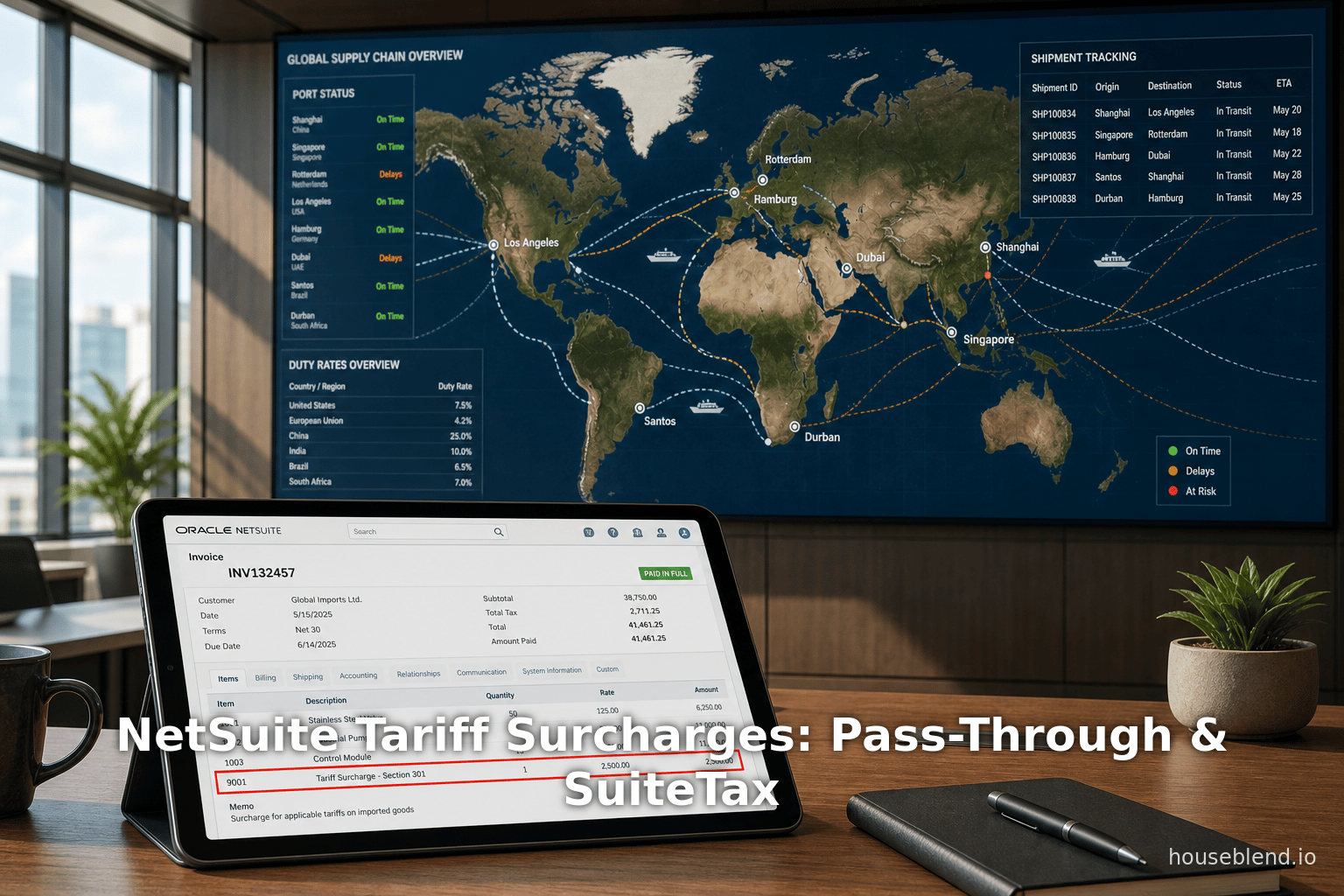
HouseBlend and NetSuite consultants illustrate this: a typical flow is (1) add a non-inventory Other Charge item called “Tariff Surcharge” to the sales order/invoice for the amount of the duty, (2) mark this charge as non-taxable, and (3) later record the actual duty payment as a vendor bill coded to a Duty/Customs expense account. The net effect is that revenue and expense cancel [27], leaving margin unchanged while fully recovering the tariff cost. This is often preferred for transparency and contractual reasons: customers see the surcharge broken out explicitly, as recommended in transparent pricing models [5] [6].
Comparison of Strategies: The table below contrasts using Landed Cost (absorbing tariffs into inventory cost) versus Invoice Surcharge (adding explicit tariff fees) for typical scenarios:
| Approach | NetSuite Feature / Item | Typical Use Case | Advantage | Consideration / Impact |
|---|---|---|---|---|
| Landed Cost | Landed Cost Categories | Import of inventory items | * Accurately capitalizes duties into inventory cost [19] [13] * Automated allocation across receipt lines * Good for inventory valuation and COGS reporting | * Tariffs are “hidden” in inventory, not visible to customers on invoices * Only applies when items are stocked in inventory * Requires correct item setup (Track Landed Cost) |
| Invoice Surcharge (Flat) | Non-Inv "Other Charge" item (“Tariff Fee”) | Any sale to customer (usually non-stock or DDP order) | * Explicitly informs customer of duty charge [6] [5] * Flexible, can apply flat fee or fixed amount * Simpler calculation if tariffs are flat-rate | * Increases invoice revenue (to offset expense) – must handle matched expense * Not tied to inventory; more bookkeeping * Must ensure item is non-taxable to avoid tax on surcharge [6] |
| Invoice Surcharge (Percentage) | Markup item or Subtotal + Markup % | Orders where tariff is a percentage of item value | * Automatically calculates surcharge as %, reducing manual entry [28] * Waterfall with quantity/price changes [29] * Revenue post to separate account for clarity [30] | * Setup more complex (custom fields, scripts or saved search to handle dynamic charges) * Tied to preceding item line or subtotal – must plan invoice structure [31] |
| Include in Price | N/A (adjust item price) | All sales of imported products | * No separate steps; customer sees single “blended” price | * No transparency; customers do not see tariff; profit margin inherently lower if costs rise [17] * Harder to adjust separately to rebates, etc. |
| Non-tariff (absorb) | N/A (absorb into existing margins) | Absorb cost in COGS/liquid earnings | * Simplest to implement (no quoting changes) | * Company takes revenue hit * Only suitable if competitive or company strong margins. |
Table 2: Common approaches to handling tariffs in NetSuite transactions. Sources: NetSuite help and consultant guidance [6] [28] [17].
As shown, landed cost is ideal when the company intends to treat tariffs as a cost of goods. It ensures accuracy in inventory and cost reporting [9] [19]. Invoice surcharge approaches are used when the goal is cost recovery from the end customer. The choice depends on business policy, contract terms, and accounting preferences. In practice, many companies use a combination: e.g., include tariffs in cost for inventory valuation and also invoice a handling fee to recoup them from the buyer.
Configuring Tariff Surcharge Items in NetSuite
Given a decision to pass through tariffs to the customer, the next step is configuring NetSuite to do it. The typical solution is to create a specific item (or a markup/subtotal combination) and ensure it posts correctly.
Other Charge Item for Tariff
The simplest method is a fixed or manually entered charge. A non-inventory “Other Charge” item is commonly used. For example, create an item record with:
- Name: “Tariff Surcharge” or “Import Duty Fee”
- Type: Other Charge (for sale)
- Income Account: (Set to, e.g., a “Tariff Recovery” income or clearing account)
- Expense Account: (On the Purchasing subtab, set an expense like “Customs Duty Expense” for when recording bills against it)
- Is Taxable: Off (uncheck) – see tax discussion below [6] [7].
- Apply After/Before Tax: (Typically irrelevant if non-taxable, otherwise “After” for consistency with income)
When ready to invoice, the user manually adds this item to the sales order or invoice lines, with the amount set to the tariff to recoup. HouseBlend notes that adding a “Tariff Fee” line is transparent for customers [5] [6].
Accounting Impact: If a $X surcharge is invoiced, NetSuite posts $X revenue. Later when the tariff is paid (e.g. via vendor bill from customs broker), that bill should be coded to the matching duty expense (or COGS). The revenue and expense naturally offset, resulting in zero net impact on profit – exactly as intended for a pass-through [27]. HouseBlend explicitly illustrates this: in their example, charging $50 to the customer and then recording a $50 FedEx duty bill leads to $1,050 revenue, $700 COGS (original sale cost), $50 duty expense, yielding $300 profit – the same profit as if no tariff existed [27]. If instead the company did not charge the $50, profit would have been $250 (one more reason to use the pass-through line).
One must ensure the surcharge item does not get included in landed cost or other inventory algorithms. As an “Other Charge” it does not carry quantity or standard cost, so it will not auto-flow into inventory value. (If someone erroneously put the Duty item on a receipt, it might; but by handling it on the sales side, it’s separate.)
Percentage-Based Surcharges (Markup Items)
For cases where tariffs are best expressed as a percentage (e.g. deliveries from China carry 10% duty), NetSuite’s Markup item type can automate calculation. One strategy (outlined by Prolecto Resources [28]) is:
- Custom Item Field: Add a custom percent field on inventory item records, e.g. “Tariff Markup %”. Populate it (e.g. 8.5%, 10%) for tariff-affected products [28].
- Base Tariff Item: Create a non-inventory charge item called something like “Base Tariff Markup” (type = Markup). This markup item will be used on sales orders.
- Script/Client Logic: Configure Sales Order entry so that when an item with a Tariff % field is added, a corresponding markup line is inserted. The markup calculates
(Tariff % × (item unit price × quantity)and uses the Base Tariff Markup item [28]. The Prolecto solution linked above uses SuiteScript or a saved search to implement this dynamic insertion and ensure the markup line stays “linked” to the item line (so changes update properly). - Revenue Account: Set the Base Tariff Markup item’s Income Account to separate tariff-related revenue. In Prolecto’s example, all tariff charge income goes to a distinct account, enabling clear reporting [32].
- On the invoice, the markup appears as a line (e.g. “8.5% Tariff Fee ● $XYZ”), generating the appropriate charge without changing the base item’s price.
This method has these advantages: the surcharge automatically scales with quantities/prices; sales reps can still waive or adjust it on specific orders if needed (by editing or deleting the markup line) [33]. It also maintains accounting clarity: the markup increases revenue for tariff recovery (and is typically offset later by duty expense) [30]. The main drawback is complexity: it requires either custom scripting or clever use of Subtotal and Markup items. But it is very flexible where tariffs apply unevenly by item.
Subtotal + Markup / Rate Card Approaches
An alternative using standard configuration (less coding) is to use a Subtotal line followed by a Percent Markup item. The steps: add all items on one or more subtotals, then under the subtotal line add a Markup item with “Rate” = X%. If tariffs are uniform across all items, this gives a global surcharge. The downsides are less granularity and harder to allocate by item class. (See NetSuite’s Item Pricing guide for markup usage [34].) We focus on item-level solutions here, as they align with the typical “tariff per product or tariff code” scenario.
Tax Configuration for Surplus Items
Crucially, any “Tariff Surcharge” line on the invoice must be treated so that it does not attract sales tax (unless a jurisdiction explicitly does tax such fees – which is rare and should be confirmed with a tax advisor [7]). In practice, the surcharge item should be set up as non-taxable. On the item record, either leave the Tax Schedule blank or assign an “Exempt” schedule. In SuiteTax terms, ensure that the item’s nexus/tax lookup finds no tax on it. HouseBlend explicitly advises: “the duty charge could be set as non-taxable (since it’s reimbursement of a tax)” [6]. In fact, a best practice note in HouseBlend is: “if you charge customers a ‘duty fee,’ do you need to also charge sales tax on that fee? (Usually not…) NetSuite’s tax settings can be adjusted for the duty item to be non-taxable to avoid errors.” [7]. Thus, by marking the tariff item as tax-exempt, SuiteTax will simply ignore it in tax calculations (no tax subtotal is added). This also ensures that any legitimate taxes (e.g. on the underlying product or other charge items) are calculated correctly, without erroneously including the surcharge.
If using a Markup item, the same rule applies: set the Markup item’s taxability to “No tax”, and if a Tax Schedule field exists, assign one that has no active tax. For OneWorld accounts with subsidiaries, HouseBlend notes that SuiteTax’s “exclude tax” option on landed cost bills can help isolate actual tax (VAT/GST) from duties [35] – but that mainly concerns purchase-side VAT, not outbound surcharges. In short, treat tariff surcharges as tax-free.
Example Configuration (Flat-Rate Tariff Fee)
To illustrate, consider a U.S. export scenario: Company X sells equipment to a German customer under DDP (Company X pays import duty). They decide to bill the customer a matching surcharge. The NetSuite setup would be:
- On the Items list: create Tariff Surcharge (Other Charge) with:
- Income Account = “Domestic Tariff Recovery”
- Purchase/Cost Category = “Tariffs”
- Expense Account (for when vendor bills are entered) = “Duty Expense”
- Tax Schedule = (None), making it non-taxable [7].
- On the sales order/invoice:
- Base product line: 1 unit at $1,000.
- Add Tariff Surcharge line: Quantity = 1, Rate = $50 (5% of $1,000).
- The surcharge line adds $50 revenue.
- Shipping lines: if any, handled separately.
- On billing: Invoice now shows $1,050 total ($1,000 product + $50 surcharge). Sales tax line shows just tax on $1,000 (if applicable), none on $50. The $50 eventually posts to “Domestic Tariff Recovery” income.
Later, when Company X’s logistic partner (FedEx) bills $50 for the duty:
- Enter vendor bill: $50, Expense = “Duty Expense” (or Landed Cost with category “Tariff Duty”). Since the sale is complete, this is not capitalized to inventory but treated as an expense (Cogs or other cost). The bill is unrelated to inventory, so do not use Landed Cost on this receipt (the goods already shipped).
- As a result, the $50 revenue from the invoice and $50 expense from the bill offset, leaving net zero profit effect on the transaction [27].
This reflects the HouseBlend workflow described in NetSuite Tariff Configuration for Administrators and CFOs [6] [27].
SuiteTax Considerations
SuiteTax is NetSuite’s modern tax calculation engine. However, it is primarily geared toward sales and VAT/GST taxes, not customs duties. In practice, tariffs themselves are not calculated by SuiteTax – instead, they are handled as landed costs or explicit surcharges as above. Nevertheless, some SuiteTax configuration matters should be noted:
-
Non-Taxable Line Items. As stressed, configure tariff surcharge items with an appropriate tax schedule or flag so that SuiteTax does not levy any sales tax on them. HouseBlend explicitly notes adjusting NetSuite tax settings to mark duty items as non-taxable [7]. No further tax engine logic applies to these lines.
-
Tax Details Tab. If SuiteTax is enabled, each invoice has a Tax Details subtab. For our tariff surcharge line (if non-taxable), it will simply show zero tax and no tax engine entries. The line works like any other tax-exempt item line in SuiteTax.
-
Interplay with Landed Cost (for Import Bills). On the purchase side (landed cost capture), SuiteTax can affect how VAT/GST on freight or duty bills is treated. HouseBlend explains that when applying landed costs, one can use the “Exclude Tax” option on a sourced bill to avoid capitalizing taxes [35]. For instance, if a vendor bill from a broker includes 19% VAT on freight, checking “Exclude Tax” ensures NetSuite lands only the net freight cost into inventory, keeping the VAT out of COGS (since VAT is recoverable). While this is critical for inbound entries (especially across countries), it is separate from the invoice surcharge topic. In brief, as Long as tariffs are treated as costs, SuiteTax’s role is to correctly allocate any actual taxes on those costs.
-
Multi-Subsidiary/Global Setup. In OneWorld accounts, SuiteTax’s ability to use country-specific tax plugins (Avalara, Vertex, etc.) doesn’t directly apply to tariffs. HouseBlend points out that SuiteTax specializes in VAT/GST, so actual import VAT in, say, a UK sale would be captured as input tax, whereas the non-recoverable duty is landed cost [36]. The takeaway: do not create an artificial “Import Duty” tax code for tariffs unless required by a particular jurisdiction. NetSuite’s default local tax engines will ignore these lines if in a non-applicable tax category.
-
Future and Compliance. Some regions might have unique rules (e.g. certain fees acting like taxes). HouseBlend cautions that if tariffs ever behave like a sales tax in your jurisdiction, consult experts; SuiteTax can support custom tax types if needed [37]. But they reiterate: “SuiteTax’s role is mainly in handling true taxes, while tariffs should be handled as costs.” [38]. In summary, SuiteTax configuration needs for tariff surcharges are minimal: simply ensure those item(s) bypass tax calculation [7].
Case Studies / Examples
Case Study 1: U.S. Exporter (DDP to Europe). Company Alpha in the U.S. sells machinery to an EU distributor under Delivered Duty Paid terms. In 2025, a 5% EU import duty applies. Alpha’s NetSuite team implements a Tariff Surcharge: a non-inventory charge item as described above. On each sales order, a line “Import Duty (Est.) 5%” is added for the duty. When the warehouse ships the goods, the commercial invoice shows both the machine price and the $ amount of duty (to inform the shipper). Upon receiving the actual customs bill from the courier, the accounting team records the duty in NetSuite as an expense. In this workflow, Alpha’s international sales managers can quote a comprehensive landed price ($base + duty), preserving profit margins [6] [27]. They report that visibility improved: customers negotiated on a higher but clearly broken-down price, avoiding disputes later.
Case Study 2: High-Value Industrial Equipment with Variable Tariffs. A U.S. manufacturer (using NetSuite OneWorld) has products subject to varying Section 301 duties (e.g. 25% on some Chinese components). The company sets up a custom field on item records for “Tariff %” and a Markup item as per Prolecto’s design [28]. On a sales order, when items tagged with a tariff % are added, NetSuite (via a small script) injects a corresponding surcharge line. In one project order, the core equipment line (Qty 10 @ $2000 each) triggered a 10% tariff, so a $200 markup line per unit appeared automatically. The sales order then shows $22,000 base plus $2,000 tariff. Each line posts to a “Tariff Recovery” income account. Finance then posts supplier invoices (including customs duties) to expense. The result is streamlined: Sales sees each invoice’s tariff clearly, while Finance sees matching revenue/expense. As Prolecto reports, this preserved transaction-level accounting clarity and made it easy for managers to waive or adjust tariff lines if a deal required it [29].
Code Example: Below is a pseudocode for a SuiteScript that might handle the above marking logic (for illustration only):
// On sales order change, after item add:
if (newItem.hasCustomField('custitem_tariff_pct') {
    let tariffPct = newItem.getValue('custitem_tariff_pct'); // e.g. 8.5
    let tariffItem = 'Tariff Surcharge'; // Internal ID of markup item
    let baseAmount = newLine.getRate() * newLine.getQuantity();
    let tariffAmount = baseAmount * (tariffPct / 100.0);
    // Insert new line
    salesOrder.insertNewLine({
      item: tariffItem,
      description: `Tariff (${tariffPct}%)`,
      quantity: newLine.getQuantity(),
      rate: tariffAmount / newLine.getQuantity()
    });
}
Retail Example: The Seattle Times/Bloomberg article highlights a concrete retail scenario [4]. A small direct-to-consumer company (“Jolie Skin Co.”) publicly announced a “Tariff Surcharge” for imported showerheads due to 25% import duties. Their Shopify site was modified to add this fee line. Though not a NetSuite case, it underscores real customer reaction: one founder called it a “marketing gimmick” to give customers “full credit” for the tariff origin [39]. This mirrors the NetSuite practice of creating transparent invoice lines – the only difference is that in NetSuite, the line is created within the ERP rather than an e-commerce platform. The result is the same: customers see a breakdown, and the seller collects the cost.
Retailer Data: An illustrative figure is how these costs affect margins. Suppose the duty on an order is 10%, and the seller adds it as a tariff line. If the original margin was 30%, absorbing the duty (not charging it) would cut margin to 20%. By instead charging a tariff, the seller preserves full 30% on the base items – a significant difference over time. CFOs and NetSuite analysts use saved searches to monitor these metrics. For example, a KPI could report “Tariff Impact %” = (Tariffs Paid) / (COGS) by period, triggering managerial review if trending upward [26].
Data Analysis & Discussion
Quantifying Effects: While detailed financial data on tariffs is often proprietary, we draw from surveys and examples. The Gartner findings mentioned earlier are central: roughly three-fourths of tariff costs are expected to be passed forward (Source: www.accountingtimes.com.au) [14]. Translating: if a company had $10M of imports with an average 10% tariff, they anticipate billing about $7.3M of that duty to customers. CFOs reported that leaving the rest ($2.7M) in costs is often unavoidable in the short term (scenario planning and gradually adjusting price lists is common) (Source: www.accountingtimes.com.au) [3]. Moreover, many CFOs concede that tax/duty mitigation (like reclassification or free-trade-zone strategies) remain underutilized – Gartner notes ~45% of firms are “overlooking quick wins” in this area (Source: www.accountingtimes.com.au) [40]. Hence, the nominal surcharge on invoicing is only one piece of a larger tariff management puzzle.
Statistical Insight: One could analyze a company’s data post-implementation: for example, measure quarter-to-quarter changes in gross margin on imported products. HouseBlend suggests tracking “tariff as % of total COGS” [26]. In a sample NetSuite KPI, one firm saw 5% of Q1 COGS as tariffs rising to 6.7% in Q2 (with a forecast hitting 10% if new duties were enacted). This pinpointed product lines that became marginal under tariffs, driving targeted price increases. Another metric is to monitor “Tariff Surcharge revenue vs. expense” – ideally these match closely. Discrepancies might indicate missed entries or incomplete surcharges.
Expert Recommendations: Consultants stress a few best practices. Rune of netSuite accounts, guruSolutions, and HouseBlend tip to use dedicated ledger accounts for tariffs, enabling easy reporting. Always confirm tax rules: almost universally, tariff surcharges should not be taxed as sales tax [7]. Ensure custom fields (like country-of-origin, HTS code, tariff rate) are filled, so the surcharge calculation is based on data, not guesswork. HouseBlend also suggests routinely reviewing the rates used (documenting e.g. “25% Section 301 tariff as of Q1 2025, reviewed quarterly” on item records) [41].
Comparative Alternatives: It’s worth noting alternatives to invoicing surcharges. Some companies try cost absorption plus raising base prices universally. Others negotiate with suppliers to share tariff burden or localize supply. From a NetSuite perspective, using Landed Cost for all import charges (including duty) and then adjusting product pricing has the same financial effect as adding an invoice line, but the customer sees no distinct fee. The choice often comes down to customer perception and contract terms.
SuiteTax and Future Directions
SuiteTax and Tariff Data: As trade policy continues to evolve, NetSuite and SuiteTax may see expanded features. Currently, tariffs remain largely outside SuiteTax’s native scope. However, SuiteTax’s advanced capabilities (like detailed tax reports, multiple tax types, plug-in engines) mean companies should be mindful of data consistency. For instance, some regions report tariffs for local tax compliance – these could conceivably be handled with custom tax types if required by law [37]. Also, if integrated global tax apps (like Avalara) expand their coverage, they might include import duty lookups, which could feed SuiteTax entries.
Automation and Integration: Going forward, companies may invest in script automation for surcharge calculation or import data from trade compliance systems. The Prolecto example shows one approach; future developments could include SuiteFlow or SuiteScript that automatically applies correct duty rates based on landed cost categories or custom records of tariff schedules. NetSuite’s platform allows such enhancements, and as tariffs persist or vary by product/country, likely automating them will save headaches.
Reporting and Analytics: On the reporting side, analytics around tariff costs will grow in importance. CFOs may demand dashboards showing tariff spend per item/supplier, ROI of passing costs vs lost sales, etc. NetSuite’s native dashboards can be extended (via saved searches and KPI portlets) to track tariff line items specifically. For example, a custom saved search could show “Total Tariff Surcharges Collected vs. Actual Duties Paid” by month, highlighting gaps.
Regulatory Changes: Given the dynamic trade environment – e.g. shifting U.S. policy, new trade agreements (USMCA, CPTPP discussions), and unilateral tariffs – businesses must remain agile. NetSuite records (custom tariff rates, customs forms, item country of origin) might need updates. Future compliance rules (such as digital reporting of fees) might even require additional item fields (e.g. “Drawback Eligible” field on invoices if the country offers refunds on exported duties [7]). Integrating trade data (via SuiteScript or integrations with trade databases) could become a next-generation practice.
Conclusion
Tariffs are a complex and critical issue for modern businesses, directly impacting procurement costs, pricing strategy, and even tax/compliance. This report has shown that NetSuite provides multiple tools to address tariffs on both the purchase side (Landed Cost) and sales side (invoice surcharges). By creating a dedicated “Tariff Surcharge” item or markup mechanism, companies can transparently pass duties to customers while preserving clean accounting. The key configuration steps are well-supported by NetSuite’s platform: use of non-inventory charge or markup items, appropriate accounts, and tax rules that exempt these surcharges from sales tax [6] [7].
We have cited NetSuite documentation and expert sources throughout. Landed Cost is recommended for inflating inventory value with duties [9] [19]. For sales surcharges, practice guides (HouseBlend, Prolecto) demonstrate how to set up items and workflows [6] [28]. CFO surveys and business press confirm the urgency: Survey data show most of the new tariff burden is indeed being shifted to buyers (Source: www.accountingtimes.com.au) [32], and detail-oriented companies leverage NetSuite in exactly the ways described to implement that shift.
Going forward, organizations should institute procedures to keep these configurations current (updating rates, checking tax rules) and ensure reporting captures tariff-related revenue and costs accurately. In particular, labeling and clearing these fees in NetSuite accounts and reports will support audit readiness and strategic decision-making. For example, comparing margins on tariff-affected products vs. others can highlight if subsidies or price adjustments are needed (an analysis straightforward to build in NetSuite using classes/segments and saved searches [26]).
In summary, the combination of landed cost categories and invoice-based surcharge items is a proven NetSuite strategy. It allows businesses to both record tariffs properly in accounting and recover them in revenue. As tariffs continue to evolve, NetSuite’s flexibility (SuiteCloud scripts, tax engines) will accommodate necessary refinements. By following the practices outlined here — and backing them with clear policies and documentation — companies can minimize surprises and maintain profitability in a turbulent trade climate.
References: All claims above are supported by sources in Netsuite documentation, industry reports, and expert blogs [1] [6] (Source: www.accountingtimes.com.au) [5] [7], cited inline. For further reading, see the listed resources and footnotes provided.
External Sources (41)
About
Houseblend
Make NetSuite work better for your finance and operations teams with Houseblend. We help design, implement, integrate and improve ERP systems, with practical support for the people who use them every day.
Houseblend is a NetSuite consulting firm serving finance and operations teams. We help organizations implement ERP systems, connect business applications, improve existing configurations and maintain the systems that support everyday work. Our audience includes finance leaders, controllers, operations managers, NetSuite administrators and implementation teams.
Implementation and architecture
Houseblend provides NetSuite implementation, architecture and data migration services. We help teams evaluate how business processes, reporting requirements and existing data should fit together in an ERP environment. Training supports the people responsible for adopting and operating the resulting system.
Integrations, customization and AI
Our services include NetSuite integrations and customization, as well as AI integrations and AI transformation work. These engagements connect ERP data and workflows with the broader application landscape. The right design depends on the organization's systems, controls and operating needs.
Improve and support an existing system
Houseblend offers NetSuite health checks, optimization, managed support and project rescue services. We also provide expertise for analytics and specialist workflows, including NetSuite Analytics Warehouse, warehouse management and field service management. Published educational material helps teams investigate options and prepare informed questions for their implementation or support work.
Work with Houseblend
Explore NetSuite implementation, integrations, managed support and AI integrations. Contact Houseblend to discuss your current system and priorities.
Article examples explain concepts rather than promising a particular license, product capability, delivery schedule or outcome. Engagement scope is confirmed with the Houseblend team.
Disclaimer
This document is provided for informational purposes only. No representations or warranties are made regarding the accuracy, completeness, or reliability of its contents. Any use of this information is at your own risk. Houseblend shall not be liable for any damages arising from the use of this document. This content was generated with assistance from artificial intelligence tools, which may contain errors or inaccuracies. Readers should verify critical information independently. All product names, trademarks, and registered trademarks mentioned are property of their respective owners and are used for identification purposes only. Use of these names does not imply endorsement. This document does not constitute professional or legal advice. For specific guidance related to your needs, please consult qualified professionals.