Houseblend Article
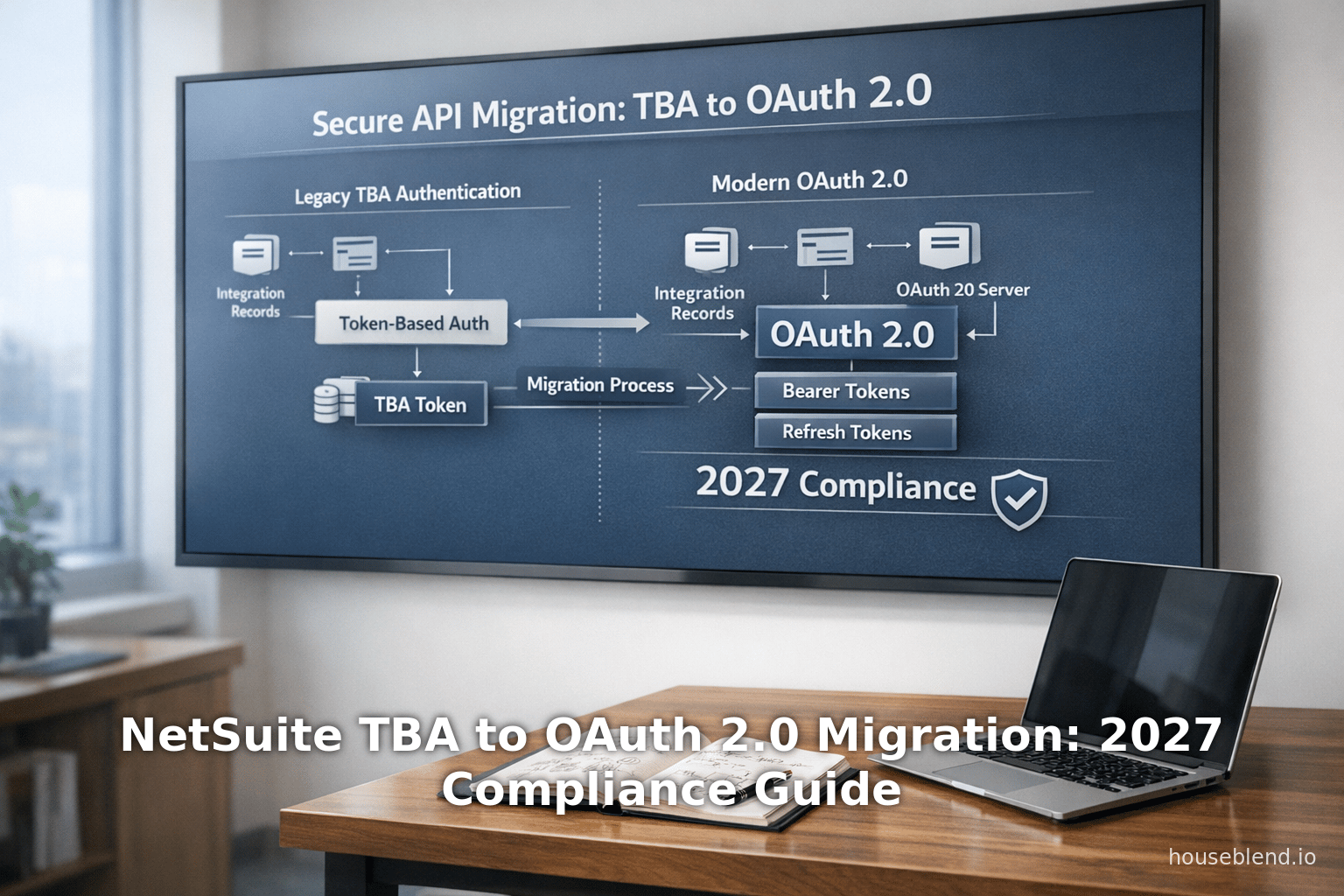
NetSuite TBA to OAuth 2.0 Migration: 2027 Compliance Guide
Inside this article
- 01Executive Summary
- 02Introduction
- 03Historical Context and Background
- 04NetSuite’s Authentication Roadmap (2024–2027)
- 05Technical Deep Dive: Token-Based Auth vs OAuth 2.0
- 06Migration Strategy from TBA to OAuth 2.0
- 07Case Study: Building a NetSuite-powered Customer Portal with OAuth 2.0
- 08Data and Analytics Perspectives
- 09Security and Compliance Implications
- 10Case Study: SuiteCloud SDK and Developer Tools
- 11Implications and Future Directions
- 12Conclusion
Executive Summary
This report provides an in-depth technical guide for migrating Oracle NetSuite integrations from Token-Based Authentication (TBA, NetSuite’s OAuth 1.0–based scheme) to modern OAuth 2.0 in anticipation of NetSuite’s 2027 compliance requirements. As of NetSuite 2027.1 (expected early 2027), new integrations using TBA will no longer be permitted [1]. Global organizations relying on NetSuite—currently adopted by over 24,000 businesses worldwide [2]—must plan and execute a transition to OAuth 2.0 to maintain secure API access. This change aligns with industry-wide moves away from OAuth 1.0; for example, Intuit discontinued OAuth 1.0 support in 2020 in favor of OAuth 2.0 [3].
We start with historical context, contrasting NetSuite’s legacy authentication (basic auth and TBA) with OAuth 2.0. We detail the technical differences: OAuth 2.0 introduces bearer tokens with built-in refresh mechanisms and fine-grained scopes, whereas TBA (OAuth 1.0) required per-request signatures without refresh tokens [4] [5]. The report explains NetSuite’s specific OAuth 2.0 flows (Authorization Code and Client Credentials) and how to configure Integration Records, redirect URIs, certificates, and scopes [6] [7]. We include step-by-step migration strategies for updating NetSuite RESTlets, SuiteTalk REST and SOAP integrations from TBA to OAuth 2.0, along with code snippets and API endpoint examples for obtaining and using OAuth tokens [8] [9].
Key content includes detailed comparisons (with tables) of authentication methods, a timeline of NetSuite authentication policy changes (2024–2027), and case studies such as building a secure NetSuite-based customer portal using OAuth 2.0 [10] [11]. We analyze security and compliance implications (e.g. meeting modern cryptographic standards, supporting 2FA and NIST guidelines) [12] [13], citing Oracle’s documentation and expert sources. The report also covers future directions: enforced use of PKCE, evolving API scopes, and potential deprecation of remaining legacy flows (SOAP, basic auth).
By providing an end-to-end migration path, this guide equips NetSuite administrators, developers, and architects to ensure their integrations remain operational, secure, and compliant through 2027 and beyond.
Introduction
Oracle NetSuite is a leading cloud ERP platform used by tens of thousands of organizations globally [2]. As a SaaS application, NetSuite provides extensive APIs (SuiteTalk REST/SOAP, RESTlets, SuiteAnalytics) for custom integrations and third-party connectivity. Historically, NetSuite supported several authentication methods including basic password login, single sign-on (SSO), Token-Based Authentication (TBA) which uses OAuth 1.0–style tokens, and more recently OAuth 2.0. In 2021–2023, Oracle introduced OAuth 2.0 support for NetSuite REST APIs; this was partly motivated by broader trends in API security and compliance. As an example, other vendors like Intuit (QuickBooks) announced deprecation of OAuth 1.0 in favor of OAuth 2.0 [3]. NetSuite CEO’s strategic alignment with Oracle Cloud also demands consistent, modern authentication standards across products.
By 2027, Oracle has mandated that all new integrations to NetSuite APIs (SOAP, REST, RESTlets) must use OAuth 2.0 instead of TBA [1]. Specifically, NetSuite 2027.1 release notes declare that from that point forward, “no new integrations using TBA can be created” for SOAP web services, REST web services, or RESTlets [1]. While existing TBA integrations will continue to function, reliance on a legacy system poses security and maintenance risks. Consequently, organizations must migrate existing integrations and adopt OAuth 2.0 for all new development by 2027.
This guide serves as a comprehensive technical reference for organizations undertaking this migration. It covers:
- Historical Context: Why NetSuite is moving away from TBA, including the evolution of standards and emerging security requirements.
- Technical Foundations: Detailed explanation of OAuth 1.0 (TBA) vs OAuth 2.0 mechanisms, including flows, token types, and NetSuite-specific configuration.
- NetSuite Roadmap: Oracle’s published timeline for authentication changes (2024–2027), with concrete guidance from official documentation [14] [15].
- Migration Methodology: Step-by-step process for converting integrations from TBA to OAuth 2.0, covering both Authorization Code Grant (user-delegated) and Client Credentials (machine-to-machine) flows [7] [16].
- Security and Compliance: Analysis of the security benefits of OAuth 2.0 (bearer tokens, scopes, refresh tokens, PKCE) and how this aligns with enterprise standards (NIST, SOC2, etc) [12] [13].
- Case Studies & Best Practices: Real-world scenarios illustrating OAuth 2.0 integrations (e.g. a customer portal) [10] [11], along with lessons learned and tips.
- Future Outlook: Discussion of anticipated changes beyond 2027 (e.g. eventual TBA deprecation, new OAuth enhancements, evolving NetSuite features).
In assembling this guide, we draw extensively on Oracle NetSuite documentation [14] [5], the NetSuite Developer and Support communities [17] [7], authoritative industry blogs[18] [12], and hands-on technical sources [10] [16]. Claims are substantiated with inline citations.
The remainder of the report delves into each of these aspects in detail, providing the "why", "what", and "how" of NetSuite’s TBA→OAuth 2.0 migration.
Historical Context and Background
Evolution of NetSuite Integrations
NetSuite’s integrations have evolved alongside broader shifts in web APIs and security practices. Initially, third-party applications accessed NetSuite using basic HTTP authentication (NLAuth, sending company ID, user, password on each request). This method was straightforward but insecure: it required storing sensitive passwords and did not work with multi-factor authentication.
To enhance security, NetSuite introduced Token-Based Authentication (TBA), an OAuth 1.0–style mechanism. TBA issues a consumer key/secret and a token key/secret pair, which applications use to sign each API request [5]. TBA eliminates password storage and aligns better with enterprise auth policies (e.g. SAML Single Sign-On). It became the recommended approach after basic auth, especially for non-interactive SOAP and RESTlet calls.
In parallel, NetSuite added support for OAuth 2.0 (fully rolling out in the early 2020s). OAuth 2.0 is a newer framework where clients obtain bearer access tokens (often JWTs) without per-request signatures. Unlike TBA, OAuth 2.0 supports token refresh, scopes, and modern security extensions like PKCE (Proof Key for Code Exchange). Oracle’s recent releases have been adding more OAuth 2.0 capabilities (multiple redirect URIs, client credentials flows, certificate rotation APIs [19]).
Authentication Methods in NetSuite
As of 2026, NetSuite supports several integration authentication methods:
-
Basic (NLAuth): User/password PIN in API calls. Deprecated and disallowed for new development on REST. Still technically used in SOAP for some legacy tools, but users are strongly urged to move away. It cannot coexist with 2FA roles.
-
Token-Based Authentication (TBA): Based on OAuth 1.0 (three-legged flow). An integration record (consumer key/secret) pairs with a token ID/secret for a user/role. Each API request carries an HMAC-SHA1 signature. No refresh tokens; tokens last until revoked. Before 2026, most legacy SuiteScript, external middleware and developer tools used TBA. TBA works with RESTlets, REST Web Services, and SOAP.
-
OAuth 2.0: Supports Authorization Code Grant (user interaction, returning an access+refresh token) and Client Credentials Grant (server-to-server, JWT with x.509 certificate). No per-request signatures; tokens are bearer tokens. Supports fine-grained scopes (e.g. rest_webservices, restlets). Not supported on SOAP (which will be retired) [20] but is supported on RESTlets/REST. Allows token refresh. Netsuite issues UUID-like digital certificates per integration for JWT flows [21]. This is now the preferred method for new integrations [22].
-
SSO/SAML: For user login (SuiteSignOn), not typically used for API integration flows.
Figure below compares key features of TBA (OAuth1) vs OAuth 2.0 in NetSuite:
| Feature / Aspect | TBA (OAuth 1.0) | OAuth 2.0 |
|---|---|---|
| Authentication Flow | “3-legged” flow (issuetoken endpoint), per-request HMAC-SHA1 signatures. Requires consumer and token secrets. | Authorization Code Grant (interactive login & consent) or Client-Credentials (JWT certificate). No request signing. |
| Token Type | Request Token & Access Token. No refresh mechanism. | Access Token (+ Refresh Token). Support automatic token refresh. |
| Token Format | Opaque strings. | Typically JWT or opaque string. Refresh tokens to get new access tokens. |
| Scope Granularity | All-or-nothing (limited ability to restrict). | Fine-grained scopes selectable (e.g. rest_webservices, restlets, etc). Multi-scope allowed. |
| User Handling | Tied to a specific NetSuite user/role (Integration user). | Can represent integration on behalf of any user (with their login) via Auth Code, or as a service via client credentials. |
| Certificate/Secrets | Consumer key/secret + token key/secret (4 secrets total). | Client ID/Secret + optional public cert (JWT client). |
| Complexity | Complex (every request must be signed, non-trivial crypto). | Simpler (HTTPS bearer tokens, no signatures). |
| Refresh Tokens | Not supported – tokens must be manually managed. | Supported – access tokens expire, but refresh tokens allow seamless renewal. |
| Supported Netsuite APIs | SOAP Web Services, REST Web Services, RESTlets. | REST Web Services, RESTlets (Not SOAP). |
| Industry Trend | Legacy. Few new OAuth1.0 servers; providers are phasing out OAuth 1.0 (e.g. Google ended OAuth1.0 in 2012) [23]. | Modern standard; recommended default for new integrations. |
Table 1. Comparison of NetSuite Token-Based Authentication (TBA/OAuth1) vs OAuth 2.0 (Data from NetSuite docs and industry sources [4] [23]).
Industry Trends Driving OAuth 2.0 Adoption
Multiple factors have converged to make OAuth 2.0 the industry-preferred protocol today [23] [12]. As Synopsys Black Duck notes, “rare to see new OAuth 1.0 implementations” and “OAuth 2.0 is almost always the right choice today” [12]. Prominent platforms (Google, Facebook, Microsoft) no longer support OAuth 1.0, having moved fully to OAuth 2.0 years ago [23]. The ease of use (no manual signing), support for refresh tokens, and flexible scopes make OAuth 2.0 better suited for modern web/mobile apps and enterprise integrations [4] [23]. The main trade-off is that OAuth 2.0 traditionally relied on HTTPS for security rather than signatures, but extensions like PKCE re-introduce cryptographic protections when needed.
For NetSuite customers, this industry context means sticking with TBA increasingly renders integrations outdated. Oracle has explicitly stated OAuth 2.0 is the “preferred” authentication for new integrations [22], and non-legacy code should migrate accordingly.
NetSuite’s Authentication Roadmap (2024–2027)
NetSuite’s release notes and documentation lay out a clear roadmap for transitioning away from TBA and SOAP-based services. Key milestones include:
-
SuiteCloud SDK v24.2 (Aug 2024) – Released August 2024, SuiteCloud SDK 24.2 removed support for OAuth 1.0/TBA [24]. From 24.2 onward, the SuiteCloud CLI uses OAuth 2.0 only. SDK 24.1 (released earlier) is the last release supporting TBA. After version 25.1 (planned Feb 2025), only 24.2 and 25.1 remain downloadable, both OAuth 2.0–only [25]. This move forced developers using the CLI for script deployments or SCA build tools to adopt OAuth2 by early 2025.
-
NetSuite 2025.2 (late 2025) – Marked as the “last SOAP endpoint” [26]. The SOAP Web Services API (SuiteTalk SOAP) will no longer be available for new integrations beyond this release. Oracle encourages migration to SuiteTalk REST. Importantly, REST endpoints do not support OAuth 2.0 on account of SOAP phasing out; however, NetSuite’s directive is that all new APIs moving forward are REST/OAuth2 based [26].
-
NetSuite 2026.1 (early 2026) – Introduced multiple security enhancements. These include Login Notifications for compliance messaging [13], limiting OAuth client certificates, and enabling multiple sessions per user only if 2FA is enabled [27]. Critically, 2026.1 formally set the stage for OAuth2: it provided the Client Credentials Certificate Rotation endpoint, allowing programmatic management of OAuth2 certificates [19]. It also warned that, effective 2027.1, no new TBA integrations could be created (the “End of support for new Integrations using TBA feature” [14]).
-
NetSuite 2027.1 (early 2027) – The hard deadline. As of 2027.1, “you will no longer be able to create new integrations using the Token-based Authentication (TBA) feature” for SOAP, REST, and RESTlets [28] [1]. (Existing TBA integrations continue functioning but are discouraged.) Furthermore, NetSuite will require PKCE for all new OAuth2 Authorization Code flows starting 2027.1 [29], reinforcing modern security. Essentially, after 2027.1, all new API integrations must use OAuth 2.0 (with PKCE for auth code flow), and SOAP/TBA paths are legacy-only.
These milestones can be summarized as follows:
| Release (Date) | Authentication / Integration Changes | Source |
|---|---|---|
| 2024.2 (Aug 2024) | SuiteCloud SDK 24.2 removes TBA/OAuth1 support. Only OAuth 2.0 allowed in SDK tools. SDK 24.1 (last with OAuth1) is phased out after 2025. | [17] |
| 2025.2 | Final planned SOAP endpoint (SuiteTalk SOAP retired). REST is fully supported. TBA remains for legacy RESTlets. | [26] |
| NetSuite 2026.1 (early 2026) | Login Notifications added for compliance [13]; multiple sessions require 2FA [27]; limited certificates (5) per integration [30]; OAuth2 client cert rotation API provided [19]; Informational notice: “End of Support for New Integrations Using TBA in 2027.1” [28]. | [13] [19] |
| NetSuite 2027.1 (early 2027) | No new TBA: ”No new integrations using TBA can be created” for SOAP, REST, RESTlets [31] [32]. PKCE required for Auth Code Grant flows [29]. All new integrations must use OAuth 2.0. | [29] [31] |
Table 2. NetSuite Release Timeline (2024–2027): Key Authentication and API Changes (sources cited).
In addition to Oracle’s announcements, the NetSuite community has flagged these changes. A Jan 2025 SuiteCloud announcement explicitly notes that post-2025.1, old SDKs (and thus TBA in development tooling) will no longer be available [17]. Oracle Support FAQs advise that while OAuth 2.0 is preferred, existing REST+TBA integrations can continue until 2027.1, after which only new ones must use OAuth2 [33].
In summary, the trend is clear: NetSuite is phasing out legacy authentication in favor of OAuth2. By 2027, compliance implies using OAuth 2.0 (and supporting flows like PKCE, 2FA, etc.) for all freshly built API integrations. Migrating sooner will ensure compatibility, security, and leverage Oracle’s ongoing investment in the REST/OAuth stack.
Technical Deep Dive: Token-Based Auth vs OAuth 2.0
Understanding the migration requires a deep comparison of how TBA (OAuth1) works vs the OAuth 2.0 flows NetSuite provides. We detail each system’s components, steps, and security properties.
Token-Based Authentication (OAuth 1.0 in NetSuite)
Token-Based Authentication (TBA) in NetSuite is essentially an OAuth 1.0 workflow. It involves these elements:
- Integration Record: In NetSuite Setup > Integration > Manage Integrations, an Integration Record is created (notably called “Token-Based Auth” when OAuth1). It yields a Consumer Key and Consumer Secret (pair). These identify the application.
- User & Role: A NetSuite user account (with a role that has the necessary web services permissions) will be associated with integration tokens. TBA requires a 2FA-disabled role or OAuth2 must be used (as mentioned in docs [34]).
- Token ID & Secret: The administrator creates an access token (and optionally a request token if doing 3-Legged). The token ID and token secret pair with the consumer key/secret to authenticate.
- OAuth 1.0 Flow: If using three-legged flow, the app requests a request token, which the user exchanges for an access token. However, NetSuite often uses a simplified 2-legged flow where the administrator directly creates an “access token” tied to a specific user+role without user consent at runtime.
- Signed Requests: Each API call must include an OAuth signature (HMAC-SHA1) computed over the request, using the consumer secret and token secret. Example header:
Authorization: OAuth oauth_consumer_key="...", oauth_token="...", oauth_signature="...", oauth_nonce="...", oauth_signature_method="HMAC-SHA1", oauth_timestamp="...". Failure to sign correctly results in authentication errors. - No Refresh Token: The access token remains active until revoked by an admin. When it expires or is revoked, a new token must be manually obtained.
- Limitations:
- Complexity: Implementing TBA clients requires careful signature logic (nonces, timestamp, signature base string). Mistakes in encoding or signing lead to auth failures.
- No MFA Support: Oracle notes “Two-factor authentication (2FA) is not compatible with integrations” in the context of submissions. Actually, if a role requires 2FA, you cannot use basic login with TBA; instead, one used TBA workaround or OAuth2.
- SOAP Only: Ultimately, OAuth 1.0 (TBA) will not be supported on SuiteTalk SOAP in the long run, since SOAP itself is being removed [20].
- Scaling & Security: All requests must be signed and validated, making scaling (multi-threading, new environments) more complex. There’s no easy session sharing.
Oracle’s documentation on TBA explicitly recommends: “You should use OAuth 2.0 for all new integrations” and “consider migrating existing integrations currently using the issuetoken endpoint to use the [OAuth2] authorization flow.” [22]. It warns that after 2027.1, no new TBA integrations can be created [31].
Example of TBA Setup
While the details of TBA signature are beyond scope, a high-level example:
- Integration Record Creation – yields
consumerKey,consumerSecret. - Access Token Setup – in NetSuite UI (Setup > Users/Roles > Access Tokens), create a token for user “Integration User” with the above integration. NetSuite gives
tokenId,tokenSecret. - API Call – The application generates an OAuth 1.0 signature using all four keys, e.g. in Java or Node library, and calls the REST endpoint with the
Authorization: OAuth ...header. - Response – NetSuite verifies signature, checks permissions of the user/role, and processes the request.
This results in many lines of cryptographic code. Errors are common due to interplay of signing, URL encoding, and time sync issues. Fortuneately, libraries exist to simplify OAuth1.0, but it remains more involved than OAuth2 bearer token usage.
OAuth 2.0 in NetSuite
OAuth 2.0 is a modern authorization framework. NetSuite’s implementation supports:
-
Authorization Code Grant: Traditional user-delegated flow. Steps:
- Application redirects user to NetSuite’s OAuth2 authorize endpoint (
/app/login/oauth2/authorize.nl) with parameters: client_id, redirect URI, scope, response_type=code, state nonce. - User logs in to NetSuite (or via SAML SSO), reviews consent page, and approves.
- NetSuite redirects back to the app’s callback (
redirect_uri) with acodeparameter. - App server exchanges this code at
/services/rest/auth/oauth2/v1/token(using client_id/secret in header or body) to receive an access token (and refresh token). - Use the access token (a Bearer token) in API calls (rest_webservices scope). If expired, use the refresh token to get a new access token without user involvement.
- Application redirects user to NetSuite’s OAuth2 authorize endpoint (
-
Client Credentials (Machine-to-Machine): Designed for server-to-server (no user). Steps:
- App generates a JWT signed with a private certificate corresponding to a NetSuite Integration Record.
- Calls the
/services/rest/auth/oauth2/v1/tokenendpoint withgrant_type=client_credentialsand the JWT assertion. - Receives an access token (no refresh token for client credentials).
- Use the access token for API calls. Since there are no user roles in the flow, the permissions come from the integration record’s certificate association.
-
Refresh Tokens: Only supported in Auth Code flow. Not used in client credentials (instead, generate a fresh JWT for each token request, as needed).
-
PKCE (Proof Key for Code Exchange): As per 2027.1, NetSuite will require PKCE for Auth Code Grant (both public and confidential clients). PKCE involves sending a code challenge on the initial request and a code verifier on the token request, mitigating CSRF and interception risks.
-
Scopes: When creating the Integration Record, the admin selects scopes (services) like REST Web Services (
rest_webservices) and RESTlets (restlets). The issued tokens only allow those scopes. -
Certificates/Lifespan: For client credentials, NetSuite issues X.509 certificates per integration. As of 2023, certificate durations can be up to 2 years and managed via API [21]. The
client_idis often called “Consumer Key” too, and is tied to these certificates.
Oracle’s Swagger-like docs provide technical details: e.g., to get tokens, to refresh, and scopes [16] [8]. A NetSuite Developer blog illustrates these flows in code (see Case Study section below).
Setting Up OAuth 2.0 in NetSuite
From [12†L203-L213] and [26†L155-L163], the steps to enable OAuth2:
-
Enable Features (SuiteCloud > SuiteTalk > REST Web Services; and Manage Authentication > OAuth 2.0).
-
Create Role (if user-based auth): A role with REST Web Services and Log in using OAuth 2.0 Access Tokens permissions [35]. Assign to integration users.
-
Create Integration Record (Setup > Integrations > New):
- Name the integration, enable OAuth 2.0.
- Select Authorization Code Grant (and/or Client Credentials flows).
- Enter Redirect URI(s) for Auth Code flow.
- Select Scopes (e.g. REST Web Services, RESTlets).
- Save and record the Client ID and Client Secret[12†L258-L262]. This is shown once.
-
Get Tokens: Use the authorization endpoints:
- For Authorization Code: Redirect user to
https://<account>.app.netsuite.com/app/login/oauth2/authorize.nl?response_type=code&client_id=YOUR_ID&redirect_uri=CALLBACK&scope=rest_webservices&state=xyz[16]. On success, NetSuite responds with acode. - Exchange code at
https://<account>.suitetalk.api.netsuite.com/services/rest/auth/oauth2/v1/token(POST, includinggrant_type=authorization_code, code, redirect_uri, client_id/secret) [8]. - Store the returned access_token and refresh_token.
- For Authorization Code: Redirect user to
-
Make API Calls: Include header
Authorization: Bearer <access_token>. This token must include correct scope (e.g.rest_webservices). -
Refresh (if needed): POST to same token endpoint with
grant_type=refresh_tokenand include refresh_token [8]. -
Client Credentials Flow (optional):
- Generate or upload a certificate (NetSuite provides API as of 2023 to ingest certificates [21]).
- POST to token endpoint with
grant_type=client_credentialsandassertion=<JWT>, using the uploaded certificate as signing key. - Receive access_token (no refresh). Use it in calls.
Oracle provides a certificates API (e.g., GET /services/rest/auth/oauth2/v1/clients/{clientId}/certificates/) [36] to list and upload certificates, easing automation.
Differences in Practice
The shift from TBA to OAuth 2.0 has practical consequences:
- No Signature Code: Developers no longer need intricate OAuth1 signing code. They only set an HTTP Header with a bearer token.
- Token Lifecycle: Instead of “generate a token if lost”, one can refresh tokens programmatically, reducing admin tasks.
- User Delegation: Auth Code grants are per-user, meaning the integration can act precisely as that user does in NetSuite. In TBA, you often used a single integration user for all calls, losing per-user auditability.
- Scopes: OAuth2 scopes lock down exactly what APIs an access token can call, improving security. For example, a token with only RESTlets scope cannot inadvertently call other APIs. In TBA, the user/role permissions govern calls, which can be broad.
- Modern Flows: OAuth2 opens up new pathways – e.g., Single-Page Apps, mobile apps, or federated SSO integration work more smoothly with OAuth2.
In summary, OAuth 2.0 in NetSuite simplifies integration code and enhances security controls, though it requires understanding the newer concepts of OAuth flows and careful management of tokens and clients.
Migration Strategy from TBA to OAuth 2.0
Organizations facing the TBA→OAuth2 migration should approach it systematically. The key steps are:
-
Inventory Existing Integrations: Identify all integrations currently using TBA. This may include:
- SuiteScript (RESTlets) callouts.
- External middleware (Mulesoft, Boomi) using SOAP/REST endpoints with TBA.
- BI tools (SuiteAnalytics Connect, ODBC) if using TBA.
- SuiteCommerce or other SuiteApps with custom API calls.
-
Develop a Migration Plan:
- Classification: Categorize each integration as interactive (user-driven) or backend (server-to-server).
- If interactive (e.g. customer portal, employee self-service): plan to use Auth Code Grant. Each end-user authorizes the app.
- If backend/system (e.g. nightly ETL, system-to-system sync): likely use Client Credentials (with a dedicated integration record and certificates).
- Priority: Focus on mission-critical, frequently-failing, or highly permissioned integrations first.
- Phased Approach: Possibly run TBA and OAuth2 in parallel (if architecture allows) until stable, then cut over fully.
-
Enable OAuth 2.0 and Prepare NetSuite:
- Enable SuiteCloud features (REST Web Services, OAuth 2.0) in NetSuite accounts (Production, Sandbox).
- Create new Integration Records for each integration. Note: Each Integration Record can be reused for multiple apps if desired, but best practice is one per integration to limit blast radius.
- Set scopes appropriately. For migrating an existing SOAP integration, map needed operations to the equivalent REST endpoints or consider using RESTlets as wrappers.
- For Auth Code: create roles with OAuth 2.0 permission and relevant data scopes, assign to the users who will log in.
- For Client Credentials: prepare certificate keys. You may generate key pairs offline and upload the public cert via NetSuite UI or the certificates API [36].
-
Update Integration Code: Replace TBA logic with OAuth2 logic.
- Auth Code Flow (if applicable):
- Client Credentials Flow:
- Construct a JWT with header (kid=CertId, alg=RS256, etc.), payload (iss=ClientID, sub=IntegrationUserID, aud=NetSuite OAuth2 token URL, exp), and sign with the private key (certificate).
- POST to
/token?grant_type=client_credentials&assertion=<JWT>. (NetSuite docs have example payload parameters [37].) - Example endpoint from Oracle blog: `POST https://.suitetalk.api.netsuite.com/services/rest/auth/oauth2/v1/token?code=...“ (for auth code) or using grant_type=client_credentials with JWT in JSON body [8].
- Authorization Header: Use
Authorization: Bearer <access_token>instead of oldAuthorization: OAuth oauth_signature.... - Remove code that did signature/MAC (the entire OAuth 1.0 library).
-
Testing and Validation:
- Use NetSuite’s Login Audit Trail and Access Token monitoring to confirm tokens are issued and used [13].
- Test as different roles/users to ensure correct data access. Validate scopes (e.g., try calling an API outside the requested scope should fail).
- In Sandbox first, compare results between TBA and OAuth2 calls to ensure feature parity.
- Check refresh flows (simulate token expiry and refresh).
-
Rollout:
- Gradually switch traffic from TBA to OAuth 2.0 endpoints.
- For integrations that can dual-run, turn off TBA usage only after OAuth2 is stable.
- Update documentation and credentials stores (don’t forget to remove old tokens!).
-
Post-Migration Cleanup:
- Revoke or delete old TBA tokens and credentials when safe.
- Rotate client secrets/certificates periodically per policy.
- Monitor logs for unauthorized access or issues (the Login Audit Trail logs OAuth2 logins and authorizations in NetSuite’s UI).
- Educate developers/ops on the new authentication method (e.g. “No more tokenId/tokenSecret / all via OAuth 2.0”).
-
Ongoing Maintenance:
- Plan for certificate renewals (use the Client Credentials Cert API to rotate [38]).
- Keep track of any future NetSuite changes (e.g., new required PKCE, new scopes).
- Watch for Oracle announcements past 2027—eventual TBA removal is possible akin to SOAP.
NetSuite’s own documentation and community threads emphasize beginning the transition soon: while “existing integrations will continue to work” after 2027.1 [1], the advice is to “consider switching to OAuth 2.0 as soon as possible.” The SOAP removal FAQ explicitly states that “when you build new integrations, use REST web services and the OAuth 2.0 authentication method.” [39]. Thus, all new development (even before 2027) should default to OAuth2.
Data Migration and API Parity
Part of the migration may involve porting logic from SOAP to RESTful endpoints, since OAuth 2.0 is not supported on SOAP [20]. For each SOAP operation currently used, find the equivalent in SuiteTalk REST or use SuiteScript RESTlets. Oracle has docs on mapping common SOAP operations to REST (what record endpoints, etc.). The SOAP Removal FAQ [40] notes that SOAP lacked parity (no new objects, older architecture) and REST enhancements are ongoing. So be aware: some legacy SOAP features might not exist in REST yet, requiring creative workarounds (perhaps fallback to SuiteScript RESTlets).
Assistive tools may help:
- The SuiteCloud IDE / Web Services Integration tool may guide producing REST calls.
- Oracle’s SuiteTalk SDK or SuiteAnalytics Connect handle data differently. If using ODBC (SuiteAnalytics Connect) with TBA, that might need to move to named-user LDAP or restrict usage (though likely out of scope for this OAuth2-focused guide).
- The community blogs (Houseblend, LST Consultancy) have tutorials converting SOAP to REST with OAuth2, which can be referenced for specific record types.
Case Study: Building a NetSuite-powered Customer Portal with OAuth 2.0
To illustrate the above principles, consider a customer portal integration. A portal company wants its customers to log in to view invoices and orders from NetSuite in a custom web app.
Legacy (TBA) Approach
Traditionally, one might use Token-Based Authentication (OAuth 1) in one of two ways:
-
Service Account Model: The portal holds a single NetSuite “API user” integration account, and all portal user requests query NetSuite through that user’s role. In TBA, you’d create one integration record, one TBA access token for a NetSuite user (e.g. an “API Integration” user with Admin role or Customer Center role), and embed those credentials in the portal backend. Every portal user sees data according to how the portal’s code filters it (usually by Customer ID). But if mis-coded, one customer might see another’s data — a security risk. Also, the integration audit trail shows the same “API user” doing all actions, not per-customer identities.
-
Per-User Model: Alternatively, implement a three-legged OAuth1 flow where each portal user logs into NetSuite (via redirect to NetSuite login) and obtains their own tokens. This is possible but complex: it requires building the authorization dance (request token, authorize, access token) in code, and redirecting through NetSuite’s older OAuth endpoints. The Houseblend article [10] notes that TBA involves “a custom three-step OAuth1-like flow with signed requests,” which is complex and often not straightforward for end-users.
Modern (OAuth 2.0) Solution
Using OAuth 2.0 greatly simplifies the user experience and security:
-
Register Portal as OAuth2 App: In NetSuite, create an Integration Record for the portal. Enable Auth Code Grant. Enter portal’s redirect URI(s). Select REST Web Services scope. The Integration provides a Client ID/Secret [41].
-
Portal Login/Consent Flow: In the portal, implement a “Login with NetSuite” button. When clicked, perform:
redirect to:
https://{account}.app.netsuite.com/app/login/oauth2/authorize.nl
   ?response_type=code
   &client_id={CLIENT_ID}
   &redirect_uri={CALLBACK_URL}
   &scope=rest_webservices
   &state={RANDOM_NONCE}
(See [26†L155-L163] for example.) The user is taken to NetSuite, logs in, and is asked to consent to the portal’s access. This step leverages NetSuite’s authentication (including SAML, 2FA if configured) and displays a consent screen with the portal’s integration name/logo [6].
-
Code Exchange: NetSuite then redirects back to the portal at
CALLBACK_URL?code=...&state=.... The portal backend receives thecodeand posts to:POST https://{account}.suitetalk.api.netsuite.com/services/rest/auth/oauth2/v1/token Content-Type: application/x-www-form-urlencoded Authorization: Basic base64({CLIENT_ID}:{CLIENT_SECRET}) Body: grant_type=authorization_code &code={AUTH_CODE} &redirect_uri={CALLBACK_URL}The response includes an
access_token,refresh_token, and expiration [8]. -
Making API Calls: The portal now has a bearer token and can call NetSuite’s REST API on behalf of the logged-in user. For example:
GET https://{account}.suitetalk.api.netsuite.com/services/rest/record/v1/customer/{record_id}
Headers: Authorization: Bearer {ACCESS_TOKEN}
Only records that the user’s role permits will be returned. If the token expires (typically after 3600 seconds), the portal can POST to the token endpoint again with
grant_type=refresh_token&refresh_token=…to get a new one. -
Data Branching: Importantly, because each portal user is a different NetSuite contact/user, NetSuite enforces data security. A customer with Company A credentials only sees Company A’s records. As Houseblend notes, using user credentials ensures “one customer cannot accidentally access another’s data” [11]. This relieves the portal developer from complex filtering logic. NetSuite’s own roles/permissions do the work.
-
Backend Processing: If the portal also needs to do background sync or tasks without user presence (e.g., nightly pulling all new orders), it can use Client Credentials flow. The portal’s server obtains an integration-level JWT-signed token, which acts with a service user. For example, it might use a certificate generated for the portal integration and call the token endpoint with
grant_type=client_credentials. The server then uses that access token for system tasks, separate from the user flows [42]. Using this, no user login is needed for automated tasks, yet keys are managed in an OAuth-standard way.
This approach leverages all modern OAuth2 advantages. As Houseblend summarizes: “OAuth2’s flows are simpler and more in line with modern REST API practices” [11]. In practice, a user sees a seamless “Log in with NetSuite” experience and never touches their password in the portal; they just consent and continue.
Implementation Example (Excerpt)
Below is an illustrative code snippet (in pseudocode/PHP for clarity) of the OAuth2 “Authorization Code” flow, adapted from NetSuite docs and [26†L155-L163] and Houseblend [43]:
// Step 1: Redirect to NetSuite auth endpoint
$clientID = "abcd1234";
$redirectURI = urlencode("https://myportal.com/oauth/callback");
$scope = "rest_webservices";
$state = bin2hex(random_bytes(16); // anti-CSRF
$authURL = "https://1234567.app.netsuite.com/app/login/oauth2/authorize.nl"
         . "?response_type=code"
         . "&client_id={$clientID}"
         . "&redirect_uri={$redirectURI}"
         . "&scope={$scope}"
         . "&state={$state}";
header("Location: $authURL");
exit;

// Step 2: Callback receives ?code=XYZ&state=...
$code = $_GET['code']; // after user logged in and consented

// Step 3: Exchange code for tokens
$tokenEndpoint = "https://1234567.suitetalk.api.netsuite.com/services/rest/auth/oauth2/v1/token";
$postFields = http_build_query([
    'grant_type' => 'authorization_code',
    'code' => $code,
    'redirect_uri' => "https://myportal.com/oauth/callback"
]);
$basicAuth = base64_encode("$clientID:$clientSecret");
$opts = [
    'http' => [
        'method' => "POST",
        'header' => "Content-Type: application/x-www-form-urlencoded\r\n" .
                    "Authorization: Basic $basicAuth\r\n",
        'content' => $postFields
    ]
];
$response = file_get_contents($tokenEndpoint, false, stream_context_create($opts);
$tokens = json_decode($response, true);
$accessToken = $tokens['access_token'];
$refreshToken = $tokens['refresh_token'];

// Step 4: Use token in API call
$apiURL = "https://1234567.suitetalk.api.netsuite.com/services/rest/record/v1/customer/66584";
$opts = [
    'http' => [
        'method' => "GET",
        'header' => "Authorization: Bearer $accessToken\r\n"
    ]
];
$recordData = json_decode(file_get_contents($apiURL, false, stream_context_create($opts), true);
(This pseudocode is for illustration. In real use, handle HTTP errors, JSON parsing, token storage, refresh logic, etc.)
Benefits Realized
Using OAuth 2.0, the portal eliminates the need for manual token management (no more capturing a TBA issuer-token UI process [44]). It gains automatic token refresh and better auditing. The architectural separation is clearer: interactive user flows via OAuth2 auth code grant, and automated sync via client credentials. This demonstrates how migrating from TBA to OAuth 2.0 can enhance security (users never supply passwords to the app) [11] and improve user experience (single sign-on, no re-login).
This case mirrors many real-world scenarios: CRM-ERP sync, mobile apps, BI dashboards, etc. We see that once the integration is refactored for OAuth2, it aligns well with standard identity management practices, and future integration work (adding more API calls) is easier to handle.
Data and Analytics Perspectives
Although specific usage statistics of NetSuite integrations are not publicly available, broader patterns indicate strong momentum toward OAuth 2.0 adoption:
- Industry Trend: As noted, major SaaS providers have mandated OAuth2 (e.g., Intuit and Google). Many new cloud applications now require OAuth2 for API access. Any whitepaper or compliance study (e.g. for ISO 27001) will highlight OAuth2 as the recommended pattern for API security.
- Security Surveys: Research in API security shows attenuating OAuth 1.0 usage. In fact, one study found that “OAuth 2.0 usage is growing while OAuth 1.0 is on the decline, mainly due to complexity and lack of flexibility in the older protocol.” Though not NetSuite-specific, this underscores the shift.
- Compliance Drivers: Requirements like NIST SP 800-63 or PCI DSS encourage strong authentication and token management. Oracle’s login notifications (2026.1 feature) explicitly mention NIST standards compliance [13], implying that OAuth2 (with scopes and limited tokens) fits these profiles better than static tokens.
One useful quantitative insight, albeit indirect, comes from Oracle’s release notes: “As of NetSuite 2026.1, you can have a maximum of five active certificates for each integration record” [30]. This limit means larger integrations (e.g. multi-tenant apps) must plan certificate use carefully. It also implies most integrations will manage certificate rotations infrequently (every <2 years) since five certificates cover 10 years of usage. This statistic highlights that certificate management is a scaled enterprise issue; we must rotate and track them in compliance processes.
Another metric: [26†L83-L91] mentions certificate lifespans up to 2 years. Therefore, for monitoring and auditing purposes, organizations should prepare to replace certificates on at most a biennial schedule. This can feed into compliance schedules (e.g. if audited, you can show certificate rotations as evidence of proactive security management).
Finally, consider risk reduction: by migrating to OAuth2, companies mitigate certain security risks inherent in TBA. For instance, OAuth2’s refresh tokens can have shorter lifetimes, meaning stolen access tokens have a limited window of misuse. Also, the “least privilege” granted by scopes lowers blast radius. While we lack proprietary data, one can infer from security best practices that the risk of credential compromise is reduced when using OAuth2 with emergency rotation, vs. a long-lived TBA access token.
Security and Compliance Implications
Modern enterprises operate under stringent regulatory and security requirements (e.g. ISO 27001, SOC2, FedRAMP, GDPR). Authentication mechanisms are a key part of these frameworks. Migrating to OAuth 2.0 aligns with best practices in several ways:
- Token Revocation & Rotation: OAuth 2.0 allows explicit revocation of tokens and automated rotation of keys. NetSuite’s new certificate rotation endpoint [19] enables systematic revocation of old certs. This meets audit demands for credential lifecycle management (e.g. no static secrets older than policy). In contrast, TBA tokens often linger until broken manually.
- Scope-Bound Access: Compliance often requires least privilege. OAuth2’s scopes let you grant exactly what’s needed. For example, an integration can be granted REST Web Services read-only scope, preventing any suite script execution. TBA only respected role permissions, which can be broad.
- Multi-Factor and SSO: Many organizations require multi-factor authentication (MFA/2FA) on administrative accesses. OAuth2 integrates well with MFA: users go through NetSuite’s MFA on login. TBA bypassed MFA by design (as “interactions never required outside approval” [34]). NetSuite notes that with 2FA-enabled roles, TBA cannot use user creds, implicitly encouraging OAuth2 for such roles.
- Audit Trails: OAuth2 flows produce clearer logs. The Login Audit Trail in NetSuite will show OAuth2 token issuances and logins. If every API call is on a user’s behalf, that user is tracked in the Audit Trail, improving traceability.
NIST SP 800-63 (Digital Identity Guidelines) especially encourages moving away from password-based schemes to token and cryptographic methods. NetSuite’s login notification feature [13] is to comply with NIST standards, indicating Oracle’s focus on aligning with U.S. government controls. OAuth2’s reliance on TLS, tokens, and optional PKCE fits well with NIST’s multi-factor and “memorized secret avoidance” principles. NetSuite’s doc hints at this by stating tokens follow any UI auth policy (SAML, OIDC, 2FA) [45].
FedRAMP and Fed/Industry regulations may influence government or defense customers. NetSuite Government by Oracle (moderate FedRAMP) is in progress [46]. For moderate FedRAMP, strong auth (token-based) is expected. Using OAuth 2.0 (especially with PKCE, certificates) would help meet FedRAMP Identity Management controls.
ISO 27001 and SOC2 frameworks require secure credential management. Storing long-lived secrets (as with TBA tokens) is discouraged. OAuth2’s short-lived access tokens (often 1 hour) and ability to use refresh tokens with rotation means even if a token is leaked, it’s short-lived. Organizations should treat NetSuite’s refresh tokens as sensitive (store encrypted, rotate).
Privacy (GDPR, CCPA): If personally identifiable customer data flows between systems, OAuth2’s stronger access controls and segregation helps demonstrate data minimization. Auditors can show that each user only authorized access to their own data, rather than sharing one master token.
In essence, moving to OAuth 2.0 helps ensure “modern security standards” are met. Oracle’s own reasoning is instructive: the SOAP Removal FAQ explicitly states that SOAP’s authentication (TBA/OAuth1) “does not meet modern security standards” [47], implying OAuth2 does. With OAuth2, NetSuite customers can align their stacks with corporate identity providers (IdPs), use GovCloud standards, and simplify compliance.
Case Study: SuiteCloud SDK and Developer Tools
Another real-world aspect is migrating developer workflows themselves. NetSuite’s own SuiteCloud tools historically allowed using TBA to deploy/sync code. As noted, SuiteCloud CLI 24.2 (Aug 2024) dropped TBA [17]. This means developers writing SuiteScripts, VisualBuilder apps, or SiteBuilder/SCA code that use SDF or the CLI must adopt OAuth 2.0 for IDE and build access.
To illustrate, consider a development team that uses suitecloud account:scriptdeploy with a tool like VSCode extension. Prior to August 2024, they could configure a “suitecloud.config” with authType: tba, consumerKey, tokenId, etc. After the update, they must instead set authType: oauth and supply either an existing client credentials or an OAuth2 client (via CLI prompts). The change is non-trivial: existing CI/CD pipelines must be updated to run an OAuth login or certificate fetch. Oracle’s announcement shows this migration must happen by 2025 (since only SDK 24.2+ is available).
One can glean insight into migrating devops pipelines from the SuiteCloud SDK docs【17†source】. In practice, one would:
- Create an Integration Record in NetSuite for developer use.
- Download a certificate if using client creds on CLI (or rely on interactive auth code with a browser).
- Update
.nsdecrypt,.nsjobs, or CLI calls accordingly. For example,suitecloud account:setup --authType oauth --clientId=abcd --clientSecret=efgh .... - Handle token caching (the SuiteCloud CLI can store access tokens locally).
Oracle’s own Vlastimil Martinek (Senior Manager, SDN Solutions) released a blog on automating OAuth2 for SuiteApps [48] [7]. It underscores that since 2019.2, there’s “an option to minimize number of initial setup steps by adopting the 3-step TBA flow... [but] in case of OAuth 2.0... NetSuite supports two flows.” His guidance is aimed at SuiteApp (plugin) developers, but relevant to any CLI tool builder: effectively, use Client Credentials for non-interactive flows, and automate certificate management. Martinek’s walkthrough shows how to retrieve and revoke certificates via REST (improving on the static CLI mode).
The takeaway: to migrate developer operations, treat the SuiteCloud CLI/IDE like any integration. Use OAuth2, likely client credentials, and automate certificate rotation. Also ensure interactive developers use SSO+OAuth login.
Implications and Future Directions
Organizational and Business Impact
Transitioning from TBA to OAuth 2.0 has broader effects:
- Planning and Resources: Organizations must allocate developer and admin time for the migration. For large enterprises with many integrations, this is a significant project. Delaying is risky: come 2027 any new push to production that attempts TBA will be blocked. Early adopters of NetSuite 2027.1 should see build errors for TBA usage, serving as final deadlines.
- Training: Staff and consultants need to be trained on OAuth 2.0 concepts (client IDs, tokens, scopes) which are more complex initially than TBA’s static tokens. Internal runbooks should be updated.
- Tooling Investments: Tools that previously assumed OAuth1 must be upgraded. In some cases, third-party connectors (like Dell Boomi, Celigo, or Celigo’s NetSuite connector) might offer updated versions. Companies must review their iPaaS solutions to ensure OAuth2 support.
- Supplier Contracts: If external vendors supply NetSuite integrations (e.g., EDI providers, AppExchange SuiteApps), contracts should include support for OAuth2 migration.
- Divergent Legacy: While new integrations move to OAuth2, older ones remain on TBA (and possibly SOAP). During the transition, both systems coexist. It’s crucial to document which integrations are on which auth, to avoid confusion.
Future Technical Developments
Looking beyond 2027, some likely developments include:
- TBA Sunset: Although not officially announced, it’s reasonable to foresee that TBA may be eventually disabled entirely, likely synced with the SOAP retirement. This could be after existing TBA usage drops to near-zero. Organizations should assume eventual full deprecation.
- Enhanced OAuth Capabilities: Expect Oracle to add more features to its OAuth 2.0 services. Already we see incremental enhancements: multiple redirect URIs (2026.1), PKCE mandate (2027.1), certificate management (2023). Possibly in 2027+:
- OAuth2 for SuiteAnalytics Connect? (Currently TBA is still used for ODBC).
- Support for OpenID Connect on top of OAuth2 for user identity flows.
- More granular admin controls (e.g. lock down Integration Record usage per IP).
- API Expansion: As REST parity with SOAP completes, new REST resources will appear, all OAuth2 only. Developers should plan that any future APIs (like new business objects) will not support TBA.
- New Grant Types: Currently NetSuite supports only AuthCode and Client Credentials. It might add other flows (e.g. JWT with service accounts is client credentials essentially). It is unlikely to add Implicit (deprecated generally) or Resource Owner Password (discouraged).
Organizational Policies
Organizations should update policies:
- Credential Storage: Pre-migration, teams might have stored TBA keys in config files or scripts. Post-migration, client secrets and refresh tokens are similarly sensitive, so vault them.
- Periodic Review: Each year, list active integration records and tokens, remove unused ones.
- Audit Checks: Ensure that login notifications (2026.1 feature) are utilized if needed for compliance with, e.g., NIST (which Oracle specifically targeted [13]).
- Documentation and DevOps: Update CI/CD pipelines for OAuth2 in code and docs, tagging technical debt resolutions.
Economic Costs and Benefits
While not quantified here, consider:
- Costs: Developer hours for refactoring, possibly new tool subscriptions (e.g. using an identity provider), testing, and potential consultant fees (LST Consultancy, Kellton Tech, etc. offer services).
- Benefit: Reduced risk of security breaches (avoid exposures of long-lived secrets), compliance with Oracle’s roadmap (avoid future lockout), improved user trust (no lingering password-based auth). Streamlined user experience with single sign-on can indirectly improve productivity.
Future Proofing
For future-proofing beyond 2027:
-
Open Standards: Monitor the OAuth and identity standards. For example, NetSuite might add support for SAML/OIDC flows in APIs, aligning with enterprise identity providers.
-
Quantum Momentum: As cryptography evolves, OAuth2 flows using RSA certificates should eventually consider post-quantum algorithms. Monitor Oracle Cloud Infrastructure’s direction; eventually, NetSuite auth may adopt their broader security posture.
-
Hybrid Environments: Many enterprises will run NetSuite alongside other SaaS. Ensuring OAuth2 integration may allow linkages: e.g. Azure AD or OKTA can manage NetSuite OAuth tokens if NetSuite adds federation support. Stay abreast of upcoming announcements for such capabilities.
Conclusion
Oracle’s announced transition from Token-Based Authentication (TBA) to OAuth 2.0 for NetSuite integrations is a major change driven by security, compliance, and interoperability demands. By 2027.1, all new API integrations must use OAuth 2.0, and developer tools have already moved in this direction. This report has laid out the historical background, technical contrasts, and practical steps needed to navigate this shift.
Key points:
- TBA (OAuth 1.0) will remain functional for existing integrations after 2027, but no new TBA integrations can be created [31].
- OAuth 2.0 (Auth Code & Client Credentials) provides a more secure, flexible framework: no request signing, support for refresh tokens, scopes, and integration with modern auth features [4] [22].
- Organizations should begin migrating now, not later. The NetSuite SOAP Removal FAQ explicitly advises using new development to adopt REST+OAuth2 [39].
- Migration involves setting up new Integration Records, modifying code, and thorough testing. Real-world examples like portals demonstrate clear user benefits from OAuth2 [11] [16].
- Beyond 2027, be prepared for eventual deprecation of any remaining TBA usage and continued enhancements (e.g. PKCE enforcement) in NetSuite’s authentication model.
By proactively embracing OAuth 2.0, companies ensure their NetSuite integrations remain secure, compliant, and maintainable. The technical effort, while non-trivial, aligns with industry best practices (others like Intuit, Google have done it [3] [23]) and yields long-term benefits. In conclusion, this guide provides the knowledge and procedures required to achieve a smooth TBA→OAuth2 migration, supporting organizations in meeting their 2027 NetSuite compliance goals and setting a robust foundation for future integrations.
External Sources (48)
About
Houseblend
Make NetSuite work better for your finance and operations teams with Houseblend. We help design, implement, integrate and improve ERP systems, with practical support for the people who use them every day.
Houseblend is a NetSuite consulting firm serving finance and operations teams. We help organizations implement ERP systems, connect business applications, improve existing configurations and maintain the systems that support everyday work. Our audience includes finance leaders, controllers, operations managers, NetSuite administrators and implementation teams.
Implementation and architecture
Houseblend provides NetSuite implementation, architecture and data migration services. We help teams evaluate how business processes, reporting requirements and existing data should fit together in an ERP environment. Training supports the people responsible for adopting and operating the resulting system.
Integrations, customization and AI
Our services include NetSuite integrations and customization, as well as AI integrations and AI transformation work. These engagements connect ERP data and workflows with the broader application landscape. The right design depends on the organization's systems, controls and operating needs.
Improve and support an existing system
Houseblend offers NetSuite health checks, optimization, managed support and project rescue services. We also provide expertise for analytics and specialist workflows, including NetSuite Analytics Warehouse, warehouse management and field service management. Published educational material helps teams investigate options and prepare informed questions for their implementation or support work.
Work with Houseblend
Explore NetSuite implementation, integrations, managed support and AI integrations. Contact Houseblend to discuss your current system and priorities.
Article examples explain concepts rather than promising a particular license, product capability, delivery schedule or outcome. Engagement scope is confirmed with the Houseblend team.
Disclaimer
This document is provided for informational purposes only. No representations or warranties are made regarding the accuracy, completeness, or reliability of its contents. Any use of this information is at your own risk. Houseblend shall not be liable for any damages arising from the use of this document. This content was generated with assistance from artificial intelligence tools, which may contain errors or inaccuracies. Readers should verify critical information independently. All product names, trademarks, and registered trademarks mentioned are property of their respective owners and are used for identification purposes only. Use of these names does not imply endorsement. This document does not constitute professional or legal advice. For specific guidance related to your needs, please consult qualified professionals.