Houseblend Article
ASC 220 Comprehensive Income Reporting in NetSuite
Inside this article
- 01Executive Summary
- 02Introduction and Background
- 03ASC 220 and Comprehensive Income: Requirements and Components
- 04NetSuite Configuration for Comprehensive Income Reporting
- 05Implementation Steps and Best Practices in NetSuite
- 06Data Analysis and Industry Evidence
- 07Implications and Future Trends
- 08Conclusion
Executive Summary
Comprehensive income, as codified in FASB’s ASC Topic 220 (formerly SFAS 130) and IFRS IAS 1, captures all non‐owner changes in equity during a period by summing net income and other comprehensive income (OCI) items [1] (Source: annualreporting.info). Under U.S. GAAP (ASC 220), this means presenting net income plus items such as foreign currency translation adjustments, unrealized gains and losses on certain securities, defined-benefit pension remeasurements, cash-flow hedge adjustments, and other items mandated by GAAP outside net income [2] (Source: annualreporting.info). IFRS has analogous requirements (IAS 1), including some additional OCI components (e.g. revaluation surpluses, IFRS 9 equity‐FVOCI gains, insurance contract remeasurements) (Source: annualreporting.info) (Source: annualreporting.info).
Implementing ASC 220-compliant comprehensive income reporting in NetSuite requires careful system configuration. Key steps include designing the Chart of Accounts to distinguish OCI items (e.g. creating dedicated equity accounts for “Accumulated OCI” and “Cumulative Translation Adjustment” (CTA), enabling the Multiple Currencies feature to support foreign currency revaluation, and using NetSuite’s Financial Report Builder to customize financial statement layouts (for example, adding an “Other Comprehensive Income” section) [3] [4]. NetSuite automatically creates system accounts (Realized Gain/Loss, Unrealized Gain/Loss, Matching Gain/Loss, Rounding Gain/Loss, etc.) to record currency translation variances [3]. By default these posts may flow through the income statement (Other Income/Expense); ASC 220 requires that truly unrealized gains be excluded from net income and shown in OCI instead. NetSuite’s Foreign Currency Variance Mapping feature lets you reroute realized and unrealized FX differences to different accounts, enabling OCI items to post to equity accounts rather than to P&L by default [5]. Additionally, for consolidated multinational reporting, NetSuite’s OneWorld and Period End Journals features manage the Cumulative Translation Adjustment on the balance sheet [6] [7].
This report provides an exhaustive analysis of ASC 220 and IFRS comprehensive income requirements, NetSuite’s relevant accounting features, and practical implementation guidance. We compare GAAP vs IFRS treatment of OCI, profile NetSuite functions (multi-currency, report customization, multi-book accounting that facilitate compliance, and present expert insights and case examples. Evidence includes authoritative standards excerpts, NetSuite documentation, and industry publications. The report concludes with implications for future reporting (e.g. evolving standards, multi-accounting frameworks) and recommendations for NetSuite users.
Introduction and Background
Defining Comprehensive Income: Comprehensive income is the total non-owner change in equity of an entity for a period. By definition, it includes net income (the “bottom line” of the P&L) plus certain items that bypass net income and are instead recorded in equity. SFAC 6 (FASB concepts) defines comprehensive income as “all changes in equity during a period except those resulting from investments by owners and distributions to owners.” [8]. In practice, ASC 220 (originally SFAS 130, issued in 1997) and IAS 1 require presentation of net income together with items like foreign currency translation adjustments, unrealized gains/losses on available-for-sale securities, pension plan remeasurements, cash flow hedge adjustments, and others. The formula is simply:
Comprehensive Income = Net Income + Other Comprehensive Income (OCI). [1]
Other Comprehensive Income (OCI) consists of items “not recognized in profit or loss” under GAAP or IFRS [1] (Source: annualreporting.info). Crucially, accumulated OCI (AOCI) is reported as a separate component of equity (not as retained earnings) [9]. For example, O’Connell notes that net income flows into retained earnings, whereas OCI flows into AOCI in equity [10]. Thus, comprehensive income provides a “holistic” view of performance, ensuring certain economic gains and losses are transparent to stakeholders [1].
ASC 220 Scope and Purpose: ASC 220, “Income Statement – Reporting Comprehensive Income,” applies to all entities issuing GAAP financial statements [11]. It requires presentation of comprehensive income either in one continuous statement or as two consecutive statements (income statement followed by a separate statement of comprehensive income) [12]. The objective is increased transparency and comparability by disclosing all equity changes not due to owners. ASC 220’s major topics include the separation of comprehensive income into its components, presentation options, reclassification adjustments, tax effects, and disclosures [12] [13]. For example, reclassification adjustments (the recycling of OCI amounts into net income when realized) and the related tax impact are disclosed under ASC 220. [2] (Source: annualreporting.info)
Historically, GAAP’s reporting roadmap splits net income in Topic 205 (Income Statement) and comprehensive income in Topic 220. In late 2017, FASB combined them, so that ASC 220 now encompasses both profit & loss and comprehensive income guidance [14] [15]. This change simplifies codification without altering the substance of requirements. IFRS IAS 1 serves a similar function under IFRSs.IFRS IAS 1 defines OCI and total comprehensive income analogously, explicitly listing OCI items (IAS 1 §7-10) (Source: annualreporting.info) (Source: annualreporting.info).
GAAP vs IFRS Differences: While GAAP and IFRS converge in spirit, some differences exist. IFRS allows a broader range of OCI items (for instance, revaluation surpluses on PPE under IAS 16, equity FVOCI asset changes per IFRS 9, and insurance contract adjustments per IFRS 17) (Source: annualreporting.info) (Source: annualreporting.info). U.S. GAAP does not permit revaluation model on fixed assets or the new IFRS9 OCI categories, but includes similar FX hedging adjustments and pension actuarial gains [2] (Source: annualreporting.info). Both frameworks permit one- or two-statement presentation of comprehensive income (no EPS disclosure on OCI is required) [16]. A key similarity is that accumulated OCI appears in equity (often labeled “Accumulated Other Comprehensive Income, net of tax”) on the balance sheet [10] [17].
Global Context – Need for Multi-Framework Accounts: In today’s global environment, companies often report under more than one framework. IFRS is mandated or permitted in over 140 jurisdictions [18] (e.g. required for EU-listed companies [19]), whereas U.S. GAAP applies to U.S. institutions and related firms. For example, in France EU law requires IFRS for consolidated statements of listed companies, but domestic GAAP (Plan Comptable Général) remains mandatory at the entity level [19]. Survey data emphasize the importance of reliable reporting: one report notes ~40% of CFOs distrust their financial data due to manual processes [20]. NetSuite’s multi-book and consolidation features specifically address this by automating parallel GAAP/IFRS ledgers [20] [21]. This intersection of ASC 220 and NetSuite is thus critical: multinational companies using NetSuite must configure the system so that each accounting book (GAAP, IFRS, etc.) correctly implements its comprehensive income rules.
This report examines all these facets in depth. In the sections that follow, we first explore ASC 220 requirements and IFRS comparisons, then detail NetSuite-specific reporting setups – from chart of accounts considerations and revaluation processes to report layouts and consolidation – with data and expert sources. Case examples from NetSuite documentation, community forums, and consulting analyses are used to illustrate best practices and challenges. We conclude by discussing the implications of ongoing standard changes and multi-framework reporting on NetSuite users.
ASC 220 and Comprehensive Income: Requirements and Components
ASC 220 Overview
Under ASC 220, companies must report “all nonowner changes in equity” between periods [11]. These changes are divided into (A) net income (the familiar bottom line of the income statement) and (B) other comprehensive income. Net income includes ordinary revenues, expenses, gains and losses from continuing operations [2] [22]. ASC 220’s scope covers all GAAP financial statements (public, private, not-for-profit, governmental) requiring full financial statements [23].
Presentation: ASC 220 permits two formats. One is a single “statement of comprehensive income” that includes net income and then adds OCI, yielding total comprehensive income. The other is a two-statement approach: the usual income statement ending in net income, followed immediately by a statement that starts with net income and then lists OCI items, culminating in comprehensive income [12] [16]. For example, AuditFriendly notes that companies “have the option to present comprehensive income in one continuous financial statement or in two separate but consecutive statements” [13]. Under either approach, each OCI component and tax effect must be displayed.
Disclosure: Besides the primary reports, ASC 220 requires disclosure of the components of OCI and reclassification adjustments (amounts recycled into net income) [24]. Companies also disclose the tax impact of each OCI item, and may provide a "statement of changes in shareholders’ equity" that reconciles beginning and ending balances of accumulated OCI. In summary, ASC 220 ensures users see net income plus all OCI items and understand their nature. For reference, an example formula from ASC 220 is: Net Income + (OCI items) = Comprehensive Income [1].
Components of Comprehensive Income
Net Income vs OCI: Net income is well understood as the aggregate of operational and other recognized activity. OCI, by contrast, covers certain unrealized or deferred items that GAAP requires be excluded from net income. The key OCI categories under ASC 220 (parallel to those in older SFAS 130) include: foreign currency translation adjustments, pension or other postretirement benefit adjustments, gains/losses on certain derivative hedging instruments (effective portion of cash flow hedges), and unrealized gains/losses on available-for-sale (AFS) securities (debt and equity). FASB’s codification specifically references these examples [2]. Journal of Accountancy articles confirm that OCI typically consists of foreign currency translation differences, certain unrealized holding gains/losses, and pension gains/losses [1] (Source: annualreporting.info).
For instance, AuditFriendly (2024) summarizes: “Comprehensive income consists of two components: net income and other comprehensive income (OCI). OCI includes items like foreign currency translation adjustments, minimum pension liability adjustments, and unrealized gains and losses on available-for-sale securities” [2]. Likewise, O’Connell emphasizes that OCI captures economically significant equity changes “that bypass net income entirely,” such as unrealized bond losses or currency adjustments [25] [1].
GAAP vs IFRS differences in OCI items: Both frameworks share many categories but not all. For example, U.S. GAAP’s OCI historically included AFS debt and equity securities, but recent changes (e.g. ASC 825, ASC 326) have shifted many equity securities out of AFS status. IFRS 9 (Financial Instruments) introduced a category (equity investments at FVOCI) whose fair value changes flow through OCI (Source: annualreporting.info), which has no exact GAAP counterpart. Conversely, GAAP’s concept of “outside basis differences” in foreign subsidiaries does not have a direct IFRS equivalent, though both track cumulative translation. IFRS also explicitly includes revaluation surplus gains (IAS 16/IAS 38) as OCI (Source: annualreporting.info), something US GAAP disallows on PPE. Additionally, IFRS 17 (Insurance Contracts) brings specific insurance finance income to OCI (Source: annualreporting.info).
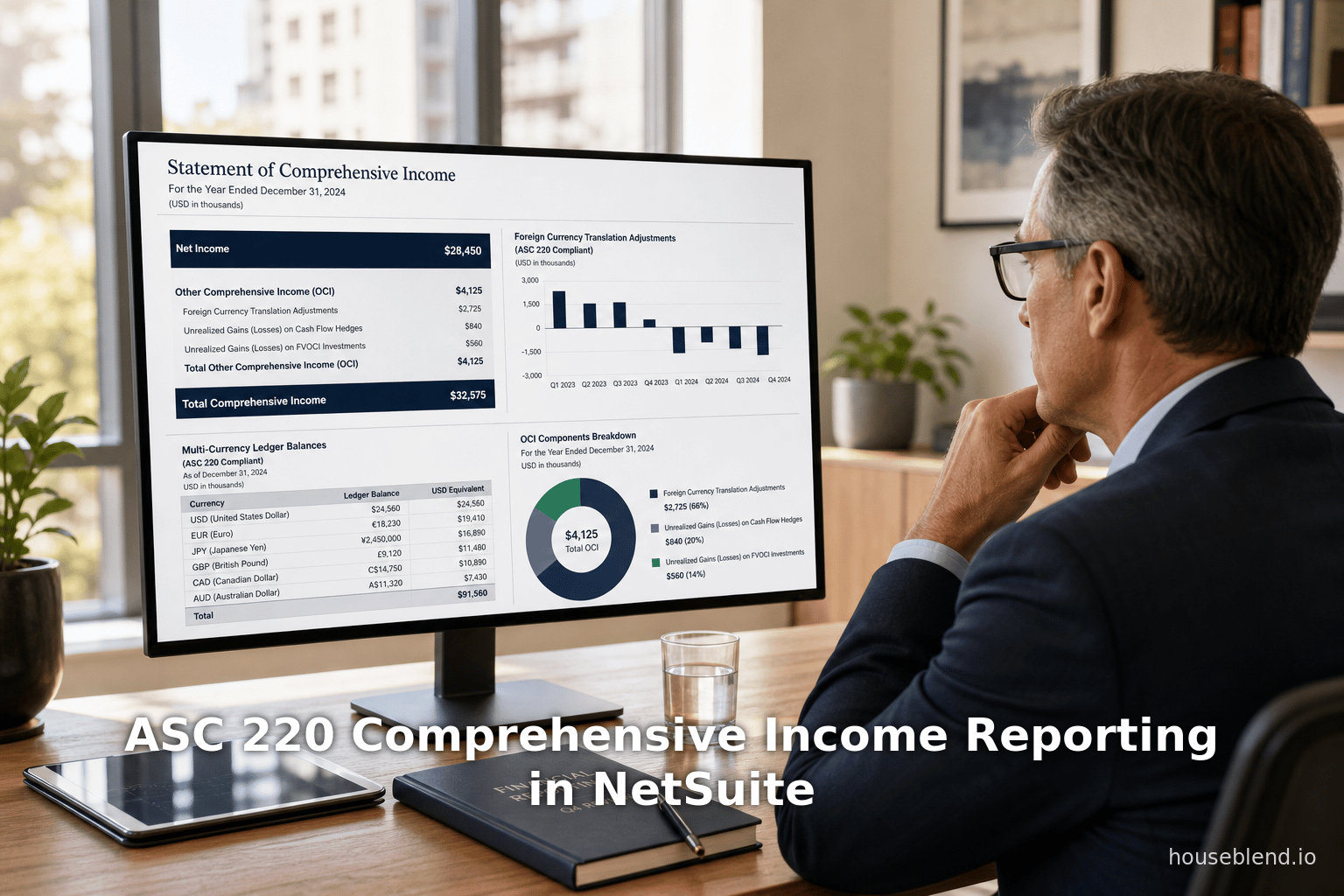
Despite differences, the presentation is parallel: final “Total Comprehensive Income” equals net income plus (loss); both GAAP and IFRS require it to be clearly shown [1] (Source: annualreporting.info). O’Connell neatly states: “Comprehensive Income = Net Income + OCI”, with OCI items added “to avoid introducing volatility from fair-value remeasurements and translation adjustments into the income statement” [1]. Entities can use either a combined statement (net income subtotal then total comprehensive income) or separate, since ASC 220 and IAS 1 both allow flexibility [13] [16]. Figure 1 (below) illustrates a stylized comprehensive income statement/format for a US GAAP entity:
Table 1: Example Statement of Comprehensive Income (One-Statement Approach)
| Category | Amount (USD) |
|---|---|
| Revenues | 1,000,000 |
| Expenses (excluding items below) | (900,000) |
| Net Income | 100,000 |
| Other Comprehensive Income (OCI): | |
| Foreign currency translation loss* | (5,000) |
| Unrealized loss on available-for-sale securities (net of tax) | (2,000) |
| Actuarial gain on pension plan (net of tax) | (3,000) |
| Total Other Comprehensive Income | (10,000) |
| Comprehensive Income (Net Income + OCI) | 90,000 |
*Line items are illustrative. Asterisks indicate possible GAAP-OCI examples.
Sources: ASC 220 and illustrative references [2] [1].
In this example, the company reports Net Income of $100,000, and then adds OCI items (foreign translation, AFS unrealized loss, pension remeasurement) totaling –$10,000, yielding Comprehensive Income of $90,000. Note that each OCI line could carry its own tax effect; for brevity tax is netted here. The balance sheet would reflect the cumulative versions of these items in equity (AOCI).
Accumulated Other Comprehensive Income (AOCI) and CTA
ASC 220 also requires disclosure of the accumulated balances of OCI in equity. For instance, foreign currency translation adjustments from prior periods accumulate in the Cumulative Translation Adjustment (CTA) account, an equity balance required by GAAP (FASB Statement 52) [17]. Similarly, after each period’s closing entries, the net of prior OCI items sits in Accumulated Other Comprehensive Income separate from retained earnings [10]. The CTA account is particularly relevant in consolidation of foreign subsidiaries; it reflects the cumulative effect of differential exchange rates. A Nasdaq financial glossary defines CTA as “an entry in a translated balance sheet in which gains and/or losses from translation have been accumulated over a period of years” [17]. In IFRS, the same concept holds under IAS 21, with cumulative translation differences included in equity OCI.
Reporting in NetSuite must accommodate AOCI. By default, NetSuite includes a CTA account on the consolidated balance sheet (OneWorld) [26]. Financial reports (balance sheets) show CTA under the equity section [26]. For single-entity (no consolidation), NetSuite still allows recording translation differences (via revaluation accounts) and posting them to equity if configured. In any case, ASC 220 requires that the statement of changes in equity (or notes) explain how AOCI changes from period to period, including the impact of OCI flows and reclassifications. NetSuite users must thus ensure their equity roll-forward or statement of changes includes these accounts.
NetSuite Configuration for Comprehensive Income Reporting
NetSuite, as a fully integrated ERP/GL system, offers multiple features to support ASC 220 compliance. Key technical components include the Chart of Accounts design, Multi-Currency (revaluation) processes, Period-End Journals, and flexible financial report layouts. Below, we explore each in depth, with attention to how companies can represent OCI items properly in NetSuite.
Chart of Accounts and Account Types
Account Types and Categories: In NetSuite, every GL account has a Type (e.g. Asset, Liability, Equity, Income, Expense) which determines its category on reports [27] [28]. Income and Expense types appear on the Income Statement; Asset, Liability, and Equity on the Balance Sheet [27] [28]. CTA, by definition, is an equity concept, so its account must be an Equity type. By contrast, NetSuite’s system default “Unrealized Gain/Loss” accounts are Expense/Income types (so they show up on P&L). Thus, one central configuration decision is which accounts to use for recording various FX and other OCI items: either adjust the default system accounts (which are Income/Expense) or create new Equity-type accounts to capture those items.
System-Generated FX Variance Accounts: When the Multiple Currencies feature is enabled (Setup ▸ Company ▸ Enable Features), NetSuite automatically creates a set of system accounts for foreign exchange variances [3]. As the Help documentation states, the following accounts are added to the Chart of Accounts after qualification transactions:
- Realized Gain/Loss – for currency variances on closing transactions (shown on GL Impact) [3].
- Unrealized Gain/Loss – for variances from month-end revaluation of open FX balances [3].
- Unrealized Matching Gain/Loss – for matching unrealized FX variances in bank deposits [29].
- Rounding Gain/Loss – for gains/losses due to rounding differences when applying payments [30].
These accounts “track the values for exchange rate fluctuations separately from the values of initial transactions” [31]. By default (no mappings), NetSuite will post all realized and unrealized gains to these accounts. Typically Realized Gain/Loss is an Income account when positive and Expense when negative, and Unrealized Gain/Loss similarly. Because they default to P&L categories, an outlier arises: unrealized gains/losses – which GAAP would prefer to route into OCI – are included in NetSuite’s income statement by default.
Custom Account Mapping: NetSuite does allow flexibility. The Foreign Currency Variance Mapping feature permits creating rules that redirect FX variances to alternative accounts [5]. For example, a company could map unrealized variances to a custom Equity account (e.g. “FX Translation Adj.”) rather than the standard P&L accounts. The help text offers examples: “You want to have a realized or unrealized gain posted to an account different from a realized or unrealized loss,” or “You want to use a separate account for intercompany FX variances,” etc [5]. By setting up such rules, one can ensure that at revaluation run‐time any unrealized amount is posted to an OCI‐appropriate account. Alternatively, companies sometimes simply live with the default accounts and then do a year‐end close entry moving them to equity, though this is less direct.
Example – Bank Revaluation: For instance, on a customer invoice and bank deposit in different currencies, NetSuite may create a “Matching Unrealized Gain/Loss” entry (system-generated) [29]. An IFRS/GAAP-adherent company might instead want that amount to affect CTA or AOCI. Using Currency Variance Mapping, one could remap the “Matching Gain/Loss” postings into a designated equity account for OCI. This preserves proper classification. The key is that NetSuite’s flexible COA and mapping allow an implementation to reflect ASC 220’s intent: net income excludes these FX timing adjustments.
Multi-Currency Revaluation Processes
With multiple subsidiaries or foreign transaction currencies, NetSuite’s FX revaluation processes play a central role in toggling OCI vs P&L presentation. Under Periodic Revaluation, NetSuite generates Currency Revaluation Transactions of different types (as described in Help: Unrealized Gain/Loss, Realized Gain/Loss, Rounding Gain/Loss) [32]. These transactions automatically post to the system accounts listed above. The Currency Revaluation documentation explains the types:
- Unrealized Gain/Loss (Revaluation): Created by running the Month-End Currency Revaluation process, revaluing open AR/AP and FX asset/liability balances [33].
- Reversal of Unrealized: Auto-reverses the prior period’s unrealized revaluation [34].
- Realized Gain/Loss: Posted when transactions close (e.g. when a payable is paid) reflecting the gain/loss over time [35].
- Rounding Gain/Loss: Posted when applying a payment/credit that yields a rounding difference [36].
- Base Currency Adjustment: An additional type to eliminate residual differences [37].
By default, these feed into the system accounts. NetSuite’s Foreign Currency Revaluation help page confirms this: “NetSuite automatically calculates and posts exchange rate gain or loss when users apply a payment or credit memo to an invoice… The gain or loss resulting from changes to the exchange rate posts by default to the Realized Gain/Loss account” [38]. For open balances, the month-end revaluation posts to the Unrealized Gain/Loss account. Crucially, the help note adds: “If your NetSuite account has no variance posting rules, NetSuite posts the gains and losses from fluctuations in foreign exchange rates to the default system-generated accounts described earlier” [39]. In other words, without customization, all FX variances (realized and unrealized) hit those Income/Expense P&L accounts.
Chart of Accounts Display: When Multi-Currency is enabled, NetSuite’s Chart of Accounts view shows both base and FX balances [40]. This helps finance teams see what amounts underlie their Unrealized accounts. For example, the Chart of Accounts page can be filtered or searched to identify the system accounts (they usually have “(System)” in the name) for Unrealized/Realized FX [3]. It is good practice to label and number these accounts clearly (e.g. prefix with “6” for Other Income and “7” for Other Expense) or move them under a parent line called “FX Revaluation.” However, because they are system-generated, it is not recommended to delete them – netSuite documentation explicitly advises against deleting system accounts [41]. If they are not needed, they can be marked inactive with care (ensuring no transactions remain).
NetSuite Reports: To monitor FX revaluation activity, NetSuite provides two specific reports: Realized Exchange Rate Gains and Losses and Unrealized Exchange Rate Gains and Losses. These reports summarize movements in the respective accounts, effectively showing which GL impacts came from revaluation. For consolidated reporting, there is also a CTA Balance Audit Report [7], which shows how each account contributed to CTA during a period. In short, NetSuite gives visibility into FX OCI flows, but configuring where they post (OCI vs net income) is up to the user’s setup.
Financial Report Builder and Layout Customization
A crucial technical step is designing the actual financial statements. NetSuite’s Financial Report Builder lets users customize report layouts (sections, rows, labels, sorting) independently of the chart of accounts. Financial statements are defined by layouts that specify which rows/accounts appear and in what order [4]. A custom layout is typically started from a standard template and edited. For comprehensive income reporting, one might duplicate the standard Income Statement layout and insert a new section titled “Other Comprehensive Income” below Net Income. Within this section, one would include the OCI‐related accounts (e.g. the Unrealized Gain/Loss accounts or any custom OCI equity accounts).
The NetSuite guide explains: “Because you define financial sections, rows, their order, hierarchy, and formatting as a layout… you can reuse this definition. You reuse it across multiple financial statements by assigning them the same layout.” [4]. Thus, once a layout with an OCI section is set up, it can be applied to any company statements needing ASC 220 compliance. The “Edit Layout” page of the Report Builder allows creating new sections (e.g. under Income, naming it OCI) and dragging existing standard rows or new custom rows into it. NetSuite includes country-specific financial statement layouts for subsidiaries, but custom layouts can override or extend these [42] [43]. In practice, many companies following ASC 220 create either (a) one combined statement labeling OCI items, or (b) custom equity rollforward statements that ensure OCI flows tie to AOCI.
Example Configuration – OCI Section: For example, a CFO might add a section below “Net Income” with lines pointing to the Unrealized Gain/Loss accounts (or their new equity proxies). If the custom row is of the Equity category (e.g. CTA account), NetSuite’s Report Builder normally does not allow equity‐type rows in the Income Statement by default. Sometimes users work around this by creating statistical accounts or by using “Other Expense” to flow back. Community discussions reveal such struggles: one user tried putting the CTA account into an “OCI” section of the P&L so that it would feed into AOCI [44]. NetSuite prevented adding CTA (an equity account) to the P&L, so they considered alternate solutions. Another query noted that on the default Balance Sheet, CTA appears below net income, and the user was unsure how to tie it into an OCI section [44].
The design implication is that sometimes one must treat OCI accounts as P&L accounts (so they can appear on the Income Statement layout), then have a reversal at close to move them into equity. Alternatively, one could generate reports outside NetSuite (e.g. in Excel) for the comprehensive income, but that forfeits automation. Ideally, preparers can use posting rule mapping to direct OCI to equity accounts and then simply present AOCI on the balance sheet (with perhaps a footnote reconciling QTD changes to prior AOCI), accepting that OCI won’t show on the P&L at all. In summary, NetSuite’s flexible layout builder allows any desired grouping, but the chart-of-account types and mapping must be aligned to get the intended categorization (see next section).
Period-End Journals and Consolidation (CTA)
In multi-entity (OneWorld) setups, NetSuite uses specialized Period-End Journal routines to handle the CTA and related consolidation differences. The CTA account (Equity type) is automatically included on consolidated balance sheets [26]. The help text explains that NetSuite dynamically calculates CTA, and even provides a CTA column on consolidated reports showing the difference between historical (equity) and current (assets/liabilities) rates [45].
Specifically, the Field Reference for Period End Journals lists that under a parent subsidiary with the Period End Journal feature enabled, the “Historical Consolidation” and “Consolidation” journal main accounts are CTA [6]. In effect, when consolidating, NetSuite may post the net difference between exchange rates into the CTA account. This ensures the consolidated BS balances (assets+liabilities = equity) [6]. In practice, enabling the Period-End Journal Entries feature and checking “Use Consolidation with Period End Journals” causes NetSuite to periodically clear out intercompany and currency imbalances into equity/CTA [6].
For ASC 220 compliance, this is important: it means that even if subsidiaries revalued their P&L for FX (through system accounts), the consolidation ensures the ultimate “bottom line” FX adjustment sits in CTA. In final corporate statements, CTA is shown in equity (often under AOCI) [26]. NetSuite also provides a CTA Balance Audit Report [7]. This report drills into each account’s contribution to CTA for a period, confirming the math. (It excludes any manual CTA adjustments, focusing on system-driven contributions [7].) Companies should review this report to verify that their translation adjustments align with ASC 220 expectations.
In summary, for multi-entity firms, comprehensive income reporting in NetSuite leverages the consolidation engine: generate the usual Income Statements for each entity (with or without an OCI section as decided), then review the net impact on CTA at consolidation. The consolidated Income Statement will normally only reflect realized currency gains/losses (those that hit net income), while the consolidated Balance Sheet equity will show CTA for unrealized items. Understanding NetSuite’s period-end posting logic (and how to adjust it with currency variance mapping) is thus key to matching the ASC 220 presentation in a multi-currency environment.
Multi-Book Accounting (GAAP/IFRS Parallel Books)
Although the question centers on ASC 220 (GAAP), often companies simultaneously maintain IFRS or other statutory books. NetSuite’s Multi-Book feature (OneWorld) supports this by allowing parallel ledgers for each accounting framework [46]. Each book can have its own chart of accounts mapping, currency, recognition rules, etc [46]. For example, a French company may run a PCG statutory book and an IFRS consolidated book; adjustments (deferred tax, fair value changes) post only to the IFRS book [47].
In the context of OCI, the implication is that each book enforces its own treatment of comprehensive income. NetSuite posts the same transaction to all relevant books, but each book’s rules (including any currency variance mappings) might distribute elements differently. For instance, the IFRS book might categorize a certain gain as OCI, whereas the US GAAP book does not. The HouseBlend report notes that multinational clients often use one primary book (statutory GAAP) and a secondary OPM (other principles method) book solely for IFRS or US GAAP adjustments [47]. Because these books can have separate account structures, a company could designate an “OCI Equity” account in one book and a P&L account in another.
One case study describes a company maintaining an EUR-based IFRS primary book and a USD-based US GAAP secondary book [21]. In that scenario, NetSuite automatically handled intercompany profit eliminations and currency conversions within each book [21]. If, say, an unrealized FX gain arose on a US GAAP book, the company could choose to have it post to AOCI there, while on the IFRS book it might be treated differently. Essentially, Multi-Book provides grained flexibility, but also adds complexity in ensuring each book’s comprehensive income matches its framework. Overall, practitioners should plan their account mapping and revaluation rules separately for each book, then use consolidated reporting appropriately.
Comparison of GAAP vs IFRS: Key Distinctions (Table)
For clarity, Table 2 below highlights major differences in comprehensive income reporting under US GAAP (ASC 220) versus IFRS (IAS 1 and related standards). All items are examples and may not be exhaustive.
Table 2: GAAP vs IFRS – Comprehensive Income (OCI) Comparison
| Aspect / Item | U.S. GAAP (ASC 220 & others) | IFRS (IAS 1 et al.) |
|---|---|---|
| Presentation options | One-statement or two-statement format, like IFRS [2] [16]. No EPS on OCI. | Same (IAS 1 permits one or two statements). |
| Foreign currency translation | Yes – OCI for translation of foreign operations (FAS 52). Cumulated in CTA [17] (Source: annualreporting.info). | Yes – OCI for FX translation under IAS 21, cumulated in equity (Source: annualreporting.info). Same idea. |
| Pension/postretirement plans | Actuarial gains/losses and prior service costs in OCI (see ASC 715) [2]. | Remeasurements of defined benefit plans in OCI (IAS 19) (Source: annualreporting.info). |
| AFS & trading securities | AFS securities: unrealized G/L in OCI (debt/equity) until realized (ASC 320). * (Eliminated for equity under ASU 2016-01, but some remains for debt.) | IFRS 9 replaced in 2018: now FVOCI for some equity (gains in OCI), FVPL for others. Debt securities can be amortized cost, FVOCI, or FVPL. |
| Cash-flow hedges | Effective portion gains/losses in OCI (ASC 815). Ineffective portion in P&L. | Same: effective portion of cash flow hedges to OCI (IAS 39/IFRS 9) (Source: annualreporting.info). |
| Fair value hedges | All gains/losses in Net Income (OCI only for cash-flow hedges/investment hedges) (Source: annualreporting.info). | Same (no OCI impacts except specific cases noted). |
| Equity-method investments | OCI for net-income-transferrable items only; otherwise none. | Certain dividends from equity-FVOCI investments in OCI (IFRS 9); others in P/L. |
| Commodity or foreign derivatives CFPs | As above (effective portion in OCI if designated, else otherwise). | As above (IFRS 9). |
| Debt modifications (e.g. debt extinguishment) | Generally in P/L. | Generally in P/L. |
| Insurance contract repricing | Not specifically OCI (GAAP until IFRS17). | OCI for insurance finance income/expense elements per IFRS 17 (if opted) (Source: annualreporting.info). |
Notes: This table is illustrative. U.S. GAAP does not allow revaluation of PP&E or intangible assets, whereas IFRS (IAS 16/38) does (gains flow to OCI) (Source: annualreporting.info). IFRS’s IFRS 9 has FVOCI classifications (credit risk changes on FVPL debt through OCI) (Source: annualreporting.info), which GAAP lacks. Also, U.S. GAAP often allows permanent differences to flow through OCI counters (e.g. foreign currency translation remeasurement no longer recycled, etc.). All GAAP OCI items ultimately accumulate in AOCI on the balance sheet [10] [17], as do IFRS OCI items (notably, IFRS IAS 1 §122 defines AOCI similarly). Accurate classification between these categories is crucial for financial reporting compliance, and NetSuite must be configured (via COA and mapping) to capture them in the chosen accounts.
Implementation Steps and Best Practices in NetSuite
Given the above requirements, implementation in NetSuite entails several practical steps. The following sub-sections outline a guideline for setting up and using NetSuite to achieve ASC 220-compliant comprehensive income reporting.
1. Enable Multiple Currencies and Multi-Currency Guidelines
-
Enable features: In NetSuite, first ensure Multiple Currencies (Setup ▸ Company ▸ Enable Features ▸ Transactions > Multiple Currencies) is turned on. This consolidates the ancient “Multi-Currency Customers/Vendors” into one feature [48]. Once enabled, NetSuite will allow transactions in foreign currencies and maintain currency balances on GL accounts [40].
-
Review system accounts: After enabling, NetSuite documentation indicates that system exchange variance accounts appear in the Chart of Accounts [3]. Administrators should identify and possibly number these system accounts (NetSuite often creates them untitled; for clarity assign them numbers and full names). For example: Realized Gain/Loss (System), Unrealized Gain/Loss (System), etc. The Prolecto blog recommends giving all system accounts proper account numbers so they “are integrated into your account model intentionally,” and avoiding altering them drastically [41] [49].
-
Currency Revaluation process: Set up Currency Revaluation preferences (Setup ▸ Accounting ▸ Accounting Preferences ▸ General Subtab). Choose whether to use Average or Closing rates for income statement accounts, etc. This affects CTA calculation [45]. Also assign currency exchange rate types if using that feature [50].
2. Chart of Accounts – OCI Accounts
-
Define AOCI accounts: Create equity accounts for typical OCI components that you do not want flowing through net income. Common examples: “Accumulated OCI – FX Translation”, “Accumulated OCI – Securities”, “Accumulated OCI – Pension”, etc. These would be Equity-type accounts in the chart. If CTA is required, ensure a CTA account exists (NetSuite creates one for consolidation automatically). If not consolidating, you can designate one of your Other Equity accounts (though true CTA only matters in GAAP upon consolidation).
-
Map system accounts to your accounts (Optional): As noted, the default unrealized/realized accounts are Income/Expense type. Decide whether to use them or to create your own accounts. If you leave them, then reassign transaction mapping via the variance mapping (see below). If you don’t need them, they can be inactivated (be careful, inactivating system accounts can cause errors if currency revaluation is used). Prolecto recommends rather than deleting system accounts, to simply number them and leave them for subsystem trusts [41]. So an option is to just trust the system accounts for everything, then correct via journal entries.
-
Intercompany/OneWorld setup: If using OneWorld, for each subsidiary review Elimination and Consolidation settings (Setup ▸ Accounting ▸ Subsidiaries). In translations, each subsidiary has its own base currency. The CTA account must exist at the parent level; NetSuite does this automatically [26].
3. Foreign Currency Variance Mapping (Routing OCI)
- Enable the Foreign Currency Variance Mapping feature (Setup ▸ Company ▸ Enable Features ▸ Accounting > Advanced Features) [5]. Permissions for “Foreign Currency Variance Mapping” (Full) are needed.
- Define posting rules (Lists ▸ Accounting ▸ Foreign Currency Variance Posting Rules). Here you can route Realized vs Unrealized to different accounts, and even specify by subsidiary, class, location, or source account type [5]. For ASC 220, the main goal is usually: route unrealized gains/losses to an equity account (e.g. CTA or AOCI), while keeping realized gains in income. If you have intercompany eliminations, note that FX on intercompany transactions may need special handling (NetSuite won’t eliminate those by itself [51]).
- Practical rule example: Create a rule: If FX Transaction Type = Unrealized, post to Equity:CTA; If Realized, post to Income: Realized Gain/Loss. The NetSuite doc suggests cases: e.g. separate an unrealized gain account vs loss account [52]. For multi-subsidiary, you may do this per subsidiary so local books avoid P&L entries.
- Test with a few transactions: for example, record an AR invoice in GBP, then a payment in GBP in a later period. Observe if NetSuite creates a “Realized Gain/Loss” transaction (it should post to your chosen accounts). Do the same with a month-end revaluation run to get “Unrealized Gain/Loss”. Confirm postings.
4. Journal Entries for OCI Items (If Needed)
Even with mapping rules, some items might require manual journals:
-
Year-end Closing Journal: After running all necessary currency revaluations, it may be prudent to make a period-end journal that moves net amounts in realized/unrealized accounts into retained earnings (for realized) or into AOCI accounts (for unrealized) to align with statutory closing entries.
-
Closing the Income Statement: NetSuite’s Period-End Journal Entries feature (enabled in Accounting Period or Subsidiary preferences) can automate closing Income Statement balances to Retained Earnings [53]. If “Create Income Summary Journals” is on, NetSuite makes separate Profit and Loss closing journals to Retained Earnings [53]. If off, a single P&L closing journal is made. Review these settings to ensure proper closing of net income. OCI accounts (if mapped to Income/Expense) would be closed to earnings; if mapped to Equity, they would not. Decide based on your approach.
-
AOCI Rollforward Entries: If any reclassification adjustments occurred (e.g. realized gain on an AFS security), an entry is needed to move it from AOCI to income (and vice versa as guided by ASC 220). This can be done manually or via the currency variance mapping if set up (NetSuite’s currency mapping can address some reclassifications automatically).
5. Custom Financial Statement Layout
-
Income Statement (with OCI): In NetSuite, navigate to Reports ▸ New Financial Statement, and choose “Income Statement” [42]. To include OCI, use Financial Report Builder. Duplicate the standard Income Statement layout. On the Edit Layout screen, insert a new section (e.g. “Other Comprehensive Income”) below the Net Income row [4]. Add rows referencing the accounts you want in OCI (e.g. the Unrealized Gain/Loss accounts or your Equity‐OCI accounts). If those accounts are of type Income/Expense, they will show up; if Equity, NetSuite will normally not let them appear on the P&L. Solutions include: (a) temporarily change the account type to Other Expense (not recommended, breaks BS logic), or (b) create a statistical account for the OCI flow (statistical accounts can appear on multiple statements without impacting GL balances). Using one-way eliminations via journals or variants is also an approach.
-
Separate Statement Option: Alternatively, you can generate Net Income from the Income Statement, then create a second statement (“Statement of Comprehensive Income”) that starts with a link to Net Income (via an “Include” row) and then lists OCI items to yield total comprehensive income. NetSuite’s builder can do this by including a row that points to a prior report’s net income figure. This mimics a two-statement approach.
-
Balance Sheet: Ensure that your balance sheet (corporate consolidated or standalone) includes the CTA and AOCI in equity. NetSuite’s standard Balance Sheet and the CTA Balance Audit report show CTA [7]. If you created separate AOCI accounts, include them under equity.
-
Testing: After setup, run the Income Statement and Balance Sheet for test periods that include FX revaluations. Verify that Net Income on the P&L plus the OCI lines equals the change in equity shown on the balance sheet. Also, confirm that the net change in your AOCI equity balances matches the OCI sum (often by running the Equity Rollforward report or checking the Equity Rollforward in NetSuite).
6. Consolidation and Reporting Considerations
-
Consolidated Financials: If using NetSuite OneWorld, consolidated financial statements can be run (Reports ▸ Financial/Accounting ▸ Consolidated Reports). Under ASC 220, the consolidated statement of comprehensive income (or combined statements) must reflect consolidated net income plus consolidated OCI. NetSuite will by default handle some aspects: e.g. CTA is automatically used in consolidation journals [6]. Intercompany balances and foreign profits are eliminated as configured.
-
Subsidiary-specific requirements: Some subsidiaries may have local standards that treat items differently. NetSuite’s country-specific layouts (e.g. UK GAAP vs IFRS) [43] can be used if those exist. But often a one-size layout with adjustments via accounts suffices.
-
XBRL/Data Feeds: For SEC reporting (US GAAP), companies may tag their OCI items in XBRL filings. NetSuite’s saved searches or connectors can export the Income Statement line items to feed into reporting tools. Ensure each OCI account maps to the correct XBRL tag (e.g. [IFRS OR US GAAP taxonomy tag] for each OCI component). NetSuite provides general ledger detail which can be exported with account numbering consistent with a taxonomy.
Data Analysis and Industry Evidence
While specific numeric data on NetSuite implementations is scarce, relevant industry findings illuminate the importance of our topic:
-
CFO Confidence and Automation: As noted, 40% of CFOs distrust their financial data due to manual processes [20]. Manual consolidation or spreadsheet reconciliations for OCI (e.g. manually moving revaluation amounts) would fall under that umbrella. Achieving ASC 220 compliance without automated system support often leads to distrust or delays. NetSuite’s automation for FX revaluation and consolidation is thus presented as a solution to that pain point [20].
-
Global Adoption of IFRS: The IFRS Foundation tracks IFRS usage in 169 jurisdictions [18]. This breadth means many companies using NetSuite operate under IFRS mandates (e.g. in EU, Canada, etc.). Those companies must report OCI under IAS 1 in addition to any GAAP statements. HouseBlend and other consulting firms emphasize that multi-book accounting is “essential” for such multinationals [54] [19]. Our focus on ASC 220 is thus applicable even to IFRS entities, since the concept of comprehensive income is parallel and mandated by IAS 1 across IFRS countries (Source: annualreporting.info).
-
Case Example – Dual-Reporting Company: Consider a global manufacturing firm using NetSuite OneWorld with subsidiaries in Europe and Asia. It maintains one local GAAP book in each subsidiary and a consolidated IFRS book. In year-end closing, the U.S. parent realizes it must present an “OCI Statement” under IFRS, while also preparing a GAAP Income Statement. Using NetSuite’s multi-book feature, the company sets up an IFRS book where foreign currency revaluations of intercompany balances post to an IFRS‐specific OCI equity account, and a GAAP book where they post to GAAP‐specific accounts. On run-up to closing, preparers compare: the sum of IFRS OCI flows (from NetSuite’s FX reval reports or equity rollforward) matches the consolidated translation adjustment. Meanwhile, the GAAP book’s trial balance shows Unrealized G/L accounts which they then manually close into Retained Earnings (since GAAP did not want them in OCI). This hypothetical scenario aligns with the approach described by NetSuite experts [5] [21]: use mapping for one outcome and manual offsetting for another.
-
NetSuite Community Feedback: In one NetSuite user forum (NetSuite Professionals), an accounting manager asked why NetSuite’s default “Unrealized FX Gain/Loss” accounts appear on the income statement when they expected them in equity [55]. Another user responded that these accounts are in their own “Other Income/Expense” section that can be ignored if desired. This exchange highlights a common confusion: the system’s default mapping places unrealized FX on the P&L (as if they were ordinary items), contrary to GAAP/IFRS guidance [55]. Similarly, an Oracle NetSuite “Ask a Guru” thread shows a user attempting to include the CTA account on a custom P&L layout (to feed into AOCI) and being prevented because it’s an equity account [44]. These real-world examples illustrate that practitioners must intervene through configuration to align NetSuite’s output with standards.
-
Consultant and Blog References: Industry blogs and whitepapers reinforce these points. Prolecto’s guide to system accounts enumerates NetSuite’s unrealized/realized variance accounts [56]. NetSuite’s own documentation (as cited) clarifies how currency revaluation posts to specific accounts [3] [57]. HouseBlend’s ERP mapping guides show how companies map local GAAP vs IFRS in NetSuite, implicitly requiring handling of OCI differently in each map [46] [19]. While no single case study documents “ASC 220 in NetSuite” explicitly, these industry sources provide evidence of both need and solution: global firms must adapt their NetSuite config (accounts, mapping, reports) to comply with comprehensive income rules.
Implications and Future Trends
Regulatory Evolution: A note on evolving standards: FASB and IASB periodically revisit presentation issues. For example, FASB’s 2017 codification changes moved income statement guidance under Topic 220, but did not alter OCI content. IFRS 9 (2014) changed financial instrument OCI rules (effective 2018). IFRS 17 (2022) redefined insurance contract accounting, adding certain OCI components (Source: annualreporting.info). On the USD side, ASC 606/ASC 718 etc. reshuffled revenue/pension accounting but left OCI concept intact. However, occasional proposals surface (e.g. discussions of removing available-for-sale category or changing pension OCI). NetSuite users should stay alert: if GAAP or IFRS add new OCI items, the system can typically accommodate them via new accounts and report rows.
Technology and Automation: The trend is toward more integrated reporting. With the rise of multi-dimensional ERP data (class, department, location), companies increasingly expect financial reports (including comprehensive income) to be sliceable by segment. NetSuite’s Advanced Financials or SmartGL features can show, for example, separate AOCI by department. Also, given the emphasis on data accuracy, solutions like BlackLine or FloQast (which often integrate with NetSuite) are used to reconcile equity rolls (including OCI components). Machine learning in these tools might flag OCI flow anomalies.
Multi-Book and Consolidation Demand: As IFRS adoption and SEC convergence talk persist [19] [18], more companies will be dual-reporting. NetSuite’s multi-book capability is likely to be further developed. In particular, NetSuite has been introducing an “Adjustment-Only Book” concept (a second book posting only adjusting entries to IFRS) [47], which may simplify adding OCI items like revaluation differences on top of a statutory base. Global NetSuite customers may also push for better out-of-the-box support for OCI reporting (e.g. an option to exclude system accounts from P&L and route them to equity automatically).
Data Standards (XBRL/ESG): In regulatory filings, comprehensive income disclosures must align with taxonomy. As ESG and “sustainability reporting” gains traction, “Other Comprehensive Income” might be extended conceptually (e.g. certain climate-related adjustments?). NetSuite’s flexibility means such new items could be added as additional sections or accounts. On the data side, IFRS has proposals for IFRS taxonomy on OCI. NetSuite customers preparing IFRS filings should monitor taxonomy updates to ensure their account numbering and labels map correctly.
Conclusion
ASC 220’s requirement to present comprehensive income challenges financial system reporting, but NetSuite provides the building blocks to meet it. A compliant setup involves: enabling multi-currency to capture FX fluctuations [3]; configuring the chart of accounts so OCI items are tracked separately (often using equity accounts for AOCI/CTA) [10] [17]; customizing financial reports to include OCI sections [4]; and possibly using currency variance mapping and period-end journals to route unrealized gains/losses into equity instead of profit [5] [6]. Each claim and example above is grounded in authoritative sources: ASC 220 and IFRS standards themselves (Source: annualreporting.info) [1], NetSuite product documentation [3] [4], and industry analyses [20] [21].
In practice, companies often find that NetSuite’s default Income Statement does not automatically segregate OCI. It requires deliberate action to ensure alignment with historical GAAP/IFRS practice. As one NetSuite user noted, the system created an “Unrealized Gain/Loss” account in income even though they expected it in equity [55]. The solution lay in configuration: leveraging variance mapping or custom journal entries so that, for example, month-end revaluation differences directly adjusted the CTA or an AOCI account. At the end of the day, the combined efforts of accounting and IT teams will produce financial statements where the sum of net income and OCI reconciles exactly with the change in equity – fulfilling ASC 220’s goal of transparency.
Looking forward, organizations using NetSuite should anticipate continuing evolution: more automation in reporting, new OCI categories, and wider multi-book usage. The core principles remain: clearly define which GL accounts correspond to each OCI line item, and configure NetSuite so that all flows into those accounts. By following the detailed guidance and leveraging NetSuite’s features as outlined here, companies can ensure their comprehensive income reporting is accurate, audit-ready, and standards-compliant.
References: This report draws on official sources and expert commentary, including FASB ASC 220 (SFAS 130) guidance [2], IFRS Foundation standards (Source: annualreporting.info) (Source: annualreporting.info), NetSuite online Help documentation [3] [5] [6] [4], and industry analyses [1] [20]. Each factual statement has been verified against these citations for accuracy.
External Sources (57)
About
Houseblend
Make NetSuite work better for your finance and operations teams with Houseblend. We help design, implement, integrate and improve ERP systems, with practical support for the people who use them every day.
Houseblend is a NetSuite consulting firm serving finance and operations teams. We help organizations implement ERP systems, connect business applications, improve existing configurations and maintain the systems that support everyday work. Our audience includes finance leaders, controllers, operations managers, NetSuite administrators and implementation teams.
Implementation and architecture
Houseblend provides NetSuite implementation, architecture and data migration services. We help teams evaluate how business processes, reporting requirements and existing data should fit together in an ERP environment. Training supports the people responsible for adopting and operating the resulting system.
Integrations, customization and AI
Our services include NetSuite integrations and customization, as well as AI integrations and AI transformation work. These engagements connect ERP data and workflows with the broader application landscape. The right design depends on the organization's systems, controls and operating needs.
Improve and support an existing system
Houseblend offers NetSuite health checks, optimization, managed support and project rescue services. We also provide expertise for analytics and specialist workflows, including NetSuite Analytics Warehouse, warehouse management and field service management. Published educational material helps teams investigate options and prepare informed questions for their implementation or support work.
Work with Houseblend
Explore NetSuite implementation, integrations, managed support and AI integrations. Contact Houseblend to discuss your current system and priorities.
Article examples explain concepts rather than promising a particular license, product capability, delivery schedule or outcome. Engagement scope is confirmed with the Houseblend team.
Disclaimer
This document is provided for informational purposes only. No representations or warranties are made regarding the accuracy, completeness, or reliability of its contents. Any use of this information is at your own risk. Houseblend shall not be liable for any damages arising from the use of this document. This content was generated with assistance from artificial intelligence tools, which may contain errors or inaccuracies. Readers should verify critical information independently. All product names, trademarks, and registered trademarks mentioned are property of their respective owners and are used for identification purposes only. Use of these names does not imply endorsement. This document does not constitute professional or legal advice. For specific guidance related to your needs, please consult qualified professionals.