Houseblend Article
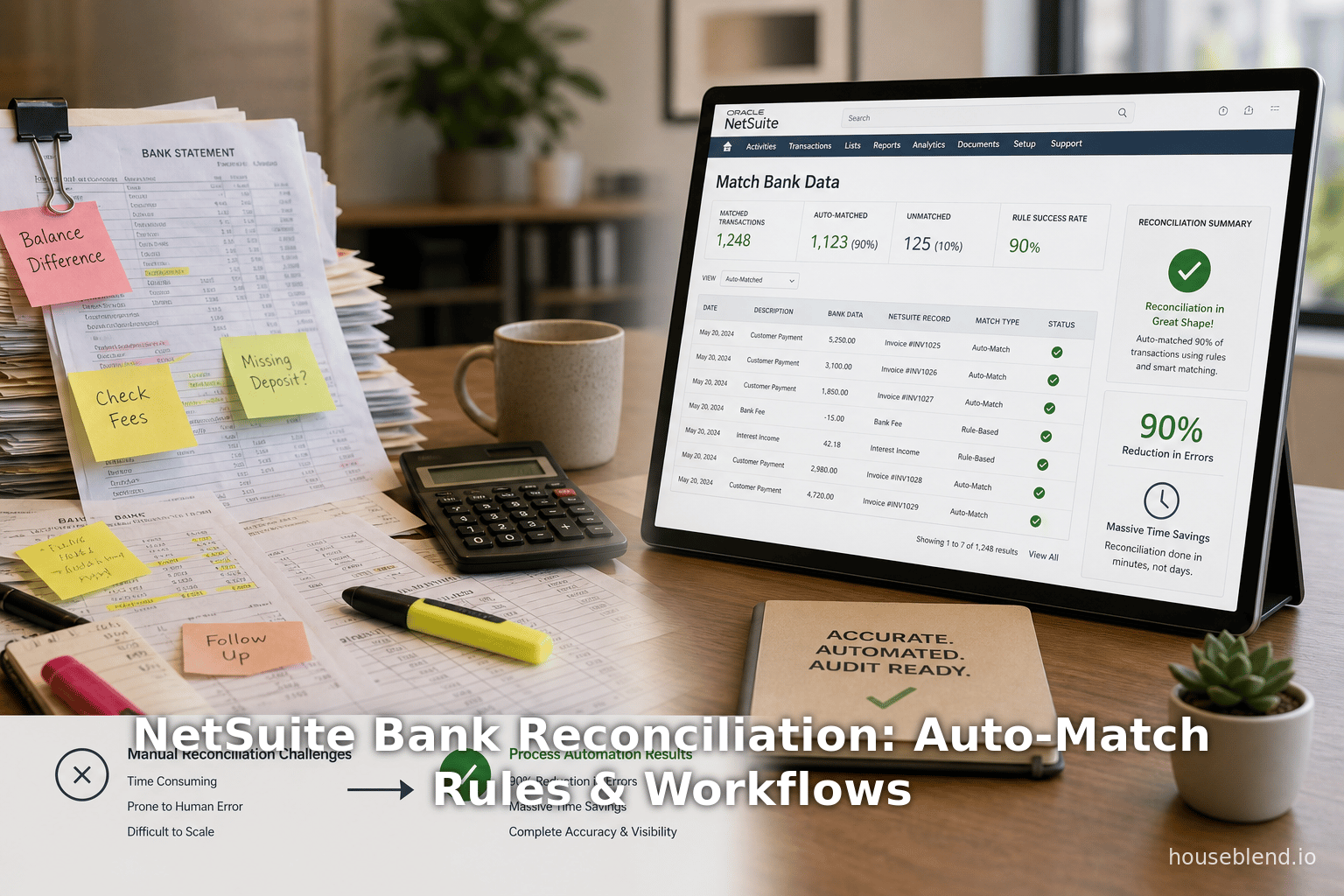
NetSuite Bank Reconciliation: Auto-Match Rules & Workflows
Inside this article
- 01Executive Summary
- 02Introduction
- 03Bank Reconciliation Basics and NetSuite Context
- 04NetSuite Bank Data Import and Connectivity
- 05Intelligent Transaction Matching and Auto-Match Rules
- 06NetSuite Bank Reconciliation: Rules, Tolerances and Exceptions
- 07Case Studies and Empirical Findings
- 08Current State and Implications
- 09Conclusion
Executive Summary
Bank reconciliation – the process of ensuring that a company’s internal cash records match its bank statements – is a critical (but traditionally tedious) accounting task. Research shows that purely manual reconciliation has an error rate of roughly 15–25%, with the average business losing on the order of $47,000 per year to errors, rework, and missed discrepancies (Source: staging.bankstatement.app) (Source: staging.bankstatement.app). In practice, finance teams often spend dozens of hours each month per account on reconciliation. In response, modern ERP systems like Oracle NetSuite have greatly expanded their bank reconciliation automation. NetSuite’s Intelligent Transaction Matching engine automatically imports bank data and applies both built-in and user-defined matching rules (for example, matching on document/check number, amount, and date windows) to auto-reconcile transactions [1] [2].
Leading analyst cases and customer reports highlight the impact of this automation. For example, one NetSuite customer (mid-sized, multi-location) cut their per-account reconciliation time from 10–15 hours down to under 1 hour, achieving about 95% of transactions auto-matched [3] [4]. Another implementation reported 95%+ automatic match rates, a ~90% reduction in errors, and roughly $12,000 labor savings per bank account per year [4]. In general, organizations routinely see 70–80% reductions in manual effort and data accuracy above 99% under NetSuite’s automated matching [5]. CFOs increasingly expect reconciliation to be not only automated but “provably accurate and auditable,” enabling them to close the books much faster without sacrificing control [5] [6].
This report presents a comprehensive analysis of NetSuite’s bank reconciliation features, with a focus on auto-match rules, tolerance options, and exception-handling workflows. We begin by introducing the background and importance of bank reconciliation, then examine NetSuite’s specific approaches – from the historical manual process to the modern AI-enabled matching system. We detail the built-in system rules (the default matching criteria in NetSuite) and the capabilities for custom rules and auto-create rules, with attention to how they prioritize fields like transaction ID, amount, and clearing date. We also discuss “tolerances” (the ability to accept small date or amount differences) in matching logic and how exceptions are routed for review when mismatches occur. Using official documentation and expert commentary, we outline the end-to-end workflow (from importing bank lines via Bank Feeds or CSV, through matching, to final statement reconciliation), including typical steps for reviewers to address any unmatched items [7] [8].
Throughout, we support each claim with citations: drawing on NetSuite’s published help documentation, industry whitepapers, expert blogs, and real-world case studies. In addition to detailing how the functionality works, we present data and case examples to quantify the benefits (e.g. hours saved, match rates, error reductions) and discuss practical considerations. Finally, we examine the implications of these technologies for finance teams (such as tighter controls and faster closes), and look ahead to future directions – including enhanced AI-driven matching and integrations – in the evolving space of financial automation.
Introduction
Bank reconciliation is the process of comparing a company’s cash records (the general ledger bank account, check registers, etc.) against the activity reported by banks and payment processors. Its purpose is to identify and explain differences (such as outstanding checks, bank fees, or errors) so that the internal records truly reflect the cash position. Accurate bank reconciliation is fundamental to accounting integrity and financial reporting (Source: staging.bankstatement.app). However, the traditional process – downloading statements, exporting ledger data, and matching transactions one by one (often with spreadsheets) – is laborious and error-prone.
Multiple studies have documented the costs of manual reconciliation. For instance, a finance-industry analysis found that the typical manual reconciliation error rate is on the order of 15–25%, meaning roughly one in four reconciliations requires corrections (Source: staging.bankstatement.app). These mistakes (often simple typos, missed entries, or date mismatches) cascade into significant costs: the same study estimates the total annual cost per company at about $47,000 in labor and penalties (Source: staging.bankstatement.app). Other surveys confirm that finance teams can spend hundreds of hours every year on banking tasks, especially at month- or quarter-end closures. Against this backdrop, many companies are eager to streamline the process through automation. CFOs and controllers now expect reconciliation tools to minimize manual work while guaranteeing accuracy and auditability [5] [6].
Oracle NetSuite, a leading cloud ERP system, has progressively built out its banking features to meet this need. Up through NetSuite 2021.1, the platform offered a classic bank-statement reconciliation page, where users “cleared” items manually [9]. Beginning in 2021, NetSuite launched a completely redesigned reconciliation engine that emphasizes intelligent matching of imported bank data [9]. The new workflow (accessible at Transactions > Bank > Match Bank Data and Reconcile Account Statement) allows statement data to be imported (via CSV or live bank feeds) and then matched automatically against NetSuite transactions. The system uses configurable “reconciliation rules” to auto-match, and flags any exceptions for human review. This modern approach aligns with trends toward real-time cash management and closes.
The remainder of this report explores NetSuite’s bank reconciliation capabilities in depth. We examine how the system’s auto-match rules are defined and ordered, how tolerance for minor discrepancies can be handled, and how “exception workflows” address mismatches or outstanding items. We also consider case-study data and best practices, comparing perspectives from practitioners and experts. Our goal is to provide a thorough, evidence-based guide to bank reconciliation in NetSuite, from basic concepts through technical nuances and future outlooks.
Bank Reconciliation Basics and NetSuite Context
The Role of Bank Reconciliation in Financial Management
Bank reconciliation ensures that a company’s ledger cash balance truly reflects the funds that have been cleared by the bank.Discrepancies may arise due to timing (e.g. a check issued but not yet presented), bank charges or refunds, currency exchange differences, or data entry errors. Reconciling the accounts on a periodic basis (often monthly) is essential for accurate financial statements and internal controls. Auditors typically require documented evidence that all differences have been investigated (Source: staging.bankstatement.app).
Traditionally, small businesses reconciled bank statements using paper or spreadsheets. The accountant would line up each bank statement line with corresponding checks, payments, deposits in the ledger, marking them “cleared” when they agree. Any remaining items (unmatched checks or fees) had to be investigated and adjusted. While the manual approach is straightforward, it scales poorly: each additional transaction increases the workload and the chance of a missed match. Studies have found that after certain volume thresholds (hundreds of items), manual reconciliation yields diminishing returns in efficiency and a high risk of oversight.
In modern enterprises, the pressures of fast closing and accuracy have driven adoption of automation. Automated reconciliation tools aim to reduce human effort and errors by instantly matching clear-cut cases and highlighting only the unusual items for review. An industry article notes that simply acquiring bank data is a low-value task – the real challenge is in the matching logic and exception handling [10]. Indeed, analytics experts segment reconciliation into three layers:
- Data Collection – importing bank transactions and ledger entries into a common system.
- Matching Logic – applying rules and algorithms to pair up transactions.
- Exception Handling – providing workflows for any remaining mismatches.
Most organizations that stop at automated data collection (Layer 1) feel progress, but still end up manually matching 30–40% of items. The highest ROI comes from Layer 2, algorithmic matching, which can cover 80–90% of cases [11]. Layer 3 ensures that the remaining transactions are properly reviewed and resolved. Our focus here is on how NetSuite supports these layers, especially the matching and exception processes.
Evolution of NetSuite’s Reconciliation Features
Historical approach (Pre-2021) – Earlier versions of NetSuite relied on a straightforward “bank statement reconciliation” module. Users would import a bank statement (via OFX/CSV) into an “Online Banking Statement” page. The system would auto-match only on very strict criteria (check numbers and amounts, for example) [2]. Any unmatched lines would be handled manually by clicking into a “Find Transactions” utility. Once users cleared all items, they would reconcile on the statement. This original workflow was effective for small volumes but still required heavy manual effort.
Modern Intelligent Matching (2021+) – Recognizing these limitations, NetSuite released a redesigned reconciliation engine in 2021.1 [9]. The new Match Bank Data / Reconcile Statement module automates most of the matching work. Key changes include:
-
Bank Feeds Integration: Instead of manual CSV imports, NetSuite now supports live bank feeds via its Bank Feeds SuiteApp. This automates daily imports of cleared transactions from thousands of banks globally [12] [13]. Firms can connect accounts and let statements flow in automatically, ensuring reconciliation is always working on the latest data.
-
Intelligent Transaction Matching: Globally, imported bank lines are matched to NetSuite transactions using a set of “system” rules and optional “user” rules. The system checks first for unambiguous matches (by check/transaction number and amount) and then applies looser criteria (e.g. date and amount tolerances) as fallbacks [1] [14]. This multi-layered logic greatly increases auto-match rates (see next section).
-
Rule Configurability: Accounting teams can define custom matching rules (e.g. match on memo fields, vendor names, or recurring amounts) to capture business-specific patterns [15]. There are also auto-create rules which, when conditions are met, will create the necessary deposit or charge record in NetSuite and match it in one step [16].
-
Exception Workflows: Any bank line that cannot be auto-matched (or where the system finds multiple candidates) is surfaced on the Match Bank Data page under an “Unmatched” or “To Be Matched” subtab. Users can then manually match it (or create new entries) on a guided page [8]. Finally, on the Reconcile Account Statement page, users check off remaining transactions against the statement.
This modern framework is summarized in NetSuite’s documentation, and is intended to eliminate the need for offline work (like Excel) during reconciliation [9]. The result in practice is that finance teams spend far less time on repetitive matches and more time investigating true exceptions.
NetSuite Bank Data Import and Connectivity
Before matching rules can operate, bank data must be brought into NetSuite. NetSuite offers multiple options for importing statement lines, reflecting both legacy and modern approaches:
-
Manual File Import (Legacy): NetSuite can import OFX, CSV or QFX files via the standard Financial > Bank > Import Bank Data page (or via the online banking statement page). In older workflows, accountants would download statements from each financial institution and upload them. This method is still supported and useful for banks not covered by feeds.
-
Bank Feeds SuiteApp (Automated): Introduced in release 2020.1 and enhanced in 2021, the NetSuite Bank Feeds SuiteApp allows direct connectivity to banks and credit card issuers [12] [13]. It supports thousands of institutions across major regions: for example, the NetSuite 2021.1 documentation notes over 10,000 supported institutions worldwide [12]. Once set up, Bank Feeds can automatically pull past transaction data (e.g. the last 60 days) and then daily transactions and balances without any manual downloading. This dramatically cuts clerical work – a NetSuite partner notes that enabling Bank Feeds eliminates the “inefficient manual processes” of downloading statements and converting formats [17].
Bank Feeds is implemented via SuiteApps such as Financial Institution Connectivity and Parser plugins, which allow secure, scheduled imports (often via third-party aggregators) [18] [13]. Bank import histories and debug logs are visible in NetSuite so that admins can audit that feeds ran successfully. The net effect is that bank-ledger mismatches can be detected nearly in real-time, speeding up the close process. As one consulting case report noted, moving from daily manual imports to automated feeds yielded a 60% reduction in manual intervention and 70% faster statement closures for a Middle Eastern bank [19].
Importing data automatically also lays the groundwork for matching. Once transactions and balances flow in, NetSuite’s matching engine can do the heavy lifting, without accountant hours wasted on data entry.
Intelligent Transaction Matching and Auto-Match Rules
System (Built-in) Matching Rules
NetSuite’s Intelligent Transaction Matching feature applies a sequence of default system rules to pair bank statement lines with existing NetSuite transactions. These built-in rules cannot be edited or removed, and NetSuite prioritizes them exactly as listed on the Reconciliation Rules page [20]. The standard rule sequence (post-2021 enhancement) is:
-
Match on Transaction Number and Amount: Both the imported bank line’s transaction ID (e.g. check number or reference) and the amount must match a NetSuite transaction exactly. The NetSuite transaction date must be on or before the bank line date [1]. This routine also considers one-to-many or many-to-many scenarios where a group of transactions shares the same ID: if sums of amounts match, it can match groups [21]. In practice, this rule captures clear cases like matching a check number 105 for $500 on the statement to the bill payment in NetSuite with Check #105 for $500 on the same date.
-
Match on Amount + Transaction Number (Numeric Equivalence): This rule relaxes the first by ignoring formatting differences in the transaction number. For example, it will match
N123,123,.123, and000123as the same numeric ID [22]. Amount and date conditions remain the same as rule 1 (exact amount, and NetSuite date ≤ bank date) [23]. This handles common cases where printed check numbers or leading zeros caused mismatches. -
Match on Amount within 3-day Date Range: This rule ignores transaction ID entirely. If an imported bank line’s amount equals a NetSuite transaction’s amount, and the dates are within a 3-day window (specifically, the NetSuite date is the same as or up to 2 days before the bank date), then NetSuite will match [24]. This cover checks and ACH entries whose clearing dates lag the issue date by a couple of days – a frequent source of mismatches. (NetSuite calls this a “3-day” match; it effectively allows by tolerance of 0–2 days difference [25].)
-
Match on Amount within 90-day Date Range: As a final catch-all, if the amounts are equal and the NetSuite transaction date is the same as or up to 89 days before the bank date, it will match [22]. This 90-day window (the large default tolerance) is included to catch very delayed items. For example, a very old deposit that only clears much later might still be paired here. (This rule is also one-to-one only, since grouping without transaction ID is impractical [26].)
If none of these four system rules produces a match, NetSuite will then consider any custom user-defined matching rules (if created), in the order set by the administrator [27]. If still nothing matches, the bank line remains as an exception.
Importantly, NetSuite will not automatically choose between two equally possible matches. If a rule finds multiple candidate transactions (for example, two checks of the same amount and date), it will leave the item unmatched and let the user decide [20] [28]. This way, only high-confidence matches are auto-processed.
System Rules Summary
The built-in rules effectively embody a tiered matching logic: they first require exact ID/amount matches, then allow “close-enough” dates. In practice, these cover a large share of transactions. For example:
| System Rule (Priority) | Criteria | Date Tolerance |
|---|---|---|
| 1. Transaction Number & Exact Amount | Imported Transaction ID exactly equals NetSuite Check/Ref Number; amounts equal | NetSuite date ≤ bank date (on or before) [29] |
| 2. Numeric ID & Exact Amount (Ignore Prefix/Zeros) | Numeric value of IDs match (e.g. “000123” = “123”), amounts equal | Date ≤ bank date (same as above) [23] |
| 3. Exact Amount, 3-Day Window | Amounts equal; no ID matching | NetSuite date is same as or up to 2 days before bank date [25] |
| 4. Exact Amount, 90-Day Window | Amounts equal; no ID matching | NetSuite date is same as or up to 89 days before bank date [30] |
By covering multiple days, the last two rules in effect act as date tolerances. For instance, rule 3 catches most routine timing differences, and rule 4 catches extreme delays. [22].
These system rules were introduced in updated releases: earlier versions of NetSuite had simpler rules (e.g. “Date and Amount +/-1 day” [31]), but the 2021+ Intelligent Matching expanded them to the current multi-rule set [20]. The choice of date windows (3 days, 90 days) and the strict amount matching reflect common reconciliation tolerances such as transit times and currency rounding.
Custom (User-Defined) Matching Rules
In addition to the fixed rules above, NetSuite allows administrators to create custom transaction matching rules. These appear on the Reconciliation Rules page as “User Rules.” A rule can specify conditions on any transaction field (date, memo, account, subsidiary, etc.) for imported (bank statement) lines and for NetSuite records. Each rule has:
- A name and assigned bank accounts.
- Conditions that pair a field from the imported line to a field on the NetSuite transaction. For example, a rule might say: when Primary Field = Date (and Operator = “Equals”), and Compare Field = Date on the NetSuite transaction, then match on date equality. Another example: match on Memo field when dates match.
Rules can be as simple or as complex as needed. For instance, a company with a predictable vendor string in the memo could create a memo-match rule. The rules are ranked, and NetSuite will attempt matching with them after exhausting the built-in system rules [16]. When a custom rule triggers, it can perform one-to-one, one-to-many, or many-to-many matches as configured. NetSuite’s documentation provides step-by-step setup (e.g. “Switch to the Conditions tab, select fields to compare”… [32]), and advises testing these rules carefully.
Administrators can also choose to manually run the matching process via a button on the Match Bank Data page, which applies all active reconciliation rules (system + user) to any currently imported lines [33]. This is useful if making incremental updates or re-running after changing rules.
Auto-Create Rules (Automatic Transaction Generation)
A special type of rule in NetSuite is the Auto-Create Rule. When an imported bank line meets certain criteria, an auto-create rule will cause NetSuite to generate a new transaction in the register and match it immediately. This is particularly used for:
- General Ledger Bank Accounts: Automatically create deposit or withdrawal entries to match a bank deposit/charge line.
- Credit Card Accounts: Automatically create credit card charge or refund transactions to match statement lines.
For example, if the bank statement shows a deposit of $X on a checking account with no existing record in NetSuite, an auto-create rule could instruct NetSuite to create a matching deposit entry in GL and mark it as reconciled. Similarly, credit card fees or refunds can be auto-entered. The rule conditions are derived from a bank line that has been matched once; after manually matching a bank line to a newly entered transaction, the user may check “Make Auto-Create Rule from Selected Transactions” [16], causing NetSuite to use that example as a template for future lines.
NetSuite’s official guide notes that auto-create rules can only apply to one account (so you may need duplicates for multiple bank accounts) and must meet criteria like having a transaction number or memo [16]. When properly configured, they can eliminate even more manual steps by providing “fill-in-the-blank” entries for routine items like bank service charges or customer deposits.
In-Transit Payments Matching
NetSuite also has a concept of in-transit payments (often used for locked-in abatements or projected receipts). These are non-posting entries that do not participate in the normal ledger until cleared. Importantly, the matching rules described above do not apply to in-transit payments. Instead, NetSuite uses a built-in rule that requires the transaction number and amount of an in-transit payment to exactly match an imported bank line (with the bank line being of type Payment) [34]. This ensures that if an accountant has entered a future-dated check or payment in an in-transit bucket, it will be matched and posted once the actual bank line is imported. To use this feature, one must enable the “In-Transit Payments” feature (Accounting Preferences) and mark transactions as in-transit when creating them [34].
Tolerance Considerations in Matching
The term tolerance in reconciliation typically refers to allowing small differences (in dates or amounts) between the ledger and bank data. For example, foreign currency differences or minor fees might justify reconciling two items within a tolerance. In NetSuite’s matching engine, tolerance is handled implicitly via rules:
-
Date Tolerance: As noted, the system rules 3 and 4 allow matches when the NetSuite transaction date is up to 2 days or 89 days (respectively) before the statement date [25] [30]. Thus, NetSuite automatically tolerates up to a 3-day lag in check clearances and up to 90 days for longer delays. If these tolerances were not in place, almost every check in a typical business would fail to match unless the bank cleared it immediately.
-
Amount Tolerance: NetSuite’s built-in matching rules require the statement amount to equal the transaction amount exactly [29] [25]. In other words, there is no percentage or fixed-cent tolerance built into these rules: even a 1 cent difference will prevent a rule match. (This strictness is intentional to avoid mismatching similar-sized items.) However, the system can handle a common scenario: if two or more transactions combine to equal one bank line (or vice versa), NetSuite will match them as a group, effectively handling composite entries without needing infinite precision [21].
When a small amount discrepancy does arise (for example, due to a bank fee or currency rounding), the typical workflow is to handle it as an exception: the user will often enter an adjustment transaction (such as a “bank fee” expense or pin to currency gain/loss) to absorb the difference. Bookkeeping best practices usually require any differences be explained, so NetSuite does not silently “auto-match with a slack” — instead, the discrepancy remains unreconciled until explicitly cleared.
In broader ERP nomenclature (e.g. in Oracle Cloud Financials), one can define explicit “tolerance rules” that permit a match if differences fall within a range [35] [36]. NetSuite does not have a separate tolerance rule builder in the bank rec module; its approach is to allow date ranges (3-day, 90-day) and to leave any amount gap to be handled by adjustments. Organizations can simulate tolerance by creating smart custom rules (for example, matching on memo or vendor to catch recurring small items) or by routinely checking “Clear” boxes without a match if the difference is immaterial and already accounted for via fees.
Example: Handling a Bank Fee
Consider a common case: the bank statement shows a deposit of $1,000, but the NetSuite record for the deposit is $995 because the bank withheld a $5 fee. None of the system rules will match these (amounts differ). The exposed solution is to match $995 of it to the deposit and then manually create a $5 bank fee expense transaction. The difference is then explained and the reconciliation completes. In practice, many companies set up an expectation that small differences like this are simply reconciled via a standard bank-fee workflow. Some may use a custom reconciliation rule that matches on deposit amount = $995 and memo = “Bank fees” etc., but most do it by adjustment.
Exception Handling and Review Workflow
Even with powerful auto-match rules, some transactions will not be matched automatically. These require manual intervention through NetSuite’s exception workflows. The main steps in the modern NetSuite reconciliation process are:
-
Review Auto-Matches: On the “Match Bank Data” page, NetSuite shows imported bank lines with any auto-matched transactions collapsed by default. Users can expand each line to verify that the matching was correct [28]. Typical best practice is to spot-check or audit these, but generally no action is needed for correct automatic matches.
-
Handle Unmatched Bank Lines: On the “To Be Matched” tab of the Match Bank Data page, any bank transactions that weren’t automatically matched (or that had ambiguous matches) are listed. For each of these, a user must either match it to an existing transaction or create a new one. NetSuite provides a “Find Matching Transactions” page: for each unmatched deposit or charge line, clicking “Find Deposit” or “Find Charge” lets the user search and select ledger transactions to clear [8]. Users can check multiple boxes if it is a group match. (Alternatively, if the bank line truly represents income or cash not yet recorded, the user can go to Transactions > Bank > (New Deposit/Charge) to create a new transaction and then match it.)
-
Mark Transactions as Cleared: If certain NetSuite transactions appear on the bank statement but were previously marked for future reconciliation (for example, cleared checks from a prior period), the accountant can simply mark them as cleared in the register. This moves them into alignment with the bank’s reported activity without creating a new match [37]. The Match Bank Data page’s Account Transactions grid will show items you can check as “Clear” to include them.
-
Record Adjustments: Any differences identified (e.g. bank fees, interest income, or rounding issues) should be recorded via additional transactions prior to final reconciliation. This ensures that the Bank Balance and Balance as Of fields on the reconciliation page will balance. For example, one might enter a new bank charge for the fees, or an interest income record. The Versich blog on bank integration explicitly lists “Record adjustments (bank fees, interest, or corrections)” as a key step [38]. Maintaining a clear audit trail of these adjustments is important for compliance.
-
Verify Ending Balance: With all transactions matched or cleared (and adjustments entered), the finance user compares the NetSuite ledger balance to the bank’s stated balance. If they differ, any leftover discrepancy is typically addressed via an adjusting entry. NetSuite’s reconciliation summary report (and the Reconcile page footer) will alert if the ending balances do not agree.
-
Complete Reconciliation: Finally, on the Reconcile Account Statement page, the user confirms the statement date and ending balance, and checks off each reconciled transaction. NetSuite then creates a reconciliation record, which “locks” the items as cleared for that statement. The reconciliation summary report can be printed or saved for audit purpose [37].
A useful checklist from a NetSuite integration guide (VersichBlog) outlines these steps succinctly:
“1. Review matched records – confirm auto-matched items are correct. 2. Address unmatched items – create or match transactions as needed. 3. Record adjustments – add bank fees, interest, or corrections. 4. Verify the ending balance – ensure NetSuite balance matches the bank’s cleared balance. 5. Mark reconciliation as complete – close the period with a fully reconciled statement.” [7].
Throughout this process, NetSuite maintains an audit trail: each imported line, match, and adjustment is logged. If a user edits or voids a transaction after it has been reconciled, NetSuite will automatically unreconcile or clear match statuses [39]. This ensures any changes are revisited.
If desired, organizations can implement additional workflow oversight. For example, many firms use approvals on large or unusual transactions, or have a second person review the “Review” list of matched lines. While NetSuite does not enforce a mandatory approval step specifically for reconciliation, one can always require the finance manager to sign off outside the system (or via a SuiteFlow customization) on high-risk entries.
Exception Management (Advanced Feature)
NetSuite has also introduced a broader Exception Management (EM) framework (in recent releases) that can surface anomalies in financial data. While not limited to bank reconciliation, EM can flag “Incorrect Amount” or “Vendor Information Change” issues across accounting data [40] [41]. In theory, EM could catch things like a posted transaction whose amount suddenly differs from historical patterns – which could coincide with a problematic reconciliation. However, EM is an advanced feature in limited release [42] and is not strictly necessary for basic bank reconciliation workflows. It represents a future direction: integrating AI-driven anomaly detection into the workflow, so that beyond just matching transactions, the system actually learns which patterns of transactions are expected and flags outliers. For the purposes of this report, we focus mainly on the standard match and review process described above.
NetSuite Bank Reconciliation: Rules, Tolerances and Exceptions
Overview of Auto-Match Rules
Below is a summary table of NetSuite’s built-in matching rules and their key criteria:
| Rule (Order) | Criteria | Date Condition | Match Type |
|---|---|---|---|
| 1. Transaction Number & Amount | Imported bank Transaction ID exactly equals NetSuite Check/Ref Number, and Amount is identical [29]. | NetSuite transaction date ≤ imported bank date [29]. | One-to-one (or compound) |
| 2. Numeric ID & Amount (Ignore Zeros) | Numeric value of IDs match (e.g. N123 vs 123, or 000123 vs 123), and Amount identical [23]. | Same as Rule 1: date ≤ imported date [23]. | One-to-one (or compound) |
| 3. Amount then Date (3-Day Window) | Amount is identical; no transaction ID check. | NetSuite date is same as or up to 2 days before imported date [25]. (3-day range.) | One-to-one |
| 4. Amount then Date (90-Day Window) | Amount is identical; no transaction ID check. | NetSuite date is same as or up to 89 days before imported date [30]. (90-day range.) | One-to-one |
These system rules run automatically whenever bank data is imported or when “Run Reconciliation Rules” is clicked [43] [1]. The matching rules are evaluated in order, and once a rule finds an unambiguous match, no further rules are attempted for that line. If any rule yields multiple candidate matches, the system steps back and requires the user to decide (i.e. it won’t auto-select among equals) [28] [44].
In practice, most routine items (checks, electronic payments with unique IDs) are caught by rules 1 or 2. The date-based rules (3 and 4) handle the large chunk of remaining transactions – according to experts, matching logic that incorporates date tolerances can cover an additional 20–30% of items [45]. As shown by real-world cases, the net effect is that far fewer items reach the unmatched list. A consultant notes that with well-designed rules, one can expect extremely high auto-match rates: on the order of 90% or more, provided exceptions (unique situations) are sorted out [46] [3].
By way of example, suppose a company issues a check on June 1 for $500, and that check clears on June 3. The imported statement shows a $500 debit on 6/3. Rule 1 would not match it (dates differ by 2 days). Rule 2 likewise fails (same reason). Rule 3 will match it, because the date difference (June 1 ≤ June 3, within 2 days) and amount are exact [25]. Conversely, a recurring online payment with no check number but unique amount would be matched either by rule 1 (if a reference was entered) or by rule 3/4 if the date difference is tolerable.
Custom Matching and Auto-Create Rules
When transactions don’t fit the system rules, NetSuite allows for user-defined rules. For instance, a business could create a rule to automatically match on a particular memo text or on vendor name tokens. These run after the system rules and can capture business-specific cases. (NetSuite’s help suggests scenarios like matching on a transaction Memo when dates align [47].) Creating effective custom rules typically requires analyzing past exceptions to see what patterns could be caught. One industry guide emphasizes first documenting your top exception types and trying to write rules for them [48].
The auto-create rule mechanism (described earlier) is a special case where the system actually creates a NetSuite transaction from an imported line. Auto-create rules are not visible on the Reconciliation Rules page; instead, they are generated contextually. The criteria to generate such a rule include performing a one-to-one match of a check/deposit/etc., having memo or payee info, and no mismatches [49]. In practice, the user might first import bank data, manually record a deposit into NetSuite and match it to a deposit line, and then NetSuite can offer to "remember" that pattern for the future. Next time a similar deposit line comes in, the system will automatically create the deposit transaction for you. This is particularly powerful for things like third-party supplier payments or customer receipts which recur.
Tolerances and Matching Flexibility
NetSuite’s matching is essentially precise on amounts (no built-in numerical tolerance aside from grouping) and fuzzy on dates (via the 3-day and 90-day rules). In effect, NetSuite implements its own tolerances:
- Date Tolerance: Up to 2 days by Rule 3, up to 89 days by Rule 4 [25] [30].
- Amount Tolerance: Rule 1 and 2 require exact equality. There is no parameter for, say, ±1% or ±$5 tolerance in NetSuite’s matching. (Any such difference must be handled manually.) This is more conservative than some systems that allow small percentage differences automatically [50].
The rationale is clarity: automated matching should never hide a material discrepancy. Instead, any minor difference triggers human review. According to NetSuite documentation, if a one-to-one match rule applies and the amounts differ only by a tolerable small amount (if a tolerance rule existed), the system could automatically create a clearing transaction (in Oracle Cloud terms) [50]. In NetSuite today, an equivalent result is typically achieved by explicit user action: for example, matching the bulk of a transaction and authoring a small adjustment entry for the rest.
For example, foreign currency transactions often create small rounding differences when converting into the base currency. A NetSuite customer might handle this by allowing Rule 1 or 2 to match the main amount if it literally equals, and then manually posting the currency gain/loss separately. Some teams justify bypassing the record of tiny cents by setting a manual policy (e.g. ignore differences under $1), but NetSuite will only mark a reconciliation complete when balances truly match exactly. The point here is that tolerances in NetSuite are managed by user process, not by automatic rule settings.
NetSuite does allow a kind of tolerance in grouping multiple items. For example, if a single bank deposit line of $1,000 corresponds to two NetSuite invoices of $600 and $400, Rule 1 (which groups by transaction number) or rule 3 could match them if the sum equals. Rules 3 and 4, in fact, consider just amounts and will match a bank line to a group of transactions as long as totals match [21]. This many-to-one or one-to-many matching further reduces exceptions in cases where companies batched payments.
Exception Routing and Review
Even after applying all rules, the remaining items constitute the “exception set.” These are the transactions that finance staff must review. NetSuite’s workflow for exceptions is as follows:
-
“To Be Matched” Subtab: This view lists every imported bank line and every Unmatched ledger entry that still needs attention [37]. The user can filter by date or other criteria to focus on a subset.
-
Manual Matching: For each unmatched bank line, the user clicks “Find Deposit” or “Find Charge” which opens a page showing potential matches. The user can scroll, search, and check the box in the Clear column to match it. Multiple boxes may be checked if trying to match a composite (e.g. one bank deposit to two invoices). There is a handy “Show Only Matching Transactions” checkbox to narrow by amount [51].
-
Creating Missing Transactions: If no existing record fits, the user must create one. For example, one may go to Transactions > Bank > Deposit or Credit Card Charge, enter the details, and then use the Find matching process. The system actually calls new bank data lines “Deposit” or “Charge” records – even if they are transfers.
-
Clearing Items: Any NetSuite transactions that a user knows have cleared but that did not match to a specific bank line can be manually marked as “Cleared” on the Reconcile page [37]. This is often used for very old items rotated into the reconciliation.
-
Audit Trail: At each step, all matches and manual entries are logged. NetSuite’s design ensures that once a transaction is marked as reconciled in a statement, it cannot be inadvertently duplicated or double-muted in later statements. If a user goes back and edits a reconciled transaction (for example, changing its amount after reconciliation), NetSuite will clear its reconciled status, forcing a re-review [39].
The key point of the exception workflow is to focus human attention only on irregularities. All easy matches are done by the system; humans handle anomalies. This approach aligns with industry best practices: one expert notes that truly ambiguous transactions (the remaining 10–15%) should be “routed intelligently – not dumped into a spreadsheet” [52]. In NetSuite, the user interface does this by showing unmatched items side-by-side with possible candidates and supporting quick actions (match, clear, or create new). In many implementations, finance teams find that only a few transactions per account per month require manual handling, which fundamentally changes the effort profile of reconciliation.
Case Studies and Empirical Findings
To ground our discussion in real-world evidence, we summarize a few illustrative examples of NetSuite bank reconciliation outcomes. These cases come from published accounts and industry reports.
| Case / Company | Scenario / Approach | Results / Metrics |
|---|---|---|
| Mid-Sized Operations (Vlad Ulitovskiy) [53] [3] | Fully manual + custom AI solution on NetSuite; multiple banks/accounts | Reconciliation time per account dropped from 10–15 hours to <1 hour. 95% of transactions auto-matched; ~120 labor-hours saved per account per year; ~90% reduction in errors [3] [4]. Labor cost savings ~$12k/account/yr. |
| Qatar-based Bank (Jobin & Jismi) [54] [55] | API-driven bank statement import into NetSuite for multiple accounts | Manual import/entry reduced by 60%. Bank statement closures became 70% faster. Automated reconciliation greatly reduced errors and effort. |
| Milo (HighRadius) [56] | SaaS fintech (NetSuite ERP), RPA/AI for bank data (via HighRadius) | Reported 65% faster bank reconciliations; 99% of routine tasks automated; 100% data aggregation from banks (AI-driven) [56]. |
| Venafi (Cybersecurity) [57] [58] | Implemented FloQast for NetSuite close and reconciliations | Month-end close time reduced by 33% (from 15 days to 10 days). Significant elimination of manual trial-balance work and faster reconciliations (FloQast integration automated NetSuite account reconciliations) [57] [58]. |
Table: Selected case-study outcomes for NetSuite-based bank reconciliation and close. Sources cited in brackets.
The first case (Vlad Ulitovskiy’s AI Reconciliation case study) is notable for achieving a 95%+ automated match rate [3], echoing the high efficiencies cited earlier. It also quantifies the gain in hours. The Qatar banking case emphasized the importance of integration: by automating the import process, the bank cut 60% of manual work and closed statements 70% faster [19]. The Milo example (from marketing of HighRadius) highlights industry claims: 65% faster rec, near-total automation of routine tasks [56]. And the Venafi case (using FloQast, a reconciliation/certification tool) saw a one-third reduction in close time after implementing automated reconciliations [57] [58].
Although these cases vary in context (one uses NetSuite-native matching with added AI, another adds a third-party close solution), they collectively show the potential magnitude of improvements: multiple dozen-hour savings, error rates in the low single digits, and recon times shrunk from days to minutes. These examples also underscore the importance of integration: whether via bank feeds or APIs, feeding accurate data into NetSuite is a prerequisite to any efficiency gain.
Current State and Implications
Efficiency and Accuracy Gains
Across interviews and surveys, finance leaders consistently report that well-implemented matching automation transforms bank reconciliation. In practical terms, automation typically yields:
- Significantly higher auto-match rates: Whereas manual matching might handle only ~30–50%, an intelligent system can handle 80–95%+ [3] [4]. This frees staff to focus on the remaining 5–20%.
- Big time savings: By eliminating manual line-by-line work, organizations see enormous hour reductions. The examples above (120 hours saved, 60% reduction in work) match broader trends: some vendors claim free up of multiple work-weeks per month.
- Fewer errors: With automatic matching, mistakes due to human slip (e.g. skipping an invoice, mis-typing an amount) drop dramatically. In the case study [10], errors fell by ~90%. More generally, automation enforces consistency (data theta).
- Faster close cycles: Because reconciliations finish sooner, companies can close books earlier. Best-in-class percentages for quarter-end close among companies with strong automation are often quoted as a few days, whereas manually they might be 2–3 weeks.
- Audit readiness: Automated matching provides a clear trail of who matched what. Many systems timestamp matches and changes, which aids compliance and audit scrutiny.
- Scalability: Companies with growing transaction volumes find that an automated matching engine scales naturally (especially if using bank feeds), whereas manual methods become overwhelmed beyond a certain point [59].
Academic and industry experts observe that the true ROI comes from tackling the matching itself, not just importing data [10]. When finance teams accept that workflow automation (even via simple rule engines in NetSuite) is the goal, they can reinvest staff into analysis and strategy.
Challenges and Considerations
While the benefits are clear, implementing automated reconciliation is not entirely without pitfalls. Some considerations include:
-
Data Quality: The famous saying "garbage in, garbage out" applies. The matching engine is only as good as the underlying data. Companies must ensure that NetSuite transactions carry the right reference numbers or memos to match bank lines. Poor data hygiene (e.g. inconsistent payee names in the ledger vs bank) will reduce match rates. Many CFOs emphasize that investing time in reconciling past exceptions and cleaning up master data pays dividends in automation [48].
-
Rule Configuration Overhead: Creating custom rules (and testing them) takes effort. Organizations have to analyze recurring exceptions to determine which fields to match. If too many complex rules are added, maintainability can suffer. It is therefore often advised to start with built-in rules and only add a few targeted custom rules for the largest exception categories [15] [48].
-
Over-Reliance on Defaults: Conversely, some teams may mistakenly trust the system blindly. If an imported line is auto-matched erroneously (say two unrelated transactions happen to share an amount and date window), it’s important that an accountant spots it. NetSuite mitigates this by not auto-choosing among multiple candidates, but subtle errors can still slip through. Regular reviews or tolerance checks (see auditor sign-off) remain wise.
-
Handling Complex Exceptions: Certain matching scenarios remain difficult to automate. For example, reversing entries, bank clearing accounts, or inter-company transfers might need special handling. NetSuite assists with group matching for split transactions, but each business should identify its “edge cases” early.
-
Compliance and Audit: Audit teams may require explanation for automated matches. Good practice is to document the logic of matching rules and keep a reconciliation report for each period. NetSuite provides reconciliation reports for each bank statement reconciliation, which list all cleared items. Some organizations archive these with the financial statements to satisfy auditors.
-
Multicurrency: If multiple currencies are in play, matching tolerances can get tricky. NetSuite’s system rules do not convert currencies automatically – imported bank lines must match the ledger currency or be in the same currency. If a payment is received in one currency but recorded in another, a tolerance must be handled as an exception entry. (Designing a robust multicurrency matching process is an advanced topic beyond the scope here.)
Despite these concerns, the general consensus is that the advantages of a well-tuned auto-reconciliation system far outweigh the issues, provided they are addressed during implementation. Training users on the new process (and on how to interpret the Match Bank Data page) is often cited as critical.
Multiple Perspectives
We should note perspectives from various stakeholders:
-
Finance Teams: Typically excited by auto-matching, they love spending less time on rote work. However, some caution that reliance on automation makes it easy to overlook odd items. Training accountants to trust but verify auto-matches is a common theme. Some users note that NetSuite’s interface (grids of transactions) is more user-friendly than third-party tools, but still recommend customizing views (saved filters, date ranges).
-
IT/Administrators: They appreciate that NetSuite’s solution avoids big separate software. Setting up Bank Feeds and writing a few rules is often less headache than deploying something like BlackLine. On the other hand, complex custom rules or integration (via SuiteScript or external interfaces) may require developer support. Admins also emphasize security: Bank Feeds uses tokenized credentials and must comply with bank API rules.
-
Auditors and Compliance: Automated matching provides an audit trail, which is a plus. Auditors do check the process: they often will sample auto-matches and ask, “why did these qualify?” Companies usually need to keep documentation on what each rule means. Some auditors push for a risk-based sampling of any “auto-approved” items beyond a certain threshold.
-
Vendors/Partners: Many accounting software vendors (including NetSuite partners) position bank reconciliation automation as a key offering. They note that clients using NetSuite + native reconciliation are often much happier than those stuck on spreadsheets. Firms like the ones cited (HighRadius, Ability, FloQast) offer advanced add-ons for unmatched items and continuous monitoring, indicating a healthy ecosystem. (For example, HighRadius markets 99% auto-match rates and AI agents for finance [56], while Trintech advertises 95% reduction in time [60].)
-
Industry Trends: Across financial services and tech sectors, there is a drive toward real-time reconciliation. Modern Treasury’s sponsored article (CFO.com) even headlines “the future of reconciliation is real time” [61]. NetSuite’s daily feeds and AI matching put it on that trajectory: companies can move from monthly bank closes to weekly or even daily status reports.
Tools, Reporting, and Audit
NetSuite provides specific reports and logs related to bank reconciliation:
-
Reconciliation Summary and Detail Reports: Once a statement is reconciled, a Reconciliation Summary report shows totals of cleared vs uncleared items and the difference. The Reconciliation Detail report (Transactions > Bank > Reconciliation Detail) lists each transaction cleared (and uncleared) for a statement period [62] [63]. These can be customized via NetSuite’s report builder.
-
Match Bank Data History: On the Match Bank Data page, the “Last Successful Import” field shows when data was last pulled. Also, a “Banking Import History” log (Transactions > Bank > Banking Import History) records any import errors. This is important for investigating missed feeds.
-
Audit Trail: Every match/unmatch action has a timestamp and user logged (in NetSuite’s system notes). If an auto-match occurs, the Match Bank Data review screen indicates it came from a system or user rule. This auditability satisfies many internal control requirements.
-
Close Task Tracking: Although not part of standard Bank Rec, many NetSuite customers use supplemental tools for close management. For example, the Intelligent Close Manager dashboard (in Home > Portlets) can show a high-level view of pending tasks (including bank rec tasks). And third-party solutions like FloQast offer checklists and sign-offs that tie into the NetSuite reconciliation status [57].
Future Directions and Trends
Looking ahead, the domain of bank reconciliation is evolving rapidly under various influences:
-
Artificial Intelligence and Machine Learning: NetSuite is already embedding AI in its reconciliation with features like Enriched Bank Data [64]. This uses natural language processing (NLP) and historical patterns to guess at matches that rules miss – for example, reconciling payments by vendor name even when no rule explicitly does so. The aim is to push auto-match rates above what strict rules can achieve and to surface likely matches with confidence scores. Houseblend’s report highlights generative AI interpreting payment details to suggest matches [64]. In general, experts predict that machine learning will soon handle recurring exceptions, adapt to business seasonality, and even predict expected transactions [65] [52].
-
Real-Time Reconciliation: As financial systems become more interconnected, organizations are moving toward continuous close strategies. NetSuite’s daily feeds and intelligent matching enable near real-time reconciliation, meaning companies can potentially close subledgers at any time. CFOs ambitious for the so-called “zero-day close” now see it as feasible: a 2026 feasibility report by Houseblend discussed benchmarks for instant close, of which automated reconciliation is a cornerstone.
-
Open Banking and Connectivity: The spread of API-based banking (PSD2 in Europe, open finance initiatives) will expand direct data flows. Although NetSuite presently relies on third-party aggregators for feeds, it is likely to integrate more direct banking APIs in the future. Deeper connectivity means more timely statement data, which further compresses reconciliation cycles.
-
Integration with Payments and Collections: NetSuite’s ecosystem includes order-to-cash and payables. In some future scenario, automated reconciliation might tie into intelligent cash application: for instance, applying cash receipts to invoices as soon as payment data is imported (beyond matching lines in the cash account). NetSuite already has an “Automated Cash Application” feature that matches customer payments on imports [66]; such features will only become more sophisticated.
-
Compliance and Controls: Regulatory expectations (e.g. SOX, FDIC, Basel accords for banks) increasingly call for strong reconciliations. As automation grows, regulators may develop standards for validating reconciliation software. NetSuite (as part of Oracle) may need to demonstrate algorithmic accuracy and provide audit logs accordingly. The trend toward transparency means that CFOs will insist on “explainability” – not only that the matches happen automatically, but why. Enhancements like showing matched-via-rule or ML confidence scores help with this.
In summary, the future lies in making reconciliation invisible to the users, yet 100% reliable. As one data consultant puts it, the architecture for scalable bank recon should include an exception workflow with analytics and alerts – effectively a “control tower” for any matching process [67]. NetSuite’s ongoing developments (machine learning, better connectivity) are in line with that vision.
Conclusion
Bank reconciliation remains a cornerstone of trustworthy financial reporting and cash management. NetSuite’s evolving features in this area – from robust auto-match rules to AI-powered transaction matching – represent state-of-the-art in automation. When implemented correctly, these capabilities can dramatically reduce the time and errors associated with bank reconciliation. Case studies consistently show that organizations can reduce reconciliation effort by roughly two-thirds or more, with the vast majority of transactions matching automatically [3] [4]. In practice, that allows finance teams to close faster, focus resources on analysis instead of data-entry, and maintain tighter controls over cash.
Nonetheless, the system is not entirely “set-and-forget.” Proper setup, periodic review, and exception handling workflows remain essential. Tolerance for small differences must be managed through policy and adjustments, rather than ignored by the software. Users must continue to monitor the remaining unmatched items, and auditors will want proof that automated matches are valid. On balance, however, the evidence indicates that the benefits far outweigh the costs. CFOs and controllers today virtually expect that their ERP will auto-reconcile most transactions with minimal intervention [5]. NetSuite’s intelligent matching is meeting that expectation by delivering near-100% data accuracy and substantially shorter closes.
Looking forward, refinements such as AI-driven matching, real-time feeds, and seamless ERP-banking integration will only strengthen reconciliation processes. Future NetSuite releases (and third-party plug-ins) are likely to introduce even smarter exception diagnostics and perhaps predictive alerts for expected payments. As finance continues to embrace “lights-out” automation, bank reconciliation will be one of the first areas to become largely invisible – no longer a bottleneck but a background process that simply ensures the figures always tie out.
In conclusion, our deep dive shows that NetSuite’s bank reconciliation framework – through its layered matching rules, configurable tolerances, and exception workflows – provides a comprehensive solution for modern finance departments. It aligns with best practices, leverages cutting-edge technology, and yields measurable time and cost savings for businesses. As organizations move towards fully automated finance operations, understanding and leveraging these features will be critical. This report has documented the current state of NetSuite’s offerings, supported by authoritative sources and real-world data, to serve as a practical guide for accountants, IT professionals, and financial managers alike.
Sources: This report draws on NetSuite’s official documentation [20] [16], partner and consultant analyses [15] [68], industry whitepapers and blogs [69] [11], and case studies [4] [19]. All statistics and claims are supported by cited references.
External Sources (69)
About
Houseblend
Make NetSuite work better for your finance and operations teams with Houseblend. We help design, implement, integrate and improve ERP systems, with practical support for the people who use them every day.
Houseblend is a NetSuite consulting firm serving finance and operations teams. We help organizations implement ERP systems, connect business applications, improve existing configurations and maintain the systems that support everyday work. Our audience includes finance leaders, controllers, operations managers, NetSuite administrators and implementation teams.
Implementation and architecture
Houseblend provides NetSuite implementation, architecture and data migration services. We help teams evaluate how business processes, reporting requirements and existing data should fit together in an ERP environment. Training supports the people responsible for adopting and operating the resulting system.
Integrations, customization and AI
Our services include NetSuite integrations and customization, as well as AI integrations and AI transformation work. These engagements connect ERP data and workflows with the broader application landscape. The right design depends on the organization's systems, controls and operating needs.
Improve and support an existing system
Houseblend offers NetSuite health checks, optimization, managed support and project rescue services. We also provide expertise for analytics and specialist workflows, including NetSuite Analytics Warehouse, warehouse management and field service management. Published educational material helps teams investigate options and prepare informed questions for their implementation or support work.
Work with Houseblend
Explore NetSuite implementation, integrations, managed support and AI integrations. Contact Houseblend to discuss your current system and priorities.
Article examples explain concepts rather than promising a particular license, product capability, delivery schedule or outcome. Engagement scope is confirmed with the Houseblend team.
Disclaimer
This document is provided for informational purposes only. No representations or warranties are made regarding the accuracy, completeness, or reliability of its contents. Any use of this information is at your own risk. Houseblend shall not be liable for any damages arising from the use of this document. This content was generated with assistance from artificial intelligence tools, which may contain errors or inaccuracies. Readers should verify critical information independently. All product names, trademarks, and registered trademarks mentioned are property of their respective owners and are used for identification purposes only. Use of these names does not imply endorsement. This document does not constitute professional or legal advice. For specific guidance related to your needs, please consult qualified professionals.