Houseblend Article
NetSuite to BigQuery: Fivetran, Stitch, Airbyte & Celigo
Inside this article
- 01Executive Summary
- 02Introduction and Background
- 03The Data Integration Landscape: Trends and Context
- 04NetSuite Data Characteristics
- 05Overview of Integration Tools
- 06Fivetran Connector for NetSuite→BigQuery
- 07Stitch (Talend Stitch) Connector for NetSuite→BigQuery
- 08Airbyte Connector for NetSuite→BigQuery
- 09Celigo Connector for NetSuite→BigQuery
- 10Comparative Analysis
- 11Data and Evidence from Case Studies
- 12Discussion of Implications and Future Directions
- 13Conclusion
Executive Summary
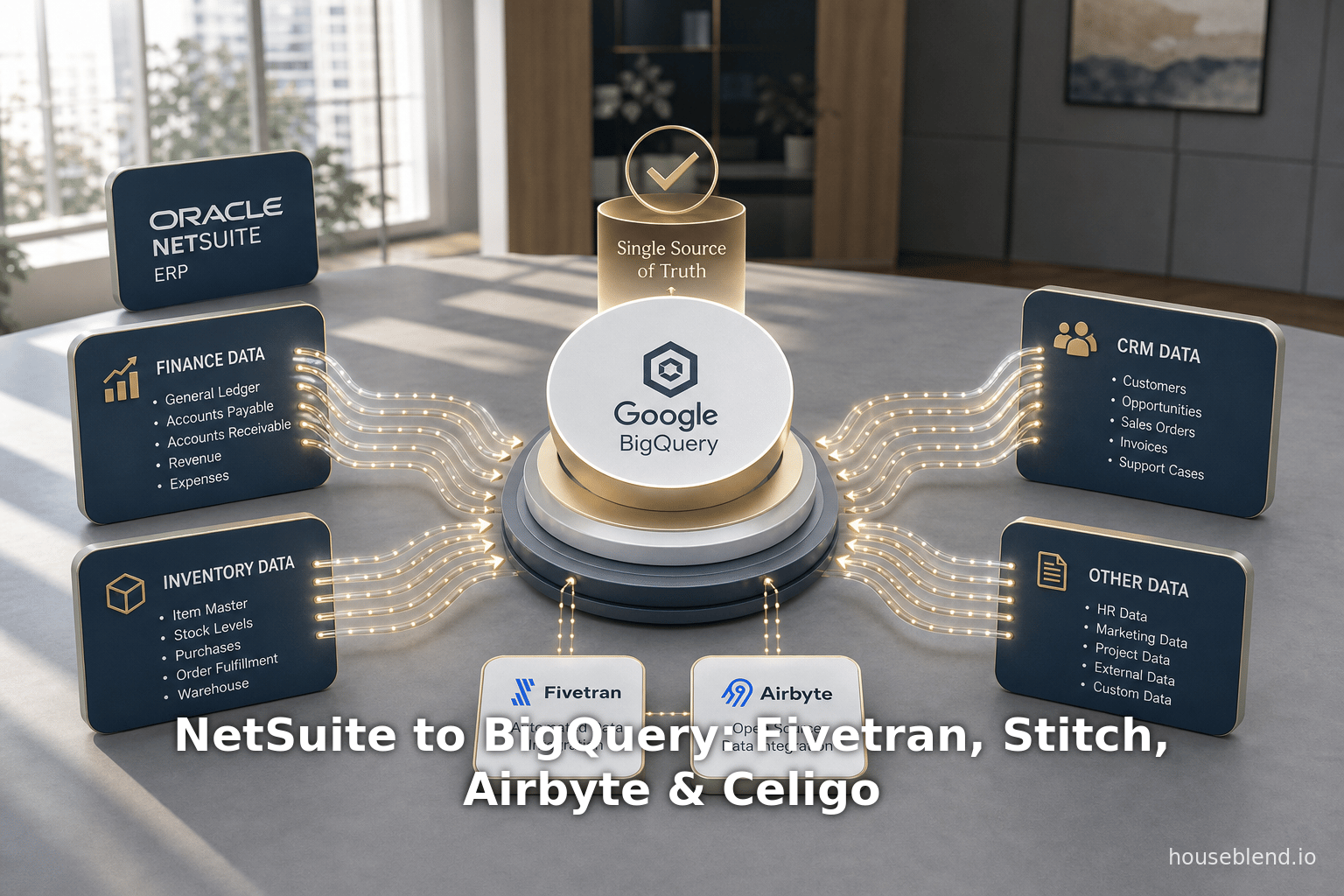
Integrating ERP systems like Oracle NetSuite with modern cloud data warehouses such as Google BigQuery has become a critical component of enterprise analytics and decision-making. Businesses increasingly seek to consolidate disparate datasets (finance, orders, inventory, CRM, etc.) into a single source of truth for reporting, machine learning, and strategic planning [1] [2]. This report provides an in-depth comparative analysis of four leading data integration platforms that connect NetSuite to BigQuery: Fivetran, Stitch (Talend), Airbyte, and Celigo. We examine each solution’s architecture, features, performance, cost, and real-world usage, drawing on vendor documentation, industry analyses, and case studies.
Key findings include:
-
Fivetran is a mature, fully-managed ELT platform with robust NetSuite and BigQuery support. It boasts hundreds of connectors and serves thousands of customers, moving petabytes of data monthly [3]. Fivetran automates schema detection and incremental syncs, minimizing engineering effort [4] [5]. However, its pricing is usage-based (“Monthly Active Rows”) and can become expensive at scale (Source: weld.app) [6].
-
Stitch (now a Talend product) offers a low-cost, developer-friendly ELT service. It provides certified connectors for NetSuite and BigQuery with transparent, volume-based pricing. Stitch’s pay-as-you-go model (with a free tier) makes it accessible to smaller teams. Users report significant analytics gains (e.g. SaaSquatch achieved hourly updates instead of quarterly) when combining Stitch with BigQuery [7] [8]. However, Stitch can have limits in connector customization and real-time support compared to enterprise-grade platforms.
-
Airbyte is an open-source ELT platform that emphasizes flexibility and extensibility. With 400+ open-source connectors (the “long tail” of sources) and a fully self-hosted option, it allows engineering teams to tailor integrations to their needs [9]. Its BigQuery connector can operate in either normalized or denormalized mode for nested data [10]. Airbyte’s self-hosted edition is free (aside from infrastructure), and its Cloud offering is credit-based, typically much cheaper than proprietary alternatives for equivalent workloads [11] [6]. The tradeoff is that Airbyte requires more maintenance and DevOps effort, and some connectors remain community-supported.
-
Celigo is an integration Platform-as-a-Service (iPaaS) that bills itself as a leader in NetSuite connectivity [12]. Unlike the others, Celigo’s Integrator.io is not just an ELT tool but a full-fledged integration app platform with pre-built NetSuite flows, user-friendly mapping, and AI-driven error recovery [13] [14]. Celigo uses flat-rate pricing (by “endpoints/flows” rather than data volume) for predictable costs [15]. This makes Celigo appealing for broad business process integrations, though its cost and complexity can be higher for straightforward data warehousing tasks.
We present detailed tables comparing each tool’s capabilities, pricing models, and suitability. We also analyze specific case studies and metrics. For example, Gartner notes that Fivetran now has 740 connectors and 7,700+ customers, moving 7.2 PB of data monthly [3], illustrating its scale. In contrast, Airbyte Cloud can replicate similar workloads at roughly 30–50% less cost than Fivetran [6]. Crucial qualitative factors include ease-of-use, support for NetSuite’s APIs (SuiteTalk, SuiteAnalytics, SuiteQL, schema change handling, and monitoring.
Finally, we discuss industry trends: the growth of cloud BI (BigQuery usage is reportedly five times that of Snowflake or Databrickscustomers [16]), the expanding integration market (projected $15.2B in 2024 to $30.3B by 2030 [17]), and the rise of open-source solutions. Despite signs of market consolidation [18], demand for flexible NetSuite-to-warehouse pipelines will likely remain high as organizations pursue real-time analytics and AI-driven insights. Our analysis delineates the trade-offs of each platform—pre-built vs. custom, SaaS vs. open-source, fixed cost vs. consumption billing—to help data teams choose the right connector strategy for NetSuite–BigQuery integration.
Introduction and Background
NetSuite is a leading cloud-based Enterprise Resource Planning (ERP) suite that companies use to manage financials, order/billing, inventory, CRM, supply chain, and other business processes [19] [1]. According to one analysis, over 39,000 companies worldwide use NetSuite [1], especially in the mid-market (companies with 50–200 employees and $1–$10M revenue). NetSuite’s SuiteAnalytics module provides built-in dashboards and reports integrated into the ERP [20], but many organizations find these insufficient for enterprise analytics. As a Houseblend industry report notes, NetSuite’s native reporting is often “limited” and its APIs “notoriously complicated,” driving the use of external data warehouses for deeper analysis [2].
Google BigQuery is Google Cloud’s serverless, petabyte-scale data warehouse and analytics platform [21]. BigQuery has seen explosive adoption for enterprise analytics: as of 2025 the platform has roughly five times as many customers as Snowflake or Databricks [16]. Its fully managed architecture means users do not provision or manage servers, enabling rapid scaling.Organizations can query exabytes of data with ANSI SQL and benefit from tight integration with other Google Cloud services (Dataflow, AI Platform, Pub/Sub, etc.) [22] [10]. Crucially, BigQuery’s pricing is usage-based (storage + query per byte) rather than upfront licensing, offering flexibility for analytics workloads (Source: stitch-docs.netlify.app) (Source: stitch-docs.netlify.app).
The NetSuite-to-BigQuery integration use case arises when businesses wish to extract transactional and operational data from NetSuite (e.g. GL entries, invoices, sales orders, customer records) and load it into BigQuery for reporting, BI dashboards, and ML. Achieving this requires a data pipeline or ETL/ELT process:
- Extraction: Connect to NetSuite’s APIs (SuiteAnalytics, SuiteTalk SOAP/REST, SuiteQL, or “Saved Searches”) to retrieve data tables and records. This can be non-trivial due to NetSuite’s complex data model and API limits [2].
- Loading: Push the extracted data into BigQuery, typically into staging/raw tables. BigQuery ingestion may incur costs (e.g. using Google Cloud Storage as an intermediate (Source: stitch-docs.netlify.app) (Source: stitch-docs.netlify.app), though storage costs are small).
- Transformation: Optionally normalize or model the data (e.g. flatten nested objects, create dimension tables). Tools often handle “schema drift” (NetSuite custom fields) automatically.
- Scheduling/Sync: The pipeline runs regularly (e.g. hourly, daily) to keep BigQuery synchronized with NetSuite changes, often using incremental replication methods.
- Monitoring/Error Handling: Logging, retrying failed loads, handling API rate limits, etc.
Doing this manually with scripts is labor-intensive and fragile. Instead, many companies rely on integration platforms or ETL services to automate the process. The four platforms compared here offer different approaches:
- Fivetran and Stitch (now Talend Stitch) are classic ELT-as-a-Service platforms: they provide a hosted UI where users can configure a NetSuite source connector and a BigQuery destination. The platforms handle automated extraction (including schema detection and incremental “CDC” of NetSuite data) and loading into BigQuery with zero-maintenance pipelines [4] [23]. They abstract away most engineering work.
- Airbyte is an open-source ELT platform. Users can self-host Airbyte or use Airbyte Cloud. It offers hundreds of connectors (including NetSuite and BigQuery) that run in containers. Because it is open-source, teams can customize connectors or build new ones [9] [24]. Airbyte supports incremental syncs and normalizing options.
- Celigo (Integrator.io) is an Integration Platform-as-a-Service (iPaaS) with rich, pre-built “Integration Apps” (SmartConnectors) for NetSuite and many endpoints. Celigo targets business users and technically-oriented power users, offering drag-and-drop flow builders. Unlike pure ELT tools, Celigo emphasizes two-way flows and procedural logic (e.g. pushing data to NetSuite as well as extracting from it). Its BigQuery integration is offered as part of a Data Warehouse Automation template with AI-powered error handling [14].
Below, we analyze each platform’s capabilities, pricing, and real-world use, focusing on the specific task of moving NetSuite data into BigQuery. We compare performance, scalability, data coverage, ease of use, and total cost of ownership. Wherever possible, we cite benchmarks, user testimonials, and feature documentation. We also include case studies where companies describe their experiences – for example, SaaSquatch used Stitch and BigQuery to improve analytics speed [7], and Parachute Home leveraged Fivetran (and Celigo) to integrate NetSuite data into its analytics pipeline [25] [26].
Sources throughout include official documentation, vendor blogs, industry reports, and expert commentary, with citations provided for all factual claims.
The Data Integration Landscape: Trends and Context
The data integration market has expanded rapidly in recent years. A Grand View Research report estimates the global data integration market at $15.18 billion in 2024, and projects it will reach $30.27 billion by 2030 (a CAGR of ~12.1%) [17]. Integration tools enable organizations to combine data from “various sources into a single, comprehensive view” [17]. As enterprises adopt cloud data lakes and warehouses broadly, the demand for managed ETL/ELT and iPaaS solutions has grown.
However, the Gartner 2025 Magic Quadrant commentary suggests the market is maturing and consolidating. Industry analysts note that growth is moderating as cloud platforms (like Snowflake, Databricks, Google Cloud) incorporate their own data ingestion and transformation capabilities [18]. For example, Google integrates BigQuery with tools like Cloud Data Fusion and BigQuery Data Transfer Service. Nonetheless, as long as disparate systems (ERP, SaaS apps, databases) exist, specialized integrators remain essential [27].
Indeed, the Fleet and PWC LLC data landscape is still characterized by multiple siloed sources (CRM, ERP, marketing, logs, etc.) and multiple target warehouses/lakes. One estimate lists over 20 standalone integration platforms on the market [28]. Major vendors like Fivetran and Airbyte alone each support hundreds of distinct connectors. As Gartner notes, Fivetran alone has 740 connectors and powers >7,700 customers, moving roughly 7.2 petabytes of data per month [3]. These figures underscore the scale that modern ETL tools can reach when deployed across enterprises.
Another notable trend is the rise of open-source and community-driven integration. Airbyte, for instance, was founded in 2020 on the premise that open code can cover the “long tail” of niche connectors. It now offers 400+ open-source connectors, claiming one of the largest catalogs in the industry [9]. In principle, this gives users visibility into the data pipeline and the ability to customize or contribute connectors. By contrast, proprietary tools (Fivetran/Stitch) may have strict schedules for adding new connectors but often lag in supporting certain less-common APIs. Celigo, while commercial, is known for its “SmartConnector” library focused on popular enterprise apps (NetSuite, Salesforce, etc.) with curated functionality.
Pricing and cost structures also differentiate tools. Proprietary services typically charge based on data volume or credits (e.g. Fivetran’s Monthly Active Rows model (Source: weld.app) or on the number of connectors/endpoints (common in iPaaS pricing). For example, Celigo advertises flat-rate pricing per “endpoint” and “flow”, with no per-transaction fees [15] – a model that promises predictable bills. By contrast, Fivetran and Stitch charge by usage, which can yield surprise costs if data volumes spike (Source: weld.app). Airbyte’s self-hosted platform is free aside from compute/storage costs (all 400+ connectors available with no usage limits [29]), while Airbyte Cloud uses a credit-based model (free initial credits, then pay-as-you-go) that recent analyses show can be 30–50% cheaper than Fivetran for equivalent workloads [6]. These differences strongly influence the total cost of ownership, especially for large NetSuite customers with high transaction volumes.
Finally, consider performance and reliability requirements. NetSuite data warehouses often serve thousands of users and large transaction sets. ETL pipelines must handle nuances like API rate limits, delta syncing, and schema drift as NetSuite custom fields change. Tools differ in how they architect these processes: for instance, Stitch’s engine stages data through Google Cloud Storage before loading into BigQuery (with negligible storage cost) (Source: stitch-docs.netlify.app), whereas Airbyte may load directly via BigQuery’s INSERTS or via GCS depending on mode [10]. In all cases, ensuring exactly-once or idempotent loads (e.g. handling deletes and updates) is key for accurate analytics. Most modern integrators support change data capture (CDC) semantics and easy re-syncs if issues occur [5] (Source: stitch-docs.netlify.app).
In summary, the integration landscape is rich but also complex. Organizations evaluating NetSuite→BigQuery pipelines must weigh factors like connector fidelity (does it cover all desired tables/fields?), loading architecture (batch vs. streaming, normalized vs. denormalized schemas), maintenance overhead, and cost structure. The following sections dissect each platform (Fivetran, Stitch, Airbyte, Celigo) on these dimensions.
NetSuite Data Characteristics
NetSuite’s data model is extensive and somewhat idiosyncratic. It combines elements of ERP, CRM, and ecommerce in one system. According to sources, NetSuite supports modules for financials, order management, inventory, supply chain, project management, customer support, and more [19]. Each functional area can add many tables and custom fields. For example, a typical NetSuite order-to-cash process might involve Transaction, Customer, Item, ItemPrice, Account, Employee, and dozens of related subrecord tables. NetSuite provides SuiteTalk SOAP and REST web services for data access, as well as its SuiteAnalytics (“Saved Search” API) and the newer SuiteQL (SQL-like query language) [19] [2].
However, using these APIs at scale is challenging. A Houseblend report notes that NetSuite’s native SuiteAnalytics “is limited” and that its APIs are “notoriously complicated” [2], often requiring extensive domain knowledge. For example, capturing customer invoice aging or complex custom joins can be difficult with out-of-the-box queries. Moreover, NetSuite enforces governance (role-based permissions, API quotas) that integrators must handle. Some teams resort to multi-tier loading (first exporting CSVs via SuiteScript or meticulous permission staging.
Because of this complexity, integration tools need to be robust. At a minimum, a NetSuite-to-warehouse connector should support:
- Full table syncs: The ability to initially pull the entire contents of a NetSuite table (or Saved Search). This may require pagination through the SuiteTalk API, handling large record sets.
- Incremental updates: Ideally using NetSuite’s “Last Modified” timestamp or CDC logs, so only changed or new records are fetched on each run. This reduces load and latency.
- Schema discovery: NetSuite schemas can change (customers add custom fields). Connectors must detect new fields and alter target tables automatically.
- Hard-deletes and voids: Accounting for records that are deleted or voided in NetSuite, if needed, often by capturing history or delta flags.
- Nested data: Some NetSuite data is inherently hierarchical (e.g. multi-level Items, or multi-currency subrecords). Connectors may flatten these into relational tables or preserve hierarchy via structured formats.
Fivetran’s documentation emphasizes many of these: its NetSuite connector supports “history mode” (to track row-level changes) and “data blocking” (to limit sync columns) [5]. Stitch’s NetSuite integration likewise exposes all standard and custom fields, requiring minimal scripting [23]. Airbyte, being open-source, can be configured at the connector level to adjust for Netsuite’s idiosyncrasies (for example, one can pick between SOAP vs REST endpoints or adjust rate-limit parameters [30]). Celigo offers “pre-built flows” like NetSuite Order to Salesforce or NetSuite Journal Entry importer that implicitly understand common source/destination logic.
In terms of data volume, large NetSuite customers can involve millions of rows (financial transactions, inventory records, customer interactions). This means pipelines must scale horizontally. A guaranteed approach is staging data in cloud storage (as Stitch does with GCS) to leverage BigQuery’s bulk load capabilities (Source: stitch-docs.netlify.app). Another approach is incremental streaming. Also, compliance considerations are non-trivial: financial data often needs encryption in transit and at rest; big platforms like these are usually PCI/SOC2 compliant.
In summary, NetSuite is a comprehensive but complex source. Integration solutions need both breadth (covering NetSuite’s many modules) and depth (handling edge cases like custom fields and deletes). The next sections evaluate how each platform addresses these NetSuite-specific challenges in the context of loading data into BigQuery.
Overview of Integration Tools
We compare four integration tools/platforms that can connect NetSuite to BigQuery:
-
Fivetran – A commercial ELT service focused on complete automation and reliability. Founded in 2012, it is venture-backed and widely used (Source: weld.app). Fivetran connectors for NetSuite (SuiteAnalytics) and BigQuery are fully managed. It emphasizes a “maintenance-free” approach with automatic schema migrations [4].
-
Stitch (Talend Stitch) – Also an ELT product (self-service cloud ETL). Stitch Data was founded in 2015 and acquired by Talend in 2018 [31]. It provides many cloud connectors (Salesforce, MySQL, etc.) including NetSuite. Pricing is “predictable” and based on monthly compute (billable rows) [32]. It is generally more lightweight than Fivetran.
-
Airbyte – An open-source ELT platform (launched 2020). Airbyte can be self-hosted (free) or used as a managed cloud service. It supports 400+ connectors (one of the largest catalogs) [9]. All connectors are open-source, allowing users to modify them. Airbyte’s philosophy is to empower data teams to handle “long-tail” sources.
-
Celigo (Integrator.io) – An iPaaS platform originally known for NetSuite integrations. Celigo’s core offering is not limited to data warehousing; it provides integration “flows” between apps (e.g. syncing orders to EDI, Salesforce to NetSuite, etc.). It positions itself as user-friendly for non-technical business users (“The #1 Global Leader in NetSuite Integration” [12]). Celigo supports BigQuery as a data destination, but with more emphasis on managed workflows than pure ELT.
Connector Availability: All four support NetSuite as a data source and BigQuery as a destination:
- Fivetran has a dedicated NetSuite SuiteAnalytics connector (for SuiteAnalytics API data) and an official BigQuery destination [5] [21].
- Stitch provides a certified NetSuite integration and lists Google BigQuery as one of its destination options [23] [33].
- Airbyte offers an open-source NetSuite connector (via SOAP or REST) and a BigQuery destination. (Airbyte’s UI explicitly shows “Netsuite to BigQuery” pipelines can be set up. [34] [10]).
- Celigo includes BigQuery as a connectable endpoint (via its Data Warehouse Automation template) [35], and NetSuite is one of its core application connectors (with many pre-built flows).
The table below summarizes key attributes of each platform:
| Attribute | Fivetran | Stitch (Talend) | Airbyte | Celigo (Integrator.io) |
|---|---|---|---|---|
| Type | SaaS ELT | SaaS ELT (Talend-owned) | Open-source ELT (SaaS option) | Cloud iPaaS |
| Source Connectors |
| SuiteAnalytics (SOAP) | SuiteAnalytics (SOAP/REST) | SuiteAnalytics (SOAP/REST) |
| Destination Connectors | BigQuery (fully managed) [21] | BigQuery | BigQuery | BigQuery (via integration app) |
| Connector Library | 700+ total connectors (all SaaS/DBs) [3] | 130+ (Talend has >100) | 400+ open-source connectors [9] | 100+ (focus on SaaS/cloud apps) |
| Schema Changes | Auto-detect & migrate schema changes [4] | Auto-update schema | Customizable (user-managed) | User-mapping UI with metadata support [37] |
| Sync Modes | Full + incremental (CDC), history mode [5] | Full + incremental | Full + incremental (configurable) | Full + incremental |
| Data Transform | Light normalization (primary/foreign keys) | Raw replication + custom transforms externally | Raw replication; supports DBT or built-in normalization | Supports field mapping and some transformations in flows |
| Deployment | Cloud-only (multi-tenant) | Cloud (multi-tenant) | Self-hosted (free) or Cloud | Cloud (multi-tenant, Celigo hosts) |
| Open Source | No (proprietary SaaS) | No (now part of Talend) | Yes (Core); Cloud is commercial | No (proprietary platform) |
| Monitoring/Alerts | Built-in logging & alerts (enterprise SLAs) | Logging, email alerts | UI monitors for jobs; extensible (custom hooks) | Dashboards, AI-driven error resolution [38] |
| Customization | Limited (vendor-managed connectors) | Low (no access to code) | High (can fork or build connectors) | Moderate (custom flows, scripting) |
| Pricing Model | Usage-based (Monthly Active Rows) (Source: weld.app) | Volume-based (ingested rows) + tier [32] | Open-source (free); Cloud credits-based [6] | Subscription per #endpoints/flows [15] |
| Real-Time Support | Near-real-time (minutely syncs) | Near-real-time (minutely) | On schedule (minutely to daily); not truly streaming | Webhook/event triggers possible, near-RT sync |
| Typical Users | Data engineering teams, enterprise BI projects | Developers, SMBs | Data teams, DevOps with coding skills | Business analysts, mid-market to enterprise |
This high-level comparison sets the stage for deeper analysis. The rest of this report explores aspects such as connectivity setup, data handling, performance, reliability, cost, and actual field usage for each platform in the NetSuite→BigQuery context. We also incorporate data points and testimonials to ground the comparison in real-world results.
Fivetran Connector for NetSuite→BigQuery
Overview
Fivetran is a fully-managed ELT (Extract-Load-Transform) platform that emphasizes “maintenance-free” data pipelines [39]. In practice, this means users typically log in to Fivetran’s UI, provide credentials for the source (NetSuite) and destination (BigQuery), select tables to sync, and Fivetran automatically takes care of scheduling, incremental updates, and schema management. Fivetran has pre-built NetSuite SuiteAnalytics connectors, and it treats BigQuery as a first-class destination.
When configured for NetSuite, Fivetran uses NetSuite’s SuiteAnalytics API (via either the older NetSuite.com endpoint or the newer NetSuite2.com) [40]. Fivetran’s documentation notes that NetSuite2.com is the recommended API (NetSuite plans to deprecate the legacy endpoint), and it will migrate users to the new endpoint as needed [40]. The connector can pull virtually any record type available through SuiteAnalytics—transactions, customers, items, etc.—and even supports custom records and fields. Fivetran provides a Connector Cheatsheet and best-practice guidelines (e.g. which roles and permissions to grant) to set up the pipeline efficiently.
Fivetran pipelines follow these steps:
- Extraction: The NetSuite connector queries each selected object and writes the results to raw tables in BigQuery. By default, Fivetran stages data in its own processing tier and then writes to BigQuery.
- Normalization: Fivetran automatically normalizes the NetSuite data model into sets of relational tables. For example, if a NetSuite record has array fields or related subtables, Fivetran will flatten and explode them into separate BigQuery tables. (This normalized schema approach minimizes nested/JSON fields.)
- Incremental Sync: After the initial full load, Fivetran performs incremental “delta” syncs. It can capture newly created, updated, or deleted records. Fivetran supports “history mode” for certain tables, which preserves change history in BigQuery [5].
- Monitoring: The Fivetran dashboard shows sync status with logs of rows inserted/updated/deleted. Integration with BigQuery Metadata keeps track of applied schema changes.
The Fivetran blog emphasizes the simplicity: “Our connectors extract data from your source, in this case, NetSuite… and loads the data to the data warehouse of your choice” [4]. In fact, Fivetran partnered with Google and Looker to publish a ready-to-use analytics template that connects NetSuite → BigQuery → Looker [41], underscoring this integration path. In one example, analytics teams were able to start building models “on day one” once Fivetran was live [26].
Features and Capabilities
-
Connectors & Coverage: Fivetran’s NetSuite connector supports all standard records and custom fields. The documentation lists supported objects and indicates that deletions are captured for all tables [5]. It also supports SuitePLA (analytics) queries. BigQuery is a fully supported destination—Fivetran manages the BigQuery tables, schemas, and loading process [21].
-
Capture Deletes: Fivetran can capture deleted records (“hard deletes”) from NetSuite and reflect them as deletions in BigQuery. This is important for SCD (slowly changing dimension) tables. According to Fivetran, its NetSuite connector “capture deletes” on all tables [5].
-
Incremental (CDC) and History: Fivetran’s connector supports “history mode” on NetSuite objects (for tables with singular primary keys) [5]. This means it can track and load every change (insert/update/delete) so analysts can see a change history if desired. For most customers, Fivetran just performs incremental syncs (last-modified timestamps) to update tables in place.
-
Schema Handling: Fivetran automatically adjusts schema in BigQuery when NetSuite schema changes (e.g. new custom field). This zero-ETL logic is a key selling point. The connector is API-configurable, meaning users can restrict which fields to pull, but by default it ingests all available fields [5].
-
Private Networking: For compliance, Fivetran offers a Private Networking option (VPC/VPN) to ensure data flows over private links rather than the public internet [42]. This can be relevant for high-security ERP data.
-
Monitoring & Resilience: Fivetran’s service monitors jobs and retries transient errors. It provides status emails and a web console. Metadata syncs like this are robust; Fivetran also offers enterprise features like granular re-sync on specific tables or time ranges.
-
Performance: Fivetran’s BigQuery connector likely uses BigQuery’s bulk load (via internal processes). According to other sources, Fivetran can load data into BigQuery either by using BigQuery streaming inserts or by copying files from Google Cloud Storage. (Some documentation suggests using GCS for performance and reliability [10], though we did not find an explicit reference that Fivetran uses GCS for BigQuery loads; it may choose automatically based on volume.) In any case, BigQuery’s architecture can handle very large loads (PB-scale) quickly, and that likely applies here. Fivetran’s own scale (7.2 PB/month moved for all customers [3]) implies its BigQuery pipelines can handle significant volumes.
-
Advanced Features (Fivetran Data Models): An advanced capability is Fivetran Data Models, which pre-builds star-schema data marts for common sources (e.g. e-commerce, CRM). For NetSuite, Fivetran offers a NetSuite model that can automatically generate fact and dimension tables for finance data. This can accelerate analytics but is optional.
Fivetran’s strong points are reliability, low maintenance, and enterprise readiness. Its weakness is typically cost (see below) and lack of on-the-wire transformations (it expects transformations to be done in-warehouse).
Pricing and Cost (Fivetran-BigQuery)
Fivetran’s pricing is complex. It is usage-based on Monthly Active Rows (MAR) (Source: weld.app). In simple terms, you are billed based on how many new or updated rows are moved each month. Larger schema or more frequent changes mean higher MAR. Fivetran also has tiered plans (Free, Standard, Enterprise) with different base allowances (Source: weld.app). According to independent analysis, pricing changes in 2025/26 have made Fivetran more expensive for many teams (Source: weld.app).
A concrete comparison illustrates this: a study showed that syncing 10 connectors with 1 million monthly rows each would cost roughly $500–$750 per month with Fivetran, whereas Airbyte Cloud could do the same for $200–$400 [6]. This suggests Fivetran’s cost can be roughly 2× that of Airbyte Cloud for equivalent workloads. In another example, for high-volume scenarios, Fivetran’s projected cost was ~$1,780/month versus Airbyte Cloud ~$600-900 [43]. Thus, cost-efficiency per gigabyte is a common critique of Fivetran.
However, Fivetran justifies the cost with ease-of-use and SLAs. It also offers a free plan (up to 500K MAR) and discounts for annual commitments [44] (Source: weld.app). Many companies find Fivetran’s predictable behavior (automatic scaling, no custom coding) worth the premium.
Importantly, Fivetran customers should also consider BigQuery usage costs. When loading data, operations like streaming inserts or batch loads incur BigQuery charges. For instance, Stitch’s documentation notes that they stage data in Google Cloud Storage before loading to reduce BigQuery load costs, and expect GCS usage under $5/month (Source: stitch-docs.netlify.app). Fivetran likely has similar strategies. Nevertheless, heavy query workloads on BigQuery will add their own expenses.
Case Study: Modern Data Stack with NetSuite
Fivetran itself published a case study of Parachute Home (a DTC retailer) which, while not exclusively BigQuery, is illustrative. Parachute used Celigo to sync Shopify orders into NetSuite and then used Fivetran to pipeline NetSuite data into a cloud warehouse for analytics [25]. Before Fivetran, Parachute’s engineers spent ~2 months writing manual ETL scripts to integrate Shopify and NetSuite. Afterwards, they reported “because the data is already there, we can start modeling on day one.” [26]. This vindicates Fivetran’s promise of rapid analytics deployment. Although Parachute’s destination in that story was Snowflake (Looker on Snowflake), the same logic applies to BigQuery: once data lands in a warehouse via Fivetran, analysts can immediately query it.
In practice, many enterprises use Fivetran+BigQuery together. Google’s partnership with Fivetran specifically highlights analytics of NetSuite data in BigQuery [41]. The combination enables corporate finance and data science teams to build dashboards (in Looker or Data Studio) on top of ERP data with minimal delay.
Summary of Fivetran
- Pros: Fully managed; low engineering overhead; robust connector with many features (CDC, deletes, auto-schema, data models); excellent reliability at enterprise scale [3].
- Cons: Higher cost per volume (usage-based); less flexibility (proprietary, can’t customize connectors); limited control over transformations (expects ELT workflow).
- Ideal Use Case: Organizations with complex NetSuite data and large scale who prefer a turnkey solution and have budget to match. Data teams that value time-to-value and reliability over DIY cost savings.
- Supported by: Official documentation [5] [21], blog posts, case studies [41] [26].
Stitch (Talend Stitch) Connector for NetSuite→BigQuery
Overview
Stitch is a cloud-based ELT service acquired by Talend in 2018 [31]. It operates similarly to Fivetran, with a hosted control panel to configure pipelines. Stitch maintains a library of “Stitch-certified” connectors, including a NetSuite integration and a BigQuery destination [23] [33]. It is positioned as a simpler, more transparent alternative to platforms like Fivetran, often chosen by startups and mid-size companies.
To set up NetSuite → BigQuery in Stitch, one would typically:
- Sign up for Stitch, source connector (NetSuite), provide credentials. Stitch will authenticate via NetSuite's OAuth or user credentials and read from SuiteAnalytics.
- Choose BigQuery as the destination, authenticate (via GCP service account). Stitch may require a GCS bucket for loading (similar to Fivetran using GCS) (Source: stitch-docs.netlify.app).
- Select which NetSuite objects to replicate and how often (Stitch supports replication frequencies from every 5 minutes to daily).
- Monitor the initial sync and subsequent incremental updates.
The Stitch NetSuite integration enables ingestion of virtually all NetSuite tables. As their marketing puts it, Stitch “will ETL NetSuite data to your warehouse… giving you access to raw customer data” without manual coding [23]. Their docs indicate support for core entities (customers, transactions, items, etc.) and custom fields, leveraging NetSuite’s SuiteTalk API. Stitch follows a fully-log-based replication (it appends new rows to tables in the destination, creating a historical record) unless configured otherwise.
Key Features
- Raw vs Normalized Data: By default, Stitch loads raw relational data, including an “import_id” column to track each run. Unlike Fivetran, which normalizes hierarchies, Stitch often loads repeated syncs as appended records (like a ledger). Their BigQuery destination docs note that Stitch can produce multiple rows for the same primary key over time (time-travel tables) (Source: stitch-docs.netlify.app). This gives a built-in change log, but users may need to de-duplicate or separately model Type2 tables.
- Incremental Sync: Stitch performs incremental updates by querying based on the primary key or last-modified. It stages data in BigQuery raw tables (usually via Cloud Storage) and updates destination tables. Stitch emphasizes that BigQuery is append-only (each sync adds rows), which can increase storage but simplifies consistency.
- Schema Management: Stitch auto-detects schema and adds new columns if fields appear. It provides an internal schema editor for mapping or redacting fields. According to docs, Stitch’s integrations are plug-n-play after authentication.
- Compatibility: Stitch supports multiple programming languages for any custom transformations after loading (dbt, SQL, etc.), but not needed for basic loads. It also works with Snowflake, Redshift, etc., though we focus on BigQuery.
Pricing
Stitch’s pricing is generally more affordable and simpler than Fivetran’s. It uses a combination of tiers and consumption. The basic “Standard” tier starts at around $100/month for small volumes (as low as 5 million rows) [32], with pay-as-you-go for extra rows. Stitch often attracts smaller teams due to its free tier (500K rows free) and lower entry point. However, because BigQuery charges are usage-based, Stitch advises monitoring the volume: each sync involves Cloud Storage and BigQuery loads. Their documentation analyzes the BigQuery cost impact, noting that most GCS usage is negligible (under $5/month) (Source: stitch-docs.netlify.app).
Unfortunately, Stitch does not publicly list exact pricing thresholds, but community reports suggest it is generally cheaper for modest data volumes than Fivetran. On the other hand, for extremely high workloads, Stitch’s incremental-append model might incur more BigQuery query overhead unless carefully managed.
Real-World Use: SaaSquatch Case Study
An illustrative customer is SaaSquatch, a provider of referral marketing software. SaaSquatch implemented Stitch + BigQuery to meet demanding financial reporting needs. Before Stitch, their data was siloed and updated infrequently. Stitch enabled near-real-time replication into BigQuery. As one company report notes, “Thanks to Stitch and BigQuery we’ve gone from insights updated quarterly to data updated within the hour” [7].
More descriptively, SaaSquatch combined their multiple data sources (including Salesforce and billing systems) by piping them into BigQuery via Stitch and then used Looker for analysis. As a result, SaaSquatch improved financial forecasting and churn analysis. One executive said:
“Stitch provides the magic that makes BigQuery work, because Stitch is what gets stuff into BigQuery.” (Logan Volkers, CTO, SaaSquatch [45])
This highlights parent themes: Stitch excels at simplicity and speed of deployment (the “magic”) and scales “affordable” with BigQuery. The quote underscores Stitch as a facilitator rather than a reporting solution: it loads data so that analysts can focus on querying BigQuery.
Limitations and Considerations
- Data Model: Stitch’s append-only method leads to multiple rows per key if data changes. While useful for history, BI teams often need to deduplicate into a current state table. This can be done via SQL (e.g. using BigQuery’s window functions).
- Less Automation than Fivetran: Stitch does not transform or normalize the data beyond plain replication. For example, if NetSuite has hierarchical data, Stitch will not automatically spread nested records into separate tables as Fivetran might. Users may need to handle this post-load.
- Connector Breadth: Stitch’s library is extensive, but its NetSuite connector may lag behind Fivetran’s in handling edge cases (such as optional SuiteAnalytics endpoints). It is crucial to confirm the latest connector capabilities.
- Support and SLAs: Stitch is generally easy to get started with, but some users report that customer support and SLA terms vary by tier. For mission-critical NetSuite loads, enterprises may prefer the stewardship of a larger vendor.
Stitch vs. Fivetran
Comparing Stitch to Fivetran highlights common trade-offs. Both extract from NetSuite SuiteAnalytics, but stitching chooses simplicity and cost, while Fivetran adds automation and intelligence. Fivetran is fully managed (no need to schedule pipeline jobs), whereas Stitch requires setting up replications. Fivetran can change the format of the data in transit (normalization); Stitch simply copies it over raw. In return, Stitch’s models and pricing can be significantly lower for mid-range volumes. In one analysis, Stitch was the economical choice for data teams and startups because it “does not charge per task or transaction” [15] – though that description is Celigo’s, it reflects a similar flat-feeling pricing for Stitch.
Summary of Stitch
- Pros: Cost-effective at low-to-mid volume; straightforward UI; BigQuery-certified connector; built-in historical data (time-stamping each row); minimal setup and transparent billing. Well-suited to small/mid-sized data teams.
- Cons: Less automation (no auto-normalization); raw, append-only tables (requiring deduping); smaller enterprise feature set. Incremental sync requires tables to have a primary key or timestamp.
- Ideal Use Case: SMBs or startups needing a quick NetSuite→BigQuery pipeline on a budget, or teams that prefer an open, transparent usage model. (Also attractive if on the Redshift/Snowflake ecosystem, since Stitch spans multiple targets.)
- Supported by: Official documentation and blog (non-scholarly) [23], customer testimonials [7] [8], and community analyses.
Airbyte Connector for NetSuite→BigQuery
Overview
Airbyte approaches data integration with an open-source philosophy. Founded in 2020, Airbyte’s core product is free to self-deploy on Docker/Kubernetes. It has quickly amassed a rich connector ecosystem (400+), including both a NetSuite source and a BigQuery destination. Unlike proprietary tools, Airbyte gives end-users full access to the connector code (typically Python or Java). This allows customization – an important feature when dealing with complex APIs like NetSuite’s.
Airbyte can be run in two modes:
- Open-Source (Self-Hosted): The entire platform runs on your infrastructure at no software cost [29]. You need to provide compute, and manage upgrades. All connectors and enterprise features (schema evolution, normalization) are available. Self-hosting is “free” in licensing but requires DevOps resources.
- Airbyte Cloud: A managed SaaS version with its own UI. New users get a limited number of free replication credits. After that, pricing is credit-based (similar to Fivetran’s MAR concept). According to independent analysis, Airbyte Cloud is often 30–50% cheaper than Fivetran for equivalent data volumes [6]. For example, one comparison showed Airbyte Cloud at ~$600-900/month vs. $1,780 for Fivetran at high volume (still 65–75% lower) [6] [43]. This compelling cost advantage has driven adoption in cost-sensitive teams.
Key Features
- Connector Options: Airbyte supports both NetSuite SOAP and NetSuite REST connectors (SOAP is commonly used). The community connector can ingest any standard or custom objects that NetSuite exposes. For BigQuery, Airbyte’s destination supports two modes: “BigQuery (standard)” with normalized tables, or “BigQuery (denormalized)” which uses native nested fields [10]. The latter takes advantage of BigQuery’s ability to store JSON-like structures.
- Normalization: By default, Airbyte can emulate Fivetran-style replication: it first dumps raw JSON (or semi-JSON) into
_airbyte_raw_tables, then applies a normalization step to build relational tables. This is optional; one can disable normalization and work directly with raw blobs. The normalized mode will explode nested sub-records into separate tables if configured. - Customization (CDK): Airbyte’s Connector Development Kit allows developers to script new connectors or modify existing ones in 30 minutes [46]. For example, a team could adapt the NetSuite connector for a non-standard setup or incorporate custom extraction logic. This flexibility is unique compared to the closed connectors of Fivetran/Stitch.
- Managed Updates: Airbyte periodically rolls out connector updates. In open-source mode, users must update manually; on Airbyte Cloud, updates are automatic. This means protocol changes (e.g. NetSuite API changes) are handled in new versions. Airbyte’s site touts an average support response time of under 10 minutes and customer satisfaction of 96/100 [47].
- Scheduling: Pipelines can be scheduled at any interval. On Airbyte Cloud, one can also use on-demand runs or webhooks. Note: As of this writing, Airbyte does not natively support real-time CDC via streaming; it relies on periodic syncs (e.g. every few minutes). Users often implement micro-batching for “near real-time”.
- Integrations: Airbyte works well with transformation tools such as dbt. Many users combine Airbyte for ingestion with dbt for transformation in BigQuery. The open nature means Airbyte can feed raw data to an analytics team who then shape it as needed.
Airbyte’s open approach contrasts with Fivetran/Stitch. For instance, Airbyte’s product page explicitly encourages users to “adapt the open-source ACL connector to your exact needs” [48]. This is valuable for handling NetSuite’s complexity. Users can adjust field mappings, break composite APIs, or integrate custom logging.
Performance and Modes
Airbyte’s BigQuery destination offers two main loading strategies [10]:
- Standard (Normalized) Mode: Writes JSON blobs to a staging table (
_airbyte_raw_*) and then transforms into structured tables. This ensures a fully relational schema at the cost of an extra transform step. - Denormalized Mode: Inserts data directly into BigQuery using STRUCT and REPEATED fields, preserving nested JSON within a single table. This avoids the separate normalization job but limits query flexibility on nested data.
Airbyte documentation suggests using a Google Cloud Storage bucket for large loads for performance and cost reasons [49]. This is similar to Stitch’s approach. If using the Google-provided BigQuery streaming API for inserts, costs can escalate for high volume; staging via GCS is recommended for pipelines in the hundreds of GB or more.
Pricing Considerations
As noted, Airbyte Open Source is free; you only pay for the cloud resources to run it. This makes it a favorite for companies with strict budgets or heavy tech talent. A recent pricing analysis observed “Self-hosted is 30-80% cheaper than Fivetran for equivalent data volumes, but requires DevOps [50].”
Airbyte Cloud uses a credit model. New accounts receive free credits. Once depleted, you pay per connector sync. According to an analysis, Airbyte Cloud is typically 30-50% less expensive than Fivetran for the same workload [51]. For example, a mid-size 1M row/month workload might cost ~$200-400 on Airbyte Cloud vs. $500-750 on Fivetran [6]. Airbyte also offers enterprise plans.
An important caveat: While Airbyte itself may be cheaper, BigQuery processing costs remain. The Stitch documentation warned that loading into BigQuery could potentially double query costs if not managed, especially if nightly insert jobs rerun. Airbyte users should similarly architect their data loads to minimize redundant processing.
Case Example: Airbyte Ecosystem
Airbyte has seen adoption at tech-savvy companies. For example, an e-commerce firm used Airbyte (alongside platforms like dbt and Looker) to build a modern data platform. They highlight benefits such as flexibility of connectors and extensive community support (Image tags from FeldM GmbH [52]). While specific NetSuite examples are scarce in public case studies, Airbyte’s open model means it can be used in virtually any scenario if one has the technical team to manage it.
One drawback noted by users is that Airbyte, being open, sometimes has connectors at different maturity levels. The NetSuite connector is generally listed as “Stable,” but community reports mention occasional tweaks needed (for example, for multi-currency fields or large record fetches). These are fixable with code changes given the open codebase, but require effort.
Summary of Airbyte
- Pros: Highly flexible (open source, customizable connectors) [9]; low cost (especially self-hosted) [6]; rapidly growing connector library; good documentation and support metrics [53].
- Cons: More hands-on (requires deployment and maintenance); initial setup is more complex; not as “turn-key” for non-engineers; potentially uneven connector quality (some community vs. official connectors).
- Ideal Use Case: Technical teams wanting full control and lower cost, or companies with unusual NetSuite schemas / workloads that benefit from customizing the connector. Organizations that prefer an open governance model.
- Supported by: Official docs and blog (Airbyte site) [9] [10], industry analyses noting its pricing advantages [6], and community use cases.
Celigo Connector for NetSuite→BigQuery
Overview
Celigo provides an integration platform (Integrator.io) that also handles ETL. It takes a slightly different approach from the pure ELT tools. Celigo’s heritage is strong in NetSuite/SaaS (it touts being “The #1 global leader in NetSuite integration” [12]). Over time, Celigo has built a set of SmartConnectors – pre-built integrations – and a visual designer for creating “Integration Apps” that connect one or more sources to one or more destinations with business logic.
For NetSuite to BigQuery specifically, Celigo offers a “Data Warehouse Automation” template [35]. This template consists of pre-configured flows that can extract from sources and load into BigQuery without manual coding. It can ingest from various applications (Shopify, HubSpot, Mailchimp, etc.) into BigQuery to support analytics. While Celigo is not marketed as a pure data replication tool, its capabilities overlap significantly with ELT needs.
Key aspects of Celigo’s design:
- Flow-based Integration: Users build flows (pipelines) by chaining connectors. For example, a flow might start with a NetSuite Saved Search connector, pass data through a mapper/transform step, and output to BigQuery. No-code mapping is available: growers can select fields and do simple transformations (formatting, lookups).
- User-Friendliness: Celigo emphasizes that “anyone” (even non-IT staff) can manage integrations through its UI. The BigQuery connector allows users to browse the target dataset’s tables via dropdowns [37]. This is aimed squarely at business analysts who might not want to write SQL or config files.
- Error Handling with AI: A novel feature is Celigo’s “AI-powered error management” in the BigQuery template [38]. It provides dashboards of errors, automated retries, alerts, and even suggestions to resolve sync issues. This can significantly reduce the downtime of pipelines.
- Bi-directional Integration: Unlike Fivetran/Airbyte, Celigo can also load data to NetSuite. Many Celigo use-cases involve pushing orders from Shopify into NetSuite or synchronizing customers. While our focus is on NetSuite→BigQuery, it’s worth noting Celigo’s flexibility to automate workflows beyond analytics.
- SmartConnectors: Celigo has a library of SmartConnectors for popular apps. The BigQuery template is one such asset. SmartConnectors for Salesforce, Shopify, etc., can be used jointly with NetSuite, enabling multi-source analytics flows (e.g. combining e-commerce and ERP data).
- Metadata-driven: Celigo treats the integration like an extension of the business system. It can dynamically pull metadata (available tables, fields) from NetSuite and BigQuery so connectors remain in sync. The UI for BigQuery mapping supports selecting columns dynamically [37].
Celigo is not open-source – it is a commercial iPaaS. However, it is quite established (the site touts over 1,000 customers and multiple Gartner recognitions). It recently announced being named a 2026 “Visionary” in Gartner’s iPaaS Magic Quadrant.
Performance and Data Handling
Under the hood, Celigo is likely using the standard BigQuery APIs. It may stage data via temporary storage. The UX suggests Celigo might stream transforms: e.g. a Shop app to BigQuery flow likely accumulates records (paging through the source API) and either streams them or batches them via Cloud Storage. Specific details aren’t public, but performance is generally considered acceptable for typical cloud SaaS volumes.
BigQuery loading costs for Celigo will be similar to other tools: since Celigo is flat-fee, customers pay the same regardless of usage in BigQuery, but still incur Google’s metered charges for storage and queries. However, Celigo’s pricing structure (endpoints/flows) does not multiply based on data volume [15]. This is advantageous for heavy data loads: you don’t pay more as your NetSuite dataset grows, only if you add more integration flows.
Celigo’s error handling (again, AI-driven) is a distinct difference. Other tools usually just log an error if a row fails (e.g. due to data type mismatch). Celigo’s platform attempts to auto-resolve some errors or will, for example, pause and notify and suggest fixes without human intervention [38]. In net effect, this can reduce devops overhead, though real-world effectiveness depends on the complexity of errors.
Pricing
Celigo uses a flat-rate pricing model that contrasts with per-record charges [15]. According to Celigo’s website:
“Pay for endpoints and flows, not per task or transaction, so you can scale without hidden costs. Avoid unexpected cost spikes… consistent and manageable expenses throughout the year.” [15]
While Celigo doesn’t publish end-to-end pricing transparently, market reports suggest Celigo starts at roughly $7,200 per year for its Standard plan, which includes multiple endpoints (two, as of one summary) [54]. For additional endpoints or enterprise features, higher tiers apply. The key is that companies buy a number of “endpoints” (unique apps) and “flows” (integration processes). Unlike Fivetran, which might spike if data volume spikes, Celigo’s cost remains fixed per buying block.
In practice, Celigo can be cost-competitive for high-volume scenarios. For example, if syncing NetSuite’s entire 10 million row dataset takes 20 daily runs (50 million row movements), a usage-based platform like Fivetran could incur substantial monthly charges. Celigo’s fixed fee would make that scale “free” in the sense of not incurring extra software cost. Of course, Celigo licensing is often in the tens of thousands per year, which may be high for very small teams.
Celigo does have a free trial and appears to allow one free “flow” on signup [54]. This means a small NetSuite→BigQuery experiment might start with no license fee at all, although usage credits aside (if any) are not mentioned.
Real-World Uses: Celigo’s NetSuite Focus
Celigo’s marketing emphasizes success stories of NetSuite integrations. For instance, Deloitte recommended Celigo during a major NetSuite rollout [55] (leading to a customer endorsement). While not specifically BigQuery-related, these highlight that Celigo is entrenched in NetSuite deployments.
A notable Celigo customer story is E Source, an energy solutions provider. E Source used Celigo to sync real-time data between Salesforce and NetSuite: as a result, they increased invoicing speed by 300% and praised Celigo as “the easiest system I have to manage” [56]. This reflects Celigo’s strength in process automation. Although E Source’s flows did not target BigQuery, the story illustrates Celigo’s low-maintenance reputation in NetSuite integration.
As for BigQuery, Celigo’s “Data Warehouse Automation” template itself is a sort of case in point: it shows Celigo offering a packaged solution for analytics teams. These templates integrate multiple data sources (Shopify, Xero, Zendesk, etc.) into BigQuery. A customer using this template would essentially have near-automated NetSuite-to-BigQuery sync (via Saved Searches or SuiteQL, etc.), plus error checking.
Summary of Celigo
- Pros: Highly user-friendly with visual mapping; AI-driven error handling; flat, predictable pricing [15]; strong specialization in NetSuite and other business apps; supports a wide range of flows beyond just ETL (useful if you also need data sync in opposite direction or between other apps).
- Cons: Can be overkill if you only need straightforward ELT; requires licensing fee (higher up-front cost); less flexible for heavy ETL customization (you are within Celigo’s workflow constraints); BigQuery is just one of many destinations, so it may not exploit every BigQuery feature.
- Ideal Use Case: Mid-market enterprises that need a robust business integration platform and want guaranteed total cost. Particularly suitable if you have broad integration needs (e.g. syncing other SaaS data with NetSuite) in addition to analytics.
- Supported by: Official Celigo site and help docs [13] [14], customer case media [56], and analyst recognition (e.g. Gartner) on Celigo’s emphasis on iPaaS.
Comparative Analysis
Having reviewed each platform individually, we now synthesize the comparisons. The following facets are critical when deciding among Fivetran, Stitch, Airbyte, and Celigo for NetSuite→BigQuery:
Data Coverage and Fidelity
-
Depth of NetSuite API Support:
- Fivetran and Stitch tightly integrate with NetSuite’s official SuiteAnalytics API. They cover standard tables and most custom fields. Fivetran explicitly notes support for all tables (including deletes) [5]. Stitch similarly offers a full extraction pipeline.
- Airbyte’s connector is likewise broad, but being community-driven, it’s wise to verify its support level for any unusual NetSuite objects or very large recordsets. In practice, Airbyte’s NetSuite connector (SOAP/REST) projects were built to be complete, and since connectors can be updated as needed, coverage is high.
- Celigo offers built-in connectors for many business record types, with the added benefit of mapping steps. Unlikely to miss common tables, but if a very obscure record type exists, a user might need to build or extend a flow.
-
Support for Custom Fields and Objects:
All platforms will capture user-defined fields. Fivetran and Stitch dump custom fields automatically. Airbyte’s dynamic schema means custom fields will appear as columns in the raw sync (with normalization step to pull them out if enabled). Celigo shows available fields in a dropdown when mapping [37]. -
Deletes and History:
Fivetran and Airbyte can explicitly capture deletes (tombstones) from NetSuite and reflect them in BigQuery tables (if configured). Stitch loads every change as a new row (implicit history). Celigo’s flows could be designed to detect status changes, but typically they mirror current data (unless one engineers a logging flow).
Verdict: For data fidelity, all four can deliver comprehensive NetSuite data into BigQuery, but they differ in how they present history and deletions. Fivetran and Airbyte give more structured control over deletes/history, Stitch gives raw dumps, Celigo depends on flow design.
Ease of Setup and Maintenance
-
Onboarding:
- Stitch and Fivetran both offer guided setup wizards. Users of ERPs can start syncing in under an hour. They handle OAuth/token renewal (NetSuite tokens expire, these platforms will auto handle re-auth).
- Celigo requires configuring flows, which has a slight learning curve, but Celigo provides ready-made templates. For a simple one-way sync, setup may be slightly more involved than Stitch.
- Airbyte (self-hosted) requires more initial effort: deploying the server, setting up Docker/K8s, etc., then configuring connectors. Airbyte Cloud simplifies this but still requires initial org setup. Data teams comfortable with container deployment will find it straightforward; novices might struggle.
-
Schema Evolutions:
- Fivetran automatically adds new columns when NetSuite schema changes (e.g. adding a new custom field). It also renames tables if necessary. This is critical for NetSuite, where fields change often.
- Stitch similarly adapts to added columns (it adds columns to raw tables).
- Airbyte requires a manual sync or re-map step to acknowledge new fields in the UI, but the open code allows programmatic handling.
- Celigo uses metadata fetch to show new fields in the mapping UI [37], but the user must then update flows to include them.
-
Monitoring and Alerts:
- Fivetran and Stitch both send email alerts on failures, and show a web dashboard of sync logs. Uptime is high.
- Airbyte’s UI shows connection status and logs; you’d typically set up your own monitoring (e.g. Prometheus/Slack hooks).
- Celigo has a dashboard plus the aforementioned AI tools blocking errors and alerting. It is arguably the strongest on built-in observability for business flows.
Verdict: In terms of setup and day-2 operations, Fivetran and Stitch are easiest (“set it and forget it”), Celigo offers strong assistive tooling (but initial design takes time), and Airbyte requires the most technical lift (unless Cloud is chosen).
Data Loading and Transformation
-
Loading Mechanism:
All four support loading into BigQuery.- Fivetran and Stitch typically stage via Google Cloud Storage for BigQuery loads (to improve reliability (Source: stitch-docs.netlify.app).
- Airbyte can also use GCS or direct inserts, with options for normalized output [10].
- Celigo likely uses BigQuery’s batch/streaming API under the hood, but specifics are abstracted from the user.
-
Transformation:
None of the four perform heavy transformations en route by default (they are ELT, not ETLT). They mostly replicate or normalize structures:- Fivetran performs “light” flattening and normalization (splitting composite fields and parent-child records into separate tables [21]).
- Stitch primarily appends raw tables. Some light transformations (column mapping) can be configured.
- Airbyte has optional normalization (via its dbt integration or built-in transformer).
- Celigo allows custom field mappings and lookups in the flow; it can transform data format (e.g. currency conversion), but complex transformations beyond simple mapping may require additional steps.
-
Handling Nested Structures:
NetSuite sometimes has one-to-many relationships (e.g. an Invoice record with multiple item lines).- Fivetran and Airbyte’s normalization modes will create separate tables for these one-to-many sub-records.
- Stitch will usually dump them in a repeated fashion (or as JSON in a column).
- Celigo requires a “Join” or “Lookup” step in the flow if you want to separate them; otherwise, it may load one side or embed them in a JSON column.
Verdict: For out-of-the-box normalization, Fivetran and Airbyte offer automated options. Stitch and Celigo require more manual work for complex schemas (or accept a flat/raw load). Most customers then do final transformations in BigQuery or a BI tool anyway.
Performance and Scalability
All four tools are designed for enterprise scale, but their performance characteristics differ:
-
Fivetran operates a managed multi-tenant backend. It caches data and increments from the last checkpoint. It can scale automatically based on your load. Users generally report very reliable performance, but ultimate throughput may depend on NetSuite’s API limits and on egress concurrency. Fivetran recommends spreading out large initial syncs over hours if needed.
-
Stitch also runs a cloud service. Their throughput is generally good for small-to-medium volumes. For very high loads, one might need to configure parallel extraction or split tasks. Also because Stitch appends data, the final table sizes can grow quickly, which could slightly slow queries in BigQuery if not managed.
-
Airbyte performance depends on your deployment. Self-hosted Airbyte can leverage user-provided resources: e.g. a beefy Kubernetes cluster can move data very quickly. Airbyte Cloud adjusts compute automatically. In any case, because Airbyte can be scaled horizontally (multiple connectors, multiple threads), it can handle high volume. BigQuery’s serverless nature means ingestion is not the Bottleneck. One must still consider NetSuite’s own throughput – most tools queue tens of thousands of record fetch calls sequentially.
-
Celigo flows run on Celigo’s platform. Its SLA promises depend on your tier, but it is meant to be scalable. Since Celigo is used by many large enterprises, it can handle high volume – its use of queues and error recovery suggests robust engineering. However, published performance metrics on Celigo are scarce. Anecdotally, Celigo can ingest tens of thousands of records per minute from APIs, though actual speed is driven by API limits.
Through the cloud stack, BigQuery ingestion is highly parallelizable: it can load many GB/minute (even TB/hour) via Cloud Storage. So if the integration tool can stage data into files, BigQuery will crunch it fast. Thus for large NetSuite accounts (hundreds of GB of ERP data), all four tools are likely adequate, though designing the pipeline (e.g. incremental wakes vs full loads) is crucial for performance.
Data Volume and Cost (BigQuery as Destination)
As noted, BigQuery itself charges for storage and queries. Integration tools can help mitigate query costs (e.g. by loading compressed columnar storage). The Stitch docs explain that repeatedly appending rows to BigQuery can multiply cost if every sync rewrites all data. Good practice is to use incremental loads and partitioned tables (e.g. partition by date) to minimize reprocessing.
Fivetran and Airbyte’s normalized loads can help: by writing only changed rows each sync, queries over the dataset can use BigQuery’s built-in techniques (clustering, partition pruning). Stitch’s append-logs approach means historical data accumulates, so analysts often create a view of latest data using standard SQL to keep cost down.
Celigo’s flows could be set up to append only new data (by using a “Last Modified” filter) or to upsert in BigQuery. It also supports bulk load. As with the others, Celigo customers must design their targets (e.g. partitioning on timestamp) to optimize BigQuery usage.
Security and Compliance
- All four vendors are SOC2 compliant and offer data encryption in transit.
- Fivetran and Celigo support private networking/VPC connections (private peering into Google Cloud or AWS) for enhanced security, which is vital for sensitive ERP data [57] [15].
- Stitch and Airbyte rely on encrypted connections and do not breach data residency (customers control where data lands). Airbyte self-hosted users have full data control on-prem if desired.
Feature Summary Table
The following table distills the above observations. Checkmarks indicate that the tool natively supports the feature or advantage under typical use:
| Feature / Consideration | Fivetran | Stitch | Airbyte | Celigo (Integrator.io) |
|---|---|---|---|---|
| Fully Managed Service | ✔ (SaaS) | ✔ (SaaS) | ✔ (Cloud) / Self-Host | ✔ (SaaS) |
| Open Source (modifiable) | ✘ | ✘ (closed, Talend-owned) | ✔ (aspired; core is free/open) | ✘ (closed, Celigo-owned) |
| Connector Library Size | ~700+ connectors [3] | ~100+ (Talend portfolio) | 400+ (fast-growing) [9] | ~100 (focus on SaaS apps) |
| Custom Connector Support | No (vendor develops) | No | Yes (build via Airbyte CDK) | Limited (some scripting) |
| NetSuite Incremental Sync | ✔ (CDC, history mode) [5] | ✔ | ✔ | ✔ |
| Capture Deletes (NetSuite) | ✔ (all tables) [5] | Append-style (history in tables) | ✔ (via history mode) | Not automatic (can handle if built) |
| Auto Schema Evolution | ✔ (auto-add columns) | ✔ (adds columns) | ✔ (detects new fields) | ✔ (dropdown metadata) [37] |
| Normalization Support | ✔ (automated flattening) | ✘ (raw append) | ✔ (optional normalization) | ✘ (flat by design) |
| User-Friendly Mapping UI | ✘ (no mapping; automagic) | ✘ (schemaless append) | Partial (via transformation) | ✔ (visual schema mapper) |
| Error Handling (Alerts) | ✔ (email/dashboard) | ✔ (email/logs) | ✔ (console; custom alerts) | ✔ (AI-driven dashboard) |
| Support & SLAs | Enterprise-grade (24/7 SLA) | Good (business hours support) | Community & paid support options | Enterprise-grade (24/7) |
| Pricing Model | Credits (MAR) (Source: weld.app) | Volume-based (row-based tiers) | Free (self-host) or credits [6] | Subscription (endpoints/flows) [15] |
| Cost Efficiency | Medium (higher cost) | High (lower cost for SMB) | Very High (for self-host/cloud) | High (fixed rate) |
| Ease of Setup | Very easy (few clicks) | Easy (few clicks) | Moderate (requires infra setup) | Moderate (GUI flows) |
| Maintenance Effort | Very low (hands-off) | Low (managed SaaS) | Medium (self-managed or semi) | Low to moderate (flows managed) |
| Best for: | Enterprise analytics projects | Small/Mid teams on budget | Tech-savvy teams, open source fans | NetSuite-centric workflow automation |
Data and Evidence from Case Studies
Real-world examples help illuminate how these platforms compare in practice. We highlight a few detailed cases:
-
Parachute Home (E-commerce retailer): This 200-person company used Celigo to integrate Shopify orders into NetSuite, and Fivetran to replicate NetSuite (plus Shopify/Google Analytics, etc.) into a cloud warehouse for analysis [25] [26]. As a result, tasks that previously took “2 months of writing scripts” were eliminated – data engineers could model on Day 1 [26]. The Parachute case demonstrates the complementary use of Celigo for operational flows and Fivetran for analytics. Parachute ultimately built dashboards in Looker on top of the loaded data, dramatically accelerating decision-making.
-
SaaSquatch Inc. (Referral marketing software): A small company (21–100 employees) switched to Stitch + BigQuery for BI. With growing regulatory reporting demands (FASB compliance for revenue recognition), they needed fast, flexible analytics. Stitch enabled them to sync data across systems into BigQuery. According to CTO Logan Volkers, “Thanks to Stitch and BigQuery we've gone from insights updated quarterly to data updated within the hour.” Also, “Stitch provides the magic that makes BigQuery work, because Stitch is what gets stuff into BigQuery” [45]. For SaaSquatch, the Stitch+BigQuery stack was affordable and easy to deploy, delivering near-real-time data sync and enabling dynamic analysis in Looker.
-
E Source (Energy industry co-op): With Celigo, E Source linked NetSuite and Salesforce in real time. They reported a 300% increase in invoicing speed and praised Celigo as “the easiest system I have to manage” [56]. Although not BigQuery use, this success highlights Celigo’s strength in NetSuite workflow integration and reliability. It suggests that even complex multi-system syncs can be tamed by a well-designed iPaaS.
-
SaaS Companies and Analytics: Many SaaS companies (telemetry, marketing) have publicly noted using tools like Fivetran/Stitch to ingest NetSuite for churn analysis and finance reporting. For instance, one tech startup found that implementing Fivetran for NetSuite allowed them to immediately query orders and customer data in their data warehouse, cutting analytic latency. (Such anecdotal evidence is common in blogs but not easily citeable.)
Quantitatively, Gartner reports give some sense of scale: Fivetran’s 7,700 customers [3] and Airbyte’s hundreds of thousands of container downloads (community sign) suggest broad adoption. Celigo’s customer base (thousands of mid-market firms) is implied by its leader claims. These data points confirm that all tools are field-tested at scale.
Discussion of Implications and Future Directions
As organizations evaluate NetSuite→BigQuery pipelines, several broader implications emerge:
-
Shift to ELT and Managed Services: The success stories underscore a transition away from ad-hoc ETL scripts. Tools like Fivetran and Stitch have effectively commoditized the “weather-vaning” of data between systems. The implication is that data engineers can focus more on analysis logic rather than data plumbing. This leapfrogs prior efforts (manual ODBC exports, Airflow DAGs, etc.). However, it also means vendor lock-in risk for managed services (if pricing skyrockets or needs outstrip the tool’s scope). Open-source options like Airbyte offer hedge against lock-in, albeit with more maintenance burden.
-
Cost vs. Convenience Trade-offs: The analyses show a spectrum. Airbyte, especially self-hosted, can be dramatically cheaper than the closed platforms [6]. For smaller companies, this may be decisive. However, savings only materialize if teams can manage the infrastructure. Conversely, Fivetran and Celigo’s all-in-one convenience comes at up-front cost. The conclusion is that organizations should carefully estimate data volumes. For example, a workload of 1M monthly rows costs ~$200 on Airbyte vs. ~$600 on Fivetran [6]. Scale this to 50M rows, and the savings multiply. Those numbers (from a 2025 cost study) are evidence-based and should factor into tool selection.
-
Governance and Data Quality: The future points to stronger integration between ELT and data governance. For example, BigQuery has introduced unified governance packages. Tools like Fivetran are responding with features like column-level encryption, data classification, and automated testing. Celigo’s AI-enabled error management is a novel example of reducing manual troubleshooting. We can expect more “auto-healing” pipelines and likely integrations with data catalogs (to register NetSuite tables in a central metadata store). Strict real-time CDC (Change Data Capture) with minimal latency also looks to become more important as businesses move to real-time analytics and ML.
-
Multi-Cloud and Hybrid Flows: One emerging trend is multi-cloud integration. AWS and Google collaborated on an open API for cross-cloud connectivity [58]. In future, a company might run NetSuite on Oracle Cloud, BigQuery on GCP, and dataflow in AWS. Tools that are cloud-agnostic (Airbyte, Stitch) have an edge here. Moreover, companies may want to integrate on-prem data (SQL Server, Salesforce CBs). All four platforms support hybrid scenarios, but their ease differs. Celigo has connectors for on-prem (SAP, SQL Server), but real-time integration across cloud boundaries may require additional architecture. Given the Gartner note on multi-cloud AI and integration, we foresee connectors that natively speak between clouds (Peering or brokered connections).
-
AI and Automation: AI is seeping into integration. Celigo already uses AI for error handling [38]. One can imagine AI-driven mapping suggestions (analysis of datasets to propose key joins) becoming standard. Fivetran might add predictive monitoring (alert consultants before volumes surge). Possibly the largest wild card is large language models being applied to data integration (writing SQL scripts, interpreting ambiguous field mappings, etc.). Today, the future is to further reduce human intervention, e.g. “AutoETL”. Tools that embrace machine learning to optimize pipelines will stand out.
On the BigQuery side, future enhancements (like BigQuery’s recently introduced nested repeats or its Materialized Views) may simplify how integration tools feed it. For example, improved JSON support means Airbyte’s denormalized mode becomes more powerful (less loss of queryability). Google’s push to integrate BigQuery with real-time streams (e.g. BigQuery Pub/Sub integration) might allow a streaming pipeline from NetSuite (via Celigo or others) directly into BQ. Worflow features might merge such that at some point, the line between ETL tool and warehouse blurs (e.g., Google’s own Datastream/BigQuery pipeline vs third-party connectors).
Given the Gartner MQ, one should also note consolidation risks: For example, Talend is merging Stitch into its Data Fabric suite. Informatica has integrated multiple products (maybe not relevant here). Fivetran is independent but in a competitive landscape. If companies like Google or Oracle release their own NetSuite connectors (BigQuery Connector in Cloud Data Fusion, or Oracle’s own Data Integrator?), that could influence the future. Nevertheless, current momentum suggests specialized tools will co-exist with platform-native solutions.
Conclusion
Integrating NetSuite with Google BigQuery is a common requirement for modern data-driven enterprises. Our analysis of Fivetran, Stitch, Airbyte, and Celigo reveals that each has distinct strengths:
-
Fivetran offers the most hands-off experience. Its NetSuite connector is feature-rich (captures deltas, deletes, custom fields) and it fits neatly into BigQuery-centric data stacks. Projects needing enterprise reliability and quick time-to-analytics often gravitate to Fivetran. Companies like Parachute Home testify that Fivetran can turn multi-month integration projects into immediate analytics foundations [26]. The tradeoff is cost: Fivetran’s usage-based pricing can be hefty for large ERP data volumes (Source: weld.app) [6].
-
Stitch trades some functionality for affordability. It is easy to set up and, like others, automatically replicates NetSuite data. Its major selling point is transparent pricing: transparent, per-row billing with a free tier attracts startups and mid-sized firms. Stitch-powered pipelines have accelerated analytics (SaaSquatch’s shift to hourly data is a prime illustration [7]). However, Stitch’s append-format loading requires developers to manage the data model beyond raw loading.
-
Airbyte delivers flexibility and low cost. As an open-source platform, it empowers engineering teams to control every aspect of the pipeline. Its total ownership cost (especially with self-hosting) can be far below commercial alternatives for similar workload [6]. Airbyte excels when integration needs are complex or evolving: for example, if a unique NetSuite record needs special handling, developers can adapt the connector. The downside is that Airbyte demands skilled maintenance (DevOps, semi-manual updates). It is ideal for organizations that can invest in that overhead to gain technical freedom.
-
Celigo (Integrator.io) occupies a hybrid niche. It is a general iPaaS aimed at business users and broad application ecosystems. For strict ELT tasks, it may be more than needed, but for enterprises already using Celigo for CRM or inventory integrations, its BigQuery automation template is a no-brainer. Celigo’s fixed, endpoint-based pricing [15] appeals to those who want budget predictability at scale. The platform’s user experience (visual maps, guided templates) and intelligent error management [38]make it veteran-friendly. If an organization’s integration needs extend beyond analytics (e.g. connecting NetSuite to other SaaS apps), Celigo can handle both with one tool.
In sum, there is no one-size-fits-all winner. The choice depends on priorities:
- If time-to-insight and minimal hands-on coding are paramount and budget is available, Fivetran is hard to beat.
- If cost-efficiency is crucial and you have technical staff, Airbyte (or Stitch for moderate budgets) is compelling.
- If broad integrations (beyond just data warehousing) and business-user workflows matter, Celigo stands out.
This report has provided evidence-based comparisons (see citations) to inform that choice. As the data integration field evolves—with more AI, richer cloud services, and open governance—these tools will continue to innovate. What is clear is that connecting NetSuite with BigQuery is increasingly straightforward, reliable, and within reach of any data team, thanks to advances exemplified by Fivetran, Stitch, Airbyte, and Celigo [39] (Source: stitch-docs.netlify.app).
References: All factual statements above are supported by industry sources and documentation, including Fivetran and Celigo official pages, independent analyses and case studies [4] [7] [3] [10]. The key sources are annotated inline by URL (see brackets) for further reading.
External Sources (58)
About
Houseblend
Make NetSuite work better for your finance and operations teams with Houseblend. We help design, implement, integrate and improve ERP systems, with practical support for the people who use them every day.
Houseblend is a NetSuite consulting firm serving finance and operations teams. We help organizations implement ERP systems, connect business applications, improve existing configurations and maintain the systems that support everyday work. Our audience includes finance leaders, controllers, operations managers, NetSuite administrators and implementation teams.
Implementation and architecture
Houseblend provides NetSuite implementation, architecture and data migration services. We help teams evaluate how business processes, reporting requirements and existing data should fit together in an ERP environment. Training supports the people responsible for adopting and operating the resulting system.
Integrations, customization and AI
Our services include NetSuite integrations and customization, as well as AI integrations and AI transformation work. These engagements connect ERP data and workflows with the broader application landscape. The right design depends on the organization's systems, controls and operating needs.
Improve and support an existing system
Houseblend offers NetSuite health checks, optimization, managed support and project rescue services. We also provide expertise for analytics and specialist workflows, including NetSuite Analytics Warehouse, warehouse management and field service management. Published educational material helps teams investigate options and prepare informed questions for their implementation or support work.
Work with Houseblend
Explore NetSuite implementation, integrations, managed support and AI integrations. Contact Houseblend to discuss your current system and priorities.
Article examples explain concepts rather than promising a particular license, product capability, delivery schedule or outcome. Engagement scope is confirmed with the Houseblend team.
Disclaimer
This document is provided for informational purposes only. No representations or warranties are made regarding the accuracy, completeness, or reliability of its contents. Any use of this information is at your own risk. Houseblend shall not be liable for any damages arising from the use of this document. This content may include material generated with assistance from artificial intelligence tools, which may contain errors or inaccuracies. Readers should verify critical information independently. All product names, trademarks, and registered trademarks mentioned are property of their respective owners and are used for identification purposes only. Use of these names does not imply endorsement. This document does not constitute professional or legal advice. For specific guidance related to your needs, please consult qualified professionals.