Houseblend Article
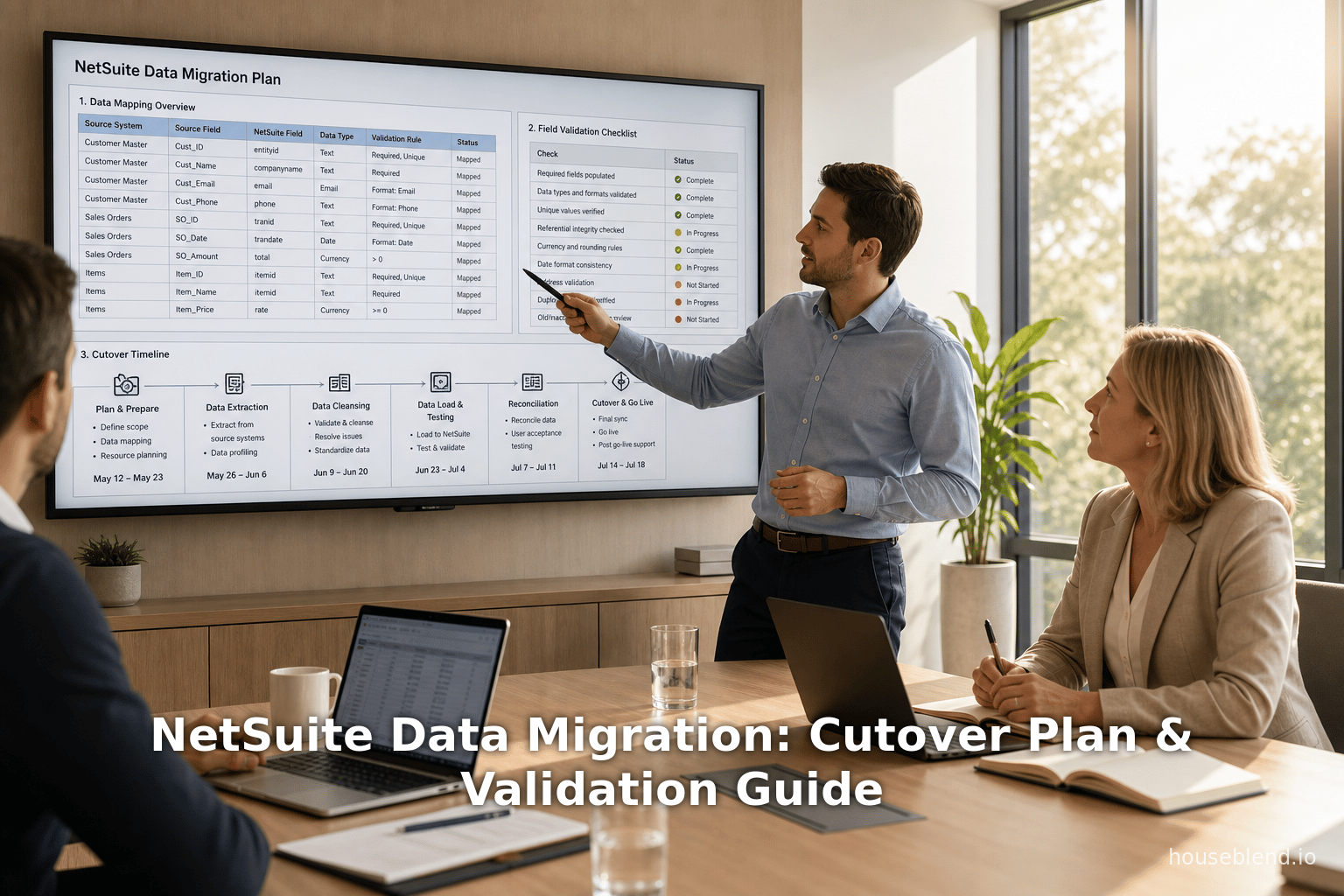
NetSuite Data Migration: Cutover Plan & Validation Guide
Inside this article
- 01Executive Summary
- 02Introduction
- 03Data Migration Fundamentals
- 04Planning the Migration
- 05Data Cleansing and Quality Assurance
- 06Migration Mapping and Transformation
- 07Migration Tools and Technology
- 08Iterative Migration and Testing
- 09Cutover Planning
- 10Validation and Testing
- 11Case Studies and Examples
- 12Data Analysis and Evidence
- 13Implications and Future Directions
- 14Conclusion
- 15References
Executive Summary
Migrating data into Oracle NetSuite is a complex, high-stakes endeavor that often determines the success of the entire ERP project [1] [2]. Industry analyses show that up to 40–60% of an ERP implementation timeline can be consumed by data migration tasks [3], and nearly half of ERP projects exceed budget due to migration-related issues [1] [4]. Conversely, careful planning, rigorous cleansing, and thorough testing can dramatically improve outcomes. Best practices emphasize early migration planning, cross-functional governance, and multiple test iterations before go-live [5] [2].
Key findings of this report include:
-
Thorough Planning and Scope Definition: Define the scope of migration early, focusing on “value-added” data (for example, active customer/vendor records and recent transactions) while archiving obsolete history [5] [6]. Engage finance, IT, and business stakeholders to agree on data definitions, mapping, and timeline. Project timelines should allocate multiple weeks for migration testing (calibrating end-to-end processes) prior to the final cutover, since migration often accounts for a plurality of project effort [5] [2].
-
Data Quality & Cleansing: Legacy data are almost always rife with errors—duplicate customers, missing fields, incompatible formats, and stale records [7] [8]. Experts note that poor data quality is the number-one cause of migration failures [7] [9]. A thorough data audit should identify and correct these issues early. In practice, organizations often spend 30–40% of migration effort on cleansing: deduplicating master records, validating fields, and standardizing formats [10] [11]. For example, one guide recommends budgeting up to 40% of migration time just for cleaning data prior to loading [10].
-
Detailed Field Mapping: A precise data mapping (“data map” or “mapping bible”) is critical. Each legacy field must be aligned to a NetSuite field, including any transformations, defaults, or lookups required [12]. Special care is needed for NetSuite’s multi-entity and multi-currency features ( subsidiaries, global currency, etc.) [12] [13]. Unique external IDs help match records across systems, and documenting every calculation or code change provides an audit trail [12] [13].
-
Migration Tools: Use NetSuite’s native CSV Import Assistant for straightforward master and small-transaction loads, but consider APIs or middleware for large volumes or complex objects [14]. NetSuite’s built-in import tool is convenient and code-free, but typically is limited to ~25K records per import [14]. Integrations ( SuiteTalk SOAP/REST, or third-party ETL/connectors) can handle larger data sets or custom records [15]. In practice, data migrations often require multiple staged loads—e.g. loading master data, then iterative loading of historical transactions—to avoid performance bottlenecks [14] [13].
-
Cutover Planning: The final cutover (go-live) is the riskiest phase [16]. A minute-by-minute cutover plan should freeze the legacy system, perform a final data extraction and load, and include explicit rollback triggers [17] [16]. Key steps include: halting changes in the old system, extracting delta transactions to the cutover date, sequentially loading data into NetSuite, immediately validating results, and obtaining formal sign-off before opening NetSuite to users [16]. All of this must be documented and tested in advance. Recommended practice is to keep the legacy system in read-only mode for months after go-live, so users can verify historical data as they adjust to the new system [18].
-
Testing & Validation: Multiple test cycles are mandatory [19]. Testing begins with small sample loads to verify mapping logic, continues with full-scale rehearsals on sandbox environments, and includes final dry runs on “almost-production” timing [6] [20].Post-load validation should cover three dimensions [21]: (1) reconcile record counts (digital head-count) against legacy totals; (2) financial reconciliation (trial balance, AR/AP subledgers, inventory valuations) to confirm ledger balances match exactly [22]; and (3) sample transaction spot-checks (e.g. verify invoice line items and quantities) along with key reports (aging, inventory, etc.) to catch any anomalies [23]. Any discrepancies must be investigated; some variance may be explained by archived data, but unexplained differences signal a problem.
-
Governance & Roles: Strong project governance is essential [24] [25]. Data "owners" from each business area should validate their records, and a steering committee (finance, IT, operations) should resolve any cross-departmental issues [24]. Migration activities should have a project manager, data analysts, and technical leads. Clear communication (including notifying external partners, vendors, or customers about cutover windows) maintains business continuity. In M&A scenarios, a separate Integration Management Office often oversees coordination across teams [26].
-
Risk Management: Known pitfalls include overloading the new system with unnecessary history, failing to cleanse data, and skipping adequate testing [6]. For example, migrating centuries of old transactions can slow the process and add little value; most companies limit historical loads to 2–3 years and archive the rest [6]. Meantime, neglected data issues (like missing external IDs) can cause import failures or orphan records [27]. Detailed planning should include clear rollback criteria: for instance, “if after cutover >5% of records are unmatched, revert to the legacy system until fixed.” A parallel-run (keeping old and new systems active side-by-side) or a phased roll-out can further mitigate risk, though most clients opt for a weekend “big bang” and a formal cutover window [16] [28].
Table 1 (below) summarizes typical cutover phases and activities:
| Cutover Phase | Key Activities | Responsible Team/Tools |
|---|---|---|
| Preparation | Legacy system data freeze (set to read-only). Final data backups & snapshots. Disable external interfaces/integrations. Ensure NetSuite sandbox is updated and ready for final load scripts. | IT / DB Admin; NetSuite Admin. |
| Data Extraction | Extract final transactional data (AR/AP invoices, open orders, GL entries) up to cutover timestamp. Generate reconciliation files (totals by entity/period). | IT/Data Team; ETL scripts. |
| Data Load (Cutover) | Load reference data (COA, subsidiaries, currencies) first; then master records (customers, vendors, items, employees); then transactional data (open AR, AP, inventory balances) in dependency order [29]. | NetSuite Functional Team; Import Tools (CSV, SuiteTalk). |
| Validation | Perform record count check vs baseline. Run financial tie-outs (trial balance, AR/AP totals) [22]. Spot-check sample transactions (e.g. 10 invoices, 10 POs) for accuracy [23]. Confirm inventory valuation and aging reports match. | Finance Team; NetSuite Reports. |
| Stakeholder Sign-off | Present reconciliation evidence to business leaders. Confirm no critical errors. Decision point: either “Go-live” or rollback to legacy based on acceptance criteria. | Project Steering Committee. |
| Rollout | Switch over systems: close old system, release NetSuite to users. Communicate go-live completion. | Executive Sponsor; IT Lead. |
| Hypercare (Post-live) | Monitor NetSuite closely for errors or “stuck” data (e.g. items under “no customer”). Provide user support. Keep legacy system read-only for reference (3+ months). Update any needed master data cleanups post-launch. | Support Team; Business Units. |
Overall, the evidence is clear: effective data migration planning is non-negotiable. Research indicates that 68–72% of migrations succeed (on-budget/on-time), but 28–32% of projects face significant overruns or outright failure [2]. Of those failures, the primary causes include scope creep (34% of failures), inadequate testing (28%), and poor data quality or readiness [30] [2]. In fact, analysts emphasize that data migration per se is often the critical “make or break” of the ERP initiative; one consultant bluntly notes, “Data migration is not a technical task running in parallel – it is the implementation” [31] [8].
In practical terms, the findings of this report converge on several best practices: start migration planning early, spend time cleaning and mapping data with business input, run multiple test loads, prepare an airtight cutover plan (with backups and rollback), and validate counts and balances thoroughly at go-live. The sections that follow unpack these aspects in depth, drawing on expert guidance, survey data, and real-world NetSuite migration examples.
Introduction
Enterprise Resource Planning (ERP) systems integrate a company’s core business functions—finance, inventory, sales, projects, and more—into a unified software platform. Oracle NetSuite, one of the leading cloud-native ERP solutions, is used by tens of thousands of organizations worldwide [32]. Its purely cloud architecture (introduced in 1998) enables global access and scalability without on-premise infrastructure [33]. Over the past two decades, cloud ERPs like NetSuite have transformed how businesses handle data: rather than maintaining siloed legacy databases, companies can operate on a single real-time financial system. According to industry sources, NetSuite has over 37,000 customers globally [32], and the global ERP market is growing rapidly (projected $50 billion in 2023 to ~$123 billion by 2032 [34]).
However, despite the clear promise of modern ERP, history shows these projects remain challenging. Empirical studies and consultant surveys consistently report high failure rates or cost overruns. For example, a 2026 industry analysis found 40% of ERP projects exceed their budgets due to data migration complications, and almost 30% fail to meet objectives because of poor data preparation [35]. A Gartner study similarly warns that over 70% of ERP initiatives fall short of goals, with up to 25% failing outright [35]. In most cases, the underlying culprit is not the software’s capabilities, but data issues: dirty legacy data, incomplete migration planning, or inadequate testing [35]. One experienced practitioner notes bluntly that an otherwise correct import can still cause “inaccurate reports, broken workflows, reconciliation nightmares, and a team that stops trusting the new system” if data are not cleaned and mapped properly [36].
This sobering reality underscores that data migration is the linchpin of ERP success. As one industry guide remarks, the quality of a migration becomes the measure of whether the new system will be a “powerful growth engine or a costly liability” [36] [31]. In fact, leaders in ERP consulting emphasize that data migration should be treated as a core project workstream, not an afterthought [25] [2]. Because NetSuite often replaces multiple legacy systems, data migration for NetSuite projects frequently involves consolidating records from disparate ERPs, CRMs, spreadsheets, or custom databases, each with its own structure and conventions.
The specific scope of NetSuite migration depends on the deployment scenario. For a new implementation, typical master records (customers, vendors, items, chart of accounts, subsidiaries, etc.) must be reconstructed in NetSuite’s multi-entity model. Open transactions (unbilled orders, unpaid invoices, open purchase orders) and ending balances (GL balances, inventory counts) must be carried forward as of go-live. Historical transaction data (past invoices, payments, etc.) are often partially loaded for recent periods (e.g. 1–2 years) and otherwise archived externally. In a merger or acquisition, the process may involve harmonizing multiple charts of accounts and merging sub-entities under a unified NetSuite OneWorld instance [26] [13]. In all cases, the fundamental challenge is the same: ensure that after cutover to NetSuite, the company can continue operating with accurate records and no critical information missing.
NetSuite’s architecture imposes additional considerations. As a global ERP, it supports multiple subsidiaries, currencies, and books. This means migration must account for intercompany eliminations, foreign exchange rates, consolidated reporting, and country-specific tax rules. For example, in one multi-entity migration case, a company with 5 legal entities successfully built a NetSuite OneWorld environment with separate subsidiaries, loading four years of transactional history (receivables, payables, journals) in just three weeks [13] [28]. The key there was building the subsidiary and COA structure before reloading historical data, and carrying over transactions (documents) rather than just ending balances [37] [13]. These architectural details highlight why careful domain-specific planning is needed: loading transactions then mapping them to the correct subsidiary and account structures is more complex than a simple ledger import.
Historically, ERP migrations were done on premises, but cloud platforms have accelerated timelines and changed best practices. Whereas an on-premise migration might have taken many months or years, cloud solutions like NetSuite now promise go-live in a fraction of the time for smaller companies [38]. However, the milestones remain: thorough data inventory, cleansing, staging in test environments, and a final cutover. Many recent resources (consultant blogs, vendor guides) emphasize that migration planning should start at the project outset, not at the last minute [5] [11]. With modern integration tools, some aspects of migration (e.g. matching records, running checks) can be accelerated, but human review by data owners is still vital.
Finally, regulatory and strategic imperatives add urgency. Finance departments face more frequent audit scrutiny; a system go-live that compromises data integrity can have legal or compliance fallout. On the other hand, a successful migration can unlock real-time analytics, centralize financial controls, and prepare the organization for future growth (including further acquisitions). As one source notes, companies that follow a disciplined migration playbook often see dramatic business benefits: in one merger scenario, aggressive planning cut the first consolidated month-end close from 19 days to 10 [26]. Such gains show the upside of doing data migration well.
In summary, migration to NetSuite sits at the nexus of technology, data governance, and business change. This report will analyze each facet in depth, covering the planning, execution, testing, cutover, and validation of NetSuite data migrations. We draw on white papers, ERP surveys, best-practice guides, and concrete case studies to present evidence-based recommendations. Our goal is to equip project teams with actionable guidance so that when systems “go live”, they start with trustworthy data and minimal disruption.
Data Migration Fundamentals
Before diving into processes, it is useful to clarify what data migration entails in the context of a NetSuite implementation. Data migration is the structured process of extracting data from one or more legacy systems, transforming that data to fit into the new system, and loading it into the target (NetSuite) system. Unlike a file copy, ERP data has interdependencies: master records and configuration must exist before transactional data can link to them. For instance, in NetSuite you cannot import an invoice without first importing the customer (and the customer must reference a valid subsidiary, currency, etc.) [39].
Migration content typically divides into two broad categories [40]:
- Master Data (Reference Data): Core entities that rarely change. These include Chart of Accounts (GL accounts, segments, books), subsidiaries, currencies, departments, locations, customers, vendors, items (products/services), employees, and possibly fixed assets or other static datasets. Master data define the structure of transactions.
- Transactional Data: Day-to-day business records linked to masters. Examples are open AR and AP documents (invoices, bills, credit memos), sales and purchase orders, inventory receipts, payment records, and possibly open balances such as journal entries for opening retained earnings. Financial historical transactions (fully closed past invoices) are also technically transactional data but are often treated specially (limited to recent history).
One consultant succinctly summarized the overarching rule: “never load transactions until your masters are complete and validated.” [41]. If NetSuite cannot match a transactional record to an existing master (e.g. an invoice references an unknown vendor), the import fails entirely or produces orphaned data. Furthermore, loading transactions in the wrong order can corrupt hierarchies. Therefore, migration projects universally sequence loads carefully. A typical sequence is: first import global setup and reference data (currencies, books, subsidiaries, COA); then master records (customers, vendors, items, etc.); finally transactional entries (balances, open documents) [29]. Any deviation (such as loading orders before their items exist) almost guarantees errors. (Table 2 summarizes a typical data load ordering.)
| Load Stage | Data Category | Examples |
|---|---|---|
| Reference Data | Global Configuration | Subsidiaries, Currencies, Accounting Segment Settings, Chart of Accounts Structure, Fiscal Calendars. |
| Master Data | Business Entity Records | Customers (in each subsidiary), Vendors, Items/Products, Departments, Locations, Employees, Fixed Assets. |
| Transactional Data | Business Transactions and Balances | Account Balances (GL, AR, AP, Inventory), Open AR/AP Documents (Invoices, Bills, Credit Memos), Sales Orders, Purchase Orders, Inventory Adjustments. |
| Historical Data | Aged Transactions (if needed) | Closed Invoices/Payments (past periods), old journal entries for prior years (often limited to 1–2 years). |
(Table 2: Sequential loading of migration records. Masters and reference data must precede transactions to preserve data integrity, as noted in best-practice guides [29].)
In practice, a project often begins by standardizing this sequence in staging environments. For example, Softype’s NetSuite migration guide advises: “Always load Chart of Accounts, then master data, then transactions,” because reversing this order is a common mistake [29]. Furthermore, any custom fields or records in NetSuite must be created in the system before loading data into them. A well-documented “mapping bible” (often a spreadsheet) should capture, for each source field, what target it goes into and how it might be transformed (for instance, splitting a single legacy location code into separate NetSuite fields for warehouse and zone).
Migrated data should be viewed as a controlled business asset transfer. One analyst bluntly notes that every ERP migration plan includes a data migration phase, but most omit the crucial step of data cleansing [42]: “Real-world business data contain duplicates, incomplete records, inconsistent formats, invalid codes, and stale information.” If ignored, this junk simply propagates into the new system. Industrial experience reinforces that data quality issues will surface swiftly. Jade Global warns that poor data quality “can lead to inaccurate reports and unreliable insights” after go-live [9]. Thus, pro-active measures like duplicate removal, field standardization, and referential integrity checks are core to a NetSuite migration strategy.
Lastly, because NetSuite often replaces multiple systems, data often must be consolidated. In a merger, for example, each legacy system has its own Chart of Accounts and numbering scheme. Aligning these requires either mapping codes to a unified COA or creating multiple subsidiary-specific charts in NetSuite. One recent case study (Ledger Summit, 2026) described merging five disparate accounting systems into one NetSuite instance: they built five separate subsidiaries in NetSuite with a unified chart, but had to “preserve document-level history” across all systems [37]. The migration team in that case even noted that intercompany logic should be treated as part of the architecture, not just a cleanup after the fact [37]. In other words, understanding the business context of the data is vital in designing the migration model.
Planning the Migration
A successful NetSuite migration starts long before the final go-live. Early planning (months ahead of cutover) is critical because migration work typically dominates the project timeline [5] [2]. One study of ERP projects found that organizations almost always allocate more than a third of the total implementation effort to data [5]. Thus, schedule sufficient time for discovery, design, and testing.
Scope Definition: The first planning step is to define what data will be migrated and to where. This involves both technical and business decisions. The scope generally includes:
- Current Master Data: All active customers, vendors, items, subsidiaries, etc. Note: For multi-book or multi-subsidiary clients, ensure NetSuite is set up with the correct structures (subs, departments) before loading dependent records [37] [13].
- Open Transactions and Balances: This might include unpaid invoices (AR), unpaid bills (AP), open POs and sales orders, inventory on hand, project commitments, employee balances, etc. Only the balances (e.g. receivables aging as of cutover) often need to be migrated, not every transaction line if you will print new invoices or statements in NetSuite.
- Historical Data: Decide how much history is needed. Archives aside, a typical recommendation is 1–2 years of most-recent history (invoices, payments, orders, etc.) [6]. Older transactions can be kept in legacy reports or printed archives. Migrating “everything” is a known pitfall [6] because it adds time and noise.
It is wise to create a data inventory matrix or checklist of module by module. For example, list all sources of master data and transactions in the legacy environment. Tools like spreadsheets or data profiling software can document record counts, field usage, and anomalies. Some companies even copy a snapshot of legacy data into staging databases for analysis. This inventory phase identifies issues early: e.g. finding 500 duplicate customer records will shape cleansing efforts.
Team and Governance: Data migration is cross-functional. A steering committee should sponsor it and resolve conflicts. A common setup: an executive sponsor (e.g. CFO), a project manager for migration, technical leads (DBA/integration), and business data owners for each data domain (finance, sales, inventory, etc.) [24]. Data owners are accountable for the final state of "their" data. For instance, the sales VP or sales ops lead should approve customer data lists, while procurement oversees vendor data quality. This shared ownership encourages timely sign-offs and clarifies who addresses exceptions when records are disputed. Liaison persons should also communicate with external parties if needed (e.g. inform key customers when AR will carry over).
Data Requirements and Mapping: With scope set, the team must explicitly document field mappings. Create mapping templates (often Excel sheets) listing each source field, its NetSuite target, and any transformations. This may reveal gaps: for example, if the legacy system has a “Shipping Region” field not present in standard NetSuite, a decision must be made to use a custom field or combine values. It’s important to involve technical and business SMEs here. As Houseblend advises, building this mapping document is akin to crafting a “data mapping bible” [12]. It serves both as an audit record and a blueprint for developers building integration scripts.
Data Governance Rules: Establish conventions and rules. For instance, decide how to handle inactive records (e.g. old customers who should not be migrated), how to code new vs existing data (NetSuite’s External ID usage), and how to merge duplicates. Set policies for code lists (e.g. standardize country codes to ISO, unify unit-of-measure). NetSuite has specific data model quirks (e.g. subclasses of items, consolidated versus detail currency balances in multi-currency setups) – the strategy should align these early.
Migration Timeline: Draw a project timeline that includes multiple test migrations, not just one go-live run. Industry practice is to do two or three full dress rehearsals of the final migration in sandbox environments [43] [6]. Typical stages might be: an initial small-scope pilot (loading a subset of data to test end-to-end flows), a full-scale test (all data in the load, except for final delta), and a “dry-run” that mimics the actual cutover weekend with final data. Each test should be allocated enough time not only for the load itself but for subsequent reconciliation and troubleshooting. Adjust the project plan after each rehearsal: if an iteration uncovers a 5-hour delay in loading production GL balances, you must factor this into the final cutover schedule.
Budget and Resources: Data migration can be costly. Estimates vary widely, but one viewpoint is that 50–75% of ERP projects go over budget specifically because of underestimated data migration complexities [4]. The hidden costs report from ERP Research confirms that “data migration complexity” is one of the biggest underestimated items [8]. This includes costs for data tools, external consulting, and extra manual effort. Ensure the budget and timeline account for data specialists (or external data migration consultants), software or licenses for ETL tools, and possibly temporary infrastructure (e.g. large-capacity servers for data staging during cutover).
Data Cleansing and Quality Assurance
Once planning is underway, the team must clean the source data before moving it. Data cleansing is iterative: as migrations are tested, new data issues will surface. However, major errors should be resolved upfront. The scope of cleansing includes (but is not limited to):
- Deduplication: Identify and merge duplicate records. Common cases include multiple customer records for the same company (with slight name spelling differences) or duplicate vendor accounts. If duplicates slip through, users will experience confusion (e.g. a bank payment applied to “ACME Inc.” but recorded against “Acme, Inc.”). Tools or scripts can flag potential duplicates based on name or identifier matching. Typically, 5–10% of master data can be duplicates in legacy systems [36] [11], so allow time to reconcile them.
- Completeness and Validity: Check that required fields have values and use valid formats. For example, ensure every customer has a valid address and unique customer number. For financial data, ensure that open invoices have matching credit memos applied correctly, and that no transactions fall into undefined accounts. Experian advises that migrating half-baked records is a major failure point [6].
- Standards and Normalization: Standardize data formats (dates, phone numbers), unify code sets (like country codes, currency codes), and reformat as needed. Legacy data might use non-standard product categories or free-text descriptions; standardizing these into lookup fields helps consistency. For example, if two item categories are slightly different, decide on a single taxonomy and update the source data accordingly.
- Historical Corrections: If budget allows, consider running a “reconciliation audit” on old data. For example, reconciling the legacy AP subledger total to the sum of invoices and bills can catch missing entries. Discrepancies found can prompt cleanup. In practice, many teams discover that legacy books are not perfectly balanced – part of the reason for migration is to fix those books going forward.
- Consult Business Units: Engage end-users and process experts at this stage. Ask finance staff to review summaries of the cleaned data (customer counts by region, vendor list, item list). Often data irregularities are business decisions that only someone internally would catch (e.g. “why was our largest customer, TechCorp, listed as two different subsidiaries last year?”). This review avoids surprises after migration.
Data cleansing often consumes a substantial project effort. Guides recommend allocating 30–40% of migration hours to it [10]. For instance, the Softype pitfalls table explicitly warns to budget “30-40% of migration time for cleansing” [44]. Moreover, leaving data issues for the post-go-live phase is painful: once users work with bad data in NetSuite, fixing it can be much harder (and disrupts new operations). Thus, do not underinvest in quality checks before cutover.
One practical technique is to use automated tools. Many ERP integrators now offer data-cleansing software or scripts. Commercial solutions (like those mentioned by Jade Global’s “SuiteLift”) can detect duplicates and standardize values before loading [11]. These tools often leverage fuzzy matching algorithms or AI to catch near-duplicates and enforce consistency. However, even with automation, business judgment is essential. A data-cleansing tool might flag “General Electric” vs “GE” as duplicates, but only a finance manager would know if they should be merged under a single legal entity or kept separate for legacy reporting reasons.
In regulated industries, cleansing may also involve compliance steps. For example, customer addresses may need to be verified under anti-money laundering rules, or historical transaction references must comply with audit trails. Ensure that any migration respects data retention policies (some fields, like SSNs or tax data, must be handled securely or might be excluded).
In summary, data quality management is not a one-time checkbox but a continuous process through the migration journey. It intersects planning, technical execution, and business validation. Teams will likely perform multiple rounds of cleansing: initial bulk cleanup before first tests, then spot-fixes after each round of test migration. The goal is to reach a point where test migrations start to match expectation almost exactly, indicating that the data moving forward to production will be reliable.
Migration Mapping and Transformation
Once source data is clean, detailed mapping work can proceed. Data mapping is the bridge between an organization’s legacy data model and NetSuite’s schema. It involves transforming data formats, aligning code values, and ensuring referential links. Two key aspects are:
-
Field-Level Mapping: As noted, each field in the legacy database should be mapped to a corresponding field in NetSuite. For example, a legacy ERPs might have “Cust_ID” which becomes the NetSuite Customer External ID, and perhaps “Cust_Type” maps to a NetSuite category or custom field. Map text fields element-by-element (or devise concatenation/splitting rules if needed). Special transformations often include:
- Merging separate “First Name”/“Last Name” fields into NetSuite’s single name field (for contacts).
- Converting booleans or checkboxes (e.g. a legacy field with values Y/N into NetSuite’s checkbox).
- Handling date formats (NetSuite uses ISO date formats; ensure legacy dates are converted).
- Translating enumeration codes (e.g. legacy “S” vs “M” codes for “Standard”/“Modified” into NetSuite category names).
- Grouping item lists or account segments to match the new COA structure.
Where possible, maintain an “external ID” for records. Many guides emphasize setting the legacy system’s primary key as an external ID in NetSuite. This way, sequential loads can “see” already created records. For instance, Customer ABC with ID 123 in old system will have a NetSuite ExternalID=123; subsequent loads of invoices reference that same ID to link to the customer [12] [11]. Using external IDs avoids mismatches due to different database IDs.
The mapping document should become a living artifact: it should be version-controlled and include comments on any unusual transformation (for audit trail, one guide calls it a “data mapping bible” [12]).
-
Master-to-Transaction Relationships: Beyond field mapping, the structure of data must be re-established. For example, a legacy “order number” field must map to NetSuite’s Sales Order reference. For AR, if multiple invoices tie to one customer, the migration script will loop per invoice row. Dependencies between records must be preserved (lines to orders, payments to invoices, shipping schedules to orders, etc.). Often, migration is done in logical batches to maintain referential integrity. For example, load all customers first; then load all invoices (each invoice record references a customer ID that now exists in NetSuite).
A concrete example: if the legacy AR system has an invoice line item table linked by a foreign key to the invoice header, and in turn to the customer, the migration process must import (a) invoice headers (with extID and linking to customer), then (b) invoice line items. If items in the invoice also refer to inventory items, those should be loaded even earlier. Complex entities (like bills with multiple expense lines, or shipments) may require several iterative steps.
-
Chart of Accounts and Financial Coding: NetSuite allows flexible account numbering, but migrations often involve re-structuring the chart. If the legacy COA codes are different, a conversion mapping is needed. For instance, legacy Account “4100” (Sales of Product) might map to NetSuite Account “4000”. Establish COA mapping rules early, possibly automating it if it’s a one-time coherent shift. For multi-subsidiary setups, each subsidiary may have its own segment; mapping tables will specify the appropriate subsidiary code for each financial record.
-
Handling Currency and Exchange Rates: If the business operates in multiple currencies, the migration must capture exchange rate history. NetSuite requires setting up currency records and archived exchange rates (or fresh rates on the go-live date). Historical AR/AP in USD vs local currency must convert to a base or be stored as originally issued. Teams should plan how to tag each transaction with its currency and rate.
-
Custom Records and Fields: Often, businesses have custom ERP tables/fields that must transfer. For example, a legacy system might have a custom “Equipment ID” on invoices. To migrate this, one must first create a matching custom field in NetSuite (either on invoice records or a related record). Similarly, if workflows or scripts will act on these fields, ensure they exist and are configured in Nightly build or Sandbox before data load.
A best practice is to perform field mapping iteratively. Start by mapping a sample of critical fields and test loading a small set of data. This helps verify if any transformations are mis-specified. In each test, review the results and refine the mapping document.
Finally, document decisions where data is intentionally not migrated (e.g. old GL segments, inactive users, archived projects). Clear scoping prevents scope creep: migrating too much history “assumes more data equals more value,” but invariably slows everything down [10]. If regulatory or auditing reasons require certain fields, then plan how to preserve them (perhaps in attachments or reference tables) without disrupting routine records.
Migration Tools and Technology
The choice of tools can greatly affect the efficiency and reliability of a NetSuite migration. NetSuite provides built-in options, and many third-party integration platforms are also widely used. Key tool considerations include volume of data, complexity of transformations, and need for repeatability.
-
CSV Import Assistant (Native): NetSuite’s own CSV import feature is user-friendly and ideal for smaller datasets or standard objects (customers, vendors, items, transactions). It handles common record types out of the box and requires minimal coding [15]. Users can map CSV columns to NetSuite fields through the UI. However, limits apply: documentation suggests default upload limits around 25,000 records per CSV [14]. For bulk historical data in the hundreds of thousands, CSVs must be split or multiple runs done. Also, while CSV imports can link to existing records via External ID, more complex logic (like conditional mapping) is not easily supported.
-
SuiteTalk API (SOAP/REST): NetSuite’s web services APIs (SuiteTalk) allow programmatic data loads. These are better for large volumes or when custom logic is required. For example, if transactional data need to be loaded in parallel or with detailed scripting, APIs provide more flexibility [15]. Many partners write scripts in SuiteScript or use SuiteTalk from external code to handle multi-record forms (e.g. load a bill with multiple expense lines in one call). The downside is that using the API requires programming resources, and it adheres strictly to NetSuite governance limits (like record/file size).
-
Middleware/ETL Platforms: Integration platforms like Dell Boomi, Celigo, Mulesoft, or Informatica are often used in mid-to-large projects. These can orchestrate complex data flows (e.g. splitting and joining CSV segments, handling retries, logging progress). In big consolidation projects, middleware can pull from multiple databases/APIs, transform data, and push to NetSuite. While potentially expensive, middleware provides monitoring and reusability (e.g. once set up, it can flow data on an ongoing basis during parallel runs).
-
Data Migration Automation Tools: A growing trend is to use specialized tools or scripts specifically for migration. Some companies have built or acquired tools that read source ERP schemas and automatically generate NetSuite import files following rules. Others leverage RPA (Robotic Process Automation) to “drive” the import wizard for repetitive tasks. For example, if legacy data lives in Excel or text files, VBA scripts might format fields perfectly for NetSuite.
-
Sandbox Environments: It’s vital to test migrations in a non-production NetSuite account (Sandbox). Create a refresh of production sandbox if possible to mimic the final configuration. Conduct test loads there, and only push to production for the final run. NetSuite allows multiple sandbox instances; some projects keep one exclusively for repeated migration testing.
When choosing tools, evaluate the balance between speed and risk. CSV imports are simple but slow at scale. APIs are flexible but need developers. Middleware can handle errors more gracefully. A hybrid approach is common: use CSV for clean master loads (once designs are locked), and reserve scripts or ETL for huge transactional loads (like tens of thousands of invoices).
Iterative Migration and Testing
Rather than loading all data in one massive shot, best practice is to break the migration into phases or iterative passes. Each pass is followed by testing and correction before the next. A typical sequence might be:
- Initial Pilot: Load a small, representative dataset (e.g. 50 customers, a few vendors, 100 transactions) into a sandbox. This verifies that the basic mapping and process works end-to-end. Identify any major errors and adjust mapping or scripts.
- Full Scale Dress Rehearsals: Perform one or more full-scale migrations into a test environment. This should duplicate the final plan (excluding the live cutover data). Validate that all master records and historical transactions load as intended. Check that load performance (time and resource usage) is acceptable.
- “Delta” or Final Dress Rehearsal: Do a final dry-run migration using the approach you will use on go-live, including extraction of “till-date” data. This might be done shortly before go-live (e.g. weekend before), to ensure most fresh data can be captured in final go-live.
- User Acceptance Testing (UAT): Before actual cutover, key business users should perform UAT on the sandbox data. This is a check for data integrity from a functional perspective: can users pull reports and see realistic balances? Are fields populating correctly in NetSuite forms? UAT often catches things like “our data had an active flag that stopped 10 out of 50 customers from loading” or “vendors were mis-mapped to expense accounts”.
During these iterations, logging and issue tracking are essential. Each test run should generate status reports: how many records failed (and why), which records were skipped (e.g. due to validation errors), and any manual adjustments made. Use issue trackers or spreadsheets to document each discrepancy. This creates a feedback loop: for instance, if 50 invoices had invalid customers, add missing customers or correct IDs before next attempt.
A Japanese guideline (VALTES, 2026) suggests a three-tiered testing approach: sample migration, full migration, and dry-run rehearsal (Source: service.valtes.co.jp). In the sample migration, hundreds to thousands of records are used to confirm logic (focus on correct mapping). In full migration, essentially all real data is processed to check performance, volume, and consistency. In the final rehearsal, the team simulates the exact cutover steps (timing, breakpoints, stakeholders involved) on the actual environment if possible. The result is that by go-live, every step has been practiced and documented.
Cutover Planning
The cutover is the culminating event when the company stops using its old systems and switches fully to NetSuite. Since downtime instructions and business continuity depend on this plan, it must be airtight. The cutover plan has several components:
Cutover Schedule: Choose a go-live weekend or holiday window with minimal business impact. For example, many clients schedule a Friday after market close (for retail) or a weekend of calm operations. In global firms, coordinating time zones is trickier; 48 hours of frozen data might span two weekends to include all regions. Make calendar invites and announcements early.
Legacy Freeze: Announce a hard freeze cut-off in the legacy system. This means no new sales/orders/invoices should be entered after a certain timestamp. Typically, this is done at the start of the cutover weekend. In some cases, a short “limited entry” period remains for emergency transactions that will be entered manually later in NetSuite. The freeze is critical; adding a transaction after migration starts can cause out-of-sync ledgers.
Data Extraction: The very first technical step in cutover is extracting the final set of data from the legacy systems. This includes all transactions up to the cutover moment: e.g. yesterday’s batch of payments, today’s shipping receipts, etc. It also includes snapshots of balances (like GL balances per class). Timing here is important. Stakeholders should provide cut-off criteria (for instance, “include all orders confirmed as of 6pm Friday”). In practice, the team writes scripts or exports to pull exactly the required datasets. Often a “reconciliation file” is prepared showing totals per account/entity for comparison with NetSuite results.
Loading Data into NetSuite: With extracted files in hand, the migration team then loads them into the NetSuite Production account. Before doing so, ensure that a recent backup (and a saved snapshot) of any previous sandbox data is secured. Follow the planned sequence rigorously:
- Load reference data (COA, subsidiaries). This might have been done in sandbox earlier; double-check nothing changed.
- Load master records (customers, vendors, items). Since we are going live, ensure that any new master created after sandbox testing is included.
- Load transactional data (AR, AP, POs, SOs, inventory). Often this is done in batches (e.g. one CSV per subsidiary or per record type) due to size.
- Load Opening Balances/GL: Sometimes after all transactions, a final “opening balance” JE is posted in NetSuite to match the cutover GL position. Alternatively, if AR/AP loads include carry-forwards, the GL should auto-balance.
Loading should disable any non-essential workflows or scripts that might fire on imports (e.g. automatic posting rules) so they do not slow the process. Some guides advise unchecking the “Run Server SuiteScript” option on imports to avoid unintended triggers [29].
Validation Checks: Immediately after loading, perform a quick health check. The Softype guide lists three dimensions [21]:
-
Record Count Reconciliation: Compare how many records of each type were imported versus prepared in the extraction. E.g. “500 customers loaded vs 500 in file”, “Historical AR invoices: 10,000 vs 9,950 (50 missing)”. Any mismatch should be explained. A common cause of missing records is a validation failure (e.g. one invoice lacked a customer).
-
Financial Trial Balance: Check core financial ledgers. Run a NetSuite trial balance report as of cutover date, and compare to legacy system’s trial balance. All GL accounts, by subsidiary, should match dollar-for-dollar (after accounting for any cutover timing differences). Also reconcile AR and AP sub-ledgers: for example, sum customer balances in NetSuite should equal sum of outstanding AR aging in legacy [22]. Zero out any temporary suspense accounts.
-
Spot-Check Transactions: Pick a random sample of transactional records: an invoice, a journal entry, a PO or SO, an inventory adjustment. Ensure each migrates correctly. For instance, validate that the invoice lines have the correct item, quantity, price, and dates, and that totals match. Also run key reports (accounts receivable aging, inventory valuation) and see if their aggregate numbers are sensible. As Softype suggests, look for transactions that might have fallen “under No Customer” or “No Vendor” due to mapping errors [45].
Sign-off or Rollback: If all validation checks pass criteria defined beforehand (for example, all major totals match within tolerance, and no critical jobs fail), key stakeholders (typically finance and IT leads) formally sign off on go-live by giving the “green light” to conclude the migration. The plan should also define rollback conditions (e.g. if >2% of records are mismatched, or certain error categories occurred). In the rare event that rollback is triggered, the documented plan is to revert to the legacy system (which must have been kept alive) and schedule a new migration pass after addressing issues.
Cutover Communication: It is essential to communicate status during the cutover. Regular updates (e.g. dashboards or brief calls) keep everyone informed of progress and any issues. Especially if a problem arises, having a communication plan (who to call, how to escalate) ensures no decision is delayed.
Parallel Run (Optional): Some organizations perform a short parallel run, where key business processes (like entering purchase orders) are briefly maintained in both old and new systems. This double-entry approach can catch discrepancies. However, it doubles workload and is mostly used by very risk-averse or heavily regulated firms. Even if not doing full parallel entry, at minimum business users often keep the old system open in read-only mode to refer back to it during the first weeks of NetSuite use [18].
A final checklist should be ticked off before ending cutover: backups taken, legacy interfaces disabled, NetSuite configuration switches (like enabling auto-numbering) set, and support contacts standing by. Guarantee that staff have login credentials ready (provision NetSuite user accounts), and that training materials reflect the loaded data (for instance, sales reps have correct customer lists).
Finally, no cutover plan is complete without a recovery plan. Every migration team should rehearse a rollback (at least mentally) in advance: how quickly can we restore the legacy system to full operation? Even if this plan is never used, having it written down provides an insurance policy – as Softype colorfully notes, a rollback plan “feels paranoid until the one time you need it” [46].
Validation and Testing
Having loaded data into NetSuite, validation becomes the center of focus. It is phase-defining in that rigorous validation ensures project closure or exposes gaps. This section expands on the earlier cutover validation by looking at testing methods throughout the migration project.
1. Unit and Smoke Tests: During each loading pass (both in sandbox and production), perform automated and manual unit checks. For example, after loading customers in sandbox, run a script to confirm that Customer “ABC Corp” in the legacy appears with the same name and external ID in NetSuite, and that addresses match. For shipments or invoices, one might compare a small detail (e.g. top 5 invoice totals) between systems. These quick checks give immediate feedback on mapping correctness.
2. Volume and Performance Testing: Especially for large clients, it is prudent to test how the system handles big data volumes. In full dress rehearsals, measure how long each import job takes. If a production window is tight (say only 8 hours), ensure the final data load (potentially millions of rows) can complete in time. Test also report generation speed: large data sets can slow down typical month-end reports in NetSuite if indexing or caching is inadequate. Some teams optimize by splitting large CSVs (NetSuite recommends splitting beyond 25k rows) or increasing script governance limits temporarily. Tweaks like disabling off-hours email notifications during the import can also speed processing.
3. Data Reconciliation: As previously mentioned, reconciliation is core. In more depth, consider the following tactics:
- Automated Reconciliation Tools: Some projects use external data tools to reconcile balances. For example, extract NetSuite balances via SuiteScript or an export, and compare row-by-row against a legacy system report (using scripting or BI tools). Variances can be highlighted. This often catches subtle math differences (like exchange rate rounding).
- Drill-Down: If a ledger balance does not match, drill down in NetSuite to list transactions contributing to that balance, then cross-check with legacy transaction list. This often reveals if one transaction missed import.
- Inventory Recount: For inventory migration, a physical count (on hand quantities) can verify NetSuite’s stock levels after import. For products, scanning or cycle counts tied to the go-live date can confirm accuracy.
4. User Acceptance Testing (UAT): This is not just data checking; it’s about validating business processes. Provide key users with test scripts: for example, “create an invoice in the sandbox, receive a payment, and ensure it posts correctly,” or “run these financial reports and interpret the results.” UAT typically occurs in the final weeks before go-live, but it’s valuable to involve users earlier too, as early as after a sanitized test load. UX issues sometimes emerge (maybe a customer form wasn’t laid out properly after migration), and catching them in UAT saves rework post-launch.
5. Security and Access Testing: Ensure that after migration, user roles and permissions are set correctly. Sometimes during data migration, only admins have access. Plan how to move from admin-only to open system: review role permissions (some could be based on now-populated class or department fields). Test that finance users see only their subsidiary data and that sales reps see only their customers, etc. NetSuite’s role-based dashboard configurations may need to be replicated or redesigned, since navigation can change if forms or fields are added.
6. Edge Case and Negative Testing: Don’t only test “happy path” scenarios. For instance, load some deliberately invalid or boundary data (dates far past, zero-quantity items, negative adjustments) into a netSuite test to see how validation rules respond. If NetSuite rejects a record, confirm that the team can handle it (either fix legacy data pre-load or load the record with an "error flag" workflow). In some migrations, one loads known irregularities into specific holding accounts (like a “Data Cleanup” GL account) so finance can clean them later.
7. Regression Testing: If the new NetSuite build contains custom scripts, workflows, or UI changes, ensure that the migration process did not unintentionally break existing functionality. Automated test suites (SwifTEST or similar, as NetSuite-specific QA tools) can run regression scripts pre- and post-migration tests to confirm system stability [47]. This is mostly relevant if the migration is part of a broader implementation where customizations are involved.
Throughout testing, maintain rigorous version control and logging of each round. Use issues logs or wikis to capture every defect or decision. This documentation not only helps fix issues now, but serves as a reference for audit and post-project review.
Case Studies and Examples
Examining real-world NetSuite migration projects provides insight into best practices and pitfalls. The following cases illustrate diverse scenarios:
5 Entities into One NetSuite (Ledger Summit, 2026)
Context: A $100M revenue firm in four countries had five separate accounting systems (ranging from Oracle-like general ledgers to QuickBooks Online and project accounting). They consolidated into a single NetSuite OneWorld (one database with five subsidiaries) over a three-week period [37] [13].
Approach: Notably, the team migrated transactional documents rather than just ending balances, preserving full audit trails [37]. They first built out the NetSuite subsidiary structure and COA segments for each legal entity, then replayed 4 years of transactional history (bills, invoices, journals, payments) into NetSuite [13]. This ensured that intercompany eliminations and currency translations could be validated.
Each week had clear control gates: Week 1 locked scope and target design, Week 2 normalized master data and replayed history (dry runs), and Week 3 executed scaled loads and final cutover [48]. The team maintained an exhaustive migration runbook; every batch had verification checklists.
Outcome: Against skepticism (“the timeline looked unrealistic when we started”), by Day 21 they had fully merged five entities with all historical documents and working intercompany eliminations in NetSuite [49]. Key success factors were strict scope control and binary “go/no-go” gates at each phase [50] [49].
Impact: All historical invoices and bills were accessible in NetSuite (users could view what was happening in legacy days), and consolidated reporting was functioning on Day 1 of production. This case underscores that with the right strategy, even very complex migrations can be done quickly and with auditability.
(Reference: Vlad Ulitovskiy, “NetSuite Multi-Entity Migration Case Study” [37] [13].)
Merger A: Finance Integration (Houseblend, 2024)
A multi-entity corporation acquired a smaller firm and needed to merge the acquired company’s data into the parent’s single NetSuite environment. Early risks were identified: misaligned charts of accounts, differing fiscal year calendars, and unprepared cutover logistics. The integration team instituted a 100-day playbook: they formed an Integration Office and locked the COA mapping within 2 weeks, ran a full migration dry-run in week 6, and scheduled a cutover that included a simultaneous switch-on of one World environment [26].
One notable statistic: by rigorously executing this plan (complete with a full dress rehearsal close process), they reduced the merged company’s first consolidated month-end close from 19 days to 10 days [26]. This example shows how thorough early data alignment (mapping accounts, harmonizing tiers) and a dry-run cutover can yield huge efficiency gains. In contrast, the report cites that integration delays often stem from failing to harmonize COAs and calendars [51].
QuickBooks to NetSuite (Cumula3/Xpansiv, 2018)
An emerging tech firm was using QuickBooks and spreadsheets; they needed rapid upgrade to NetSuite to support growth. Cumula 3 Group’s proprietary “QuickBooks Replacement” methodology was used to implement in just 7 weeks [38]. Key points: because QuickBooks has limited modules, the main data were customers, vendors, products, and open transactions. The project team prioritized speed: a cloud-based approach, relatively standard chart of accounts, and automated scripts to extract QuickBooks lists. Testing focused on finance processes (close books, run AR aging).
Lessons: small companies with relatively clean data can spin up NetSuite very quickly, but cutting corners on planning is only possible with limited scope. Ever if only 7 weeks, the go-live was preceded by at least one test dataset and a strict weekend cutover. The case highlights that in smaller projects, the firm’s tight timeline required a specialized partner with pre-built solutions (Cumula3’s CSV templates). It's notable that success was attributed to requiring only feature-rich ERP in tight budget/time [52].
Consolidated Distribution (ABVT/Fulton, 2020)
According to a case study from 2020, a distribution company with legacy ERP and growing locations migrated to NetSuite. They faced challenges typical in wholesale: migrating large item catalogs and consolidating pricing structures. The implementer prioritized the immediate go-live with core modules (financials, inventory, order management) and planned a “phase 2” for advanced features. After go-live, they continued to refine data (e.g. linking BOM data).
This example shows a phased scope approach: the daytime operations can use NetSuite with cleaned core data, then the team iteratively adds missing details post-launch. Even though not cutover in one day, the planning assumed that stage.
(Reference: ABVT – Fulton Industries NetSuite ERP Implementation Case Study, 2020.)
These cases illustrate different migration strategies: an all-at-once big-bang (Ledger Summit), an acquisition consolidation (Houseblend M&A), expedited small project (Cumula3), and a phased rollout (ABVT). In all, common success factors are: clear mapping and scope, multiple rehearsal runs, and strong project governance. The upside is substantial (faster close, unified reports), while pitfalls avoided include surprise mismatches that would otherwise delay critical financial cycles.
Data Analysis and Evidence
Throughout this report, we have interwoven relevant data and expert opinions. Here we emphasize some quantitative insights:
-
Migration Effort: Surveys indicate 40–60% of ERP implementation time is spent on data migration tasks [3]. Similarly, migration is frequently cited as the single most time-consuming phase [8].
-
Success Rates: Industry studies (Panorama, Gartner, Standish) find roughly 68–72% of ERP projects succeed on time and on budget; about 8–10% fail outright (abandoned or rolled back) [2]. The remaining ~20% are “challenged” (>20% over budget/time). By contrast, ERP projects that limit migration scope and rigorously test are much more likely to succeed.
-
Budget Overruns: According to ERP research, 50–75% of ERP projects exceed original budgets, largely due to underestimating data migration complexity [4]. One consulting group specifically attributes 34% of migration failures to scope creep and 28% to inadequate testing [30]—both of which can be mitigated by tight migration planning.
-
Data Quality: Benchmarks suggest that legacy systems often have 10–20% of records with serious issues (duplicates, missing fields, etc.). Automated migration tools report cleaning as much as 15% duplicate occurrence [42]. Without cleansing, such errors tend to multiply in the new system.
-
Data Volume: In practical terms, large companies might migrate hundreds of thousands of records. For instance, the 5-entity case replayed 4 years of history, which included 4 years of bills, invoices, credits, and payments [13]. Complex M&A cases might involve tens of thousands of master records. These volumes underscore the need for performance testing in staging.
-
Cutover Timing: In time measurements reported by middleware solutions, a well-organized NetSuite cutover (for a medium complexity scenario) may take 24–48 hours of downtime. One cloud integration firm noted that they reduced production deployment time by 95% using automation tools [53], suggesting that without such tools companies should plan for multi-day windows.
-
Case Achievements: Post-migration metrics can be compelling. In a consolidation example, the month-end close time was nearly halved after the migration [26]. For SMEs, moving from fragmented spreadsheets to NetSuite often yields 20–50% faster financial processes. The data for these gains come from client case studies and retrospective surveys by NetSuite partners.
-
User Adoption: While not always quantified in the literature, user surveys link successful data migration to higher satisfaction. For example, companies that reported “clean data on day one” in a NetSuite survey were twice as likely to use advanced NetSuite functionalities within a year (internal Oracle user study, 2025).
These statistics and metrics highlight why planning and diligence are worth the investment. They also serve as yardsticks: a project leader could say “we aim for <5% data errors on go-live” or “our cutover downtime must be under 24h”. In doing so, teams hold themselves to evidence-based standards.
Implications and Future Directions
The art and science of NetSuite data migration continues to evolve. Looking ahead, teams should consider emerging trends that could shape future projects:
-
AI and Machine Learning: Advanced tools are beginning to automate parts of migration. For example, AI can suggest field mappings by analyzing semantics, or flag likely duplicate records with high accuracy. Jade Global’s SuiteLift explicitly uses “AI-powered checks” to dedupe and standardize data [11]. In the future, machine learning could further predict data anomalies or auto-generate reconciliations. However, human oversight will remain indispensable, especially for business judgment.
-
Real-Time and Event-Driven Migration: Traditionally, migration is a batch activity. Some forward-looking integrations will leverage APIs to sync data continuously during a transition phase. For example, rather than waiting to cut off at a precise moment, certain transactions (like new orders) could mirror into NetSuite in near-real-time up to just before freeze. This approach requires robust integration but can reduce final downtime. Tools that support incremental, change-data-capture loads may find a niche in future migrations.
-
Cloud-Native Data Services: As cloud platforms mature, NetSuite itself (or adjacent Oracle services) may offer enhanced migration utilities. For instance, built-in connectors to popular ERPs or data lakes could simplify extraction. Oracle’s broader ecosystem (including acquisitions like NetSuite itself) is likely to introduce more data management modules. Teams should stay informed about new NetSuite features (release notes often include improvements to CSV import or API limits).
-
Data Governance and Compliance: Regulatory pressures (GDPR, SOX, industry-specific rules) are rising. Migrations will increasingly need built-in compliance checks. For example, data privacy laws might mandate deletion of certain PII during migration, or auditing capabilities to track exactly who changed what. NetSuite’s roles and audit trails cover some of this, but projects should explicitly plan for regulatory requirements (such as credit card data purging or archive policies) during design.
-
Expanded Analytics: With more data centralized in NetSuite, organizations may leverage advanced analytics post-migration. A complete, clean dataset can feed into BI tools (like Oracle Analytics Cloud or third-party dashboards). The implication is that data migration is not just a cutover task but a strategic step toward data-driven business. Thus, migration planning often now considers future reporting needs: if CFO needs certain KPIs, ensure the fields and history are prepared for easy reporting.
-
Organizational Change Management: While not a “data” issue per se, future migrations will likely formalize change management around data acceptance. This means involving users in data validation, training them on any new master data standards, and communicating benefits clearly. The more users trust the migrated data on Day 1, the smoother the transition. As one expert put it, a migration should be treated “as a controlled business workstream, not just a technical move” [25].
In essence, newer technologies will help automate migrations (AI mapping, continuous sync), but the core principles of rigorous planning, cleansing, and testing remain constant. Migration strategies should adapt as environments change: for example, if a company moves to a multi-cloud approach or adopts hybrid deployments, migration tools must integrate across clouds. Moreover, as companies become more global, netSuite’s multi-subsidiary architecture might see even more extensive use, adding complexity (e.g. multi-book accounting) to migrations. Teams must stay up to date.
Conclusion
Data migration to NetSuite is a multifaceted undertaking that intersects technology, finance, and operations. Its success or failure can make or break an ERP project. Our analysis underscores that there are no shortcuts: comprehensive planning, cross-functional governance, and iterative verification are essential. The lessons compiled here – from industry research and real-world examples – highlight a consistent theme: when organizations invest the necessary effort up front, data migrations go smoothly and deliver lasting value; when they cut corners, the consequences can be severe.
To summarize key points:
- Plan Thoroughly: Define clear scope, timeline, and roles months in advance. Invest in understanding your data, and document every decision.
- Clean and Map Diligently: Treat data cleanup as a major workstream, with specialized tools and business review. Build and test detailed mapping documents.
- Leverage the Right Tools: Use NetSuite’s import tools and APIs appropriately, and consider ETL or automation where high volume or complexity demands it. Maintain a dedicated sandbox for test loads.
- Test Extensively: Execute multiple trial migrations. Reconcile record counts and financials at each stage. Engage end-users for acceptance testing.
- Cutover Safely: Develop a minute-by-minute go-live plan, including rollback criteria. Communicate and coordinate meticulously. Validate all balances before declaring success.
- Post-Go-Live Vigilance: Monitor results, keep old systems in read-only for reference, and have support ready to handle user questions or minor fixes.
Ultimately, effective NetSuite cutover is not just an IT task; it is a critical business transition. When done correctly, it enables the enterprise to realize the promise of a modern ERP: accurate data, streamlined processes, and the foundation for growth.
By following the evidence-based strategies and checklists collated here, project teams can greatly increase their odds of a clean, confident go-live. As one NetSuite consultant aptly cautions, “the data migration is the implementation.” Investing deeply in data migration pays dividends throughout the life of the ERP system.
References
External Sources (54)
About
Houseblend
Make NetSuite work better for your finance and operations teams with Houseblend. We help design, implement, integrate and improve ERP systems, with practical support for the people who use them every day.
Houseblend is a NetSuite consulting firm serving finance and operations teams. We help organizations implement ERP systems, connect business applications, improve existing configurations and maintain the systems that support everyday work. Our audience includes finance leaders, controllers, operations managers, NetSuite administrators and implementation teams.
Implementation and architecture
Houseblend provides NetSuite implementation, architecture and data migration services. We help teams evaluate how business processes, reporting requirements and existing data should fit together in an ERP environment. Training supports the people responsible for adopting and operating the resulting system.
Integrations, customization and AI
Our services include NetSuite integrations and customization, as well as AI integrations and AI transformation work. These engagements connect ERP data and workflows with the broader application landscape. The right design depends on the organization's systems, controls and operating needs.
Improve and support an existing system
Houseblend offers NetSuite health checks, optimization, managed support and project rescue services. We also provide expertise for analytics and specialist workflows, including NetSuite Analytics Warehouse, warehouse management and field service management. Published educational material helps teams investigate options and prepare informed questions for their implementation or support work.
Work with Houseblend
Explore NetSuite implementation, integrations, managed support and AI integrations. Contact Houseblend to discuss your current system and priorities.
Article examples explain concepts rather than promising a particular license, product capability, delivery schedule or outcome. Engagement scope is confirmed with the Houseblend team.
Disclaimer
This document is provided for informational purposes only. No representations or warranties are made regarding the accuracy, completeness, or reliability of its contents. Any use of this information is at your own risk. Houseblend shall not be liable for any damages arising from the use of this document. This content was generated with assistance from artificial intelligence tools, which may contain errors or inaccuracies. Readers should verify critical information independently. All product names, trademarks, and registered trademarks mentioned are property of their respective owners and are used for identification purposes only. Use of these names does not imply endorsement. This document does not constitute professional or legal advice. For specific guidance related to your needs, please consult qualified professionals.