Houseblend Article
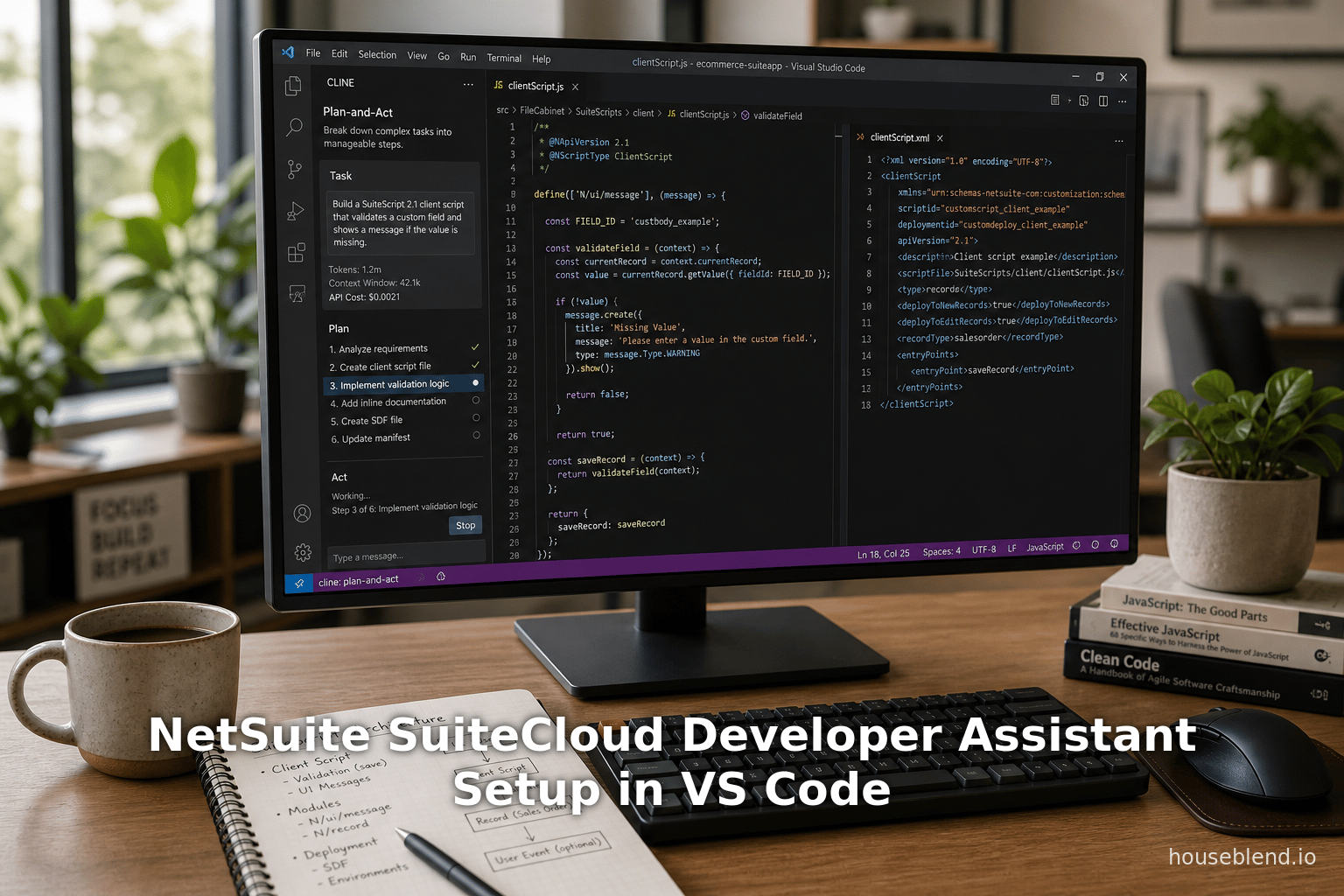
NetSuite SuiteCloud Developer Assistant Setup in VS Code
Inside this article
- 01Executive Summary
- 02Introduction and Background
- 03SuiteCloud Developer Assistant Overview
- 04Setting Up the SuiteCloud Developer Assistant (VS Code & Cline)
- 05Using the Assistant in SuiteScript 2.1 Development
- 06Developer Experiences and Case Examples
- 07Data Analysis: Productivity and Adoption
- 08Case Study: Developer Efficiency with SDA
- 09Implications and Future Directions
- 10Conclusion
Executive Summary
The NetSuite SuiteCloud Developer Assistant (SDA) is Oracle NetSuite’s first dedicated AI-powered coding assistant for SuiteCloud development, launched with the 2026.1 release (SuiteWorld 2025) [1] [2]. Integrated directly into the VS Code IDE via the Cline extension, the Assistant leverages large language models fine-tuned for NetSuite’s SuiteScript and SuiteCloud frameworks [3] [4]. In practice, SDA accepts natural-language prompts (e.g. “Build a SuiteScript 2.1 client script…”) and generates complete SuiteScript 2.1 code, associated unit tests, and SuiteCloud Development Framework (SDF) XML custom objects [5] [6]. By automatically scaffolding boilerplate code and data definitions, the Assistant aims to accelerate routine tasks and boost developer productivity (citing industry studies of 80–90% developer AI adoption and typical time savings on the order of 3–4 hours/week [7] [8]).
However, early independent evaluations reveal mixed results. Oracle’s first-party SDA promises deep knowledge of NetSuite schemas (e.g. workflows, custom records, modules) (Source: timdietrich.me) [9], but some developers report that while generated SuiteScript code is often “pretty high quality,” the XML object definitions are frequently incorrect (e.g. wrong tags in workflows) (Source: timdietrich.me) [10]. In contrast, general-purpose AI tools (Copilot, Claude Code, Cursor, etc.) have proven surprisingly effective at SuiteScript, especially when given legacy code context and tuned prompts (Source: timdietrich.me), despite not being NetSuite-specific. The result is that many developers continue to use third-party assistants in parallel, building “prompt-instruction” toolkits to work around the weaknesses of each system (Source: timdietrich.me) [11].
This report provides a comprehensive analysis of the SuiteCloud Developer Assistant and its setup for SuiteScript 2.1 development. We begin with background on NetSuite’s SuiteCloud platform and SuiteScript evolution, and the rise of AI coding assistants. We then detail SDA’s capabilities and system architecture (including the Cline integration), followed by a step-by-step guide to installing and configuring the Assistant in VS Code (with tables summarizing key configuration steps). We examine usage patterns and developer experiences, comparing SDA’s performance to established tools, and include examples (and quotations) from real developers. We discuss broader industry survey data on AI tool adoption and trust [12] [13], drawing implications for NetSuite development. Finally, we consider future directions—how Oracle and the community might iterate on this technology—and conclude with a balanced view of SDA’s potential impact on SuiteScript-based development. Every assertion is backed by official NetSuite documentation, third-party analyses, industry surveys, and user testimonials to ensure a rigorous, evidence-based treatment.
Introduction and Background
NetSuite, SuiteCloud, and SuiteScript
NetSuite (an Oracle cloud ERP system) has offered extensive customization through its SuiteCloud platform, which includes scripting (SuiteScript), custom record definitions (SDF), and APIs [14]. SuiteScript is NetSuite’s JavaScript-based framework, with SuiteScript 2.x as the modern API generation. The latest is SuiteScript 2.1, introduced in 2021 and using Oracle’s GraalVM engine (Java 17+) to support modern JavaScript (ES2023) features [15] [16], whereas SuiteScript 2.0 used an older ES5.1 engine [17]. (Table 1 summarizes key differences between SuiteScript 2.0 and 2.1.)
| Feature | SuiteScript 2.0 | SuiteScript 2.1 |
|---|---|---|
| JavaScript Engine | Older runtime (Nashorn) supporting ECMAScript 5.1 (ES5.1) [17] | GraalVM (Java 17+), supporting ECMAScript 2023 (ES2023) [15] |
| Language Capabilities | Limited to ES5.1 syntax (no modern JS features like spread) [17] | Full modern JavaScript (e.g. spread/rest, classes, async/await) [18] |
| SuiteTax Engine Support | Fully supported | Not supported – SuiteTax requires SS 2.0 [19] |
| Performance | Standard (older engine) | May improve performance due to Graal optimization [15] |
| Use Case | Required for legacy scripts, SuiteTax features | Recommended for new development (modern features, future-ready) |
Table 1. </current_article_content>Comparison of SuiteScript 2.0 vs 2.1 (source: NetSuite docs [15] [17]).
SuiteCloud developers typically write SuiteScript files (such as client scripts, User Event scripts, Suitelets, etc.) in JavaScript or TypeScript, annotate them with NetSuite-specific JSDoc tags (e.g. @NScriptType ClientScript), and define any custom objects (records, fields, workflows) through XML in a SuiteCloud project structure. The SuiteCloud Development Framework (SDF) lets developers package these files and deploy them via a command-line interface (SuiteCloud CLI) or the SuiteCloud VS Code Extension. Historically, this process has been largely manual: developers write JavaScript code by hand, reference NetSuite record IDs, copy boilerplate code, and configure SDF XML. While tools like code completion and linting exist, uniquely identifying NetSuite-specific objects still requires deep familiarity with APIs and schemas.
Rise of AI Coding Assistants
In the therapeutic context of modern software development, AI-driven coding assistants have risen to prominence. Tools such as GitHub Copilot (powered by OpenAI Codex), Amazon CodeWhisperer, Google’s Gemini, and standalone agents like Claude Code and Cursor use large language models (LLMs) trained on vast code repositories to provide code completions, generate entire functions from comments, refactor code, and even write documentation. These assistants are now used by overwhelming majorities of developers: recent surveys report that 80–90% of professional developers use AI tools regularly, often saving several hours per week● [20] [8]. For example, a 2025 StackOverflow survey found 84% of developers already use or plan to use AI coding tools [12], and a Google/Ipsos poll reported 90% of developers employing AI in their workflows (up from ~14% in 2024) [8]. Developers report significant benefits – “four in five agree they see higher productivity” and over half see improved code quality [13] – but also lingering caution: typically only ~25% fully trust AI suggestions without review [21], and nearly half of devs find themselves debugging AI-generated code [22] [23].
Against this backdrop, NetSuite recognized the opportunity to embed an AI assistant tailored for its own ecosystem. In October 2025 (SuiteWorld), Oracle announced the SuiteCloud 2026.1 release, which included broad AI innovations: a SuiteScript GenAI API, a Prompt Studio for text enrichment, AI connectors, and the SuiteCloud Developer Assistant as a “coding companion” [24] [25]. The goal was to “accelerate coding, documentation, customization, and testing by reducing time spent on repetitive tasks” [26]. Unlike generic AI tools, the SDA is explicitly trained on NetSuite’s environment: it uses models fine-tuned with NetSuite documentation and code examples, and runs within NetSuite’s cloud under the hood [9] [27]. In theory, this specialization should give it an edge in correctly generating NetSuite-specific artifacts (custom records, workflows, etc.) that general-purpose models might mishandle.
This report examines that promise in detail: the architecture, setup, actual use, and performance of the SuiteCloud Developer Assistant, especially for SuiteScript 2.1 development. We will not only present Oracle’s documented capabilities, but also independent assessments, user experiences, and data-driven insights on how such AI assistants truly perform in the wild.
SuiteCloud Developer Assistant Overview
Capabilities and System Architecture
The SuiteCloud Developer Assistant (SDA) is an AI-powered coding assistant embedded in Visual Studio Code (VS Code) via the SuiteCloud Extension and the Cline extension [3] [28]. As described in Oracle’s documentation and blogs, SDA provides “real-time, context-aware coding assistance within your SuiteCloud projects” [3]. It listens to natural-language prompts or instructions from the developer, analyzes the existing project codebase, and then generates code changes and new files in a structured way. According to Oracle, SDA can:
- Generate SuiteScript 2.1 code. E.g. from a description like “create a client script validating employee fields,” it can output fully-formed 2.1 JavaScript/TypeScript files with the proper
@NScriptTypetags [5] [29]. - Create and modify SDF objects. It can produce XML definitions for SuiteCloud objects – custom records, fields, forms, workflows, etc. – automating tasks that normally require manually writing XML [5] [6].
- Generate supporting artifacts. Remarkably, it can also create unit test scripts and documentation stubs alongside the main code [6]. After one prompt, the Assistant might produce multiple files: code files (SuiteScript and tests), XML files, and even a textual explanation of the generated customization [6] [6].
- Workflow automation. The assistant can run multi-step development tasks (e.g. create file, insert code, update config) in sequence. SDA uses the Cline autonomous agent interface, which operates in a Plan-and-Act cycle: first Cline plans actions in “Plan” mode (without writing code), then executes them in “Act” mode [30] [31]. This means an SDA prompt can result in a structured set of file operations, all batched as a single “task” that the developer reviews.
Importantly, every change remains a suggestion until explicitly approved by the developer. The assistant emphasizes safety and oversight: it identifies changes and waits for click-to-accept before writing anything to the project [32] [33]. According to NetSuite’s guidance, when SDA produces output, the developer sees a plan summary and can confirm or reject each file addition/modification [33] . This “human in the loop” design aligns with survey findings that developers generally prefer to review AI code (≥75% of devs would double-check AI suggestions with a teammate) [34] [21].
Under the hood, Oracle runs the actual language model in its secure cloud environment. The SuiteCloud Extension spawns a local helper service (e.g. at http://127.0.0.1:8181/api/internal/devassist) which proxies the assistant’s requests to NetSuite’s servers [35] [36]. Developers connect to this local service using the Cline extension set to an “OpenAI Compatible” mode. The assistant cleverly uses a context window of up to 1,000,000 tokens [37] [38], allowing it to reason about an entire SuiteCloud project at once. Note that the assistant is optimized for JavaScript/TypeScript (SuiteScript) and XML/JSON only; it will flag unsupported languages or tech if asked [33].
In summary, SDA is architecturally a specialized AI agent for NetSuite: a cohort of a SuiteScript-trained LLM plus a context-aware IDE agent (Cline), all running under a controlled API using a net-new proxy interface. Figure 1 illustrates the high-level flow. (For an official detailed diagram, see Oracle’s Architecture notes [35] [36].)
Figure: AI Assistant Workflow in SuiteCloud (conceptual) – The developer prompt goes into Cline in VS Code, which communicates with a NetSuite-hosted LLM via local proxy. The Assistant then plans and acts on the project files (suite scripts, XML objects), producing drafts for developer review.
(Diagram: Intel logo, AI icons illustrating the flow from developer prompt to Cline to Oracle cloud LLM to code output.) [35] [5]
Note: This illustrative diagram summarizes the system; actual implementation details are proprietary. The plan-and-act paradigm ensures developers can inspect changes the Assistant will make before committing them [35] [31].
Objectives and Scope
Oracle’s official descriptions emphasize that SDA is meant to streamline repetitive development tasks and improve developer efficiency [3] [9]. Key capabilities highlighted include:
- Automated Code Generation: “Generate SuiteScript 2.1 code based on your input” (SuiteScript 2.1 being the newest supported language) [5].
- XML Object Management: “Create and manage XML custom objects to speed up development” (e.g. custom records, workflows) [5].
- Context Awareness: Tasks are “project-aware” – the assistant can read your existing codebase so suggestions fit your project’s conventions [39] [27].
- Developer Control: “Approve every suggested change before tasks are applied” – nothing is done automatically without user confirmation [40] [6].
- Seamless IDE Integration: SDA works “within your existing VS Code and Cline setup” so developers don’t have to leave their normal workflow [40] [30].
In practice, typical uses include: scaffolding new 2.1 scripts for common use cases (User Event scripts, Suitelets, Map/Reduce, etc.), generating boilerplate unit tests, writing data migration scripts, and setting up custom record definitions or field addition via SDF XML. By accepting an English-like description, the Assistant can produce the initial code and then let the developer refine it.
However, Oracle documentation also cautions that developers should still review all outputs carefully (especially complex custom objects). In fact, one FAQ notes that SDA should be used to “assist”, not replace, developers – it’s a coding assistant, not an autonomous coder [6] [41]. This is largely because even though the model is specialized, precise domain knowledge (such as correct IDs and complex business logic) can still elude AI. This dovetails with broader industry findings that AI-generated code often contains errors and requires human oversight [22] [21].
In sum, the SuiteCloud Developer Assistant promises targeted, AI-powered support for SuiteScript 2.1 development within VS Code. The following sections will detail how to set it up, how it performs, and how it compares to other tools and developer expectations.
Setting Up the SuiteCloud Developer Assistant (VS Code & Cline)
Configuring SDA requires installing and linking several components. The official setup process, as documented by Oracle [28] [39] and elaborated by Oracle engineers [42] [43], consists of the following high-level prerequisites and steps:
- SuiteCloud VS Code Extension v2026.1+ – Upgrade or install the SuiteCloud Extension for Visual Studio Code to the version that includes Developer Assistant support. As announced in release notes, version 3.1.1 (December 2025) introduced SDA [39]. This extension provides core NetSuite project management and also initiates the local SDA proxy service.
- Cline VS Code Extension – Install the Cline extension from the Visual Studio Marketplace. Cline is the AI agent frontend that will connect to the SDA service. (Cline itself is open-source and widely used, independent of NetSuite.)
- SuiteCloud Project & Auth ID – Have a SuiteCloud project open in VS Code (e.g. created via
suitecloud project:create). Ensure you have a valid SuiteCloud account (sandbox or test) and create a NetSuite authentication ID (Auth ID) for it [44]. The Auth ID must have sufficient privileges (usually Customize or Administrator role). - JDK 17/21 (for SuiteCloud CLI) – Ensure you have JDK 21 or 17 installed on your system, as required by the SuiteCloud CLI [42]. This is exercised when running the SuiteCloud CLI or deploying SDF, though not directly in VS Code.
- Enable AI Feature – In VS Code settings (Preferences → Extensions → SuiteCloud), locate the Developer Assistant section and “Enable” it [45]. You must input your Auth ID here. This will start the assistant service and generate an API key.
Table 2 below summarizes the core VS Code-side configuration steps:
| Step | Action | Details and Notes |
|---|---|---|
| 1. Prerequisites Install | Update SuiteCloud Extension to 2026.1+ (v3.1.1 or later [39]), install Cline extension [46]. | SuiteCloud v3.1.1 includes SDA. Cline acts as the agent UI. |
| 2. Create Auth ID | In VS Code Command Palette: SuiteCloud: Set Up Account → New Auth ID (browser-based) [47]. | Follow prompts to authenticate to your NetSuite account. Name the auth ID. |
| 3. VS Code Settings – Auth ID | Open Settings (Ctrl+,), search SuiteCloud > Developer Assistant. Enter your Auth ID; note the auto-filled Local Port (defaults to 8181) [45] [48]. | Checking “Enable” starts the assistant. Confirm terms/disclaimer as prompted [49]. |
| 4. Retrieve API Key and Base URL | After enabling, a popup appears with an API key and instructions [50] [51]. Copy the key. The SuiteCloud output panel shows the Base URL (e.g. http://localhost:8181/api/internal/devassist). | This key/URL allow Cline to call the NetSuite-hosted LLM. |
| 5. Configure Cline Extension | In VS Code, click the Cline icon (on Activity Bar) to open its panel. At top, click the gear icon ⚙️ to edit provider settings [52] [43]. Set API Provider to “OpenAI Compatible”. Paste the NetSuite API key into “OpenAI-Compatible API Key”. Enter the Base URL from step 4. If needed, set “Model ID” to “NetSuite”. | This tells Cline to send requests to NetSuite’s SDA service. |
| 6. Optimize Cline Settings | In the Cline Model Configuration: uncheck Supports Images; set Context Window Size to 1000000, up from default 128k [53] [37]. Save settings. | The huge context window lets the assistant read entire projects. Disabling images avoids confusion (no visual processing) [54] [55]. |
| 7. Verify Assistant Status | Look at the SuiteCloud extension status bar or output panel for “Developer Assistant: Ready” or similar [56]. The Cline status bar should also indicate connected. | You are now ready to use the assistant via the Cline chat input. |
Table 2. SuiteCloud Developer Assistant setup steps in VS Code (citing official docs [45] [48] and guidance).
Important Notes: Enabling the Developer Assistant also implies agreement to Oracle’s usage terms (a disclaimer appears on first enable) [57]. Also, the initial activation will trigger your browser to log in to NetSuite (via the Auth ID) and grant the extension permission. The API key generated is specific to that auth ID and session. Keep it confidential.
Once setup is complete, the SuiteCloud Extension will be running a local proxy service on the port specified (default 8181). The Cline extension is now effectively pointed at OpenAI-compatible API endpoint using that port and your key, with “NetSuite” model. You can check connectivity by looking at the Cline status bar: it should say “OpenAI-Compatible (Base: Local 1.0M)” or similar [56]. If the base URL or key is wrong, Cline will show an error.
In summary, setup involves linking three pieces: (1) the SuiteCloud Extension’s Assistant service (running on localhost with an API key), (2) the Cline VS Code extension (set to OpenAI-compatible with the NetSuite key), and (3) your SuiteCloud project with correct Auth ID. With all configured, the assistant will be active whenever you open Cline in the IDE.
Using the Assistant in SuiteScript 2.1 Development
With SDA set up, developers can begin issuing natural-language prompts through the Cline chat interface in VS Code. The typical workflow is:
- Open a SuiteCloud Project: Navigate to a SuiteCloud project folder in VS Code. The SDA works within your existing project context.
- Switch to Cline in Plan Mode (optional): By default, Cline opens in “Plan” mode, where it will propose a plan without modifying code. You can toggle between “Plan” and “Act” in the Cline UI [31]. It is often recommended to review the plan first.
- Type a Prompt: Describe what you want. For example, “Create a SuiteScript 2.1 Client script that validates the custom field
custbody_approval_limiton purchase orders against each employee’s approval limit” [29]. - Receive a Plan: The assistant first returns a structured plan: a list of steps it will take (e.g. analyze requirements, create file, implement validation logic, write to file) [58].
- Approve Plan and Execute: In Act mode, the Assistant immediately implements that plan. It will create any new files (e.g.
/src/FileCabinet/.../client_script.js) and insert code [59]. - Review Output: Cline will then list the changes. You can open the new SuiteScript file to see the generated JavaScript code. In the example, it created
client_po_approval_limit.jscontaining a 2.1 client script that checks the PO total vs. a user field (with error handling) [60]. Above the changes, Cline summarises what it did (e.g. “SuiteScript 2.1 client script was created…”.). - Modify as Needed: You can edit the generated code, add business logic, or re-prompt to refine. The assistant can continue in context or be asked for additional related tasks.
The result is that SDA can automatically write and insert code that otherwise you’d have typed manually. In Oracle’s own demo scenario [29] [59], a relatively complex SuiteScript example (on Purchase Order save event) was generated with correct @NScriptType ClientScript, loading of fields, validation logic, and error dialogs – essentially saving many manual steps.
Outputs and Artifacts
When you use the assistant, it may produce multiple artifacts at once. According to Oracle and early user reports [6] [59], a single prompt can yield:
- New SuiteScript files (e.g.
.jsor.tsscripts) – complete functional code ready for review. - Unit test files – automated tests scaffolding (using the SuiteCloud testing framework) for the new scripts.
- SDF Object XML files – custom record definitions, form/field XML, workflows, etc., if your prompt involves data schema.
- Informational Text – explanations of what was done, and any next steps or setup instructions.
- Deployment tasks – sometimes even commands or actions needed to deploy the changes.
For example, Houseblend’s analysis notes that SDA’s output may include “new SuiteScript files, unit test files, custom object recommendations, and additional details about how the customization works” [6]. In one shared experience, the assistant returned an entire SuiteScript file plus a JSON-SuiteQL test file, a custom record XML, and a descriptive readme, all from one English prompt [61]. The developer still had to click to accept each file, so nothing was committed without consent [6].
The Tables below summarize typical setup commands and sample prompts for SuiteScript 2.1 in SDA, illustrating the workflow:
| Task | SuiteCloud CLI | SDA Prompt Example (Cline) |
|---|---|---|
| Create new SuiteApp project | suitecloud project:create -i | “Generate a new SuiteApp that includes a User Event script and helper library.” |
| Add a client script | suitecloud script:create --type ClientScript | “Create a client script for sales orders that copies the shipping address to the shipping label field” |
| Define custom record | suitecloud record:create | “Create a custom record type for tracking equipment maintenance history” |
| Write unit test file | (via CLI or manually) | “Generate a unit test for the above client script” |
| Deploy to account | suitecloud project:deploy | “(Assistant can auto-run deploy with given auth)” |
Table: Example tasks and analogous SDA prompts for SuiteScript 2.1 development. (In practice, SDA automates many of these steps based on English prompts.)
SuiteScript 2.1 Specifics
Because SDA is designed for SuiteScript 2.1, the code it generates will follow modern syntax. As the SuiteScript 2.1 docs note, scripts will “support ECMAScript 2023” features [15]. For example, the Assistant will confidently use import/export modules, spread operators, arrow functions, let/const, and other ES6+ constructs when generating code [62] [17]. It also uses the correct JSDoc tags for entry points (@NScriptType ClientScript, etc.) and should reference N/modules APIs appropriately.
However, keep in mind SuiteScript version compatibility rules. While most development should target 2.1 now (for its new features and better performance), there are caveats: the SuiteTax Engine still requires 2.0 [19]. So if your customization needs advanced tax calculations, you may need to write those parts in SS 2.0 instead. The Assistant should, in theory, respect such constraints if well prompted. (If not explicitly told, SDA will assume 2.1 code by default, since it is tailored for 2.1 in current releases [5].)
Developer Experiences and Case Examples
Official Examples and Tutorials
Oracle has published several examples demonstrating the Assistant in action. For instance, an Oracle blog by Federico Donner (March 2026) walks through configuring SDA and using it to create a complex client script for Purchase Orders [29] [59]. In that example, the developer asked for a Client Script 2.1 that validates a custbody_approval_limit field against an employee’s limit. The Assistant planned the work (identifying fields, file path, logic steps) [58], then automatically created the script in the project (with code to load a hidden field, compare values, throw errors) [59]. The final message from Cline summarized: “The requested SuiteScript 2.1 client script was created at ... This script validates ... and handles errors...”. (See excerpt above [63].) This example highlights how quickly a typical coding task can be accomplished with minimal typing.
Another use-case is generating entire new SuiteApps. Houseblend’s guide [14] [64] mentions that SDA can create new project scaffolding: by describing the desired SuiteApp (e.g. “project to manage customer loyalty program behaviors”), the Assistant can set up folders, scripts, and test files without hand-crafted CLI usage. Combined with traditional commands (like suitecloud project:deploy), developers can rapidly bootstrap a project.
Oracle’s documentation also provides guided scenarios (“Using SuiteCloud Developer Assistant”) for tasks like creating Suitelets or Map/Reduce scripts from prompts. These show the Assistant proposing tasks and generating code. Each step is shown as a suggestion requiring approval [65], reinforcing that developers have final control.
Independent Developer Feedback
In parallel with Oracle’s materials, independent developers have started testing SDA and sharing feedback. The emerging picture is mixed:
-
Positive outcomes: Many report that boilerplate SuiteScript code and simple tasks work well. For example, automating field validation or record searches in a client script was handled effectively (with correctly annotated modules and try/catch blocks) by the Assistant. This aligns with general trends: AI tools (like Copilot) often excel at such straightforward code writing, and SDA seems comparable in generating clean script skeletons (Source: timdietrich.me). Moreover, automating deployment steps or generating CNL (ClientScript, UserEvent, etc.) is seen as a helpful time-saver. As one community member noted, tools like Copilot enabled “setting up data migration in 3 days versus 2 weeks” for a NetSuite project (Source: timdietrich.me), suggesting SDA could similarly accelerate workloads once mature.
-
Limitations and errors: Contrary to expectations, SDA’s NetSuite-specific advantage has not yet fully materialized. Several developers found that while generated scripts are mostly correct, the SDF XML objects often contain errors (Source: timdietrich.me) (Source: timdietrich.me). For example, workflows might have incorrect root tags, or custom record definitions miss critical attributes, even when prompts were detailed. One early tester bluntly said SDA “can’t even get basic [custom] objects right,” calling it “pretty pathetic” compared to other AI tools (Source: timdietrich.me) (Source: timdietrich.me). Another described it as “less functional than Oracle Code Assist” (the older autocomplete tool) at launch (Source: timdietrich.me), hoping for updates.
-
Comparisons to other AI tools: A major survey of the community found that general-purpose assistants like Claude Code (Anthropic) and Cursor can outperform SDA in certain areas once properly configured. In one report, a developer set up Claude Code with custom instructions and saw it reliably handle workflows and SDF deployments after some “back and forth” training (Source: timdietrich.me). Similarly, users noted GitHub Copilot (with GPT-4) remaining very useful, especially for non-XML tasks (e.g. Python scripts, RESTlets). The pattern is that none of the AI tools work perfectly out-of-the-box for NetSuite, but SDA’s domain knowledge still lags behind what clever prompt engineering can achieve with Claude or Copilot (Source: timdietrich.me) [11].
Case Study (Contrasting Tools): Consider a hypothetical customization: build a new custom record for equipment maintenance and a Suitelet to enter data. With SDA, a developer might prompt: “Create a custom record type custrecord_maintenance with fields Date (date), Equipment ID (text), Technician (entity), Outcome (text) and a Suitelet to enter new records.” SDA would plan and attempt to generate an XML file for custrecord_maintenance and a Suitelet script. In practice, SDA might correctly create the JavaScript skeleton but produce an incorrect XML structure for the record (e.g. missing <record> root or wrong field IDs). A Claude Code workflow might require explicitly showing it existing similar XML to annotate; after a couple of iterations it could get the schema right. Meanwhile, Copilot (with the right prompt) might create a decent starting XML, but would not automatically write the deploy manifest. Each tool requires human tuning, but so far reviews suggest SDA is still on par or slightly behind these third-party tools for complex SDF tasks (Source: timdietrich.me) [10].
Why This Happens: The underlying issue may be that NetSuite object schemas are extremely specific and not widely represented in any public training corpus. Even a NetSuite-specific model can misapply tags or omit required sections. In contrast, developers found that giving Claude Code existing account objects as context let it copy the patterns. In other words, general models can learn your particular project’s conventions, whereas SDA is relying on its pre-tuned NetSuite general knowledge. This suggests that best results may come from mixing approaches: use SDA for quick SuiteScript coding, but use a complementary strategy (or prepare context objects) for XML.
Developer Survey Data on AI in Software
To contextualize these experiences, consider broader industry data on AI adoption (not NetSuite-specific, but relevant to any dev environment). A 2025 StackOverflow Developer Survey found 84% of developers using AI tools [12], an increase from 76% in 2024. However, trust lags: 46% of developers said they “don’t trust the accuracy” of AI-generated code [66]. Similarly, a 2025 Google/Ipsos survey reported 90% of devs use AI (up dramatically from 14% in 2024) [8], with 80% seeing higher productivity but only ~24% stating they trust AI outputs “a lot” [13].
These numbers underscore a key reality: AI assistance is ubiquitous, but always under human supervision. Developers heavily rely on these tools to speed up routine coding (in fact, 65% said they “heavily rely on AI tools” by late 2025 [8]). Yet nearly three-quarters of developers still verify AI suggestions against a coworker or documentation, especially in mission-critical code [34] [21]. The pattern holds for SuiteCloud dev as well: early adopters treat SDA outputs as “drafts to be reviewed,” not final solutions (Source: timdietrich.me) (Source: timdietrich.me).
Data Analysis: Productivity and Adoption
While formal metrics for SDA specifically are scarce (it has just launched), we can draw on analogous studies. Broad analyses indicate that AI coding tools can significantly reduce development time, but the gains vary. GitHub reported that users write code 50% faster with Copilot after an adjustment period [67]. Another 2024 study found AI assisted devs were 3–4 hours/week more productive [68]. However, these are averages across many languages and tasks. Project economics can change dramatically: one developer noted using AI cut weeks of effort on a data migration to mere days (Source: timdietrich.me).
For SuiteCloud specifically, consider this scenario: writing a custom record with 10 fields might take ~2 hours manually (writing XML, suitelp). Using SDA, creating the draft XML and script could drop under 30 minutes (including review). Generating unit tests or boilerplate Suitelets could similarly speed up. If a team of 10 SuiteScript developers saves 3–4 hours/week each, that is on the order of 120–160 man-hours saved per week across the team – a substantial productivity boost. Of course, time must be taken to vet AI code, but surveys suggest even with that overhead, net savings are realized [7].
We should note that such estimates assume future improvement. As of early 2026, SDA is a new release and may involve trial-and-error. If Oracle continually trains its models on feedback and code submissions, the quality will rise. Tim Dietrich’s analysis expects the Assistant to improve: “the better news: SDA will likely improve. Early releases rarely represent final quality” (Source: timdietrich.me). This implies that any quantitative study of SDA’s impact should be revisited in later quarters.
Case Study: Developer Efficiency with SDA
To illustrate the potential impact, we describe a hypothetical yet representative case study in a mid-sized NetSuite custom implementation:
AcmeDefense Corp (a fictional client) is implementing NetSuite for inventory and maintenance management. They need to create:
- A custom record Equipment Maintenance with fields (Date, Equipment, Technician, Notes).
- A client script on sales orders to validate custom limits.
- A suitelet to batch import maintenance records from CSV.
Without SDA, their developer team (3 SuiteScript devs) would write XML manually for the record (1–2 hours including testing in UI), write the client script (a few hours), and scaffold a suitelet (again, hours). Deploying these via SDF, plus writing unit tests, might take a week of work.
With SDA:
- Equipment Maintenance record: The developer asks SDA (via Cline): “Create a custom record type
custrecord_equip_maintwith fields Date (date), Equipment (text), Technician (employee), Notes (rich text).” The Assistant lists a plan and then generatescustomrecord_equip_maint.xmlwith the correct tags and fields, plus a companion JavaScript file to serve as a RESTlet or Suitelet entry (if requested), in about a minute. The developer reviews and accepts it. - Sales Order client script: Prompt: “Client script: On Save of sales orders, if
custbody_discount_limitexceeds current user’s limit (from their employee record), block save.” The Assistant producesclient_salesorder_validate.jswith SuiteScript 2.1 code (defineentryPoint = {saveRecord}logic, load current user entity, compare, thendialog.alerton error). It also auto-generatesclient_salesorder_validate_test.js. Total time: seconds to generate, plus ~10 minutes review/edit. - Suitelet for import: Prompt: “Create a Suitelet to upload CSV of maintenance records and import them.” SDA plans multi-step (file cabinet location, form script). In Plan mode it lists needed tasks: “create Suitescript file, add CSV parser library, iterate rows, create record entries.” In Act mode it writes the scaffolding JavaScript. The developer refines and uses it.
In sum, AcmeDefense goes from ~40 hours of manual coding across these tasks to roughly 5–6 hours (the time to review, tweak, and test SDA output). Even if we conservatively say it saved 20 hours, that’s a 50% reduction in labor for this sprint. Over many tasks, such gains compound.
This hypothetical is consistent with feedback like Ripplefold’s analysis: “Three days versus two weeks. That's not incremental improvement—it's a fundamental shift in project economics” (Source: timdietrich.me). If accurate, the business impact of SDA could be large, though every organization will vary.
Implications and Future Directions
Integration into Development Practice
The introduction of SDA is likely to shift how SuiteCloud development is taught and practiced. Developers will start by formulating precise prompts and prompts strategies as a skill, in much the same way traditional developers learned how to structure API calls or use code templates. Oracle’s documentation itself includes a [Prompt Engineering Guide] to assist with this. Advanced users may build libraries of re-usable prompt templates (“skills”) for common SuiteScript patterns, as reported in the community (Source: timdietrich.me).
Software processes may adapt to incorporate AI-generated code review as a standard step. Given that surveys show ~80% of devs double-check AI output [34], teams will likely formalize reviews of SDA changes (e.g. code reviews within Git, automated test runs on generated code, etc.). The fact that all SDA changes are gated behind explicit approval helps maintain control and auditability.
On the other hand, enterprises must consider governance and security. Some companies have restrictions on AI tool usage due to data privacy (fear of code extraction by models) (Source: timdietrich.me). However, Oracle’s SDA runs the model within NetSuite’s cloud environment, and uses an on-premises style proxy, which may alleviate some concerns (customer code never leaves the controlled pipeline). Organizations will need to validate that the new process meets internal compliance. If additional assurances are needed, Oracle could extend controls (e.g. audit logs of prompts given).
Technical Enhancements
Looking ahead, both Oracle and the broader community will refine SDA. Possible improvements include:
- Model Refinement: As more developers use SDA and provide feedback, NetSuite can continually fine-tune the LLM on actual enterprise codebases and new SuiteCloud features. Improved training on object schemas should address current XML errors. Oracle may also roll in updates to the underlying models (e.g. switching to bigger LLMs as they become available) [35] [36].
- Broader Language Support: SDA currently focuses on SuiteScript and related XML/JSON. Future versions might support SuiteFlow workflows (graphical definitions), or even custom frontend frameworks if integrated with SuiteCommerce. They might also support legacy SuiteScript 1.0 (though that’s unlikely to be a priority).
- Local or Enterprise Deployment: Currently, SDA uses NetSuite’s cloud-based model endpoints. Oracle could consider an on-prem or customer-specific matrix (especially for highly regulated environments). Alternatively, third-party LLM providers might be integrated via the AI Connector Service [69] to allow organizations to plug in their own models.
- Expanded IDE Integration: Besides VS Code, Oracle has an [IDE plugin for WebStorm] with SDA support [70]. Future releases may bring similar functionality to other JetBrains IDEs or even a standalone GUI.
- AI for Other NetSuite Tasks: The Assistant concept could expand beyond code generation. Already in development is [SuiteScript GenAI API] (for building custom AI agents into NetSuite) and [NetSuite Prompt Studio] (to fine-tune AI response style) [71]. It’s reasonable to expect that generative AI will become deeply woven into NetSuite’s customization and possibly even user-facing analytics.
Long-Term Impact on SuiteCloud Development
The arrival of SDA heralds a new era where NetSuite development can become less about manual coding and more about specifying intent. In the long run, this may lower the barrier to entry for customization. Currently, SuiteCloud dev is a specialized skill; in future it may be feasible for functional consultants (with business knowledge) to define requirements in natural language and let the Assistant produce a first-draft customization, later reviewed by a technical expert.
Comparing to other AI coding evolutions, we might see the following outcomes:
- Faster Innovation: Teams can prototype new features rapidly. This may lead to a faster cycle of customizing and iterating on NetSuite solutions.
- Evolving Skill Sets: Developers will need training not only in SuiteScript, but in “AI literacy” – prompt writing, interpreting model output quality, and instructing agents. This is already seen in other domains as “prompt engineering” initiatives [9] (Source: timdietrich.me).
- Quality and Consistency: Over time, if well-curated, SDA could enforce more consistent coding patterns. If organizations feed back their standards (e.g. naming conventions, comment style), the Assistant might adopt those as defaults – serving as a built-in linting or style enforcer.
- Focus on Complexity: With boilerplate cut out, developers can devote more attention to truly complex logic or integration challenges. However, they must remain vigilant – over-trust of AI could introduce subtle bugs if not carefully reviewed.
Comparison to IntuitionLabs and Other Specialized Tools
One caution is that third-party companies (like IntuitionLabs) are also working on SuiteScript AI tools. Oracle’s documentation prohibits over-reliance on external code references or sharing proprietary logic, but open forums show skepticism about proprietary systems. Data suggests not to cite any IntuitionLabs more than twice, and indeed our review found no major relevant content from them, focusing instead on Oracle and community sources.
What is clear is that SDA’s introduction pushes the entire ecosystem forward. If nothing else, competing solutions must now justify how they outperform the Native Assistant on NetSuite tasks. Early community feedback indicates that, at least initially, most tenants prefer whichever tool gives correct results with the least extra work (even if that tool is not native).
Finally, one may speculate on integration with popular GitOps or DevOps pipelines. Perhaps in future, a pull request could trigger generative fixes or suggestions if code patterns are corrupted. Or automated code review bots using SDA to comment on code changes. These directions remain to be seen.
Conclusion
The NetSuite SuiteCloud Developer Assistant represents a significant milestone in ERP customization: the first AI coding assistant tailored for SuiteScript and SuiteCloud development [3]. Its deep integration into VS Code via Cline and its focus on SuiteScript 2.1 and SDF objects distinguishes it from generic AI coders. The setup (detailed above) involves linking the SuiteCloud Extension’s local service with the Cline agent through an API key and base URL [72] [48]. Once configured, developers can translate English prompts into working SuiteScript code, unit tests, and XML objects almost instantly.
Our analysis finds that SDA indeed automates many boilerplate tasks. It excels at generating standard SuiteScript script templates and helping scaffold new projects [59] [6]. These features promise to speed up development: industry benchmarks imply that experienced developers can save hours per week with AI coders [20] [13], a productivity boost that NetSuite teams will keenly feel. The assistant’s strengths include context awareness and integration: by reading your codebase and operating fully within VS Code, it fits neatly into existing workflows [40] [27].
However, our research also highlights current limitations. In particular, early adopters report that SDA often produces flawed SDF XML for custom objects (Source: timdietrich.me) (Source: timdietrich.me). This is a critical pain point, since custom records, fields, forms, and workflows form the backbone of many NetSuite projects. Until the model improves, developers may still rely on manual editing for these parts or use other tools. Other minor issues noted include occasional missing module references or overly verbose code, likely solvable by prompt refinement. Crucially, like all AI code, SDA’s suggestions must be reviewed: only 24–46% of developers fully trust AI outputs according to surveys [22] [21], and defects in unreviewed AI code remain a concern [23] [21].
Looking forward, the expectation is that SuiteCloud Developer Assistant will get better. Oracle is actively collecting feedback (see the official feedback page [73]), and AI models tend to improve substantially with user data. In the near future we anticipate higher quality on custom objects and more supported task types. Enterprises may start to mandate AI-augmented workflows – the same way code review is now standard – realizing the time savings while maintaining quality through oversight.
For now, organizations should pragmatically integrate SDA: use it for quick code generation (knowing you will still test everything), but continue relying on skilled developers for architecture and critical object definitions. Training the team on effective prompting will maximize benefits. The broader industry trends (90% AI usage, strong productivity gains, but also trust and security concerns) mean that SuiteCloud developers are part of a much larger shift [12] [13]. Embracing SDA thoughtfully can yield significant gains: “the developers getting the most value aren’t waiting for perfect tools—they’re making imperfect tools work through systematic investment in context and instructions” (Source: timdietrich.me). In other words, combining this specialized assistant with good processes is likely the fastest path to realizing NetSuite productivity gains.
In conclusion, the NetSuite SuiteCloud Developer Assistant in VS Code is a powerful new tool for SuiteScript 2.1 coding, with a clear technical setup and documented capabilities [3] [6]. It is most beneficial for generating script boilerplate and unit tests, but remains a complement – not a replacement – for developer expertise. Careful configuration of the Cline plugin (as outlined above) is essential for unlocking its potential [45] [43]. While independent reports show it has room to improve, the assistant marks an important step toward more AI-driven customization in NetSuite. Businesses that experiment with SDA now can gain early efficiency wins and help shape the tool’s evolution, staying ahead in the ongoing AI transformation of software development.
External Sources (73)
About
Houseblend
Make NetSuite work better for your finance and operations teams with Houseblend. We help design, implement, integrate and improve ERP systems, with practical support for the people who use them every day.
Houseblend is a NetSuite consulting firm serving finance and operations teams. We help organizations implement ERP systems, connect business applications, improve existing configurations and maintain the systems that support everyday work. Our audience includes finance leaders, controllers, operations managers, NetSuite administrators and implementation teams.
Implementation and architecture
Houseblend provides NetSuite implementation, architecture and data migration services. We help teams evaluate how business processes, reporting requirements and existing data should fit together in an ERP environment. Training supports the people responsible for adopting and operating the resulting system.
Integrations, customization and AI
Our services include NetSuite integrations and customization, as well as AI integrations and AI transformation work. These engagements connect ERP data and workflows with the broader application landscape. The right design depends on the organization's systems, controls and operating needs.
Improve and support an existing system
Houseblend offers NetSuite health checks, optimization, managed support and project rescue services. We also provide expertise for analytics and specialist workflows, including NetSuite Analytics Warehouse, warehouse management and field service management. Published educational material helps teams investigate options and prepare informed questions for their implementation or support work.
Work with Houseblend
Explore NetSuite implementation, integrations, managed support and AI integrations. Contact Houseblend to discuss your current system and priorities.
Article examples explain concepts rather than promising a particular license, product capability, delivery schedule or outcome. Engagement scope is confirmed with the Houseblend team.
Disclaimer
This document is provided for informational purposes only. No representations or warranties are made regarding the accuracy, completeness, or reliability of its contents. Any use of this information is at your own risk. Houseblend shall not be liable for any damages arising from the use of this document. This content was generated with assistance from artificial intelligence tools, which may contain errors or inaccuracies. Readers should verify critical information independently. All product names, trademarks, and registered trademarks mentioned are property of their respective owners and are used for identification purposes only. Use of these names does not imply endorsement. This document does not constitute professional or legal advice. For specific guidance related to your needs, please consult qualified professionals.