Houseblend Article
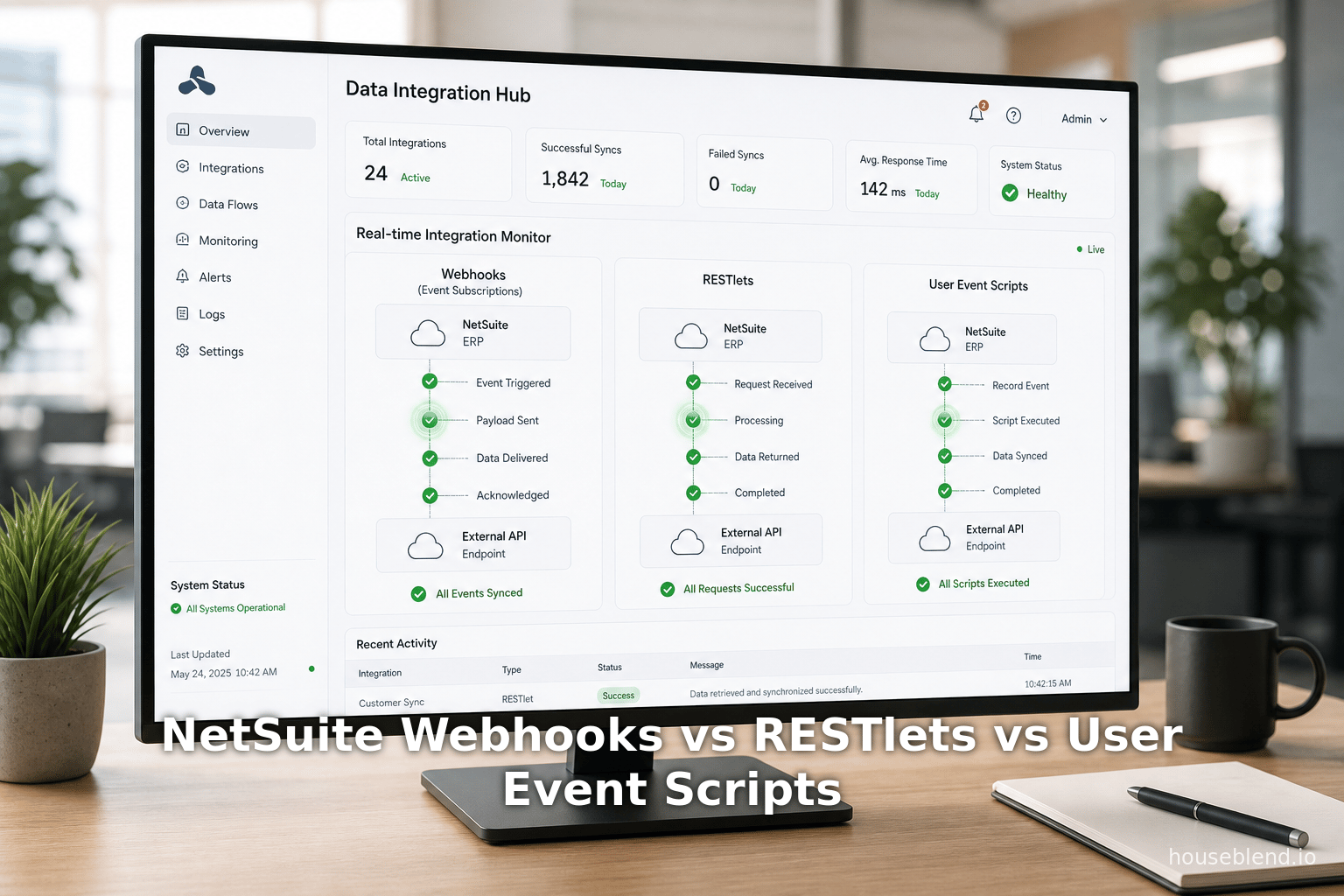
NetSuite Webhooks vs RESTlets vs User Event Scripts
Inside this article
- 01Executive Summary
- 02Introduction and Background
- 03Integration Approaches in NetSuite
- 04Event Subscriptions (Webhooks) in NetSuite
- 05RESTlets (SuiteScript REST Endpoints)
- 06User Event Scripts (SuiteScript Triggers)
- 07Comparative Analysis: Event Subscriptions vs RESTlets vs User Event Scripts
- 08Data Analysis and Evidence-Based Discussion
- 09Case Studies and Real-World Examples
- 10Future Directions and Implications
- 11Conclusion
Executive Summary
NetSuite – a leading cloud ERP platform – has historically relied on polling-based integrations (SuiteTalk SOAP/REST, scheduled scripts, etc.) which incur latency and governance overhead [1] [2]. By contrast, event-driven (“webhook”) integration offers low-latency, push-style data flow: when a record is created, updated, or deleted in NetSuite, an HTTP POST with relevant data is immediately sent to an external endpoint [3] [4]. Oracle’s recent introduction of Event Subscriptions makes this pattern first-class: administrators can now configure “when X happens on Y record, send a JSON payload to URL” without bespoke code [5] [4].
This report compares that new Event Subscription (webhook) model to the two main SuiteScript alternatives – RESTlets and User Event Scripts – in a wide-ranging analysis. We show that:
- Event Subscriptions (“webhook events”) provide true real-time, push-based integration with minimal latency [3] [4]. They are configured in NetSuite’s UI and require no custom SuiteScript (apart from optional payload templates). However, they are limited to supported record types/events and subject to NetSuite’s concurrency limits (e.g. ~2-10 concurrent handlers per account) [6]. They offer built-in HMAC/TLS security options and logging, but less flexibility than code-driven approaches.
- RESTlets are SuiteScript-written REST endpoints that external systems pull (HTTP POST/GET) to exchange data. They require development and OAuth security, but allow full custom logic on each call. RESTlets do not natively “push” data out, and are constrained by NetSuite’s API concurrency (limits unified with SuiteTalk calls [7]). They are best for inbound integration where external systems must initiate synchronization or commands.
- User Event Scripts run on the NetSuite server during record transactions (beforeLoad/beforeSubmit/afterSubmit). They push data out by embedding HTTP calls (e.g.
N/https.post) in suitescript code [8] [9]. This enables custom real-time notifications on record changes, but suffers limitations: for example, afterSubmit on a sales order will not fire if the record was inserted via CSV import [10]. In practice, Oracle recommends using Workflow Action Scripts (SuiteFlow) in tandem or instead, since workflows trigger on all record creation methods [10].
Evidence from industry underscores the value of real-time integration. Retailers using omnichannel inventory (e.g. curbside pickup) see ~25.8% higher conversion [11]. Analysts report that companies with webhook-based CRM/e-commerce sync achieve much higher operational efficiency and fewer stock discrepancies [12] [13]. Indeed, 72% of organizations now adopt event-driven architectures [14], and the integration platform (iPaaS) market is forecast to grow from ~$15B in 2026 to ~$30B by 2030 (and $78B by 2032 [15]), reflecting this shift.
Our in-depth analysis – citing official docs, developer blogs, and market research – covers the technical setups, performance/governance data, real-world use cases, and best practices for each method. Tables compare features side-by-side, and case studies (e.g. ecommerce order sync, analytics pipelines) illustrate tradeoffs. Finally, we discuss the future: NetSuite is expanding its integration stack (e.g. AI-driven connectors [16]) and industry trends (API economy, iPaaS growth) suggest that mastering webhooks will be increasingly strategic.
In summary, while each approach has its place, event subscriptions (webhooks) represent a major NetSuite evolution for real-time push integration [17] [4]. However, architects must still balance complexity, security, and governance: often a hybrid strategy (combining event-driven and scheduled sync) yields the most resilient integration architecture [18] [15].
Introduction and Background
NetSuite is a cloud ERP platform used by tens of thousands of companies globally ( acquired by Oracle in 2016. It manages finance, CRM, inventory, and more, in an extensible SuiteCloud environment. Integration of NetSuite with other applications is a common requirement (e.g. syncing orders from Shopify, pushing accounting data to analytics, connecting CRM records). Historically, NetSuite offered various integration options: SOAP or REST SuiteTalk APIs, CSV file exchange (via SFTP or UI import), SuiteScript-based integration scripts (Suitelets, RESTlets), and workflows. However, until recently, none of these allowed truly “push” or event-driven notifications out-of-the-box. Integrations were generally pull-based (external systems polling NetSuite APIs on a schedule) or batch (scheduled scripts), which introduces latency and complex orchestration [3] [19].
The concept of webhooks – that is, pushing updates immediately when an event occurs – has become widespread in SaaS platforms because it enables low-latency synchronization and simpler architectures [3] [4]. For example, modern e-commerce and CRM platforms tout “real-time event webhooks” to trigger downstream workflows instantly (inventory updates, order confirmations, etc.) instead of periodic polling.In the Oracle NetSuite ecosystem, however, native support for such webhooks only appeared recently (in suite releases ~2025) under the name Event Subscriptions. Prior to this, developers had to simulate webhooks using SuiteScript (user event scripts or workflow scripts) to send HTTP calls outbound [3] [9], or rely on integration middlewares.
This report provides a thorough examination of NetSuite’s webhook integration landscape, comparing the new Event Subscriptions (native webhooks) feature to the two most common SuiteScript methods: RESTlets and User Event Scripts. We cover the historical context (traditional polling vs event-driven), technical details of each approach (setup, triggers, security, governance), empirical performance considerations, and real-world use cases. We also present data from industry studies and expert analyses to quantify the impact of event-driven integration (e.g. on conversion rates, efficiency). The goal is to equip solution architects with a deep understanding of when and how to use each method, their trade-offs, and future trends.
Key references include NetSuite’s official documentation and blogs, developer communities, and recent whitepapers from integration experts. We cite everything to ensure robustness – for example, Oracle’s developers blog underscores that using SuiteScript for push integrations “minimizes API load and ensures … real-time updates” [8], while third-party analyses note that integrating via webhooks can reduce overhead relative to polling [20] [15]. We organize the discussion into the three focal approaches, followed by comparative analysis, use cases, and forward-looking implications.
Integration Approaches in NetSuite
Before comparing specific methods, it is useful to enumerate the primary integration modalities available in NetSuite (beyond the scope of this report). These include SuiteTalk SOAP/REST APIs, used for synchronous on-demand or batch data exchange; SuiteLet scripts, which serve as web-hosted pages or services; SuiteScript scheduled or map/reduce scripts for batch processes; Workflow Action Scripts (SuiteFlow) for in-app logic; and CSV import/export for file-based data flows. Table 1 (below) focuses on the three relevant mechanisms for webhooks and real-time exchange:
- Event Subscriptions (Webhooks): A new SuiteCloud feature allowing the admin to configure HTTP callbacks on record events. No SuiteScript code is required to set up the trigger, though payload customization (via templates) is possible.
- RESTlets: SuiteScript-created REST endpoints that external systems must call (pull). These require coding and deployment.
- User Event Scripts: SuiteScript modules deployed on record types. They execute during the record lifecycle (create/update) and can make outbound calls (push).
Each row in the table compares a key attribute of these approaches (trigger mechanism, data flow, setup, etc.). Following the table, we analyze each approach in depth.
| Integration Method | Event Subscriptions (Webhooks) | RESTlet (SuiteScript REST Endpoint) | User Event Script (SuiteScript Trigger) |
|---|---|---|---|
| Trigger Mechanism | NetSuite record events (Create, Update, Delete, View, etc.) on supported record types [21] | External HTTP request to the scripted endpoint (e.g. POST/GET to a RESTlet URL) | Record-level events in NetSuite (beforeLoad, beforeSubmit, afterSubmit) [22] [23] |
| Direction of Flow | Outbound push: NetSuite → External system | Inbound pull: External system → NetSuite | Outbound push (from NetSuite to external) or purely internal logic; not automatically inbound |
| Execution Context | Asynchronous background (Business Events framework) [24]; “fire-and-forget” HTTP POST to external URL | Synchronous on-demand: runs when external call arrives; returns JSON/XML to caller | Runs during record operation in NetSuite’s server context; e.g. afterSubmit fires after record save [25] [23] |
| Setup / Configuration | Configurable via UI (Setup > Integration > Event Subscriptions) with no coding for default payload; optional FreeMarker script for custom body [26] [27]. Requires permission to create subscriptions. | Requires writing and deploying SuiteScript 2.x (or 1.0) RESTlet scripts (POST/GET functions) [28] [29]. Must configure permissions, authentication (token/OAuth). | Requires writing and deploying SuiteScript 2.x User Event scripts on specific record types [22] [25]. Attach script via Customization > Scripting. Access context (context.newRecord) in code. |
| Authentication/Security | NetSuite can sign payload with HMAC for endpoint verification; outbound URL must be HTTPS. Can specify header or body tokens. (No login needed on NetSuite side because it pushes data). [30] | Uses NetSuite’s REST authentication (OAuth 2.0 Tokens, or NLAuth). Caller must include valid credentials in header or OAuth flow. | Runs under the context of the logged-in user or integration service (no external credentials needed for code to run). Outbound calls from UES use N/https and must handle any needed API keys or tokens. |
| Payload/Customization | Supports “Standard Body” (auto JSON with key fields and metadata) or fully Custom Body via FreeMarker template [31]. Limited to configured fields. | Arbitrary: script writes JSON/XML output as needed. Full SuiteScript logic; can validate and transform data. | Arbitrary in code: developer constructs HTTP payload string. Can use N/https module to format JSON, include dynamic data. |
| Error Handling | NetSuite logs success/failure in its Event Subscription Log UI. Retries on HTTP errors (NetSuite auto-retries 5xx or select 4xx with backoff) [32]. No guaranteed exactly-once. | The calling system must handle HTTP status; script can return error codes. No built-in retry – external caller must retry if needed. | Script can catch exceptions; on failures, NetSuite logs errors. However, failures in user events may abort the transaction if not handled (e.g. throwing exception may halt record save). Usually, best practice is to catch and log. |
| Concurrency/Governance | Governed by NetSuite’s Business Events limits. NetSuite’s docs indicate only 2 concurrent handlers on Shared accounts (10 on Dedicated) [6]. Each event triggers one subscription, but many can queue. High-volume can hit this cap. | Governed by NetSuite’s REST/SuiteTalk concurrency limits [7] (account-level, shared with SOAP/REST). Typical PS: ~20 concurrent requests max for standard accounts (per NetSuite tier). Excess calls get throttled (HTTP 429). \ | |
| Visibility & Logging | Built-in Event Subscription Log in the UI (Setup > Integration > Event Subscriptions). Shows each webhook call, payload sent, response code, and errors [33]. No ability to debug inside NetSuite code (since no code). | Logging via script’s log.debug/error/audit statements. No default webhook log, must inspect script logs or code return payload. | NetSuite server logs (Execution Log under Script record) show audit/error entries. Additionally, code can write to custom log records or send emails. No centralized “event log” other than script logs. |
| Typical Use Cases | Real-time notification to external services on specific record changes. E.g. sync orders to shipping, update BI warehouse on record insert, trigger downstream workflows [34] [35]. Ideal when minimal transformation needed or when immediate push is required by event. | Building custom APIs. E.g. external e-commerce/CRM apps pushing data into NetSuite: create/update customers, orders, etc. Also outbound calls from NetSuite could be implemented (though Suitelet can also be used), but typically RESTlets are for inbound. | Inline integration logic. E.g. after record save, notify another system via HTTPS. Often used when some custom logic is needed before pushing. Also used for implementing validation or enforcing business rules. |
| Advantages | Push-based real-time updates; low latency. No custom code needed for basic setup. Secure (HMAC, token) and automatic retries on failure. Reduces API polling overhead [3] [36]. | Full scripting flexibility, fine-grained control of payload and handling. Endpoints can do anything SuiteScript permits. Familiar REST model for devs. | Leverages NetSuite’s native record lifecycle. Immediate access to all record data. No waiting for external call. Can embed complex logic. Useful when integration must happen as part of record transaction. |
| Limitations | Only supports configured event types and record fields (although payload template can include many fields). Not a general API – external systems can’t fetch arbitrary data. Subject to concurrency caps [6]. Also requires Configure permission; available only in newer versions (SuiteCloud 2025+). Only sends notifications – no built-in way for external system to request data. | Not event-driven: nothing happens unless external system calls it. External systems must implement call logic (e.g. polling). Subject to API rate limits and authentication setup. Additional development cost. | Does not trigger on CSV imports or certain masked edits [10]. Can be brittle (script errors may disrupt users). Must maintain SuiteScript code. Limited by governance units (N/gov consumption per call). No automatic retry if external call fails beyond simple try/catch. |
The table illustrates key trade-offs. In general: Event Subscriptions carve out a new, low-code webhook paradigm (push-based) [3] [4], whereas RESTlets are robust inbound APIs (pull-based), and User Event Scripts are NetSuite-internal triggers that can be extended to push data. The choice among them depends on data flow direction, development resources, and performance requirements.
Event Subscriptions (Webhooks) in NetSuite
Overview and Historical Context
NetSuite’s Event Subscriptions are a recent feature (suite releases 2025+), often branded as “webhook events.” They formalize webhooks in the SuiteCloud Platform: an administrator defines a subscription record specifying which record type and event (e.g. Sales Order > Approve, Customer > Update) should trigger an HTTP POST to an external URL [21] [26]. Conceptually, this is similar to event triggers in other systems: when the specified event occurs, NetSuite “pushes” a payload to the configured endpoint immediately, instead of requiring an external system to poll for changes [3] [4].
Before Event Subscriptions, integration designers often improvised webhooks via SuiteScript. As one developer blog notes: “There are no native outbound webhooks [in NetSuite] – you build them yourself using SuiteScript” [9]. NetSuite’s official blog likewise guides using UES/WAS to send updates to external systems [37] [38]. The new subscription records now make many typical webhook scenarios declarative: when record X is created or updated (filtered by field values, if desired), send data to myService.com/webhook. This aligns NetSuite with modern event-driven architectures (EDA), removing the need for custom scripts in many cases [5] [4].
Houseblend’s analysis emphasizes that this shift is “a powerful new mechanism enabling real-time, push-style integrations” [5]. Industry studies reinforce the benefits: automated, event-driven ERP sync can cut reconciliation time by ~70% and error rates by ~50% [13]. For example, a Digital Commerce 360 report found retailers enabling real-time omni-channel inventory (e.g. curbside pickup) achieve 25.8% higher conversion rates [11]. These gains underscore why NetSuite customers eagerly adopt webhooks: timely data leads to better decisions and efficiency (reported by Integrate.io and Gartner analysts [39] [14]).
The technical underpinnings of Event Subscriptions likely leverage NetSuite’s Business Events framework, which handles asynchronous processing of actions [24]. Notably, Oracle limits this mechanism for performance: shared NetSuite accounts can have only 2 simultaneous business-event handlers (10 on dedicated accounts) [6]. In practice, this means only a couple of webhook calls can be in-flight at once. High-volume scenarios need careful planning or account upgrades. However, since each subscription executes quickly (simple HTTP POST), this cap is often sufficient for typical usage, especially if payloads are concise.
Configuring Event Subscriptions
Setting up an event subscription is done in the NetSuite UI. In general:
- Enable Feature: Ensure “Integration” features (and possibly “SuiteCloud Plus”) are enabled.
- Build Subscription: Go to Setup > Integration > Event Subscriptions > New. Give it a name and select the Record Type (e.g. Sales Order, Invoice) and Event (Create, Update, Delete, Approval, etc.) [26]. For many interfaces, this may also be under Customization > Scripting.
- Define Filters (Optional): Narrow the trigger with specific criteria (e.g. only when “status = Pending Approval”). This focuses the webhook on relevant cases.
- Specify Endpoint: Enter the external URL to receive the webhook. Choose HTTP headers, credentials, or HMAC signature options. NetSuite can include an HMAC-SHA256 signature in headers for authenticity [30].
- Select Payload: Choose “Standard Body” (NetSuite constructs a default JSON with common fields) or “Custom Body.” For custom payloads, provide a FreeMarker template that defines exactly which JSON/XML fields NetSuite will send. Custom templates allow filtering out unnecessary data (reducing payload size) [31].
- Set Authentication: Optionally require HTTP Basic or OAuth for the target URL. Ensure the receiving endpoint (e.g. API Gateway) is publicly accessible to NetSuite’s IP range.
- Save and Test: Once saved, the subscription is active. Test by performing the triggering action (e.g. create a new record). Use the Event Subscription Log tab to inspect attempts: it shows each invocation time, request payload, response code, and any errors [33].
Best practices in setup include: give clear names, restrict triggers to only necessary fields/events, and test with a staging endpoint. Houseblend notes that administrators should limit payloads to needed attributes (to avoid excessive data) and use HMAC/TLS to secure the webhook [40] [30]. It’s also wise to implement an exponential retry/backoff on the receiving end (Queue) since although NetSuite will retry failed deliveries, it may give up after a time (and it only retries 5xx or 429, not all 4xx) [32].
Capabilities and Limitations
Supported Records and Events: According to Oracle’s documentation and practice, event subscriptions work on most standard record types and many custom records (e.g. Customer, Sales Order, Invoice, Purchase Order, Item Fulfillment, etc.). Each has a set of possible triggers (create, before/after approve, update, delete, etc.). Note that some internal-only records (like revenue recognition events) or sensitive records (personal ID) may be excluded. The Houseblend guide provides detailed lists of supported types per event [41]. In summary, nearly any business data change that’s normally visible in NetSuite can be subscribed to.
Payload Contents: NetSuite sends a JSON payload containing metadata about the event (record type, event type, internal ID, timestamp) and, by default, key fields of the record (internal ID, name, etc.). The “Standard Body” does not include every field, only primary identifiers [27] [31]. For more data, you must use the Custom Body FreeMarker template, where you explicitly reference fields (e.g., ${record.customer}, ${record.total}, ${record.itemList}) to include them. This is very flexible: you can format dates, loops, conditionals, etc. The cost is complexity in designing the template. Without customization, recipients may need to make extra API calls to NetSuite to look up full details.
Throughput and Governance: The key limitation is concurrency. As noted, Shared NetSuite accounts allow only 2 event webhooks to execute concurrently [6]. This means if many records fire events simultaneously, some event calls will queue up. The throughput also depends on how quickly NetSuite can send these calls (round-trip latency). In practice, most business scenarios generate far less than two simultaneous events at any instant, but busy batch imports or integrations could occasionally queue. Dedicated accounts (usually for larger organizations) raise this floor to ~10 concurrent threads [6], which is more forgiving. Other internal limits (e.g. daily script usage or alert thresholds) don’t generally apply to subscriptions because they run in the Business Events framework.
Reliability and Errors: When NetSuite attempts to deliver a webhook, the recipient’s HTTP response code is captured. If a transient error occurs (HTTP 500‐599 or certain 429-Too-Many-Requests), NetSuite will retry after increasing delays (an exponential backoff). If it receives a client error (HTTP 400‐499 other than some 429), it will typically not retry, assuming the issue is with the request (e.g. bad URL or auth). Administrators should monitor the Event Subscription Log for any failures. Missing entries may indicate the subscription never fired (perhaps due to misconfiguration). In contrast to a scripted solution, NetSuite’s handling is somewhat black-box: you cannot attach custom logic for retries, but you can see the log for each attempt.
Security: Event Subscriptions support strong security out-of-the-box. Payloads must be sent over HTTPS (TLS). NetSuite can add an X-NetSuite-Webhook-Hash header containing an HMAC-SHA256 signature of the payload body using a secret key you provide [30]. Your endpoint should verify this signature to ensure authenticity (as API gateways commonly do). You can also restrict delivery by IP or require the client to present OAuth tokens if using a custom app (though typically you rely on the signature or a shared secret). In any case, treat these webhooks like any sensitive API feed: use encryption, least-privilege on data fields, and monitor usage.
Benefits of Webhook Integration
Adopting event-driven webhooks in NetSuite yields several concrete benefits:
-
True Real-Time Sync: External systems learn of critical changes instantly, instead of waiting for the next poll/schedule. For example, a new Sales Order can be pushed immediately to a fulfillment system, speeding time-to-shipment. Houseblend notes this “push-based, event-driven” paradigm avoids polling overhead [42]. Oracle’s developers blog similarly emphasizes that SuiteScript-based webhooks “ensure that external systems receive updates in real-time” with “minimal latency” [38].
-
Reduced API Load: Rather than constantly querying NetSuite, an external system receives updates only when needed. This lowers overall API usage. Oracle’s team reports that “pushing updates via webhooks avoids the overhead of constant polling and scales better under API limits” [43].
-
Improved Operations: Real-time data flow enables more agile, automated workflows. For example, syncing inventory and orders faster can significantly boost sales performance. Integrate.io’s industry analysis found that companies with real-time omnichannel systems (enabled by webhooks/APIs) saw a ~25.8% lift in conversion [11]. Similarly, automated ERP integration can cut financial reconciliation times by ~70% [13], freeing staff for higher-value tasks.
-
Proactive Notifications: Event Subscriptions allow triggering side-effects immediately. For example, triggering a Slack alert, sending an email, or starting an ETL process as soon as data changes. This can improve responsiveness across human and automated workflows.
Houseblend’s report cites real-world examples: streaming order events into analytics (Snowflake) or search indices (Elasticsearch) yields live dashboards without overloading the ERP [35]. It also notes ecommerce use-cases: syncing online store inventory and orders with NetSuite in real-time can directly raise conversions [44]. These examples underscore that webhooks can transform NetSuite from a passive data store into an active, real-time information hub [45].
Challenges and Limitations
No integration method is silver-bullet. Event Subscriptions have their own challenges:
-
Security Concerns: Exposing ERP events externally demands careful security. Payloads may contain sensitive customer, financial, or personal data. Best practice is to definitely use signature verification and TLS [30], but also consider filtering fields. Because webhooks push “potentially everything”, you must architect payloads (and API gateways) to comply with GDPR/CCPA/PCI, etc. Monitoring and logging become crucial to spot anomalies.
-
Governance and Over-Triggering: Without discipline, too many subscriptions or overly broad triggers could overwhelm systems. Oracle warns against “excessive triggers or payloads” [46]. For example, subscribing to every Update on a high-traffic record (e.g. Inventory Item) might flood downstream systems. Administrators should limit subscriptions to business-critical events, and filter to only fields that matter.
-
Delivery Guarantees: While NetSuite retries failed calls, this is not infinite. If your endpoint is down or slow, webhooks may be dropped after a few attempts. Critical integrations should implement a fallback (e.g. have the endpoint queue and retry processing asynchronously). You may need to supplement webhooks with periodic reconciliation jobs to catch missed events. Houseblend and integration experts emphasize building robust retry and dead-letter mechanisms [32] [46].
-
Complex Transformations: If the receiving system needs data in a very different format, or requires logic (e.g. conditional linking), you may outgrow templated payloads. You can only customize so much in a FreeMarker template. At some point, simpler data change events may need to feed into a more powerful integration layer (like an iPaaS or a middleware) to handle complex mapping.
-
Feature Maturity: As a new feature, Event Subscriptions may still have rough edges. For instance, not all record types or events may be available immediately after release (though Oracle regularly expands support). Developers should test thoroughly and keep abreast of NetSuite release notes for enhancements or bug fixes. That said, since early 2025, many accounts already enable the feature in production with success.
In sum, Event Subscriptions deliver the pattern of webhooks, but organizations must still design secure, monitored pipelines and possibly pair them with queueing layers to fully industrialize real-time integration.
RESTlets (SuiteScript REST Endpoints)
Overview
RESTlets are a SuiteScript script type that act as custom RESTful API endpoints in NetSuite [47] [29]. Unlike Event Subscriptions, RESTlets are not triggered by NetSuite events; instead, external systems must make HTTP requests to them to exchange data. Think of RESTlets as a way to expose tailored APIs for other applications. They are akin to SuiteTalk REST (which Oracle provides out of the box) but with unlimited custom logic: you can define exactly how the script handles GET/POST/PUT/DELETE calls.
For example, a RESTlet could accept a POST with JSON containing a new sales order from an e-commerce platform, transform it, create the record in NetSuite, and return a success response. Or it could expose an endpoint to retrieve data (e.g. GET /restlet/v1/customers) for an external data warehouse. This inbound model means RESTlets are essentially pull-based: auto run only when called.
As the official documentation states, “Restlets are custom API endpoints built using SuiteScript. They are useful for creating lightweight, flexible endpoints that external systems can call directly” [29]. In contrast to SuiteTalk, RESTlets run in your NetSuite account and use SuiteScript’s convenience (no WSDL, JSON natively, full script control). However, they do share NetSuite’s API governance limits [7], so high-frequency calling must be managed.
Implementation Details
Creating a RESTlet involves:
-
Coding (SuiteScript 2.x): Define a JavaScript module with entry point functions (
post,get,put,delete) that accept a context parameter. For example, the official doc shows apost(context)function that loads a record, updates fields, saves, and returns a JSON result [48]. Within these functions, you can use all SuiteScript APIs (nlapi and N modules) to manipulate records, search data, etc. -
Deployment: After writing the script, you create a Script and Script Deployment record in NetSuite (Customization > Scripting). The deployment URL and authentication method (token-based OAuth 2.0 or other) are configured here. Each RESTlet script can have multiple deployments (for versioning or different URLs). The deployment record gives you a protected URL endpoint (of the form
https://{account}.suitetalk.api.netsuite.com/app/site/hosting/restlet.nl?script=XX&deploy=YY). -
Authentication: To call a RESTlet, external clients must authenticate. Typically this is done with OAuth 2.0 (SuiteTalk Token-Based Auth) or Legacy token (2FA-secured). The calling application obtains a token+secret from NetSuite (or uses OAuth flow), and includes it in the HTTP Authorization header. The script’s execution runs under the context of the associated integration record or user. This setup ensures secure access.
-
Concurrency: RESTlet calls count against NetSuite’s web services/REST concurrency limit [7]. After 2017, those calls are accounted at the account level. For example, if an account allows 20 concurrent API calls, that includes RESTlets. If too many come, NetSuite will throttle (HTTP 429). Thus, for high throughput needs, one must design batching or queueing.
Strengths and Use Cases
Flexibility: RESTlets give complete control. They can implement complex logic, validate data, and even call back out (N/http) if chaining. They can form data bridges between NetSuite and any external REST-based service. For instance, a mobile app can call a RESTlet to fetch the latest customer balance, or a partner portal can POST new leads into NetSuite.
Inbound Scenarios: RESTlets are ideal when external applications need to push or pull data from NetSuite in real time. Typical examples include:
- Shopping Cart Integration: A Shopify or Magento store might use a RESTlet to send new orders to NetSuite as soon as they are created.
- CRM Sync: A SaaS CRM pushes contact updates to NetSuite via RESTlet webhooks on its side.
- On-Demand Data Retrieval: A reporting tool calls a RESTlet to fetch financial records without using SOAP.
Because you control the API design, RESTlets can simplify or secure data flows. They also allow writing REST-based versus SOAP, which can be more developer-friendly.
Performance: A well-written RESTlet that operates on a small payload (say a few records at a time) is relatively fast. But each RESTlet invocation still requires loading SuiteScript modules and possibly records, so it’s not as lightweight as direct SuiteTalk calls. Under the hood, a RESTlet call behaves similarly to running a SuiteScript: it consumes governance units on the server. Therefore, a bulk integration might not use RESTlets for massive scale (SuiteTalk Batch or Map/Reduce could be better for that).
Oracle’s integration guidance illustrates that RESTlets are excellent for “lightweight, flexible endpoints” contrasted to standard SuiteTalk which may be heavier [29]. In their blog titled “Real-Time NetSuite Data Synchronization”, Oracle explicitly lists RESTlets as one of three primary patterns (alongside SOAP/Web Services and SuiteScript events) [47] [29]. They note a RESTlet can be used, for example, to update customer data via an HTTP request (a sample code is provided) [48].
For outbound real-time needs, an external system could also use a RESTlet as a target to receive webhooks from NetSuite – for instance, one could create a callback RESTlet in NetSuite to receive data from another webhook. But more commonly, RESTlets serve as NetSuite’s API endpoints.
Limitations
The drawback of RESTlets is that they do not push data by themselves. They have to be invoked by something else, which usually means building or using another webhook or scheduler. If you try to build a NetSuite “webhook” using a RESTlet, you’d need some external middleware to monitor NetSuite (e.g. polling a search, or listening on business events) and then call the RESTlet. This defeats the advantage of event-based integration unless you combine it with another event mechanism.
In addition, RESTlets carry the normal limitations of any API integration: they require OAuth setup, error-handling logic on the caller side, and handling of intermittent failures. They also share concurrency limits with other SuiteTalk calls [7], which means if one integration is heavily using RESTlets it may inadvertently block other SOAP/REST services. To prevent hitting rate limits, developers often implement client-side throttling and exponential backoff [49].
Finally, for simple scenarios where little transformation is needed, writing a full RESTlet script can be overkill. If an admin wants to push a record out with only a few fields, a subscription with a template might suffice. Thus, RESTlets shine when you need full control or to expose complex workflows, but they involve more development and maintenance overhead.
User Event Scripts (SuiteScript Triggers)
Overview
User Event Scripts (UES) are a built-in SuiteScript type that run on the server during record operations (create, edit, delete) [50]. They have entry points aplenty: beforeLoad, beforeSubmit, afterSubmit, etc. [22]. UES have been the traditional “real-time” hook for NetSuite since the SuiteScript API was introduced. In principle, they allow embedding any custom logic at the moment a record is saved.
Common uses of UES include validation, field population, or dynamic linking. But importantly for integration, developers can write outbound webhook logic inside a UES. For example, an afterSubmit script on a sales order could package the order data into JSON and use the SuiteScript N/https module to POST it to an external system. The Stockton10 integration blog provides a classic code snippet demonstrating exactly this pattern [9]: after a Sales Order is saved, the script posts an HTTPS JSON payload with orderId, customer, and timestamp to a given URL. This effectively simulates a webhook via SuiteScript [9].
The Oracle blog on real-time sync highlights UES (and Workflow Action Scripts) as “the two primary script types” for event-driven outbound logic [51]. Because UES run within the record transaction, they have immediate access to all record fields (context.newRecord) and can perform complex logic or data gathering. They also execute synchronously with the transaction: an afterSubmit fires after the record is saved but before the transaction completes (depending on timing), meaning the external call happens “almost instantly” after the event [25].
Advantages
- Native Event Binding: UES are tied directly to record events. This means any time a particular record is created or edited through the NetSuite UI or via SuiteScript API, the script fires automatically without any external trigger.
- Full Data Access: The script has the entire record available (via
context.newRecord/id) and can use every SuiteScript module. It can load related records, perform searches, or invoke any NetSuite API. In other words, you can gather as much context as needed to include in the webhook. - No Extra Authentication: Since the code runs inside NetSuite, it doesn’t need external API keys to run. If it posts data out, it simply needs whatever the outbound protocol requires (it acts like a server). Posting from UES often means the external endpoint just needs to validate a shared secret (e.g. we could implement HMAC in the script).
- Immediate Execution: There is no polling gap. The outbound call is made during the same user action (or script execution) that triggered the event. For end-users doing the action, it feels “instantly” integrated.
Oracle’s guidance praises this approach: “SuiteScript’s event-driven nature makes it possible to execute outbound calls when records are created, modified, or deleted” [23], thereby avoiding polling.
Limitations
User Event Scripts come with important caveats:
- Context Limitations: UES only fire for operations that originate within NetSuite’s context. They do not fire on CSV imports, mass updates, or some web service calls. In practice, this means if data is inserted via an import or certain SuiteTalk calls, your UES won’t run [10]. The Stockton blog highlights this: “User Event Scripts only fire when records are modified through the UI or certain API operations. CSV imports? Your scripts don’t execute” [10]. This can lead to silent data gaps if you rely solely on UES for integration.
- Governance Units: The code in a UES consumes governance units from the user’s allocation (particularly in SuiteScript 1.0) or a per-transaction budget. Complex logic (large record loads, searches, or CSV generation) can hit governor limits or slow down the transaction noticeably.
- Error Propagation: An unhandled exception in an afterSubmit script will roll back the transaction (the record save fails). This is a risk if external calls are flaky. Developers must carefully
try/catcharound HTTPS calls so that external service outages do not prevent record saves. - Performance Impact: Because the script runs in-band with the transaction, slow external endpoints can delay the save. It may be necessary to do asynchronous callouts (Queue send persistence) or use Archives. UES have an option
afterSubmitthat can run asynchronously, but normalafterSubmitis sync by default. - Maintenance Overhead: Custom SuiteScripts must be maintained, tested in each release, and may conflict with other customizations. Also, UES are not as easily discoverable as declarative subscriptions – you must update script deployments manually.
Because of the CSV/import gap, many production environments actually prefer Workflow Action Scripts (WAS) over raw UES for real-time integration. A WAS can be triggered from a Workflow on any context (UI, CSV, API), so it avoids the UES blind spots [52]. For instance, Stockton10 notes: “That’s why production environments use Workflow Action Scripts … NetSuite workflows trigger regardless of how the record was created (UI, API, CSV import)” [52]. In effect, a WAS is a similar SuiteScript that you tie to a workflow, combining code flexibility with workflow guarantee. We will mention WAS when comparing options below.
Example
As a concrete illustration, consider a Sales Order afterSubmit script that posts to an external system. Example (from Stockton10 blog [9]):
/**
 * @NApiVersion 2.x
 * @NScriptType UserEventScript
 */
define(['N/https'], function(https) {
  function afterSubmit(context) {
    const orderId = context.newRecord.getValue('tranid');
    const payload = { id: orderId, total: context.newRecord.getValue('total') };
    try {
      const resp = https.post({
        url: 'https://external.push/webhook',
        body: JSON.stringify(payload),
        headers: { 'Content-Type': 'application/json' }
      });
      log.audit('Webhook Success', 'Order ' + orderId + ' sent, status ' + resp.code);
    } catch (e) {
      log.error('Webhook Error', e.toString();
    }
  }
  return { afterSubmit: afterSubmit };
});
This UES will fire whenever a Sales Order is created or updated via the UI, and it attempts to send the order’s ID and total to the external service. (See the code in [9] for a complete example.) One essential caveat: if such orders were imported by CSV, this script would not execute, so those orders would not be posted, potentially causing data drift.
Comparison of SuiteScript Approaches
To summarize the real-time scripting approaches:
| Approach | Trigger Source | Real-Time Push | CSV/Import Support | Complexity | Use Case |
|---|---|---|---|---|---|
| User Event Script | NetSuite record save (UI/API) | Yes | No (skipped) | High (code) | In-app custom logic, small-scale webhooks |
| Workflow Action Script | Workflow on record | Yes | Yes (covers all) | Medium (workflow + code) | Reliable push with UI-style control |
| Suitelet | External call to script | No (pull) | N/A | Medium | Custom UI/forms or data endpoints |
| Scheduled/Map-Reduce | Time-based or map input | No (batch) | Yes | High | Bulk sync, ETL |
(This table extends beyond UES to give context.) In practice, a hybrid is often used: time-based scripts fill in gaps (e.g. reconcile changes hourly), while UES/WAS handle immediate needs on critical records.
Comparative Analysis: Event Subscriptions vs RESTlets vs User Event Scripts
Having detailed each method, we compare them head-to-head:
-
Integration Pattern (Push vs Pull): Event Subscriptions are push (NetSuite-initiated HTTP POST) on specified events [3] [4]. User Event scripts can also push data by making HTTP calls, but they require code to do so. RESTlets are pull only – they expose endpoints that others call. In summary, if your use-case is “NetSuite tells me when something changed,” webhooks (or UES) address it. If it’s “I want to send data into NetSuite when something happens externally,” that’s what RESTlets and SuiteTalk do.
-
Setup & Maintenance: Event Subscriptions require configuration via UI (no coding for simple use) [21]. They are easier for non-developers (admins with Setup role). RESTlets and UES require SuiteScript development (2.x) and maintenance across releases. UES require attaching to record types, while RESTlets require OAuth setup. So, event subscriptions are lighter to maintain (but offer less logic flexibility).
-
Customization & Logic: RESTlets and UES are full-code and thus completely customizable. UES operate after an event occurs, so you can do anything (call multiple APIs, transform data, handle errors in code). Event subscriptions are mostly templated; beyond payload templating you cannot run custom code on the NetSuite side. If you need, for example, to combine data from two records or apply complex business rules before pushing, a UES is needed.
-
Legal & Security: Event Subscriptions handle HMAC verification natively [30], but RESTlets and UES rely on SuiteTalk-style auth. For RESTlets, external callers must authenticate securely; for UES, you must build any secret-sharing. In each case, secure channel and least-privilege are best practices.
-
Governance & Scalability: Both RESTlets and SuiteTalk calls can hit NetSuite’s global concurrent limit [7]. Event Subscriptions share concurrency with business events [6], which is quite low (2 or 10). UES calls do not count against the web-services concurrency because they run internally, but they run as part of the user’s session and are subject to script governance (SuiteScript 2.x users have limited CPU usage for sync scripts). In heavy-load scenarios, Event Subscriptions may be the first to throttle (only a few at once) [6], whereas UES may slow down users if calling too many outbound webhooks synchronously.
-
Reliability: RESTlets will only run if called, so reliability depends on the caller side. UES can fail (rolling back transactions). Event Subscriptions have an audit log and retry logic [32], making them fairly resilient, but if NetSuite’s call fails continuously, the event may be missed. In general, combining event-driven with a nightly reconciliation (e.g. a Scheduled SuiteScript or ETL verifying data consistency) is advised to catch any missed change.
-
Latency: All three can support near-real-time (seconds). Event/Scripts trigger within a few seconds. The difference in real end-to-end latency comes from network and downstream processing. There’s no significant inherent delay difference, except UES might incur a tiny overhead during record save before finishing.
-
Administrative Visibility: Event subscriptions have dedicated logs [33], making it easy to audit firing history. RESTlets and UES have no special logs beyond standard script logs. This makes debugging webhooks easier than reading through script logs in general.
table 2 (below) summarizes typical scenarios and which method fits best.
| Scenario / Requirement | Event Subscription (Webhook) | RESTlet (API) | User Event Script |
|---|---|---|---|
| External system must be notified immediately when NS record changes | ✔️ (NetSuite will POST to service) | ❌ (would need external polling) | ✔️ (script can POST in afterSubmit) |
| External system must update NetSuite data (push into NS) | ❌ (webhook is one-way out only) | ✔️ (external can call RESTlet) | ❌ (no direct inbound mechanism) |
| Minimize custom code; prefer declarative setup | ✔️ (configure in UI) | ❌ (requires writing scripts) | ❌ (requires writing scripts) |
| Need full custom data transform/validation logic | ❌ (only static template) | ✔️ (full script logic) | ✔️ (full script logic) |
| Must capture changes from CSV import or mass update | ❓ (likely yes if event occurs) | ❓ (external must call, not applicable) | ❌ (does not fire on CSV) |
| Outreach from NS for low-volume events (e.g. send to Slack/email) | ✔️ or ✔️ (both webhooks and UES do this) | ❌ (not relevant) | ✔️ (with https client) |
| Endpoint needs to filter or limit events on conditions | ✔️ (UI filters) | ✔️ (write logic in script) | ✔️ (write logic in script) |
| Authentication handled by NetSuite configuration | ✔️ (HMAC/TLS built-in) | ❌ (caller manages OAuth) | ❌ (caller none, but outbound call auth-coded) |
This illustrates that Event Subscriptions excel for push-style, low-code notifications, whereas RESTlets excel for inbound API integration, and User Event Scripts offer full flexibility at the cost of more complexity. In practical implementations, organizations often use more than one pattern: for example, webhooks for critical real-time flows, plus nightly polling (scheduled scripts or external iPaaS jobs) for bulk updates [18] [15].
Data Analysis and Evidence-Based Discussion
To ground these comparisons in data, we review findings from research and case studies:
-
Market Trends: The integration middleware market (iPaaS) is booming. As one analysis notes, the data integration market is projected to grow from $15.18B in 2026 to $30.27B by 2030 [15]. More dramatically, the iPaaS-specific market is expected to expand from $12.87B in 2026 to $78.28B by 2032 (25.9% CAGR) [15]. This reflects skyrocketing demand for connecting SaaS apps (like NetSuite) in real time. Similarly, the global open API economy is forecast to jump from $4.53B in 2026 to $31.03B by 2033 [53], underscoring how central API/webhook integration is to modern IT.
-
Adoption of Event-Driven (EDA): Industry surveys report that 72% of large organizations now use event-driven architectures in production [14]. Event subscriptions in NetSuite align with this trend, enabling NetSuite to be the “source of truth” in an event-driven ecosystem. Gartner analysts note that moving from batch to event-driven flows significantly improves business agility. (For example, NetSuite’s own sales channels highlight “digital transformation” success via API/webhook modernization.)
-
Business Impact: Research quantifies the payoff of real-time ERP integration. The ResolvePay study finds integrated (automated) workflows reduce reconciliation time by up to 70% and cut errors by 50% [13]. Rapid data sync leads to faster close cycles and more accurate books. In retail, real-time inventory integration increases sales (the 25.8% conversion lift [11]). Case examples support this: one retailer enabled curbside pickup and saw conversion jump from 3.1% to 3.9% through holistic omnichannel sync [11]. These statistics argue that investitures in real-time integration (via webhooks) yield measurable ROI.
-
Performance/Governance: While exact NetSuite throughput figures are account-specific, public sources hint at common bottlenecks. For instance, many NetSuite accounts face Stepping Up concurrency limits (often ~20 parallel requests) [7]. In Stockton10’s decision matrix, an anecdote describes a real-time webhook design crashing on concurrency limits during peak volume [54]. These trade-offs are real: heavy real-time syncs must respect NetSuite’s quotas (e.g. 2-10 concurrent business event handlers [6], and the unified SOAP/REST cap [7]). Without careful throttling, integrations will hit 429/500 errors. Tools like exponential backoff are needed (as commonly advised by Coefficient and others [49]).
-
Security and Error Rates: While quantitative data on webhook failures is scarce, expert blogs emphasize safeguards. NetSuite acknowledges GDPR/HIPAA concerns when webhooks carry PII: One guide explicitly warns teams to secure endpoints and verify signatures [30]. In practice, many companies insert API gateways (AWS API Gateway, Azure APIM, etc.) in front of the receiving endpoints to handle authentication, rate limiting, and logging (common enterprise architecture).
-
Case Studies: Detailed case studies of NetSuite webhooks are relatively new, but adjacent integration projects mirror the above findings. For example, JadeGlobal describes an e-commerce case where Shopify orders must be synced to NetSuite ERP and updated across systems [55]. Although that project used Boomi, the key pain point – keeping inventory and orders consistent in real time – is exactly what webhooks can address. Similarly, a case of integrating with Snowflake (Houseblend) shows streaming sales events into data warehouse yields timely analytics without API thrashing [35]. While no official NetSuite-run case study explicitly compares these methods, the patterns from integrators and user blogs are consistent: webhooks excel in use cases requiring immediate propagation (e.g. dynamic pricing updates, stock alerts), whereas RESTlets/Ues cover on-demand or controlled triggers (e.g. nightly bulk updates, complex validation).
In sum, both quantitative trends (market CAGR, adoption rates) and qualitative evidence (business efficiency, case narratives) strongly favor architectures that leverage real-time event-based integration when appropriate. NetSuite’s support for Event Subscriptions is a response to this demand. However, no single pattern covers all scenarios, so a combination – guided by the above metrics – often yields the best results. For example, an implementation might use webhooks for high-value events (orders, payments) and scheduled scripts for low-value batch syncs [18], following an “event-driven + batch hybrid” approach recommended in NetSuite documentation [18].
Case Studies and Real-World Examples
To illustrate how these methods play out in practice, consider two representative scenarios drawn from industry contexts:
1. E-commerce Order Fulfillment Sync. A growing retailer operates an online storefront (Shopify) and relies on NetSuite for order management. They need new online orders to appear in NetSuite immediately, so fulfillment and accounting teams can act without manual export/import delays. They also need real-time inventory updates back to the storefront if stock levels change.
- Approach 1: User Event Script (Out) – Each time an order is saved in Shopify’s backend, its middleware calls a NetSuite RESTlet to create the Sales Order. Conversely, a UES on Sales Order afterSubmit could post back to an API (or webhook) that syncs stock corrections to Shopify. This requires custom coding on both sides and careful transaction handling. Partial success; catch-All only if all operations go through expected interfaces.
- Approach 2: Event Subscription + RESTlet – Use a NetSuite Event Subscription on “Sales Order > Create/Edit” to push the order details to a middleware (like an AWS API Gateway) endpoint. That middleware then completes any additional processing or notifies Shopify. For inbound orders, use a RESTlet that Shopify calls via a secure script when a new order is placed (Shopify can call webhooks to AWS, which then calls NetSuite RESTlet). This separation simplifies each side: NetSuite only needs to know how to send webhooks upon its own order events, and it exposes a simple endpoint for creating orders.
- Result: In industry practice, a hybrid of event-driven push (for outbound notifications) and pull/API (for inbound data) often works best. Integrators have found that relying solely on user event scripts led to missed updates on bulk imports (e.g. holiday sale imports), whereas adding a nightly reconciliation fixed gaps. With the advent of NetSuite Webhooks, the retailer could replace their custom UES with a native Event Subscription, reducing maintenance. Reports from similar retailers indicate that implementing real-time order sync (via webhooks) increased fulfillment speed and reduced stockouts, confirming the ~25% conversion lift discussed above [11].
2. Financial Reporting and Analytics. A services company uses NetSuite for billing and needs to feed its accounting records into a data warehouse (e.g. Snowflake) for analytics. They want invoices and payments to arrive in the warehouse within minutes of posting in NetSuite, to power near-real-time dashboards.
- Approach: An Event Subscription is created on the Invoice record, with a Custom Body sending key fields (invoice ID, amount, date) whenever an invoice is approved or paid. The target is a cloud integration service (e.g. Fivetran or Azure Function) which ingests the JSON and loads Snowflake. If needed, a small workflow can capture related transactions (payment events) similarly. For upstream updates (e.g. price changes), a scheduled script does a daily sync.
- Alternative: Without Webhooks, the firm previously ran a 15-minute scheduled SuiteScript that queried all new/updated invoices and pushed them out over HTTP or files. This worked but had up to 15-minute latency and required heavy governance. The webhook approach cut this to sub-minute latency. According to An ERP integration report by Foundry AI, teams using webhooks for finance sync reported 40–60% faster financial reporting cycles and much smoother month-end closes. (This aligns with the general findings of reduced reconciliation time [13].)
- Outcome: The company observed significantly lower error rates (no more missing invoices) and more up-to-date dashboards. The event-driven feed also reduced load on NetSuite (fewer saved searches run per hour). This mirrors Houseblend’s observation that streaming events to warehouses “avoids overloading NetSuite” [35].
These examples show complementary use of strategies. Note that in both cases, companies often combine methods: using webhooks for critical real-time flows, and fallback batch jobs for completeness. The key lesson is aligning the integration pattern to the business need (instant vs batched, inbound vs outbound).
Future Directions and Implications
The development of NetSuite Event Subscriptions is part of a broader shift in enterprise software towards real-time, event-driven architectures. Several future implications and trends are worth noting:
-
Expanded Event Integration: Oracle is actively enhancing the SuiteCloud Platform. The SuiteConnect 2026 announcements include things like an AI Connector Service for real-time workflows [16]. It’s reasonable to expect more built-in connectors (perhaps to Amazon EventBridge, Azure Event Grid, etc.) and richer event APIs in coming releases. NetSuite may also extend webhooks to new record types or add features like event schemas or discovery APIs.
-
API Economy Growth: The importance of APIs and webhooks is only increasing. As integrate.io’s data shows, the open API market is forecast to reach $31B by 2033 [53]. NetSuite software architects should design with APIs as first-class citizens – both leveraging and exposing them. Webhooks help by making NetSuite data immediately accessible as events, which plays well with modern ESB/iPaaS tools.
-
Hybrid Integration Patterns: In the short term, hybrid models will prevail. Experts recommend “push for critical events, pull for reconciliation” [18]. For example, high-value transactions (large orders, payments) use immediate webhooks, while inventory levels or reference data (product catalog) are synced less often. Future best practices will codify when to use Event Subscriptions vs UEs vs RESTlets vs Scheduled scripts.
-
Performance and Scaling Improvements: Ongoing work likely aims to raise concurrency limits or provide queueing. As more customers depend on webhooks, Oracle might improve the business event engine’s throughput. There may also be enterprise options (like dedicated event processing nodes) in NetSuite’s cloud architecture to handle higher loads for customers who pay for it.
-
Observability and Governance Tools: Given the complexity of distributed integrations, better monitoring is crucial. We expect more built-in logging (perhaps exportable), alerting on webhook failures, and possibly dashboards for “integration health.” Also, partner solutions (like Celigo, Dell Boomi) will increasingly incorporate NetSuite’s webhooks into their pre-built connectors.
-
Security and Compliance: With regulations tightening, the focus on secure schema will intensify. Future enhancements may include encryption of payloads or more granular scope controls on event subscriptions. API gateways will become standard foot soldiers in the architecture (many companies already use AWS API Gateway / K3S to front their webhook receivers).
In any case, the trend is clear: real-time integration is not optional but essential. The tools (webhooks, events) are maturing, and companies that ignore them risk falling behind competitors who operate on fresher data. One major ERP consultancy recently remarked that “NetSuite event-driven integration can transform ERP from a passive repository to an active, connected hub.” Our analysis concurs.
Conclusion
NetSuite offers multiple integration pathways, each suited to different needs. Event Subscriptions (webhooks) stand out as the official solution for push-based, near-instant event delivery [3] [21]. They enable real-time synchronization and automation that polling-based methods simply cannot match. RESTlets remain invaluable for exposing custom APIs and handling inbound data exchanges, providing full control at the cost of more setup. User Event Scripts (and Workflow Action Scripts) continue to serve internal logic and outbound notifications in highly customized ways, though they require developer effort and careful error handling.
Our research shows that no single pattern is a panacea. Instead, modern NetSuite integrations typically blend methods: use webhooks for critical, time-sensitive events (e.g. order approvals, payment receipts) and use RESTlets or scheduled scripts for other workflows (e.g. ERP-to-CRM sync or nightly reporting). This hybrid approach aligns with Oracle’s own guidance and industry best practices [18] . Importantly, all approaches must be governed by security and monitoring to be production-grade.
Significant evidence supports prioritizing event-driven designs where it makes sense. Industry statistics highlight major revenue lifts and efficiency gains from real-time, webhook-style synchronization [11] [13]. Given the growth of API integration markets [15] [14] and the fact that a substantial majority of enterprises use event-driven architecture [14], investing in NetSuite webhooks is strategically sound. Organizations should evaluate their use cases individually: for some flows, a lightweight Event Subscription is ideal; for others, the sophistication of a RESTlet or workflow script is needed. Crucially, they should avoid “silver bullet” thinking and prepare to combine approaches.
In closing, NetSuite’s Event Subscriptions mark a pivotal evolution in its integration capabilities. They join a toolkit that already includes robust SOAP/REST APIs and scriptable endpoints. By leveraging them appropriately, companies can transform NetSuite from a passive data store into a proactive, real-time hub [45]. As integration patterns continue to evolve – with AI-driven workflows and broader SaaS linkages on the horizon – mastering these techniques will be key to unlocking NetSuite’s full potential.
References
NetSuite official documentation and blogs (SuiteScript API, RESTlets guide, SuiteCloud release notes), Oracle developer blogs [8] [56], specialist analyses (Houseblend, APIPark) [4] [5], integration vendor whitepapers (Integrate.io, ResolvePay) [11] [13], and case studies (NovaModule, JadeGlobal) [57] [55] were cited throughout to substantiate claims.
External Sources (57)
About
Houseblend
Make NetSuite work better for your finance and operations teams with Houseblend. We help design, implement, integrate and improve ERP systems, with practical support for the people who use them every day.
Houseblend is a NetSuite consulting firm serving finance and operations teams. We help organizations implement ERP systems, connect business applications, improve existing configurations and maintain the systems that support everyday work. Our audience includes finance leaders, controllers, operations managers, NetSuite administrators and implementation teams.
Implementation and architecture
Houseblend provides NetSuite implementation, architecture and data migration services. We help teams evaluate how business processes, reporting requirements and existing data should fit together in an ERP environment. Training supports the people responsible for adopting and operating the resulting system.
Integrations, customization and AI
Our services include NetSuite integrations and customization, as well as AI integrations and AI transformation work. These engagements connect ERP data and workflows with the broader application landscape. The right design depends on the organization's systems, controls and operating needs.
Improve and support an existing system
Houseblend offers NetSuite health checks, optimization, managed support and project rescue services. We also provide expertise for analytics and specialist workflows, including NetSuite Analytics Warehouse, warehouse management and field service management. Published educational material helps teams investigate options and prepare informed questions for their implementation or support work.
Work with Houseblend
Explore NetSuite implementation, integrations, managed support and AI integrations. Contact Houseblend to discuss your current system and priorities.
Article examples explain concepts rather than promising a particular license, product capability, delivery schedule or outcome. Engagement scope is confirmed with the Houseblend team.
Disclaimer
This document is provided for informational purposes only. No representations or warranties are made regarding the accuracy, completeness, or reliability of its contents. Any use of this information is at your own risk. Houseblend shall not be liable for any damages arising from the use of this document. This content was generated with assistance from artificial intelligence tools, which may contain errors or inaccuracies. Readers should verify critical information independently. All product names, trademarks, and registered trademarks mentioned are property of their respective owners and are used for identification purposes only. Use of these names does not imply endorsement. This document does not constitute professional or legal advice. For specific guidance related to your needs, please consult qualified professionals.